
Key features of collaborative forms
Maintain tight control with a centralized access model. Invite collaborators via email and assign roles: Submitter, Modifier, or Owner. Revoke access instantly to ensure data security and maintain oversight of who can see or act on form data.
Work together in a shared workspace. Teammates can simultaneously add fields, fine-tune design, and configure logic rules, building accountability and eliminating project silos with the Zoho Forms html form builder.
Zoho Forms automatically tracks every structural change, including field additions, deletions, and setting updates. Each entry in the timeline includes a user name and timestamp, providing a clear, tamper-proof history of your form’s progression.
Centralize feedback with an integrated chat pane. Discuss updates, ask questions, or leave notes directly within the form builder to eliminate scattered email chains and keep work in context.
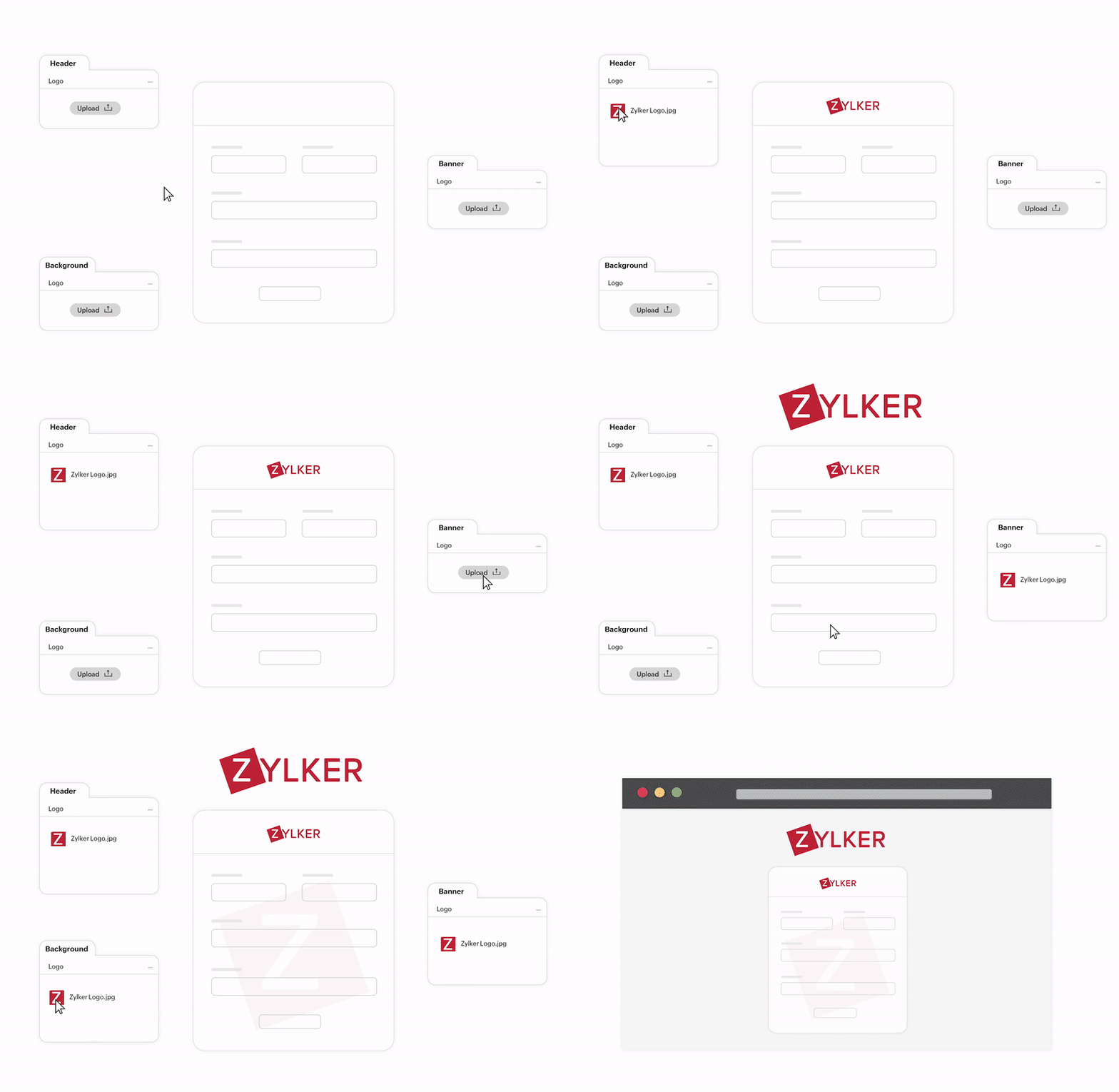
Maintain a unified brand across HR, marketing, sales, and other business functions. Create custom themes with your brand’s fonts and colors, then publish them to your organization. Updates cascade to all forms using that theme, ensuring a consistent look without starting from scratch. Zoho Forms also offers ready-to-use free form templates for various use-cases to help you get started with creating your first form.
Automate multi-level approvals based on form input data. Submissions route automatically to the right stakeholders, who can leave contextual comments and view decision history, ensuring transparency without back-and-forth emails.


How do collaborative forms add value to businesses?
Consistent brand voice
Collaborative forms allow marketing, design, and legal teams to align on language and structure in one workflow. Ensure every form headline, logo, and disclaimer meets brand standards and policy requirements before launch.
Enhanced quality control
Catch logic errors and typos before they reach your customers. Use peer review and audit logs to ensure every form is professional, functional, and error-free.
Accelerated workflows
Move from submission to action instantly with the all-in-one online form generator. Built-in approval workflows route data to the right stakeholders for one-click review, eliminating manual follow-ups and long delays. Whether it’s an expense reimbursement or a job application, stakeholders get instant notifications to approve or reject with a click.
How to create collaborative forms in minutes
- Step-1Head to the Share tab
Once you’ve built your form or selected a free form template in our library, click the Share tab at the top of the builder. This is your hub for managing distribution and builder access.
- Step-2Invite your collaborators
Under Share With, select Specific Users. Enter your teammates' emails and assign permissions.
Modify Form: To edit fields, settings, and design.Modify Form, Entries, Reports: For full access to design, data, and reporting. - Step-3Collaborate and go live
Start a real-time chat to discuss changes. Collaborators can refine logic, update branding, or add validation rules. All changes are tracked in the Form Audit. Once satisfied, your collaborative masterpiece is ready to be published.
How do collaborative forms add value to businesses?
Consistent brand voice
Collaborative forms allow marketing, design, and legal teams to align on language and structure in one workflow. Ensure every form headline, logo, and disclaimer meets brand standards and policy requirements before launch.
Enhanced quality control
Catch logic errors and typos before they reach your customers. Use peer review and audit logs to ensure every form is professional, functional, and error-free.

Accelerated workflows
Move from submission to action instantly with the all-in-one online form generator. Built-in approval workflows route data to the right stakeholders for one-click review, eliminating manual follow-ups and long delays. Whether it’s an expense reimbursement or a job application, stakeholders get instant notifications to approve or reject with a click.

Empower your team with collaborative forms
Collaborative form FAQs
Collaborative forms are online tools that allow multiple team members to build, edit, and manage a single form simultaneously. Instead of passing files back and forth, teams work in a shared cloud environment where changes are synced in real time, ensuring everyone is working on the most up-to-date version of the project.
Access is typically managed through role-based permissions. In Zoho Forms, the form owner can invite specific users and assign them various permission levels:
To view and submit the form
To modify the form and its configurations
To modify forms, entries and reports.
Access can be revoked instantly to maintain data security.
The most essential features include:
- Real-time co-editing: Multiple users editing the same form at once.
- Audit logs & version history: Tracking who made what changes and when.
- Internal chat/comments: Communicating with teammates directly inside the builder.
- Approval workflows: Automatically routing form submissions to the right team member for review.
- Shared themes: Ensuring a consistent brand voice across all team-created forms
As of 2026, the top choices for team-based form building are:
- Zoho Forms: Best for deep business ecosystem integration and complex approval flows.
- Google Forms: The go-to for simple, free, real-time collaboration.
- Microsoft Forms: Ideal for organizations heavily invested in the Office 365/Teams environment.
- Jotform: Known for its massive template library and robust collaborative widgets.
- Typeform: Focuses on high-end design and conversational user experiences for collaborative teams.
Collaborating on forms allows multiple people to work together on creating, editing, and managing a form. In Zoho Forms, you can:
- Add co-owners or collaborators who can build and modify the form.
- Share form access with team members for reviewing submissions.
- Assign roles or permissions (like view-only or edit).
- Track changes or submission activities to monitor progress and updates.
Modern form builders, like Zoho Forms, allow you to invite teammates as collaborators and control their level of access.
Read more about how to add collaborators to a form in Zoho Forms.
Zoho Forms is a powerful Google Forms alternative, especially for teams that need better collaboration tools. It offers:
- Role-based permissions to manage who can view, edit, or approve forms.
- Real-time collaboration for building forms together.
- Team workflows with approvals and task assignments.
- Audit trails and activity logs to track every action on the form.
Zoho Forms is designed for teams and businesses that need structure, security, and flexibility when working on forms together with secure online forms.