ChatGPT vs Claude vs Gemini and more: Which AI tool to integrate into your business workflows
- Last Updated : June 30, 2026
- 319 Views
- 11 Min Read
Summary:
- Pick the AI tool by task, not preference: ChatGPT for general content, Claude for complex prompts and customer-facing replies, Gemini for long documents and Google apps, Perplexity for real-time research, DeepSeek for cheap high-volume classification, and Zia for sensitive data.
- Combine models for better workflows: chain tools like Perplexity for research, DeepSeek for scoring, and Zia for routing within a single flow.
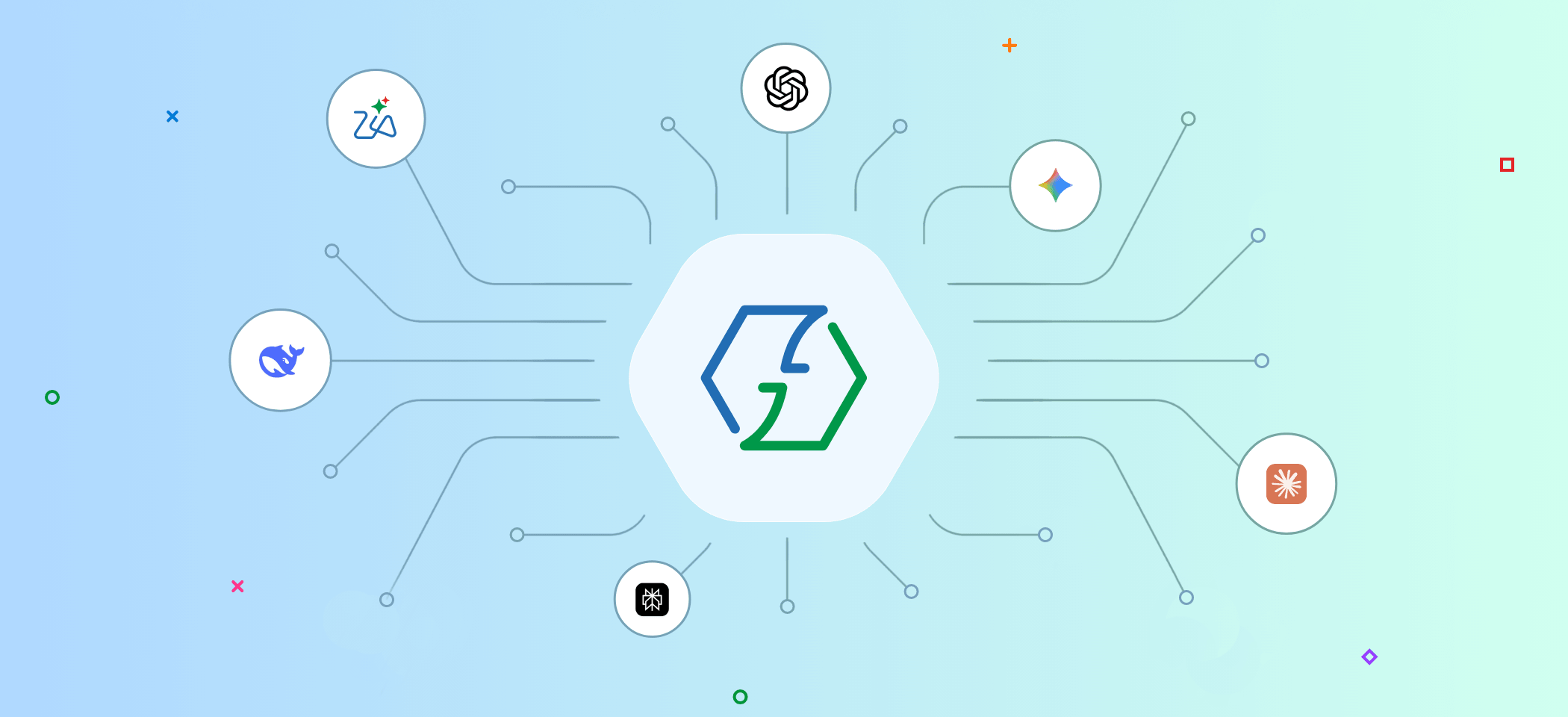
- Zoho Flow connects them all: 1,000+ app integrations and built-in actions let you mix AI tools without extra setup.
If you use AI tools like ChatGPT or Claude, and they aren't connected to the rest of your apps, you end up doing a lot of manual work in between. For example, when a support ticket comes in to your help desk, you copy it, paste it into ChatGPT, wait for a summary, then manually share it as a text with your team. This is AI-assisted manual work.
By connecting your AI tools like ChatGPT, Claude, and Perplexity with the rest of your tech stack, you can automate tasks that require intelligence. The same support ticket can get summarized, analyzed, and routed to the right person without your involvement.
However, while one particular model might be your go-to for reviewing content accuracy based on current data, it might not be your preferred tool for handling support tickets. Every AI tool is specialized for different tasks, and Zoho Flow lets you integrate all of them into your workflows.
This article helps you identify which AI tool is best suited for your business needs. Whether it's drafting customer email responses or classifying incoming requests, learn which AI tool can handle it best, and how well they integrate with Zoho Flow.
ChatGPT
Best for: Content generation, general-purpose tasks
ChatGPT by OpenAI is the most widely adopted AI model in the world. It's commonly used as a chatbot to generate content and provide solutions for day-to-day problems. It has the largest ecosystem of integrations, and is available for integration in most platforms.
Advantages
ChatGPT handles the widest variety of tasks. From drafting content, writing product descriptions, and creating summaries to extracting keywords and processing text, ChatGPT performs consistently.
Its function-calling capability is strong, which means it returns structured JSON output reliably. When a workflow step needs to extract a customer name, a sentiment score, and a priority level from a support ticket, ChatGPT handles that kind of multi-field extraction well.
Limitations
ChatGPT can be inconsistent with very long or highly detailed prompts. When a prompt has multiple layered instructions with conditional logic ("if the email mentions pricing, do X; if it mentions support, do Y; if it mentions both, do Z"), the output can drift, especially at higher volumes.
Its responses can also be unnecessarily wordy. In workflow steps where you need a short, structured response, you may need to be explicit in your prompt about keeping the output concise. Without that, ChatGPT often adds explanations and context that downstream steps do not need.
When to choose it
Add ChatGPT as a step in your workflow for general AI tasks like drafting emails, summarizing documents, or generating content at volume. If you don't have a specific reason to choose any other AI model, ChatGPT can be the safest default option.
Integration with Zoho Flow
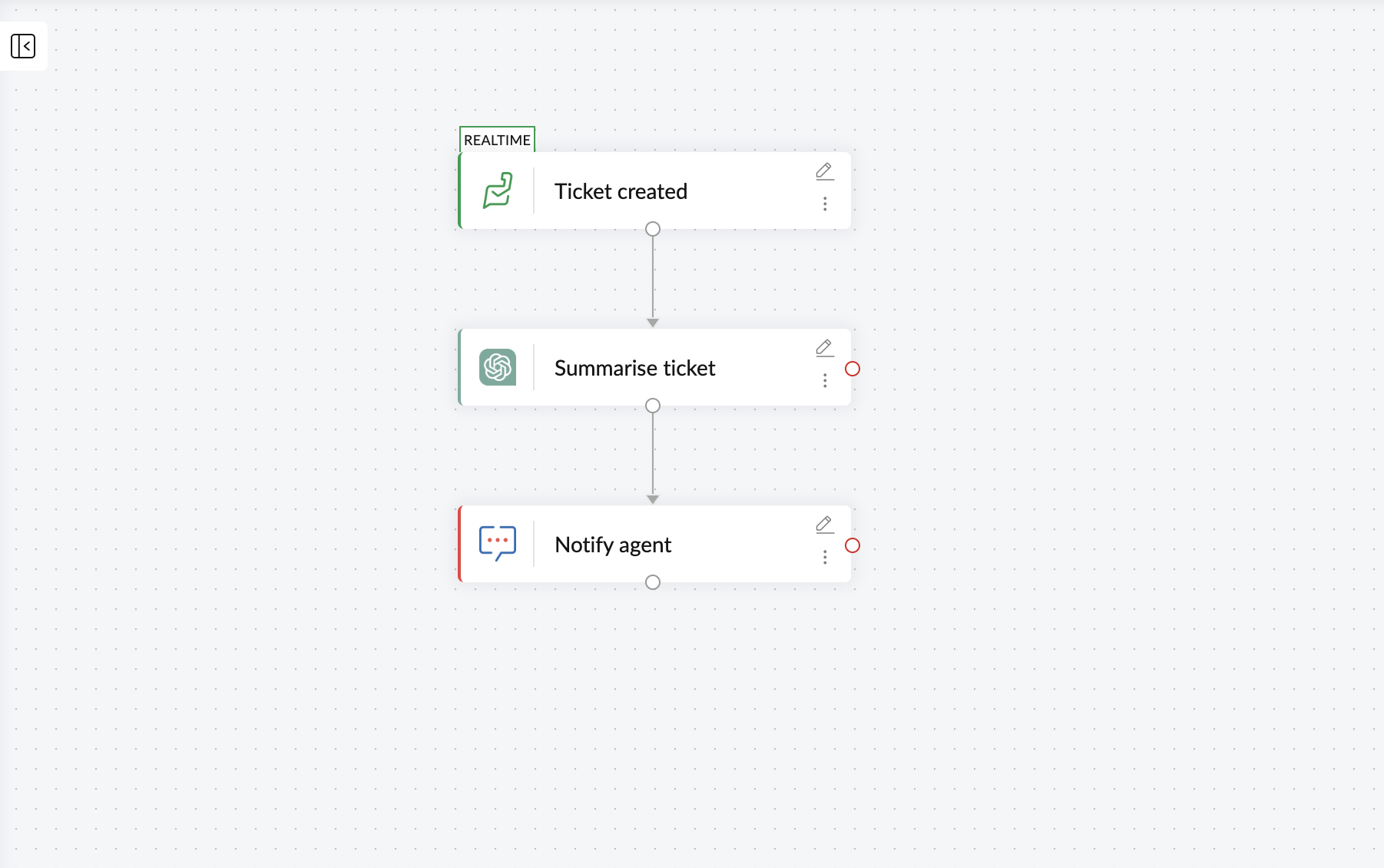
Zoho Flow supports several built-in actions for ChatGPT, including generate essays, create product descriptions, compose email replies, detect language, and HTML to text. These actions mean you can add a ChatGPT step to a workflow without writing custom prompts for common tasks.
Claude
Best for: Complex prompts, customer-facing content
Claude, built by Anthropic, is designed with a focus on safety and nuanced language understanding. Where ChatGPT optimizes for breadth, Claude optimizes for depth, careful instruction-following, longer context handling, and more controlled output.
Advantages
Claude excels at following complex, multi-layered prompts consistently. When your workflow prompt is detailed, Claude maintains accuracy across all those layers better than most alternatives.
It is also strong at tasks where tone and quality matter. When you're sending out AI-generated responses or email replies to a customer, Claude generates content that is more humanized and requires less manual editing.
For document analysis within workflows, Claude can handle detailed prompts well. Processing a full contract or summarizing a lengthy support thread is more effective with Claude.
Limitations
Claude is generally slower than ChatGPT for equivalent tasks. In workflows where time matters more than detailing, it can impact the speed of your workflows. Also, Claude's integration capabilities across integration platforms isn't as broad as that of ChatGPT.
When to choose it
Choose Claude when your prompts can be detailed and you want to generate customer-facing content. In situations where you want your workflows to respond to customers or potentials automatically, Claude earns its place.
It's also a strong choice for workflows involving nuanced content. Claude can understand and deliver accurate results while dealing with detailed and extensive prompts.
Integration with Zoho Flow
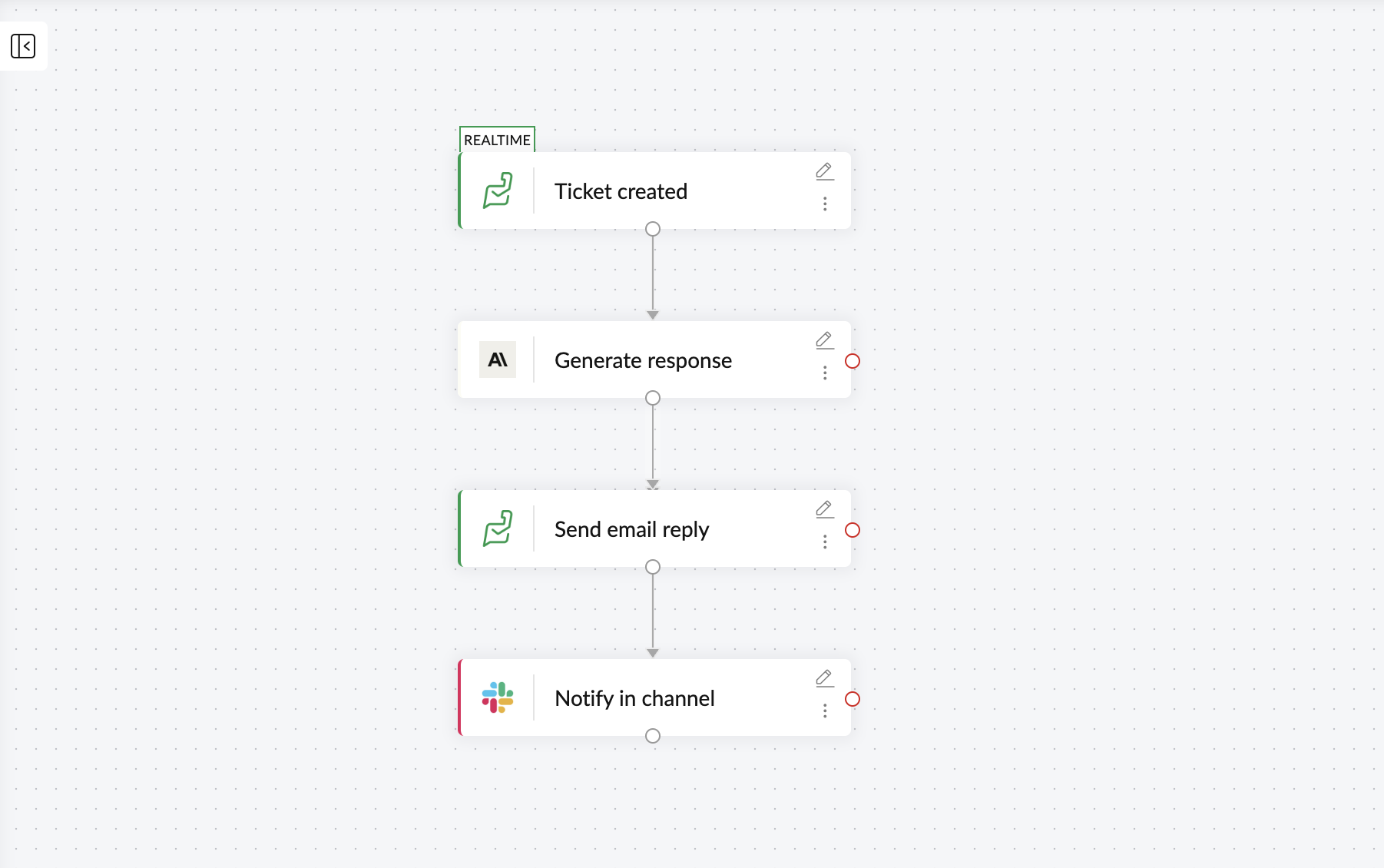
Zoho Flow lets users connect Claude with 1,000+ business applications across different streams, ecosystems, and networks. With the send prompt action, you can pass any data from any app through Claude, provide desired prompts, and have your preferred intelligent actions executed through the workflow.
Gemini
Best for: Long documents, Google ecosystem workflows
Gemini is Google's AI model, built to work across text, images, audio, and video. Its standout feature is its large context window, more than any other mainstream models, and its native strength within the Google ecosystem.
Advantages
Gemini can handle significantly larger data or inputs than other models. If your workflow involves processing long documents, extensive databases, or extracting information from detailed reports, Gemini can take in more information in a single step without you needing to summarize it first.
For teams already working within Google Workspace, Gemini's native understanding of that ecosystem is an advantage. Workflows that pull from Google Sheets, Google Docs, or Gmail and need AI processing on that data fit naturally with Gemini.
Limitations
Gemini's integration ecosystem across workflow automation platforms is still catching up to ChatGPT's. And for pure text generation tasks where you don't need the large context window or multimodal capabilities, Gemini doesn't offer a clear advantage over ChatGPT or Claude.
When to choose it
Choose Gemini when your workflow involves processing large documents or datasets that would exceed other models' context limits. Also choose it when your tech stack contains multiple Google apps or if the data flow of your workflows originates from or returns to Google apps.
Also, if your workflow needs to process images, audio, or video alongside text, Gemini's multimodal capabilities make it the natural choice.
Integration with Zoho Flow
Gemini connects to Zoho Flow with a send prompt action. You can connect it with over 1,000 apps available in Zoho Flow and place Gemini as a processing step in any workflow that needs AI-powered analysis, summarization, or content generation.
Gemini is available for integration in Zoho Flow, enabling you to connect it with the desired apps and build intelligent workflows. Flow also offers integrations for multiple Google apps, becoming an efficient choice for you if your tech stack contains Google apps.
Perplexity
Best for: Real-time research, data enrichment
Perplexity is fundamentally different from the other popular AI models on this list. It's an AI-powered search engine that can retrieve real-time information from the internet and provide answers with cited sources.
Advantages
Perplexity's strength is retrieving current, sourced information as part of an automated workflow. Every other model on this list generates content based on training data. Perplexity goes out and finds information as it exists right now.
This makes it ideal for workflows that need up-to-date data: pulling the latest pricing from a competitor's website, gathering recent news about a prospect before a sales call, or fact-checking a piece of content before it gets published.
Because its responses include citations, you can get sourced information along with the AI output, helping your team verify the data easily.
Limitations
Perplexity isn't designed for content generation. If your workflow step needs to generate an email, write a product description, or summarize an internal document, Perplexity isn't the right tool. It collects and generates information from external sources, and does not create original content from a prompt.
Its response times can also be slower than pure language models because it performs web searches before generating a response.
When to choose it
Choose Perplexity when your workflow needs real-time and reliable information that the other models can't provide—lead enrichment, competitive research, market monitoring, content fact-checking, and workflows where the value comes from current data rather than generated text.
It's more effective when combined with other AI models in the same workflow, handling the research step while a different model handles the writing or analysis.
Integration with Zoho Flow
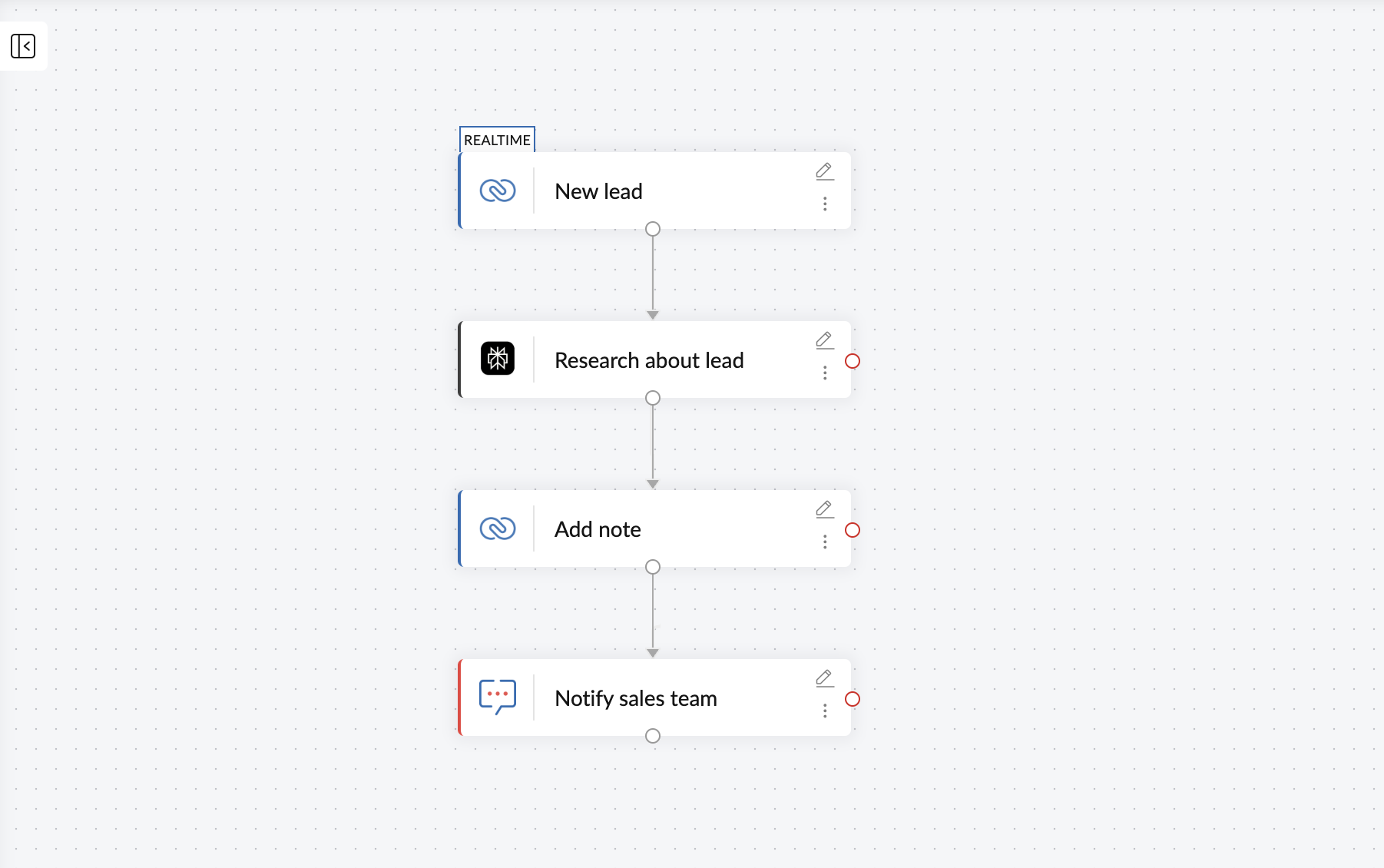
Zoho Flow supports the chat completion action for Perplexity AI, which can generate relevant responses based on real-time research feeds from the input fields passed on from triggering apps.
DeepSeek
Best for: High-volume classification, tagging, extraction
DeepSeek is an AI assistant built for coding, content creation, and document analysis. Its primary advantage is strong reasoning capabilities and quicker response time while costing significantly lower than Claude and ChatGPT.
Advantages
For high-volume, repetitive AI tasks, DeepSeek offers the best cost-to-quality ratio. Classifying support tickets, tagging content, extracting specific fields from documents, sorting emails by category—these are tasks where you're running hundreds or thousands of operations daily, and the per-call cost adds up fast with premium models.
DeepSeek handles these structured, well-defined tasks better. When the prompt is clear and the expected output is consistent (a category label, a set of extracted fields, a yes/no decision), DeepSeek delivers results comparable to more expensive models at a fraction of the cost.
Limitations
For complex, nuanced tasks where output quality needs to match ChatGPT or Claude, DeepSeek falls short. Creative writing, subtle tone matching, and multi-layered reasoning are areas where the cost savings come with a visible quality trade-off.
Its integration support across workflow automation platforms is much lower compared to other top AI platforms.
When to choose it
Choose DeepSeek when you're running high-volume AI tasks that are simple and well-defined on a daily basis. Tasks like data classification, tagging, and simple summarization are where DeepSeek is more effective.
It's also a practical choice for internal-facing workflows where the output doesn't go directly to customers and perfection is less critical.
Integration with Zoho Flow
DeepSeek connects to Zoho Flow and can be paired with over 1,000 apps. You can use it as an action step for content creation, document reading, and more within your automated workflows.
Built-in AI actions - Zia
Best for: Sensitive data, customized actions
Zia Utilities are built-in AI actions powered by Zoho's own AI, Zia. Unlike every other model on this list, Zia in Zoho Flow doesn't require an external API connection, a separate account, or even a subscription. These are prebuilt AI actions you can use right away.
Advantages
Zia's strongest advantage is data privacy. When you use ChatGPT, Claude, Gemini, Perplexity, or DeepSeek in a workflow, your data is sent to a third-party AI provider for processing. With Zia, it stays on Zoho's servers. Your data isn't used to train any model, and you can revoke access at any time.
Beyond privacy, Zia offers practical AI capabilities directly within your workflows. Zia Utilities let you rephrase text, summarize conversations, extract content, and more without configuring an external API. Zia also powers agentic actions that can make decisions like choosing follow-up actions based on context and prompts.
Because Zia is native to Zoho, setup is immediate. There are no API keys or separate billing. You add a Zia step to your workflow the same way you add any other action.
Limitations
Zia's capabilities are more focused than general-purpose models like ChatGPT or Claude. For complex creative writing, extensive document analysis, or highly specialized tasks, these external models offer more flexibility.
When to choose it
Choose Zia if you prefer your data to stay within Zoho servers. If your workflows handle customer data, financial records, or any other sensitive business data, and you can't afford to send it to an external AI provider, Zia is the only option on this list that keeps everything in-house.
You should also choose it for straightforward AI tasks (rephrasing, summarizing, extracting, classifying) where you want the simplest possible setup.
Integration with Zoho Flow
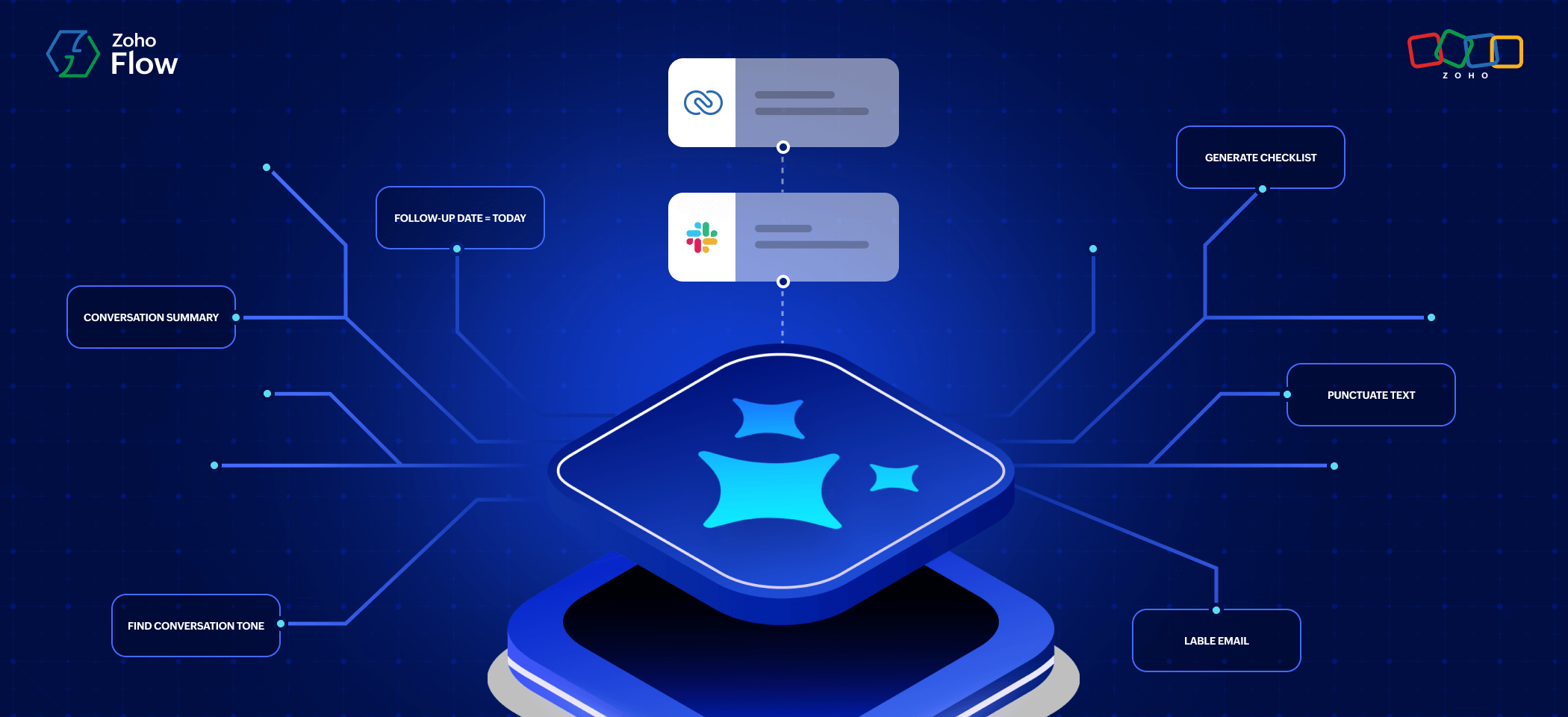
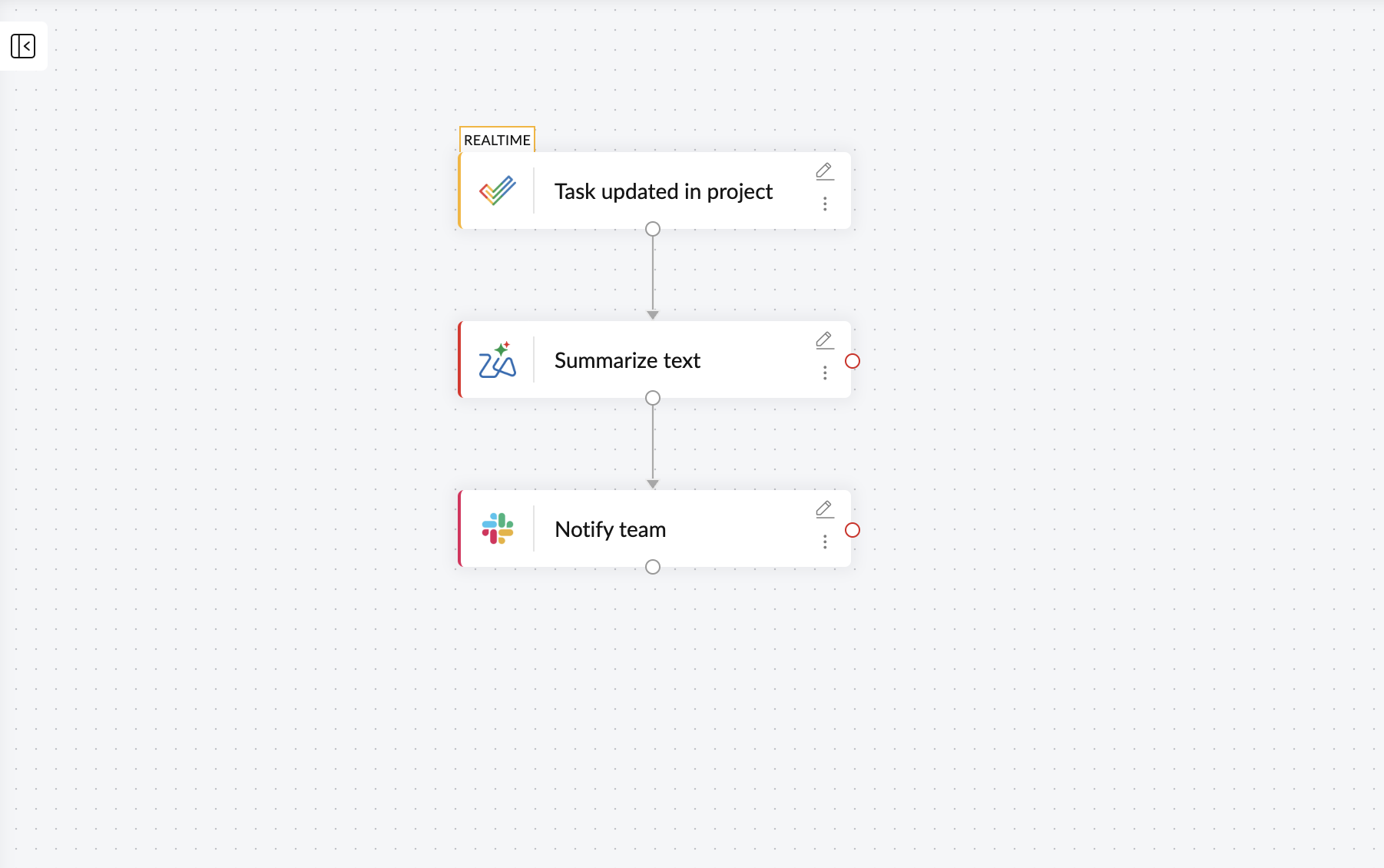
Zia is built directly in to Zoho Flow. It connects natively with every Zoho app and works alongside all 1,000+ external apps available in Flow. With 20+ prebuilt AI actions, like generate email, summarize text, find conversation tone, and extract keywords, Zia makes building AI-powered workflows easier.
One workflow. Multiple AI tools.
The best part about having multiple AI tools supported for integration in one platform is you can use more than one tool within a single workflow.
Each AI model has their own strengths, and if your workflow requires you to combine the strength of these models, you can easily make it happen with Zoho Flow. For example, if you want your workflow to research and generate content, you can add both Perplexity and ChatGPT as actions. Here are some examples:
Review content pieces efficiently
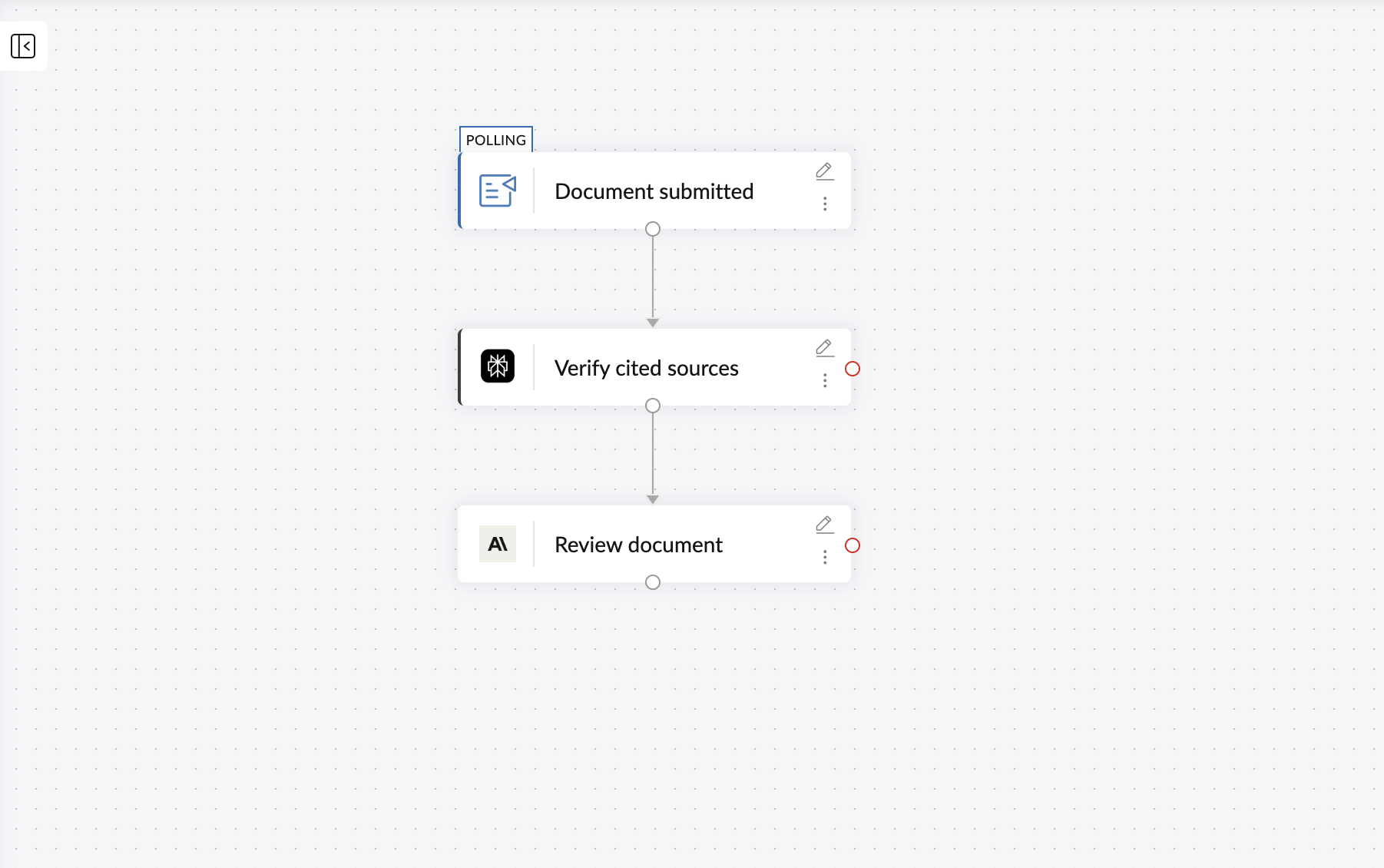
When a new content piece containing statistical information is submitted for review through Zoho Writer, you can have Perplexity research the content and cross-verify cited sources. Once that's done, you can have Claude review it for tone, accuracy, and brand guidelines. Once the review is done, the status of the document can be updated.
Smart lead enrichment and routing
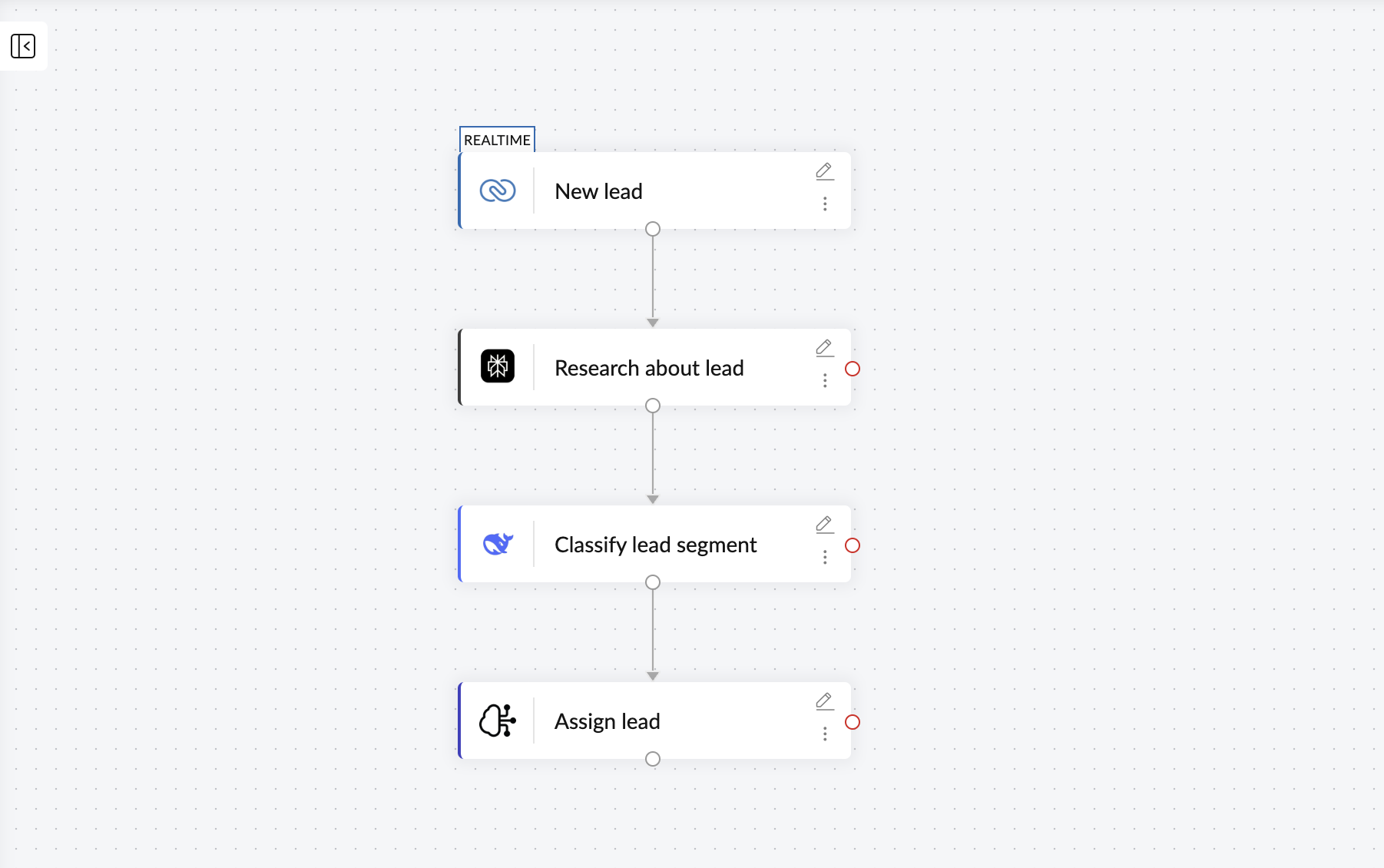
When a new lead is created in your CRM, Perplexity can pull the latest company information, recent funding rounds, and industry context. This can help the next AI model, DeepSeek, classify the lead by segment and score it based on the researched data. Finally, the built-in agentic actions powered by Zia can route the lead to the right sales rep based on deal size and territory.
Intelligent ticket handling
When a support ticket arrives at your help desk. Claude can analyze the full conversation thread to understand sentiment, urgency, and the core issue and pass the data on to ChatGPT, which can generate a relevant response.
Every model in this comparison is available as an action step in Zoho Flow, and each model can handle the step it's best suited for within the same workflow. Zoho Flow supports integrations for 1,000+ applications.
Check them out and start building AI- powered workflows today!
Frequently asked questions
1. Can I use multiple AI models in the same workflow?
Yes. Zoho Flow lets you add different AI models as separate action steps within a single workflow. For example, you can use Perplexity to research a topic, ChatGPT to draft content based on that research, and Claude to review the draft for tone and accuracy, within one workflow.
2. What is the difference between using Perplexity and ChatGPT in a workflow?
ChatGPT generates content based on its training data. Perplexity searches the web in real time and returns answers with cited sources. If your workflow needs current information, like checking the latest pricing from a competitor, Perplexity is the right choice. If it needs to draft an email or summarize a document, ChatGPT is the better fit.
3. Is my data safe when using external AI models in Zoho Flow?
Yes. Your data is always safe within Zoho Flow. When you use external models like ChatGPT, Claude, or Gemini, the data is sent securely to the respective AI provider for processing. If you want your data to stay entirely within Zoho's infrastructure and never leave Zoho Flow, you can use Zia Actions. Zia processes everything on Zoho's own servers, with no data shared with any external provider.
4. Do I need an API key to use these AI models in Zoho Flow?
For external models like ChatGPT, Claude, Gemini, Perplexity, and DeepSeek, you'll need to connect your account with the respective provider. Zia Actions is built directly in to Zoho Flow and requires no external API setup or separate account.
5. When should I choose Claude over ChatGPT for a workflow step?
Choose Claude when your workflow prompt is complex and has multiple conditional instructions, or when the AI-generated output goes directly to a customer. Choose ChatGPT when you need to perform general tasks like content drafting, summarization, or structured data extraction.
6. What can built-in AI actions do in a workflow?
Zia Utilities or built-in Zia actions in Zoho Flow can rephrase text, summarize conversations, extract content, generate responses, and classify data. Apart from that, Zia also supports agentic actions that can evaluate the context of your workflows in real time and decide the next step based on data.
Related reading:
 Sooraj
Content writer for Zoho Flow. Ardent fan of sports and movies.