- HOME
- More
- Security deep-dive
- Identifying malicious emails by analyzing email headers
Identifying malicious emails by analyzing email headers
- Last Updated : March 6, 2026
- 1.7K Views
- 10 Min Read

Email remains the primary mode of communication for organizations across the globe. Because business-critical information is routinely exchanged over email, threat actors continue to rely on it as a preferred channel for launching phishing, spoofing, and social engineering attacks. As a result, IT admins and security teams spend considerable effort educating employees to exercise caution and verify the legitimacy of emails before engaging with them.
While awareness sessions, phishing simulations, and security workshops play a crucial role in building this vigilance, there’s also valuable information available directly within every email that can help verify its authenticity. This information resides in the email header, a section of the message that’s usually hidden from everyday users but contains key technical details about the email’s origin, route, and legitimacy.
Although analyzing email headers is a capability every IT admin should be familiar with, empowering regular users with basic header-reading knowledge can significantly reduce the likelihood of falling for fraudulent messages. In this article, we’ll explore what email headers are, why they matter, the different components they contain, and how to analyze them to identify potential malicious emails.
What are email headers?
Every email is made up of multiple components. The most visible parts are the email body (the message content) and any attachments. However, the email header is a component embedded in every email that most users don’t see.
Email headers are lines of metadata that contain important technical details about the message. While they aren’t displayed in the regular email view, they can be accessed in the email client through a “View Original”, “View Source”, or similar option. These headers hold key information, such as the sender and recipient addresses; authentication results (SPF, DKIM, DMARC); security checks; mail servers involved in transmission; timestamps; and MIME details.
Email headers help the receiving mail server understand how to route the message, verify its authenticity, and decide whether it should be delivered, flagged as spam, or blocked. When email users find something suspicious about an email, headers can provide clues about where the email actually came from, whether the sender identity is spoofed, and whether the message might be malicious.
Components of email headers
Email headers can broadly be classified into three categories: basic headers, routing headers, and security headers. Let's understand the components in each category and the purpose they serve.
Basic headers
The basic headers contain information that’s mostly visible upfront to the email recipients. These headers can be manipulated by the senders or any interceptors. Analyzing just these details while inspecting an email cannot be treated as absolute. They may shed light on spoofing or impersonation attempts, making them an essential part of header analysis, to understand the more technical components better.
From: The From header shows the name and email address of the sender. This field can easily be spoofed, meaning attackers can make an email appear to come from a trusted person or organization. Always verify that the domain matches the real sender and cross-check against authentication results.
To: The To header indicates the primary recipient of the email. Sometimes, suspicious emails may list vague or unrelated recipients, or show that you were added indirectly. For targeted attacks, the To address may be accurate but crafted to impersonate internal communication.
Subject: The Subject header contains the email’s topic or intended summary. Threat actors often use emotionally charged or urgent subjects to provoke quick reactions.
Date: The Date header shows when the email was sent. In malicious emails, this field may be manipulated to create urgency or appear legitimate. Any inconsistencies, such as timestamps far in the future or past or formats that don’t match typical organizational patterns, can be indicators of suspicious activity.
Cc: The Cc header lists additional recipients copied on the email. Attackers sometimes include unrelated or random contacts to make the message seem more official, or to create pressure based on visibility. Conversely, spear phishing attempts may exclude all Cc entries to appear more personal and targeted.
Reply-To: The Reply-To component specifies where replies will be sent, which may differ from the From address. Although different addresses may be used for legit purposes, this is also a common tactic in phishing.
Message-ID: The Message-ID is a unique identifier assigned by the sending server and often includes the domain of origin. A mismatch between this domain and the From address can indicate spoofing or forwarding through an illegitimate server. This is also common in bulk spam and phishing messages.
MIME-Version: The MIME-Version indicates which version of the Multipurpose Internet Mail Extensions (MIME) standard the email follows. Most modern emails use MIME-Version: 1.0. This header enables emails to support different content types, attachments, and formatting.
Content-Type: The Content-Type header defines the format of the email’s content such as plain text, HTML, or multipart (used when an email includes both text and attachments). Attackers often exploit HTML-based content types to hide malicious links or scripts.
Routing headers
Routing headers help trace the journey an email took before reaching the recipient. They reveal the mail servers involved in transferring the message and can uncover signs of spoofing, relay abuse, or tampering.
Received: The Received header appears multiple times in an email for each server or mail agent the email passes through. Reading these from bottom to top shows the true path of the email from sender to receiver. If an email claiming to be internal originates from an unfamiliar external server or geographic region, it may indicate spoofing or an unauthorized relay.
Return-Path: The Return-Path header shows the address that will receive bounce messages if delivery fails. This value reflects the actual sending address, which may differ from the visible From field. A mismatch between the From and Return-Path domains is a common sign of impersonation or phishing, as attackers often mask the real sender.
Originating IP: The Originating IP identifies the IP address of the system that originally sent the email. Checking the reputation of this IP helps determine whether the email came from a trusted mail server or from a suspicious or known malicious source.
Delivered-To: The Delivered-To header indicates the final mailbox to which the email was delivered. This is useful when analyzing forwarded messages or shared mailboxes because it shows the actual endpoint. During incident investigation, this helps verify whether multiple users were targeted or if a message was redirected without the recipient’s knowledge.
Authentication and security headers
Authentication and security headers help verify whether an email truly comes from the domain it claims to represent. These headers provide insight into whether the message passed identity checks, whether the content was altered in transit, and whether it triggered any spam or threat detection rules.
Received-SPF: The Received-SPF header shows the result of the SPF (Sender Policy Framework) check, which verifies whether the sending mail server is authorized to send email for the domain.
- Pass indicates the sending server is legitimate.
- Fail suggests potential spoofing or unauthorized server use.
A fail result for emails claiming to be from known brands is a strong warning sign.
DKIM-Signature: The DKIM-Signature header contains a cryptographic signature applied by the sending domain. The receiving server checks whether the signature matches the message content and domain.
- Valid DKIM means the email was not altered in transit.
- Failed or missing DKIM may indicate tampering or spoofing.
This is especially important for verifying business and transactional emails.
DMARC result: The DMARC result is usually shown within the Authentication-Results header and reflects whether SPF and DKIM were aligned with the domain’s published policy.
- DMARC pass indicates trust alignment.
- DMARC fail may lead to the message being quarantined or rejected.
A DMARC fail, especially on messages claiming to be internal, is a key indicator of impersonation.
ARC-Authentication-Results: The ARC (Authenticated Received Chain) header appears in forwarded or relayed emails. ARC preserves authentication results when the original checks cannot be applied again. This helps determine whether the email was trustworthy before being forwarded by mailing lists, shared inboxes, or auto-forwarding systems.
ARC helps avoid false positives and assists in analyzing indirect email flows.
X-Spam: The X-Spam headers are optionally added by spam filters and email security gateways. They may indicate:
- Spam score.
- Whether the message was flagged.
- Which spam detection rules were triggered.
These values provide insights into why a message was allowed, blocked, or suspicious, even when authentication passes.
TLS/SSL Indications: Some headers indicate whether the email was sent over a secure, encrypted channel such as Transport Layer Security (TLS). While a lack of TLS doesn’t necessarily mean malicious intent, emails from reputable providers typically use secure transport. If a supposedly trusted sender sends email without TLS, or via outdated protocols, proceed with caution as the email may be spoofed.
Sample email header
Return-Path: <newsletter@securebankalerts.com>
Received: from mail.securebankalerts.com (mail.securebankalerts.com [185.22.56.78])
   by mx.companydomain.com with ESMTPS id 7F2A32007B
   for <employee@companydomain.com>;
   Tue, 11 Nov 2025 10:22:45 +0530 (IST)
Received-SPF: fail (mx.companydomain.com: domain of securebankalerts.com does not designate 185.22.56.78 as permitted sender)
Authentication-Results: mx.companydomain.com;
   spf=fail smtp.mailfrom=newsletter@securebankalerts.com;
   dkim=none;
   dmarc=fail (p=reject) header.from=securebankalerts.com
From: "Secure Bank Alerts" <newsletter@securebankalerts.com>
To: <employee@companydomain.com>
Subject: Urgent: Verify Your Account Information Immediately
Date: Tue, 11 Nov 2025 10:22:44 +0530
Message-ID: <20251111102244.123456@mail.securebankalerts.com>
Reply-To: <support@bank-update-check.com>
MIME-Version: 1.0
Content-Type: text/html; charset="UTF-8"
X-Spam-Status: Yes, score=9.8 required=5.0 tests=SPF_FAIL,DMARC_FAIL,FORGED_SENDER,PHISH_SUBJ_URGENCY
X-Spam-Flag: YES
Delivered-To: employee@companydomain.com
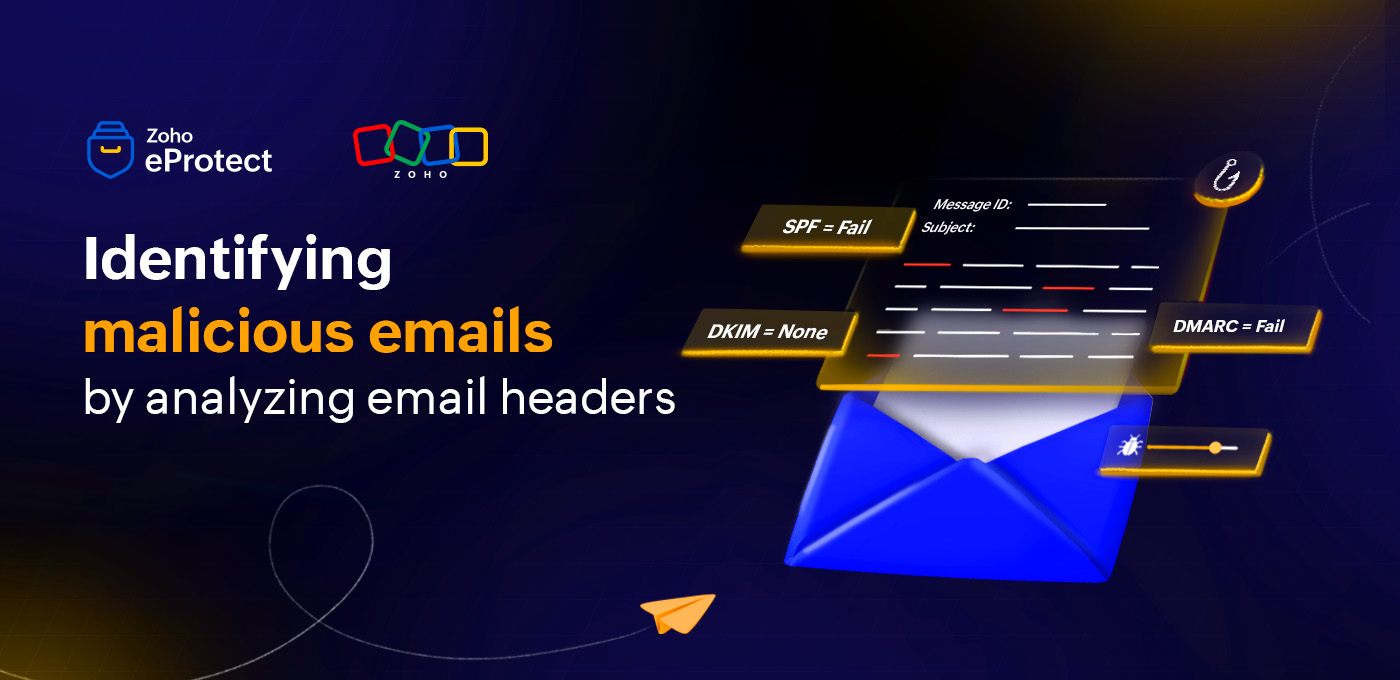
On analyzing this email header, you can identify that it fails SPF and DMARC checks, has no DKIM signature, and includes a mismatched “Reply-To” domain, all of which are signs of a spoofed message. The elevated spam score confirms that it was flagged by the security filter.
Why are they important?
Email headers provide a transparent, technical view of where an email came from and how it traveled before reaching the recipient. We'll walk you through some of these reasons in this section.
Identifying the email journey
Email headers show the route an email took through various mail servers, captured in the “Received” lines. By reading these entries from bottom to top, admins can trace the message from its original sending server to the final recipient mailbox. This helps confirm whether the email originated from a legitimate source or was relayed through suspicious or unexpected servers.
Determining sender details
Headers provide deeper visibility into sender information beyond what appears in the “From” field. Fields like Return-Path, Reply-To, and Message-ID reveal the actual sender domain and mail server. When these values don’t match the display name or appear inconsistent, it may indicate impersonation, spoofing, or a compromised account attempting to mislead the recipient.
Verifying authentication details
Authentication results, such as SPF, DKIM, and DMARC, are clearly listed in the header. These checks help confirm whether the sender is authorized to send email for that domain, and whether the message was altered in transit. Failed authentication in emails claiming to be from trusted organizations is a strong indicator of phishing or domain spoofing.
Troubleshooting incidents
During phishing investigations or delivery issues, headers serve as a critical diagnostic tool. They help identify the mail server responsible for delays, determine filtering outcomes, and assess whether an email was blocked, quarantined, or allowed through mistakenly. For security teams, headers provide evidence to validate threats, respond quickly, and strengthen email security policies.
Analyzing email headers for enhanced security
IT admins and email users can equip themselves to read and decipher what email headers could mean and identify possible phishing or spam attempts. Understanding what a certain header points to can give invaluable information into the authentication results and help handle malicious emails with care. In this section, we'll explore how email headers can be analyzed to improve your mailbox security.
Analyzing the authentication headers
Check the SPF, DKIM, and DMARC results and see if they've passed or failed. If one of the authentication results has failed but the others have passed, it may not mean that the email has been tampered with. However, if all the authentication mechanisms have failed, there's a high probability that the email was altered in transit.
Similarly, if you're sure that an email was forwarded, check whether the ARC authentication results of the email are available. If they're missing or invalid, it could be an indicator of malicious activity.
Analyzing the “Received” chain
The received component in an email header provides invaluable information about where an email originated to where it was finally delivered. Reading the received header from the bottom to top gives insights about the server it originated from to the server it was finally delivered to. If you notice any inconsistencies in the hop from one server to another, pay extra attention to the details of the email before engaging with it. Some details that could indicate forging or other such activities include:
- Timestamp mismatch between one server hop to the next. Overlapping timestamps or a timestamp preceding the time of the previous hop are common indicators.
- If the first hop denotes a domain that the email doesn't originally claim to be from, it could indicate a malicious activity.
- If the email claims to be a from a local or internal sender but the email has gone through servers across different countries, proceed with caution.
In short, a legitimate email’s “Received” chain will show a predictable, logical path through trusted servers, while a malicious one often contains gaps, mismatched origins, or foreign relays, pointing to the possibility of suspicious activity.
Analyzing “spam scoring” headers
Spam scoring headers provide a behind-the-scenes view of how an email was evaluated by a mail server’s spam or threat detection engine. They reveal the risk score assigned to the message, which rules or patterns triggered, and whether the email was flagged as spam or allowed through. By reading these headers, IT admins and security teams can understand why an email was classified a certain way and assess its legitimacy.
However, it’s important to note that spam scoring headers are optional. They're not included by all mail servers or security gateways. Because it's not a mandatory header, admins often rely on combined signals such as SPF, DKIM, and DMARC results to determine the nature of the email.
Header analyzer tool
Manually reviewing email headers can be time-consuming, especially when an email contains multiple “Received” entries and detailed authentication results. A header analyzer tool simplifies this process by automatically parsing and organizing header data into a readable format, making it easier to interpret the email’s journey and legitimacy.
Zoho Mail offers a free and user-friendly Toolkit that helps users analyze and quickly understand complex header information.
This makes it much easier to trace suspicious patterns, detect forged headers, and verify whether an email originated from the domain it claims to represent. The Tooklit is particularly useful for IT admins investigating phishing reports or for users who want to validate suspicious emails before engaging with them.
Conclusion
By learning to read and interpret email headers, users and IT teams can uncover hidden signs of spoofing, tampering, and other malicious activity that content alone can’t reveal. Whether it’s checking SPF and DKIM results, tracing the “Received” chain, or reviewing spam scores, these insights strengthen an organization’s ability to detect and respond to threats on time.