


Leave Salary

Leave salary is the salary paid to you during your approved leave period. In many organizations, this salary is paid in advance so you can access your salary while you are on vacation.
If you are planning to take annual leave, you can request to receive your leave salary before your leave begins.
In Zoho Payroll, you can submit a Leave Salary request from the Employee Portal, and your employer will review and process the request.
For example, suppose you plan to take 10 days of annual leave in April. You can request the leave salary in March so that the salary for those 10 leave days is paid before your vacation begins.
What Happens When You Request Leave Salary
When you request leave salary:
- The system calculates the salary amount you are eligible to receive for the leave period.
- Your employer reviews and approves the request.
- Once approved, the leave salary will be paid in the payroll month you selected.
When the payroll for your actual leave month is processed, the system automatically adjusts your salary to account for the leave days that were already paid in advance.
Request Leave Salary
You can request leave salary from the Employee Portal.
To request leave salary:
- Go to Leave Salary.
- Enter the Leave Period.
- Review the Leave Duration.
- Review the Eligible Leave Salary Amount calculated by the system.
- Select Payment Required On to indicate when you want the leave salary to be paid.
- Enter the Reason for your request.
- Click Submit.
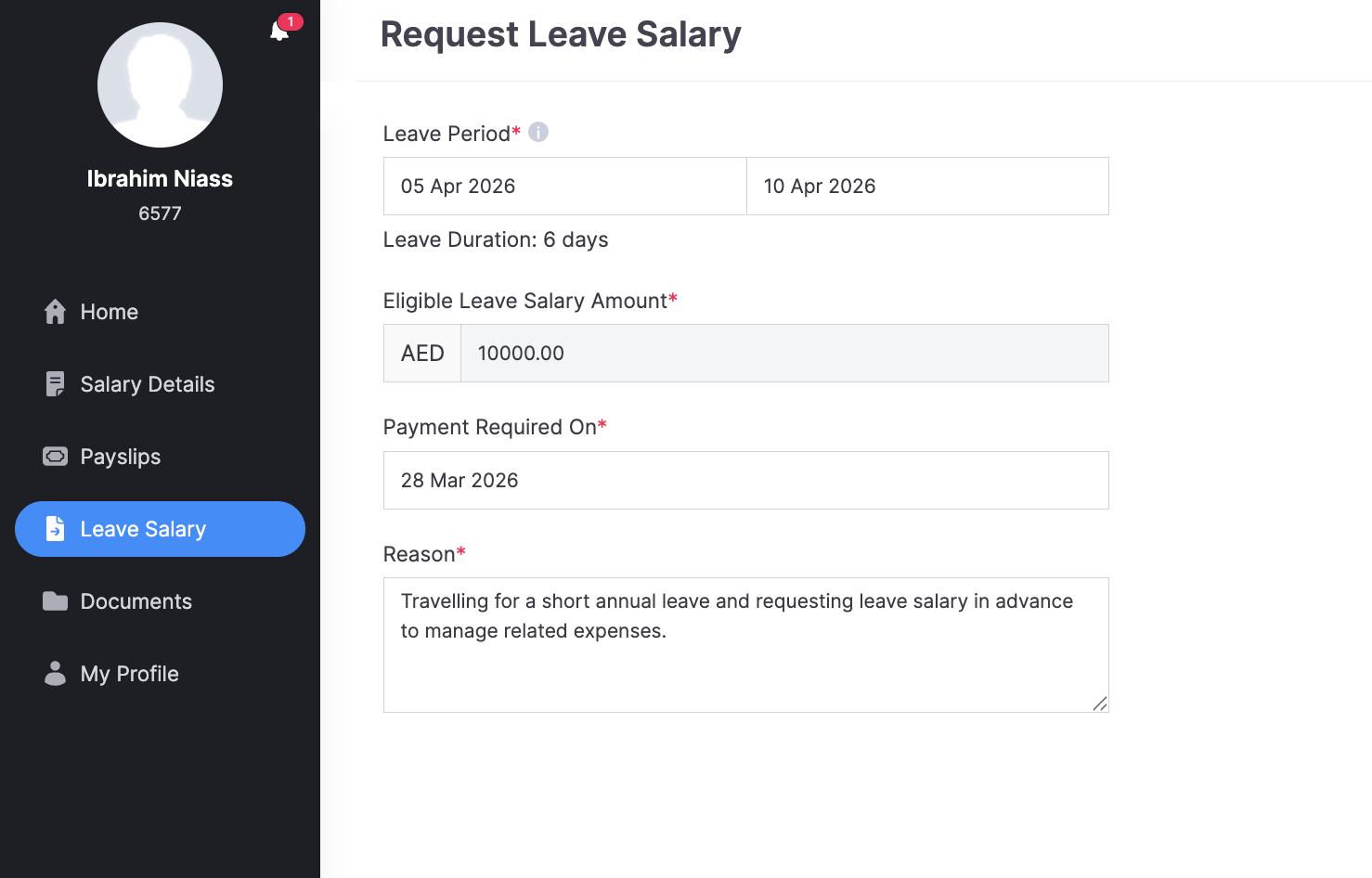
Your request will be sent to your employer for approval.
After You Submit the Request
Once the request is submitted:
- Your employer will review the request.
- If approved, the leave salary will be processed through payroll.
- The amount will be paid to you in the selected payroll month.
You will be able to view the payment in your payslip once the payroll is processed.
Cancel a Leave Salary Request
You can cancel a leave salary request if it is no longer required or if your leave plans change.
To cancel a leave salary request:
- Go to Leave Salary.
- Open the request you want to cancel.
- Click Cancel Request.
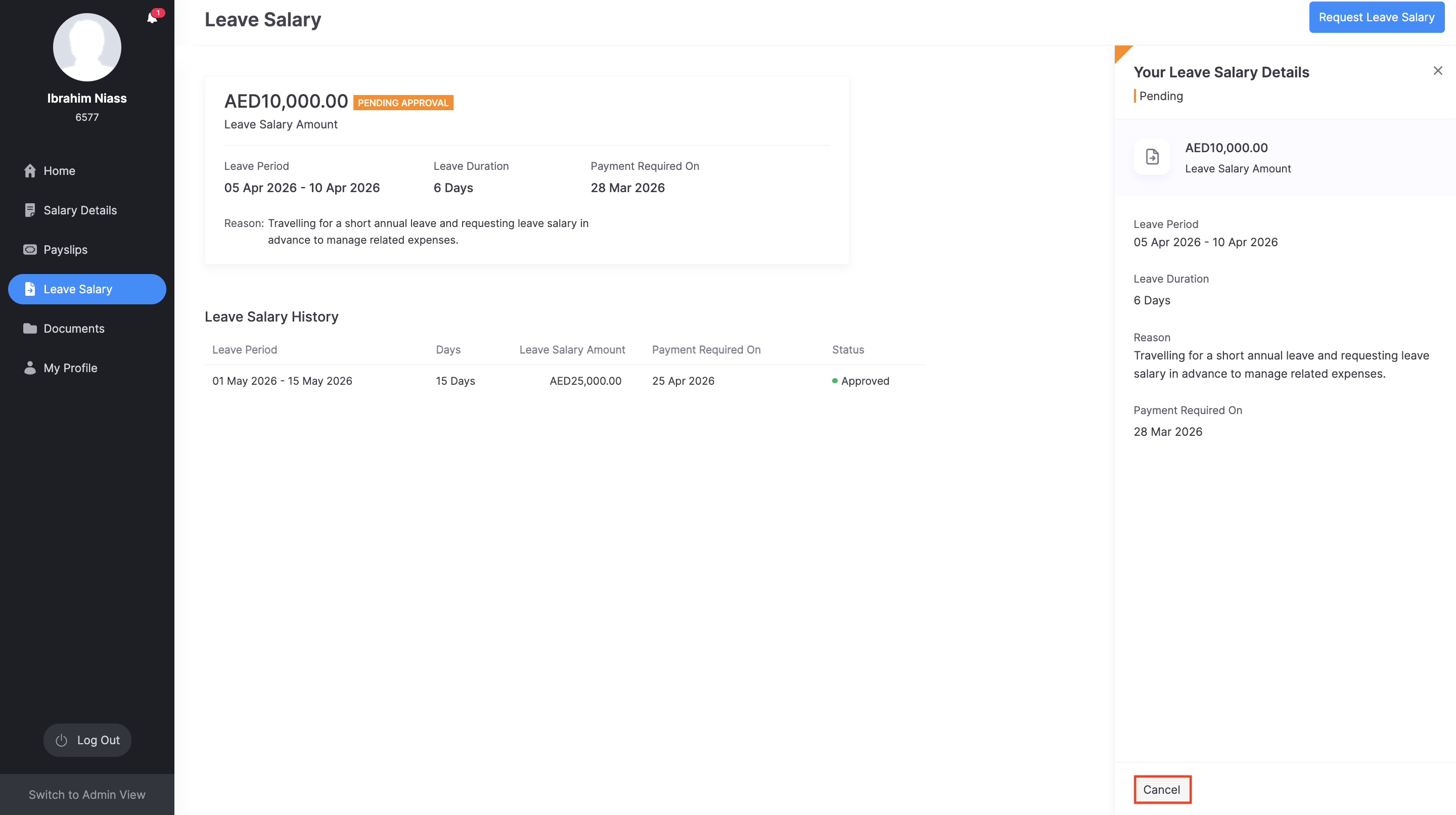
Once cancelled, the leave salary request will not be processed.
Warning: You may only cancel the request before it is processed in payroll. If the leave salary has already been processed in a pay run, you may need to contact your payroll administrator.