
- HOME
- Ecommerce insights
- How to sell digital products on Zoho Commerce
How to sell digital products on Zoho Commerce
Imagine running an ecommerce store where you don't have to worry about inventory costs, shipping expenses, packaging, or product returns that reduce your profit margins. This is possible when you sell digital products.
Digital products can be created once and sold repeatedly without additional production costs. For ecommerce businesses, this means higher profit margins, easier scaling, and instant delivery to customers anywhere in the world.
Unlike many ecommerce platforms that require third-party plugins, Zoho Commerce includes a built-in digital downloads feature that lets you sell and deliver digital products securely from the same platform you use to manage your store.
What are digital downloads in Zoho Commerce?
The digital downloads feature in Zoho Commerce allows merchants to sell and automatically deliver digital files without any manual work. Examples of digital products you can sell are ebooks, online courses, templates, subscriptions, audio files, digital art, and more.
For example:
A mathematics teacher could sell downloadable educational videos.
A designer could sell downloadable templates.
How do digital downloads work?
For a customer, digital downloads involve a simple workflow:
A customer visits your online store and selects a digital product.
The customer completes the checkout and payment process.
Based on the fulfillment settings, Zoho Commerce generates a unique downloadable link.
The customer receives the downloadable link via email.
The customer can download the file from the customer portal or their order confirmation page.
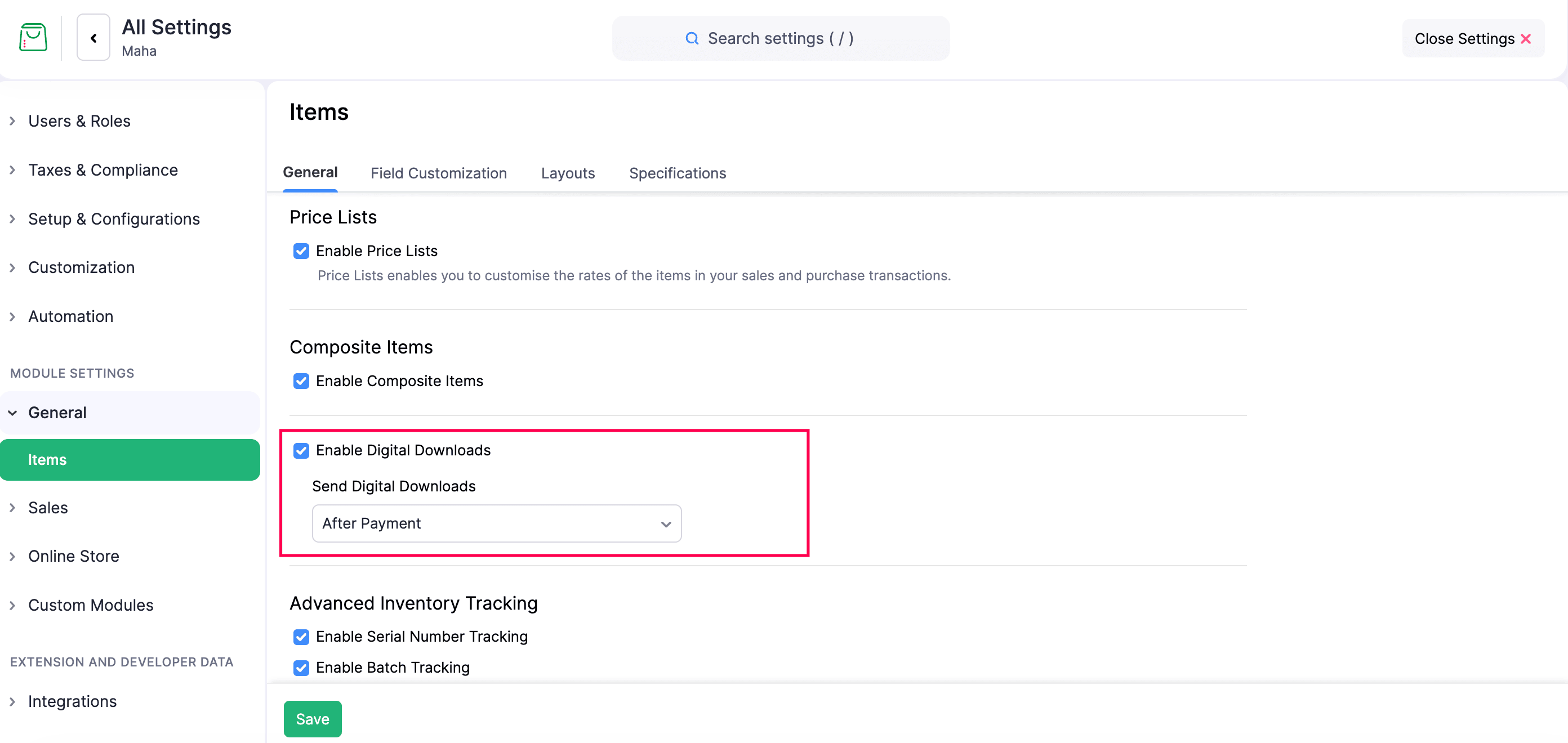
From a merchant's perspective, you simply need to:
Enable digital downloads in Settings.
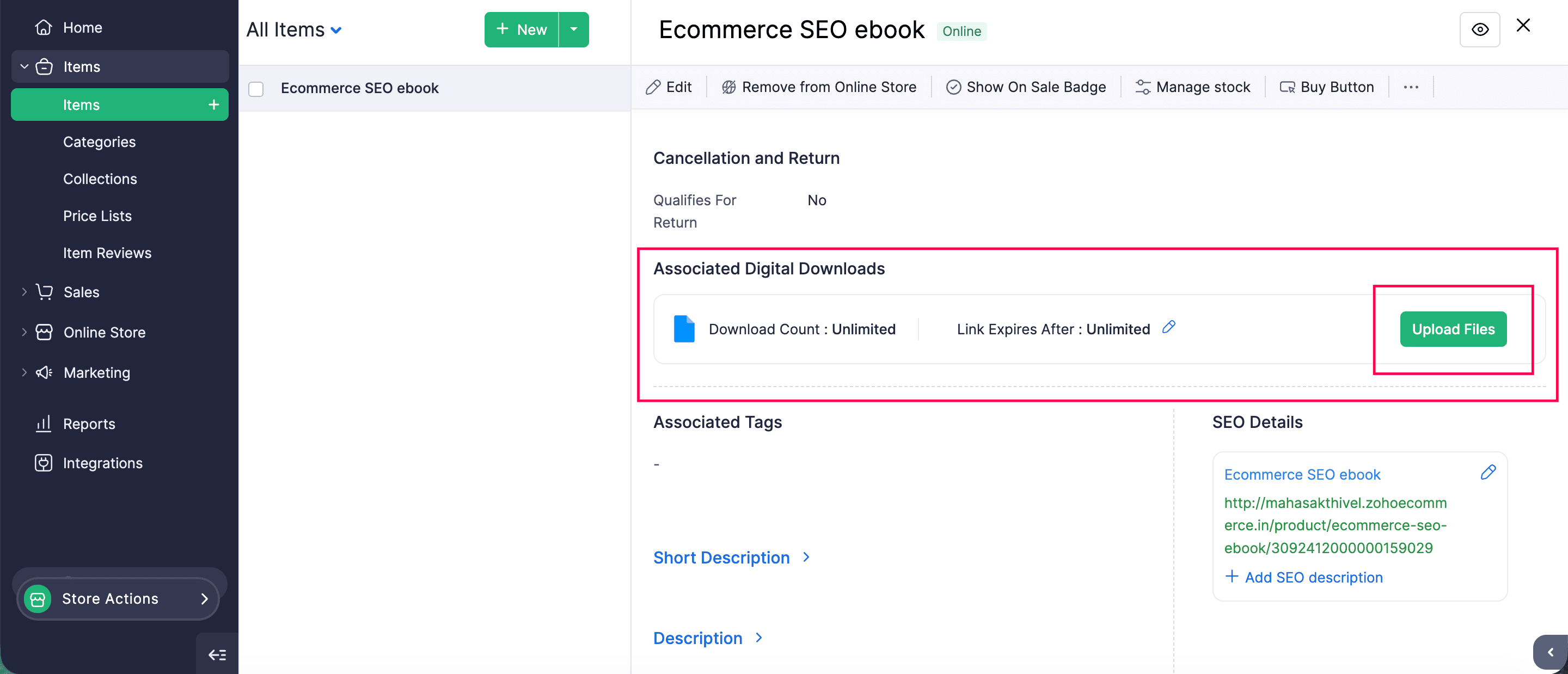
Upload your digital product to Items.
Set up delivery settings, such as link expiry or download limit.
Publish the product in your store.
Once published, Zoho Commerce automatically handles the delivery of the digital files to customers after purchase.
Key features of digital downloads in Zoho Commerce
Link expiry
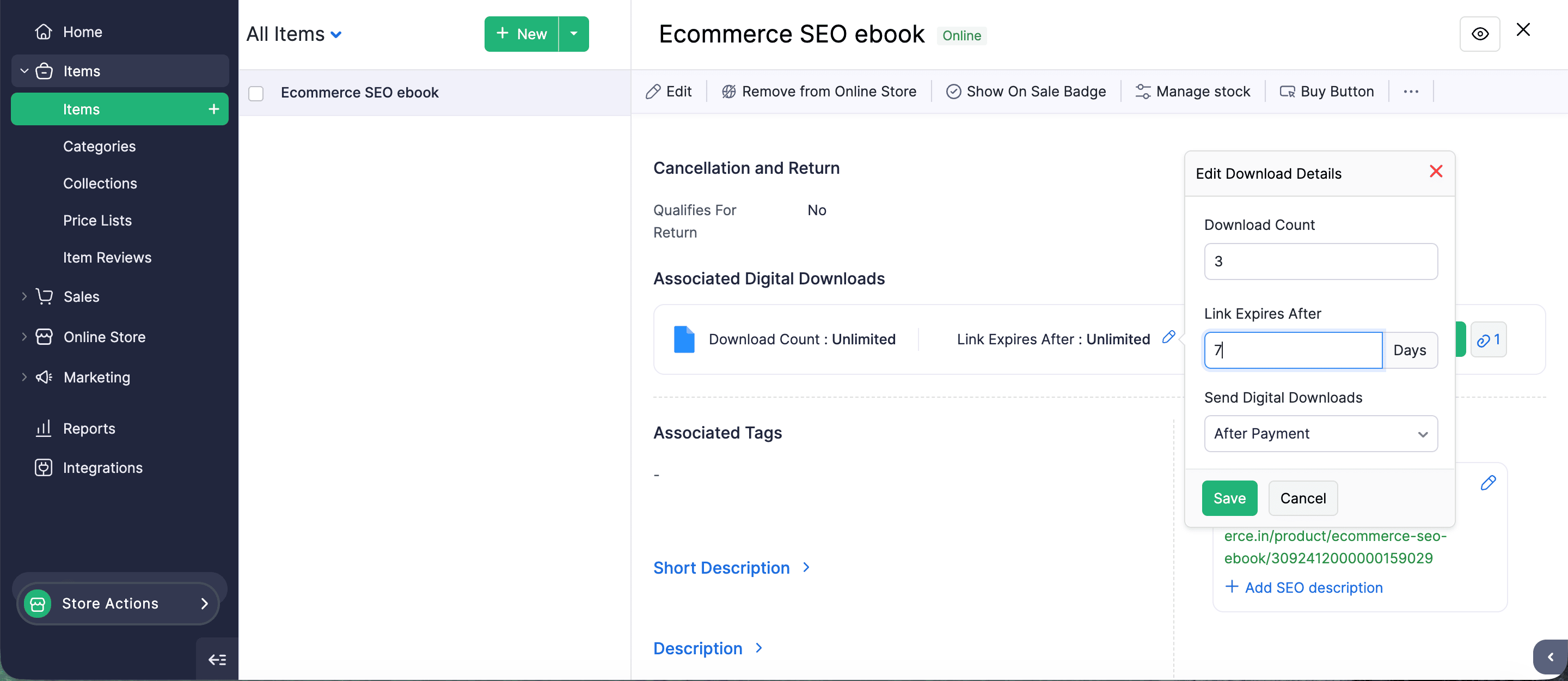
Merchants can decide how long a download link remains valid. For example, you can set the download links to expire after three days, seven days, or thirty days.
This encourages customers to download their purchase within a specific timeframe and provides better control over how digital products are distributed.
Download count
Digital products can be easily shared with others. If there's no download limit, a customer could share the download link with multiple people.
To prevent excessive downloads or misuse of the download link, the maximum download count lets you define how many times a digital file can be downloaded by a customer. For example, you can allow one, three, or any number of downloads for a single purchase.
Sending digital downloads
Zoho Commerce gives merchants control over when the download link is sent to customers.
The options are:
After payment: The download link is sent automatically after a successful payment. These are best for instant digital products such as ebooks or templates.
After fulfillment: The download link is sent only after the item is shipped. This option is useful when selling hybrid products with both physical and digital components.
Manual fulfillment: You can manually send the download link (useful for special or custom orders).
File uploading
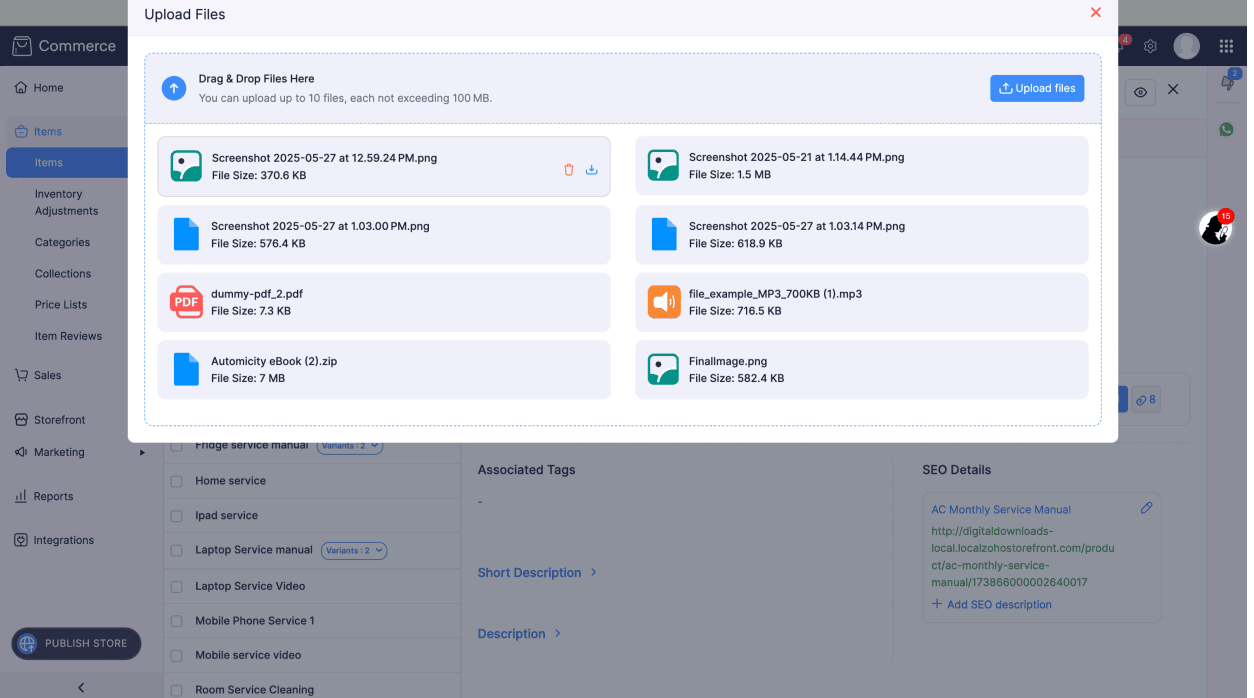
Store owners can upload different files for each variant from the item's details page as digital products are available in multiple formats and versions. For example, an ebook may be offered in PDF, EPUB, and MOBI formats.
Multiple file uploads
Some digital products are sold as bundles or packages. With this option, you can upload multiple files for a single product.
File preview and download options
The customer may be able to preview files before downloading them, depending on the file type. This helps customers:
Confirm they received the correct file.
Quickly verify the contents.
Improve the overall download experience.
Why Zoho Commerce is the best choice to sell digital products
Zoho Commerce offers:
Built-in digital downloads
Secure file delivery
Automated email delivery
Ability to sell physical and digital products in the same store
Start selling digital products on Zoho Commerce today
Digital products are a great addition to any ecommerce store. All you need to do is create a digital product, upload the file, configure download settings, and publish your store. Zoho Commerce takes care of the rest, from secure file delivery to automated emails.
If you have any questions about setting up digital downloads, feel free to comment below.
Do you already have a digital product ready? There's no reason to wait; start selling on Zoho Commerce today!