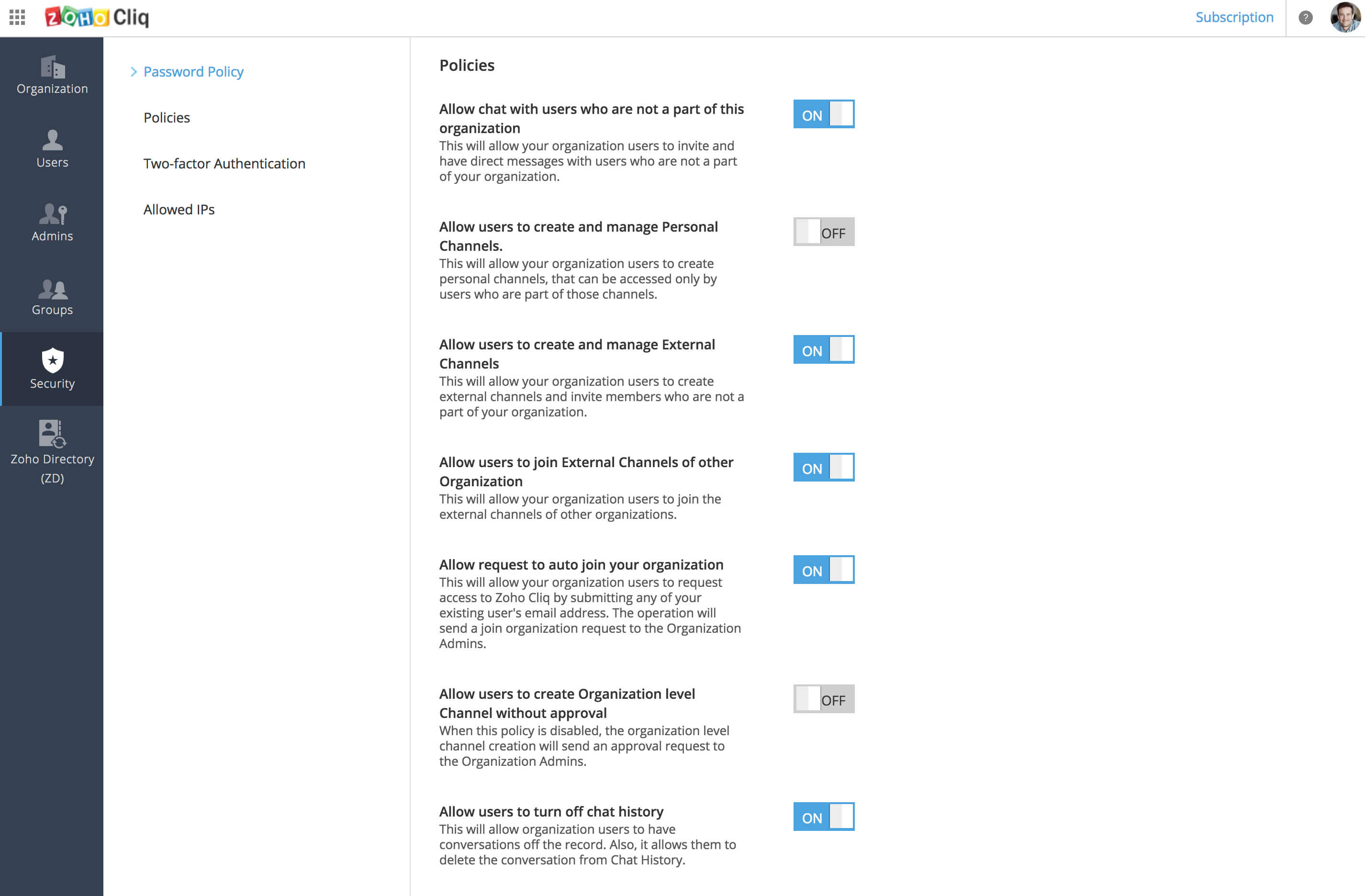
What is Organization Policy?
In the Cliq application, click on your Profile picture and select Admin Panel, and in it navigate to Security -> Policies. There are set of 7 policies that which the administrator has control to implement as rules for the organization. This makes up the Organization Policy. The organization policies are as listed below:
- Allow chats with users who are not a part of this organization Enabling this policy will allow your organization members to chat with External users (users from other organizations). They can also give guest access to other users to take part in a group chat.
- Allow users to create and manage Personal Channels Enabling this policy will allow your organization users to create and manage Personal channels. These channels are accessible only to users who are part of that channel, and you will not be having direct control over them.
- Allow users to create and manage External Channels Enabling this policy will allow your organization users to create and manage External Channels, where users from other organizations can take part in the channel. External channels also function like personal channels, i.e. only users who are part of the channel can access it, and you will not be having direct control over them.
- Allow users to join External Channels of other Organization Enabling this policy will allow your organization users to join External Channels created by other organizations.
- Allow request to auto join your organization Enabling this policy will allow users to send request to you for joining your organization in Cliq.
- Allow users to create Organization level channel without approval Enabling this policy will allow your organization users to create and use Organization Channels on their own, i.e. the org admin does not have to approve the channels.
- Allow users to turn off Chat History Enabling this policy will allow your organization users to turn off chat history for 1-1 and group chats.