
Introduction to the Cat.ly Application
The Cat.ly application is a simple URL shortener application that reduces the length of URLs to make sharing and accessing them more convenient. It is built as a single-page React application using Catalyst as a serverless platform.
You can access a working Cat.ly application and test its functioning here: catly.zohocatalystapp.com.
This tutorial explains an additional method of implementing a Continuous Integration and Continuous Deployment (CI/CD) setup in the Cat.ly application. By implementing CI/CD, you do not need to manually test and build Cat.ly. The configured CI system will handle all the procedures and notify you if any bugs or errors are encountered.
As explained in the primary Cat.ly tutorial, the source code of the Cat.ly application that we have provided has the following directory structure:
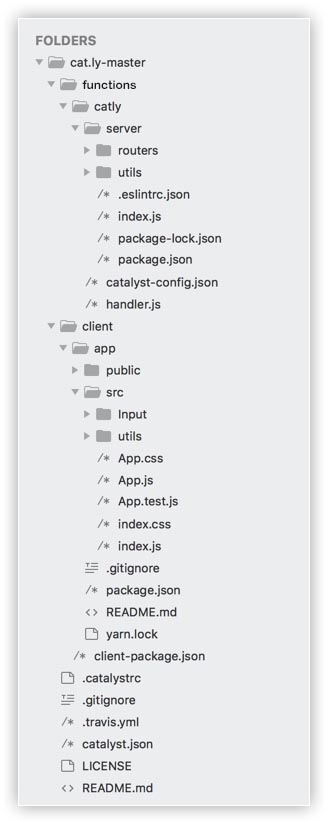
We will use the travis.yml in the directory to define the specifications for automatically building and testing the code. This is explained in detail later on in this tutorial.