Trident in 2025: A year of human-centric innovation.

If there’s one thing 2025 made clear, it’s this: the future of work is shaped by people and their need for clarity, control, connection, convenience, and confidence in their workplace apps.
So, every update we shipped in 2025 followed a simple philosophy: to build for the human on the other side of the screen. Not “What can we add?” but “What actually makes work better for someone sitting behind their screen at 9:47 a.m. on a Monday morning?”
Here’s a distilled look at what we delivered.
Clarity: Helping people understand, write, and communicate better.
Trident polished the way users communicate, making writing across languages and scripts more intuitive.
Compose and read emails easily when working in bidirectional languages like Arabic or Urdu, with support for RTL/LTR text direction.
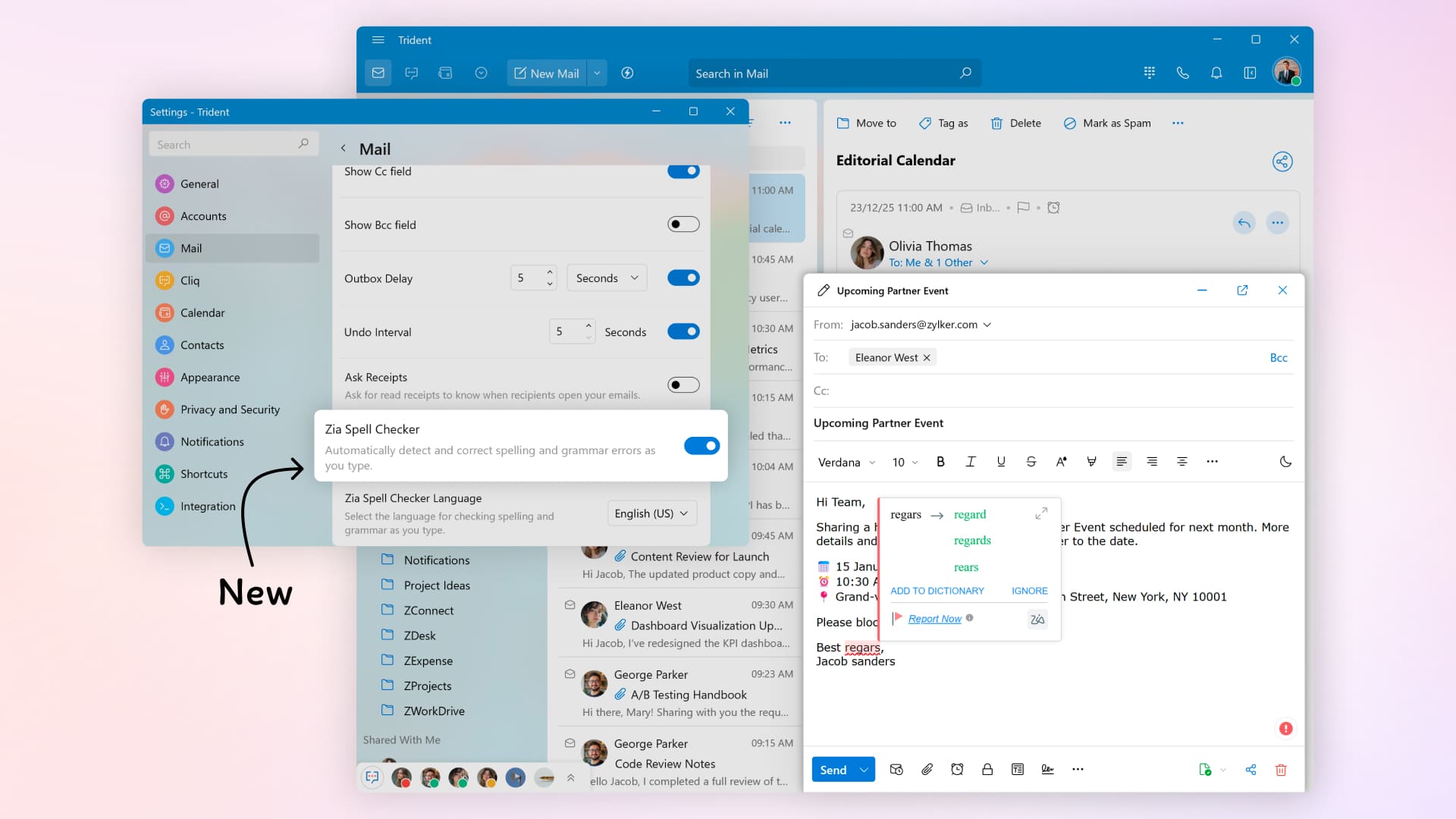
Catch spelling and grammar mistakes instantly with Zia Spell Checker or the system's built-in spell checker.
Control: Giving people ownership over email conversations and archives.
Complete ownership over emails and backups is non-negotiable—and Trident puts it firmly in users’ hands.
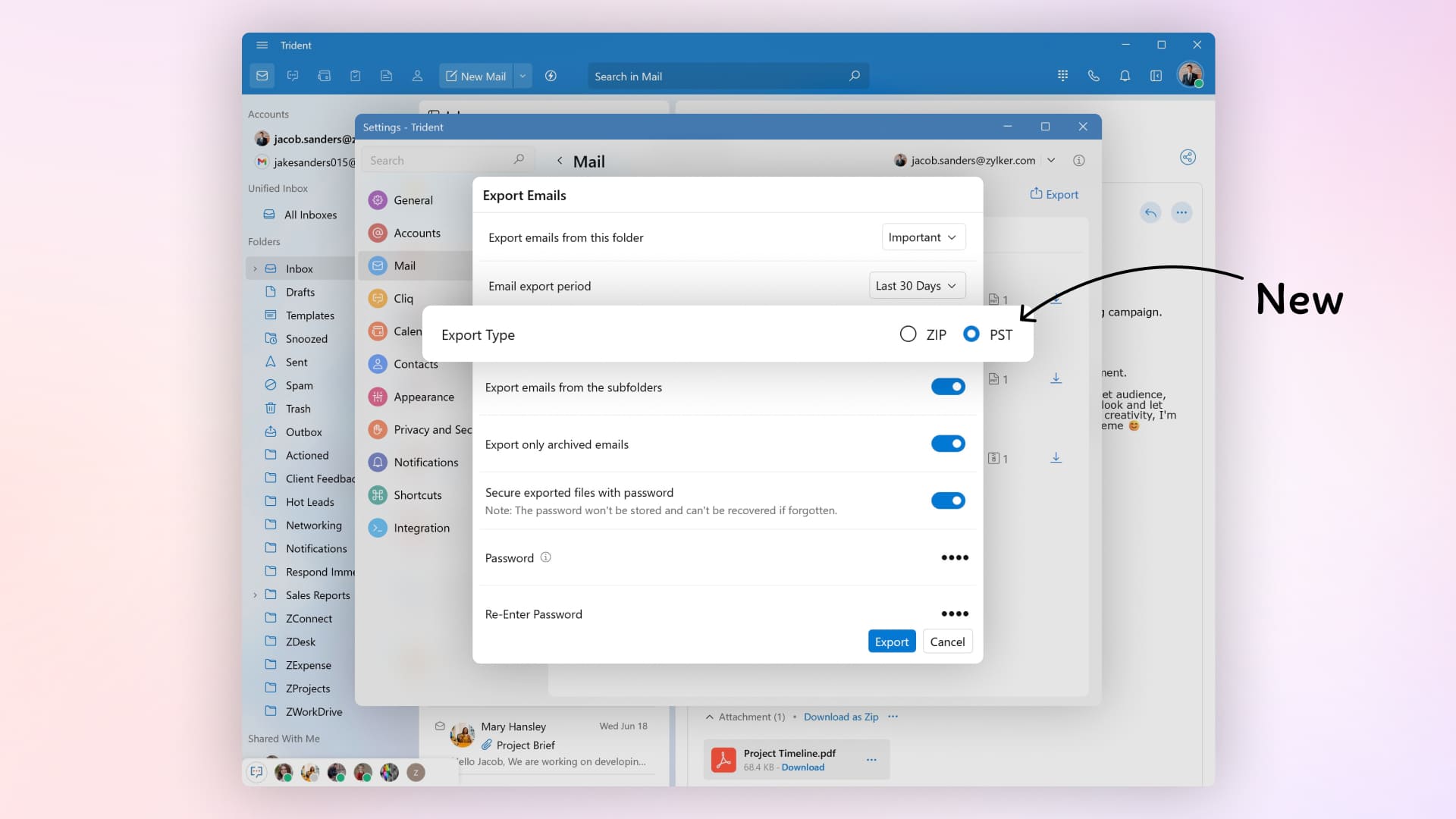
Save emails in portable formats, such as EML and HTML, or export entire mailboxes as PST or EML for seamless migration and enterprise-grade archiving.
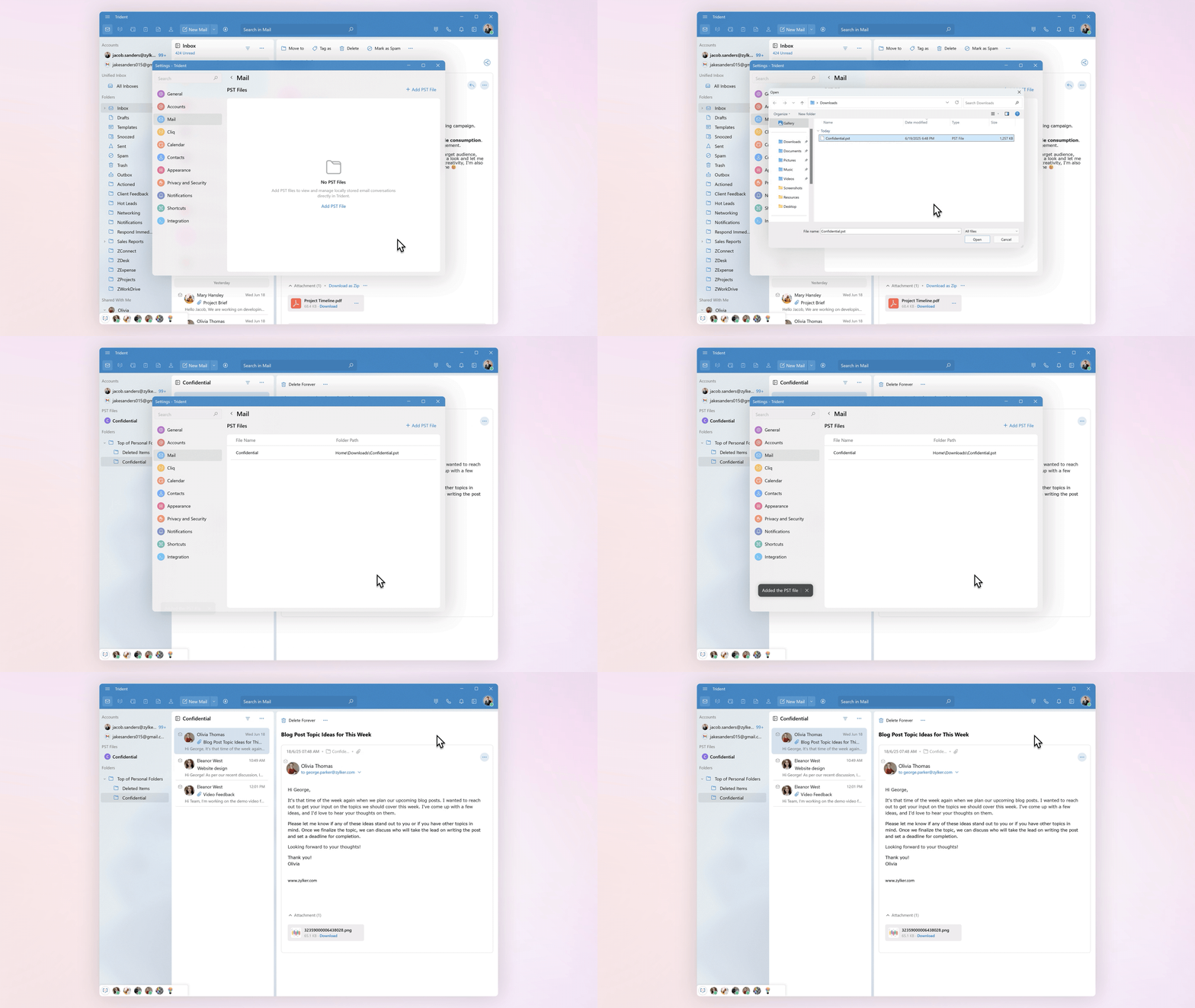
Open PST and EML files directly inside Trident, making years of historical conversations instantly accessible without inflating your mailbox size.
Streamline collaboration by accessing shared mailboxes for faster responses and coordinated workflows.*
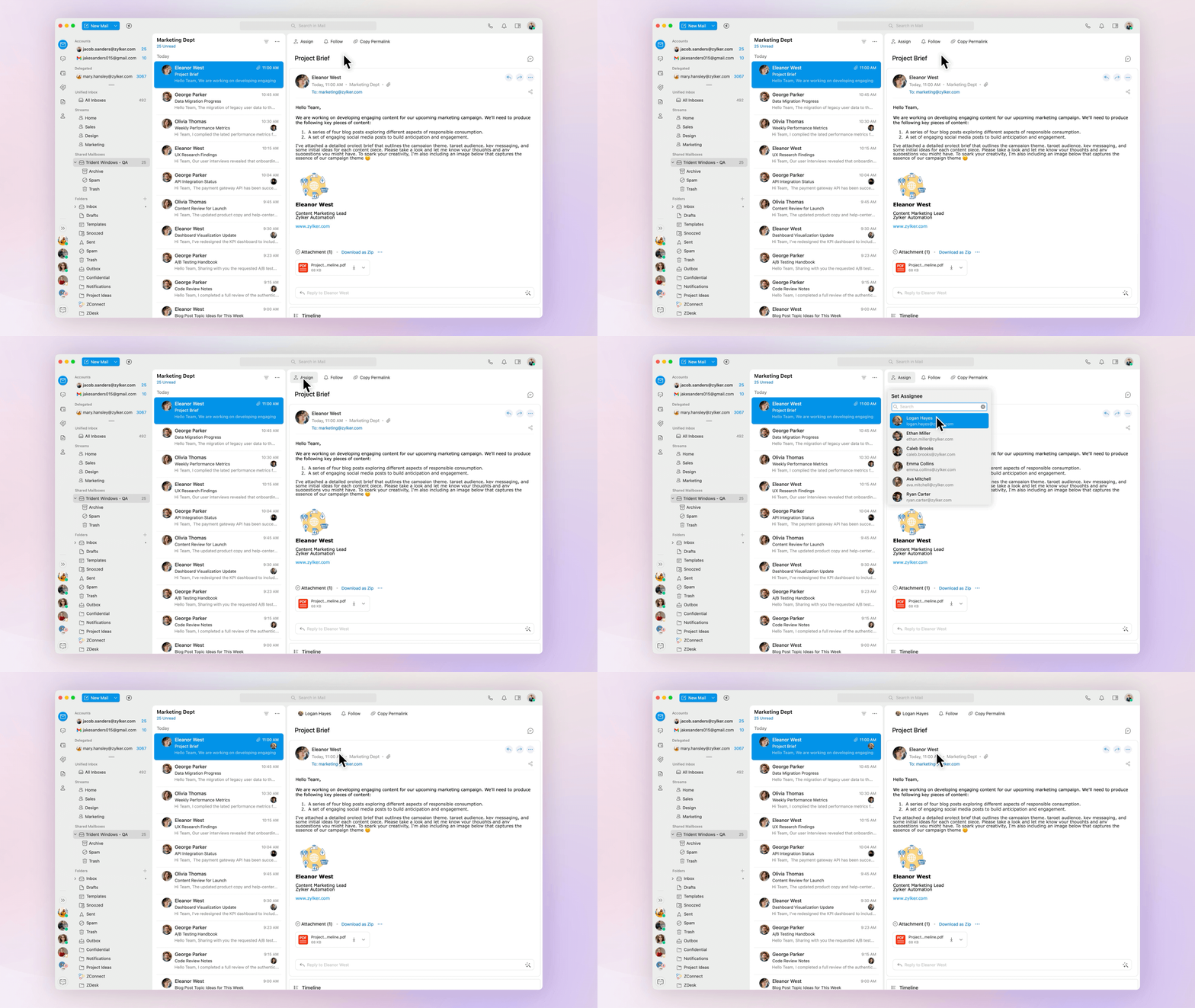
Empower assistants or trusted team members to manage emails on your behalf with delegated mailboxes.
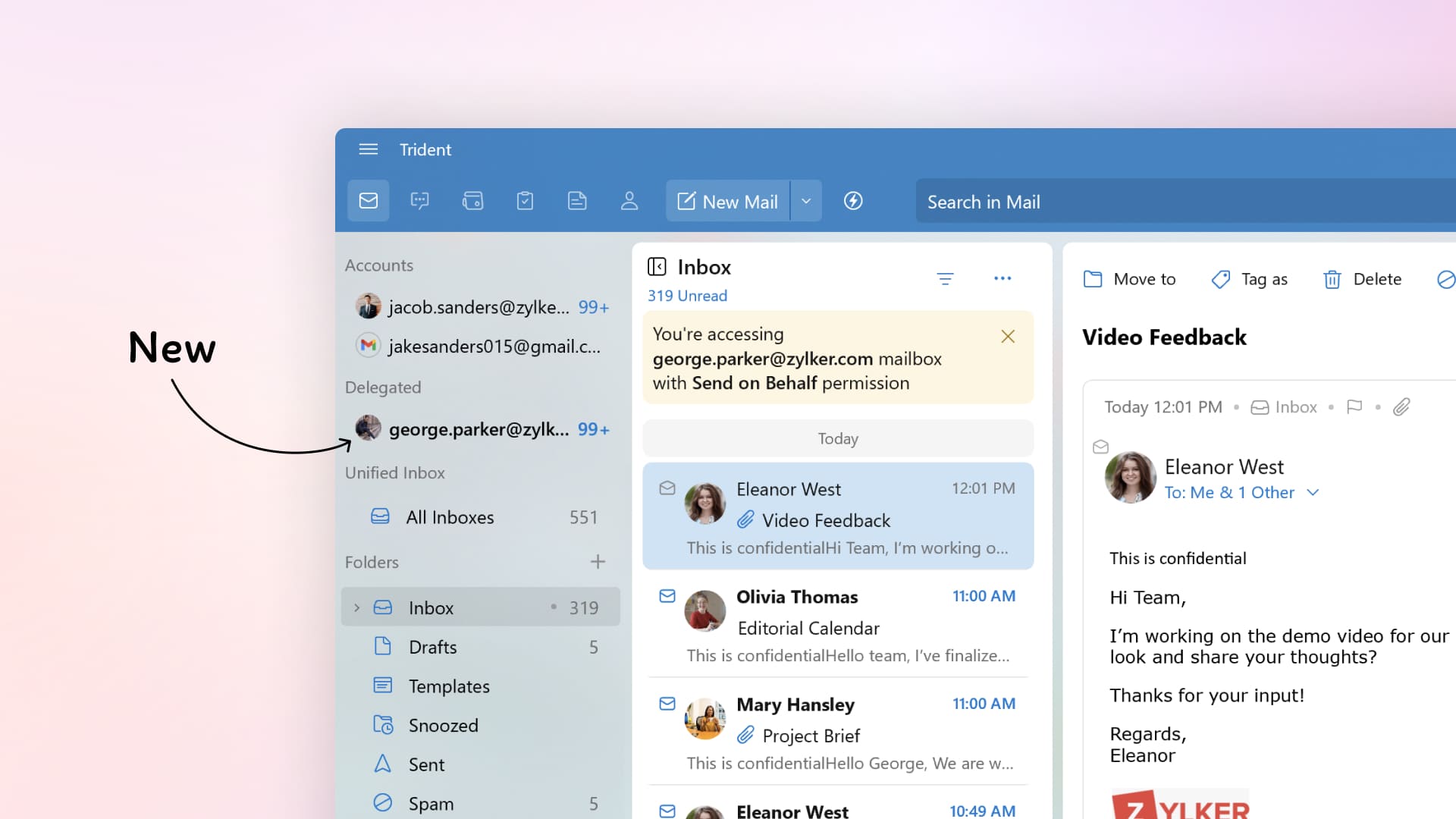
Connection: Supporting richer communication and collaboration.
Modern work spans far more than email, and Trident continued strengthening that connective layer.
Make and receive internet calls to local and international numbers and send SMS with Zoho Voice integrated within Trident.**
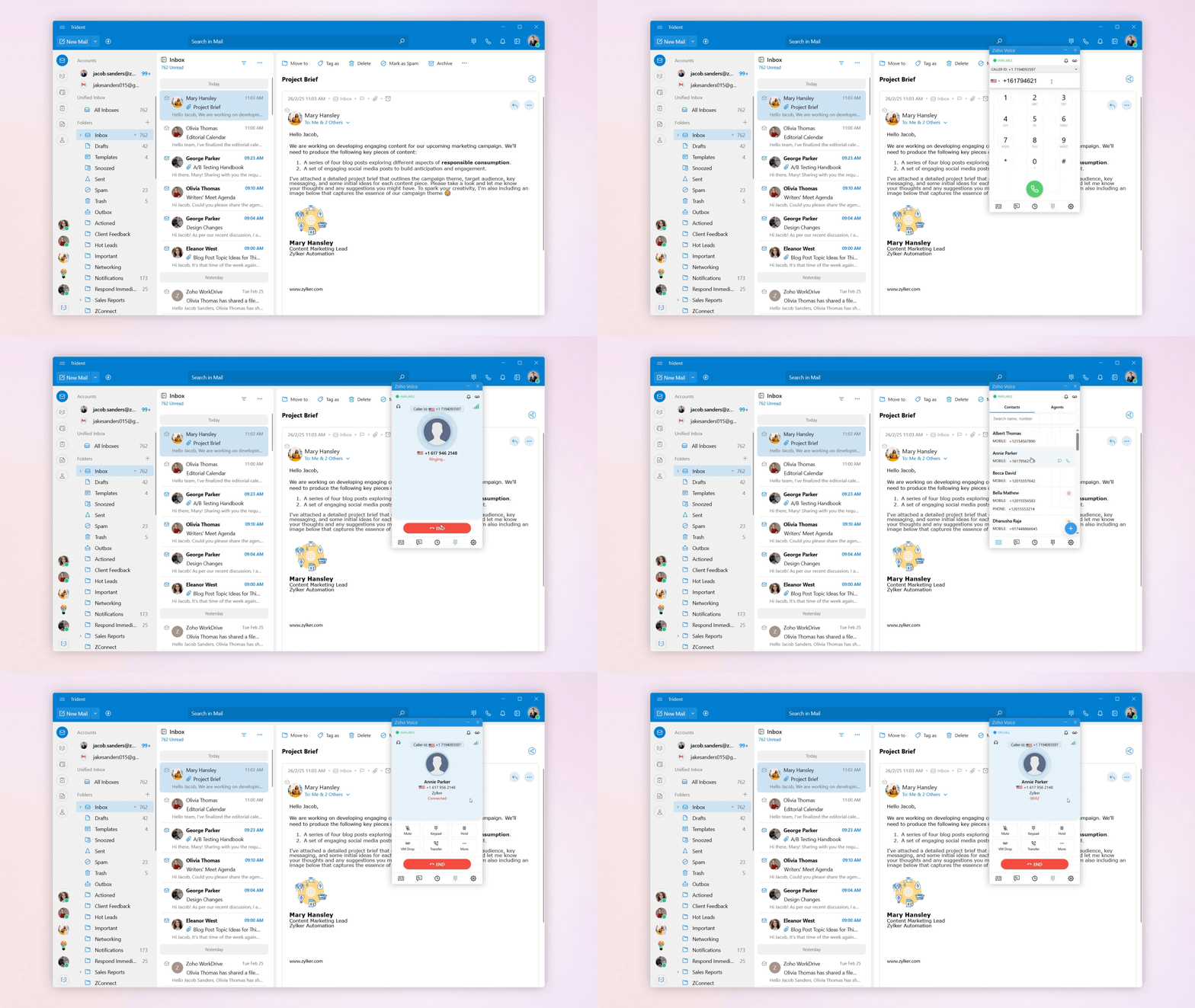
Avoid awkward moments with low or muted audio alerts during calls and meetings.**
Present ideas and make explanations visual by annotating your screen during calls and meetings.
Forward Cliq messages fluidly by dragging and dropping instead of relying on screenshots and copy-pasting.
Convenience: Reducing steps and making everyday work smoother.
The smallest moments shape the workday—and the convenience brought by these features is what turns those moments into a smooth, uninterrupted flow.
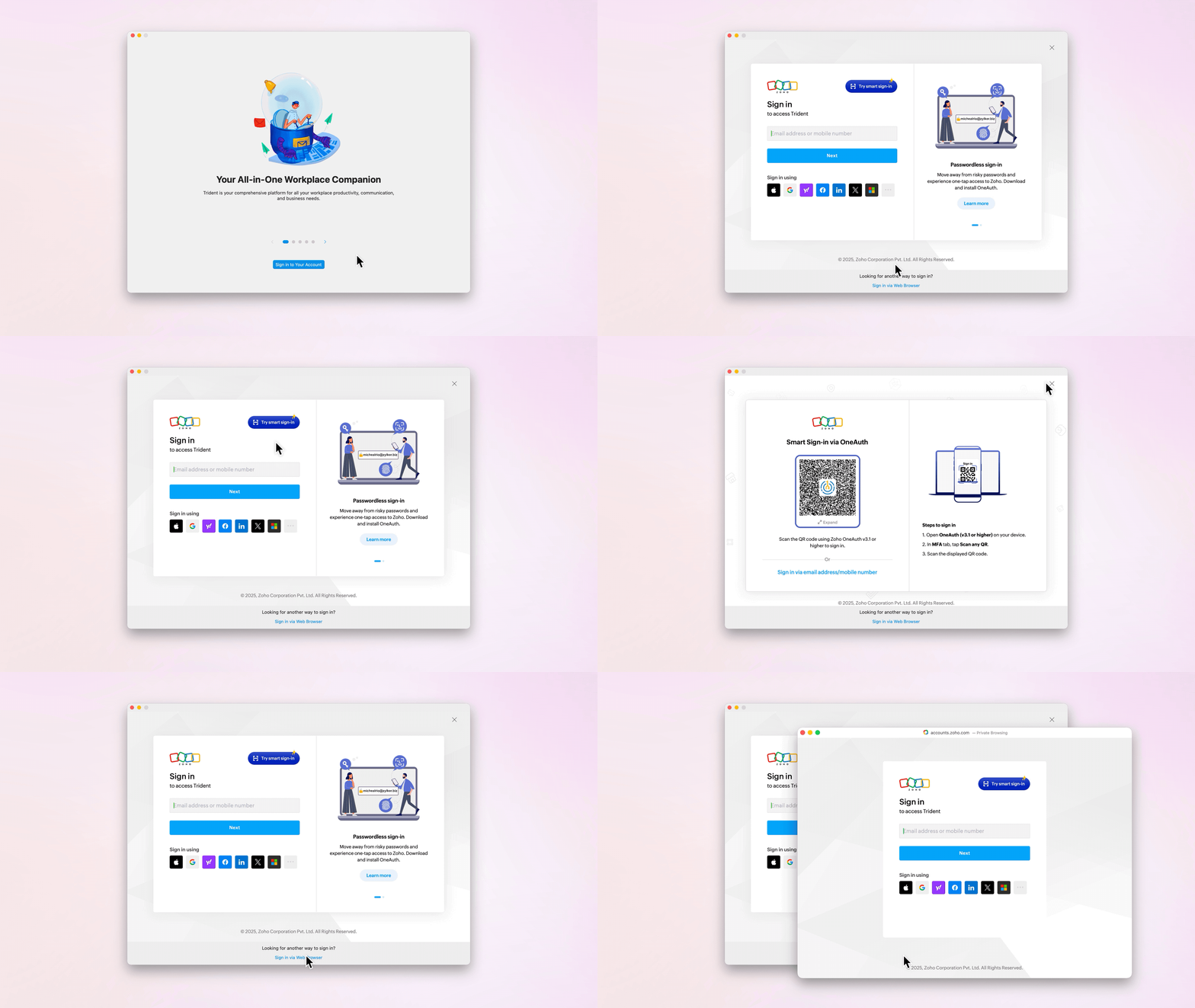
Enjoy fast, flexible sign-in through passwordless OneAuth QR, federated authentication, and browser-based login.
Set Trident as the default email app to ensure that every email action—whether it’s .eml or .pst files, or mailto links—everything opens directly in Trident.
Send contacts, URLs, media, and local files directly into Trident’s Mail Composer with the “Share” extension (feature exclusive to macOS).*

Align your schedules everywhere by syncing Apple Calendar and Outlook Calendar with Trident’s integrated calendar.
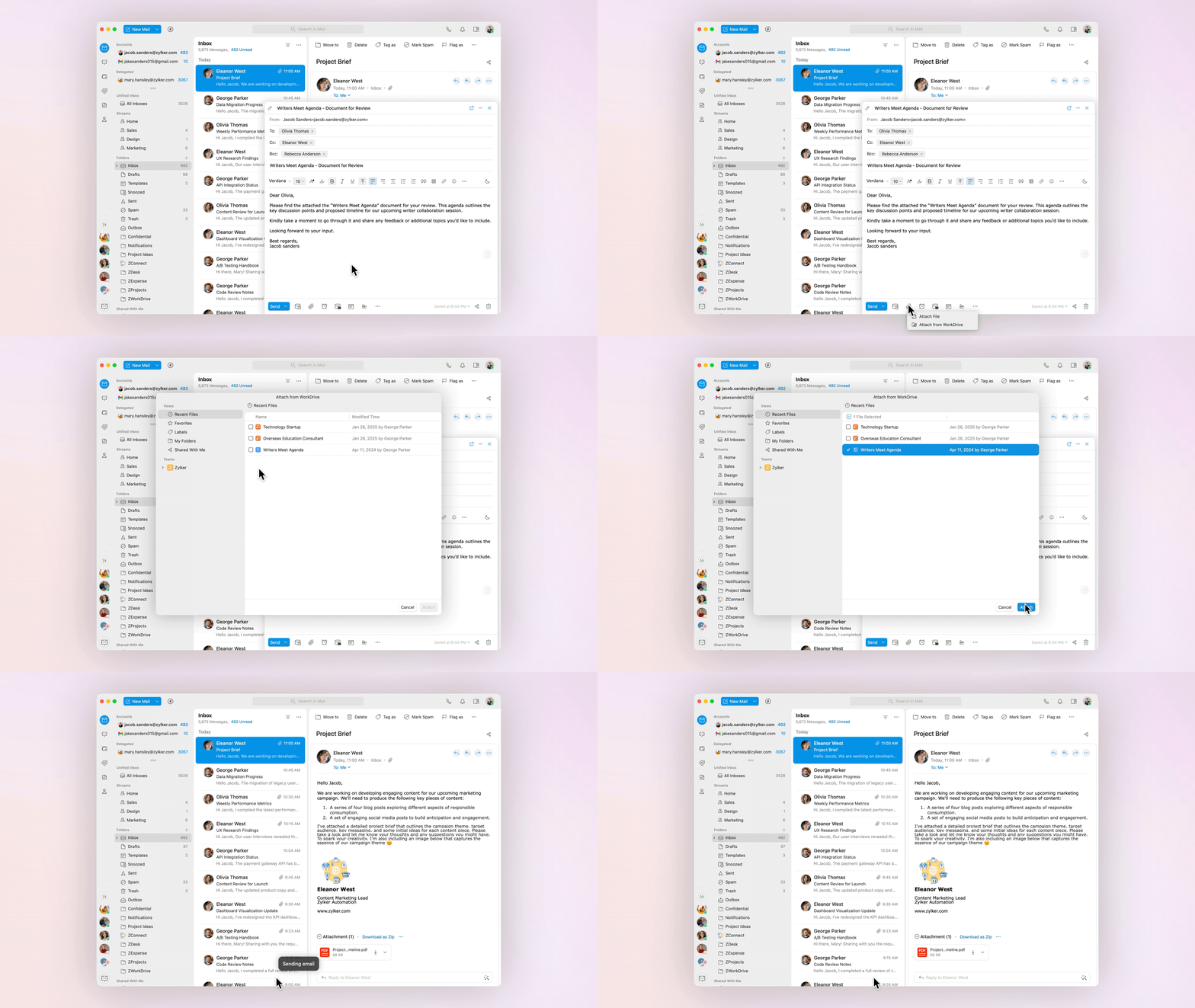
Attach files to emails without first saving them locally by browsing WorkDrive or dragging and dropping files from the WorkDrive widget into the Mail Composer using Smart Flow. Similarly, save attachments from emails directly to WorkDrive to maintain a cloud backup.
Confidence: Keeping all data and interactions secure.
Confidence comes from knowing that your data and interactions stay secure at every step—and these updates are designed to guarantee exactly that.
Protect against phishing attempts and suspicious URLs with an alert that helps you identify risky emails.
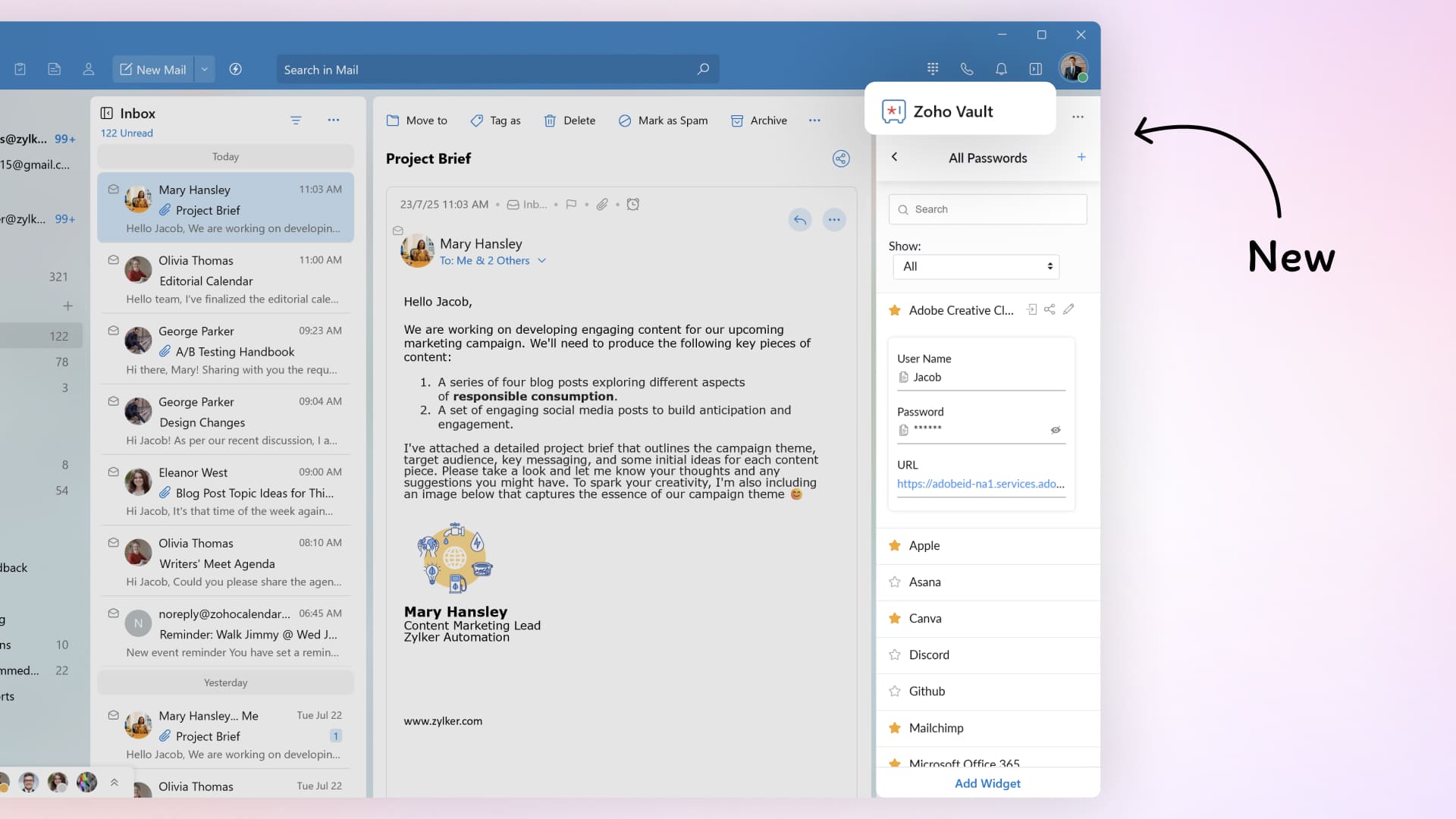
Access your passwords and confidential information securely with the Zoho Vault eWidget that eliminates the need to jump between apps or rely on browser extensions.
Share emails securely with your team using permalinks to avoid forwarding and keep sensitive content protected.
Identify legitimate senders at a glance through BIMI authentication, which displays verified brand logos against incoming emails.*
Verify an email’s authenticity by using the Show Original option, which reveals complete routing, header, and authentication details.*
A more human way to work.
Every improvement in Trident has brought more clarity to communication, more control for users, more connection across teams, more convenience in daily workflows, and more confidence in every interaction. And in this overview, we’ve shared just a few of the updates that best reflect that journey. If you’d like to explore everything we’ve introduced along the way, you’ll find a complete history of past updates on Forums.
As more teams choose Zoho Workplace, Trident is becoming the center of gravity for where work finally feels cohesive. And in 2026, we'll continue to elevate what matters most—with deliberate, human-first improvements that make every moment in Trident feel lighter and more powerful.
Note: Paid and evaluating users of Zoho Mail, Zoho Workplace, and Zoho One (with an active Zoho Mail account) can access Trident at no extra cost. Explore available plans to find the best fit for your team.
*Available on Mac only
**Available on Windows only


Comments