The hiring disconnect is over. Zoho Recruit now speaks LinkedIn.

Picture a Tuesday morning.
You open LinkedIn Recruiter and start working through your pipeline. There's a promising candidate with a good profile and the right experience. You draft an InMail, send it, then switch over to Zoho Recruit to log what you did.
Except the candidate isn't in Recruit yet, so you create a record manually, copy-pasting their name, title, company. You attach them to the job. You note that you messaged them on LinkedIn.
Then you do it again for the next candidate. And the next.
Across your team, this is happening dozens of times a day. Small moments of friction that individually feel minor, but collectively represent hours of work that has nothing to do with actually hiring anyone. One system doesn't know what the other is doing. A candidate could be deep in your Recruit pipeline while a colleague is drafting them a cold InMail on LinkedIn. You'd never know. But your candidate would know, because on their end, things feel disorganized.
Here's what makes it worse: The data exists. The candidate's profile is on LinkedIn, and their application is in Recruit. Your InMail thread is logged somewhere. The notes your colleague added are somewhere else. Until now, these platforms had no way to talk to each other.
Not anymore.
Recruitment, without the roadblocks
Zoho Recruit now supports LinkedIn Recruiter System Connect (RSC), a live, bidirectional integration that closes the gap between where you source and where you hire. And for teams using LinkedIn Hiring Assistant, RSC+ goes further: It brings AI-generated candidate evaluations directly into your Recruit pipeline.
Here's what it solves, and how.
Problem: You don't know if a LinkedIn candidate is already in your ATS
You're browsing LinkedIn Recruiter, building a shortlist, ready to reach out. But you have no idea whether any of these people already exist in Recruit. Maybe they applied last month. Maybe a colleague already sourced them. You won't find out until after you've sent the InMail.
The fix
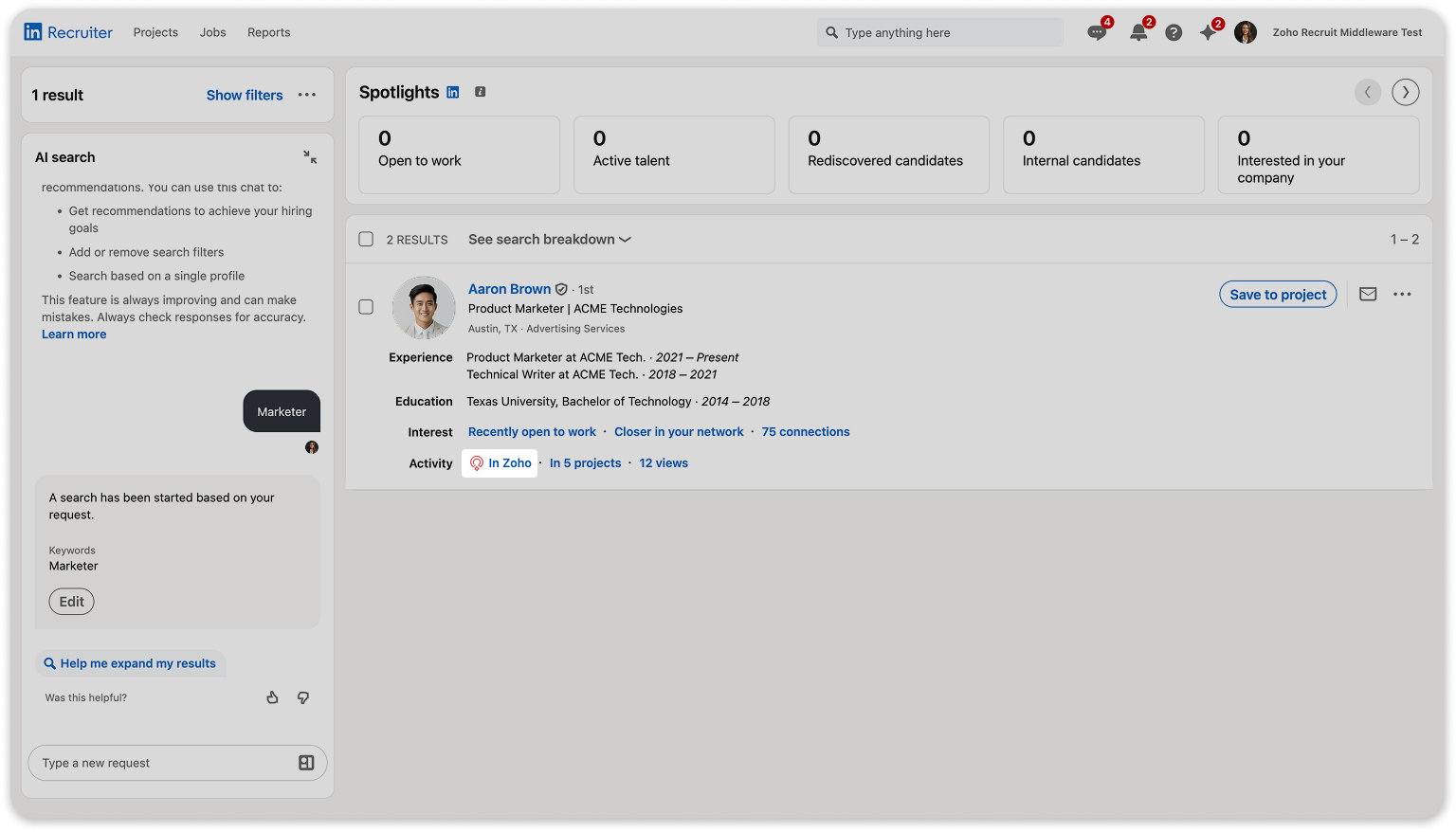
In-ATS indicator: Candidates already in Zoho Recruit are flagged automatically as you browse LinkedIn Recruiter. Before you reach out to anyone, you know exactly who's already in your pipeline, what job they're attached to, and where they are in the process. No awkward double-contacts.
Problem: You're switching tabs to piece together a candidate's full story
A candidate has a Recruit profile and a LinkedIn profile. To understand who they are and your team's communication history with them, you're bouncing between platforms. The full picture only comes together once you've checked both.
The fix
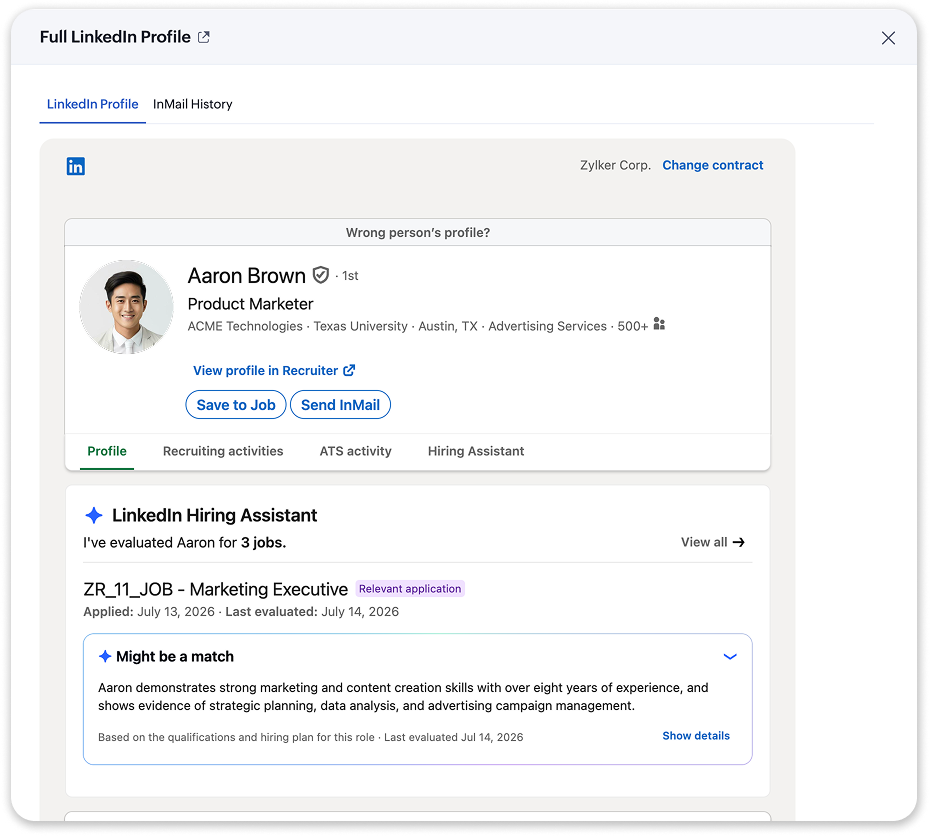
LinkedIn profile widget inside Recruit: Open any candidate in Zoho Recruit and their LinkedIn data is right there: profile, activity, InMail history, notes. You get the full picture without leaving the platform where you make decisions.
Problem: InMails and notes don't go anywhere
Your colleague sends a candidate a message on LinkedIn, makes a note, and moves on. Nobody else on the team knows it happened unless they go looking for it in LinkedIn Recruiter, not in Recruit. That information lives on one person's LinkedIn account, disconnected from the candidate record your whole team shares.
The fix
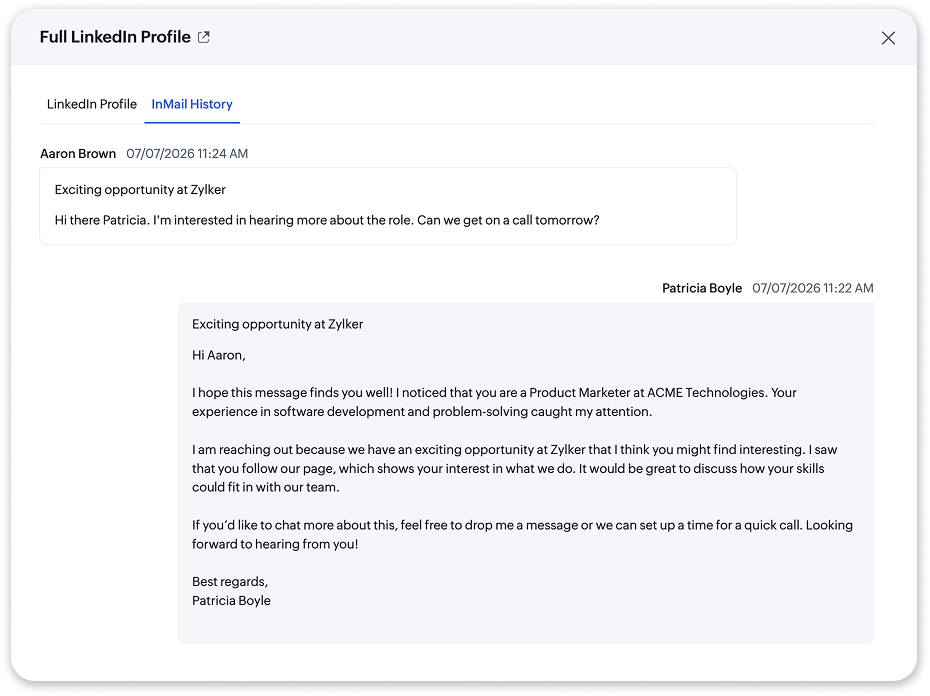
Automatic InMail sync: Every InMail sent or received, and every note logged in LinkedIn Recruiter, all flows automatically into the candidate's record in Zoho Recruit. Your team always has the complete communication history, in the right place, without anyone having to remember to copy it over.
Problem: Getting a candidate from LinkedIn into your ATS takes too many steps
You've found someone worth pursuing. Now you have to export their profile, go to Recruit, create a record, attach them to a job, and set a source. It's four or five actions to do something that now takes one.
The fix
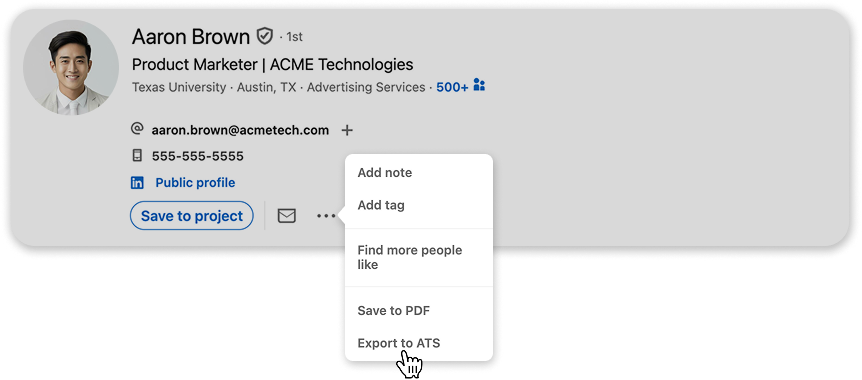
One-click export: From LinkedIn Recruiter, export a candidate to Zoho Recruit and attach them to a job in a single action. Their profile data comes with them, and the source is logged automatically. You never have to leave LinkedIn to do it.
Using LinkedIn Hiring Assistant? Meet RSC+
Everything above comes with standard RSC. But if your organization has LinkedIn Hiring Assistant, the integration goes a step further.
All job openings in Recruit automatically become Projects in LinkedIn Recruiter, helping your recruitment team pass the baton to your sourcing team seamlessly. They can then add applicants to the synced projects in LinkedIn Recruiter, who will then be added to Zoho Recruit.
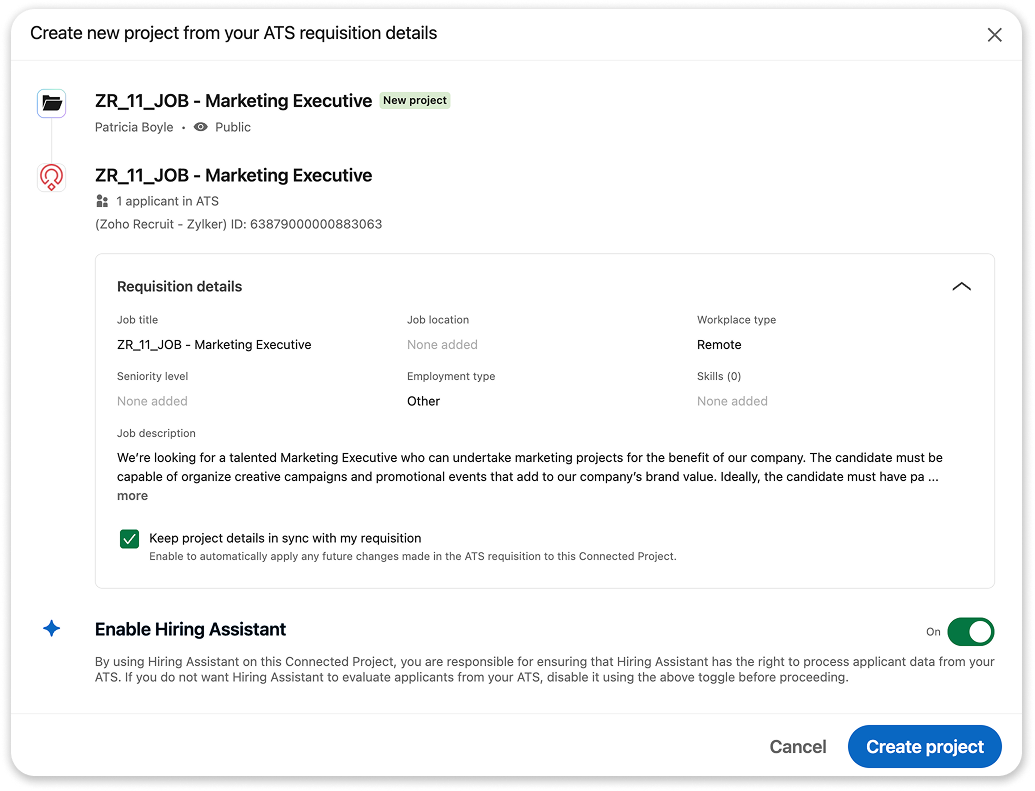
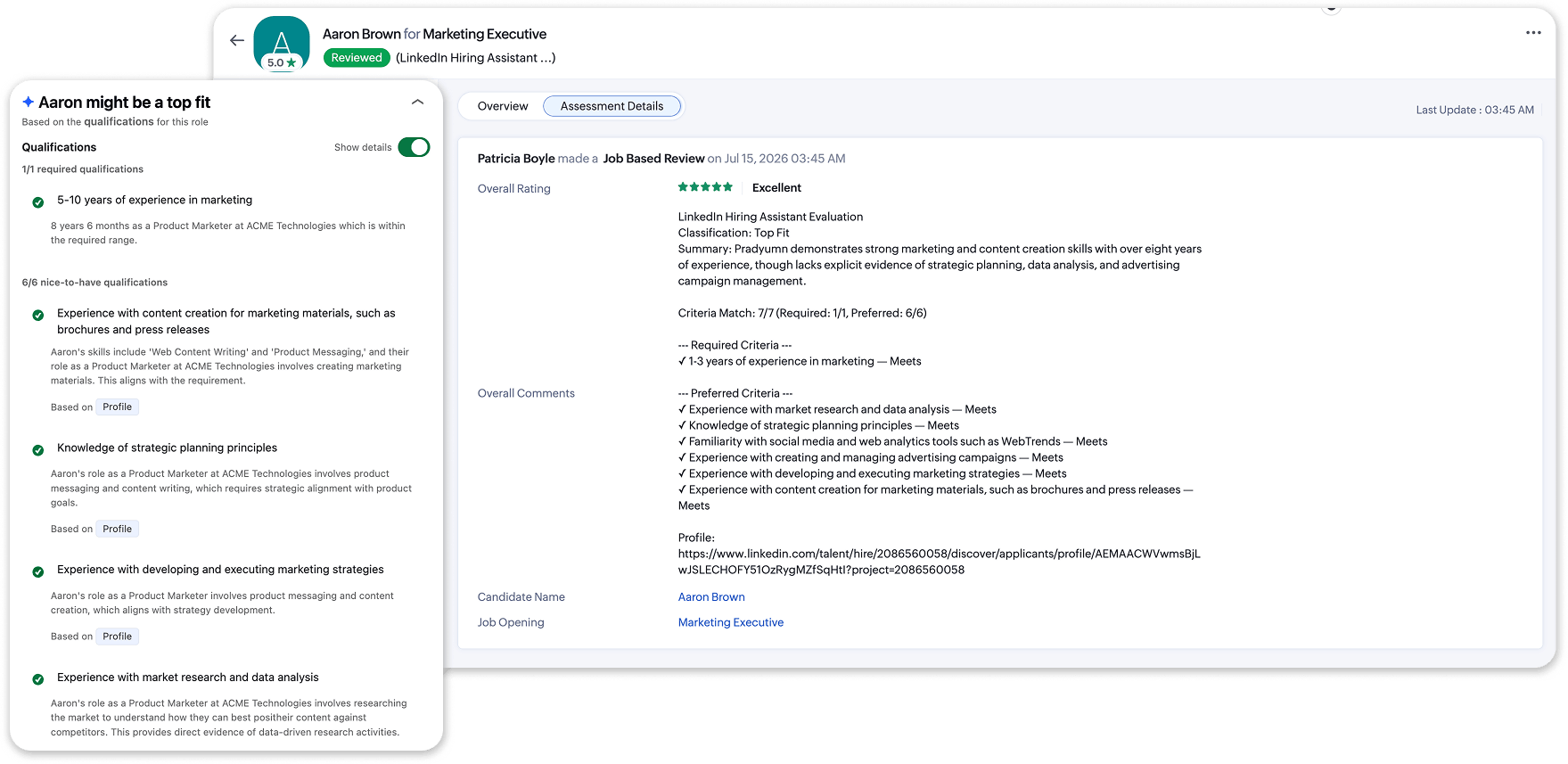
Then, the Hiring Assistant AI evaluates every applicant in your pipeline—not just candidates sourced through LinkedIn, but every applicant regardless of where they came from, including those who applied from job boards and your career site.
The resulting fit assessments are pushed back into Zoho Recruit and surface on each candidate's profile. So when your recruiters open their pipeline, the initial read on each applicant is already there. They can filter, prioritize, and move faster through the shortlist without having to start from a blank page on every resume. The judgment call stays with the recruiter; they just have more context going in.
Get started today
On the Zoho Recruit side, RSC is available on all paid plans across both the Staffing Agency and Corporate HR editions.
On the LinkedIn side, you'll need a LinkedIn Recruiter Corporate or Recruiter Professional Services (RPS) seat—RSC comes included with those licenses at no extra cost from LinkedIn. If you want RSC+, you'll also need an active LinkedIn Hiring Assistant subscription.
Setup is a one-time process, done by an admin in both Zoho Recruit and LinkedIn Recruiter. Our Activation Guide walks you through it step by step.
LinkedIn and Zoho Recruit have always served different parts of the hiring process. This integration simply stops making you work across that gap. Whether you're a team of five or a hiring operation running hundreds of open roles, your pipeline is now in one place and it stays that way.



Comments