Cliq 7.0: Get to what matters, faster


We've all been there before. You're on the train heading home when you suddenly hear the familiar Cliq notification sound. Then it rings again. And again. You check your phone to find the "Release bugs - Priority" thread overflowing with messages.
Before you can even put your phone away, your boss asks about a bug you fixed three months ago, with a two-minute voice message attached.
So, how do you spend the next five minutes? Searching for that bug and listening to the voice note? Or fixing the priority bugs that actually need your attention?
This release is all about saving those missing seconds by helping you find what you need, faster. After all, moments like these aren't a one-time occurrence. They're part of the workday. With these new features, we're giving you more time to focus on what matters and making work just a little easier.
Bring scattered discussions together
That bug from three months ago? The conversation is scattered across seven different threads.
If only there were a simpler way to pull everything together.
With hashtags, there is.
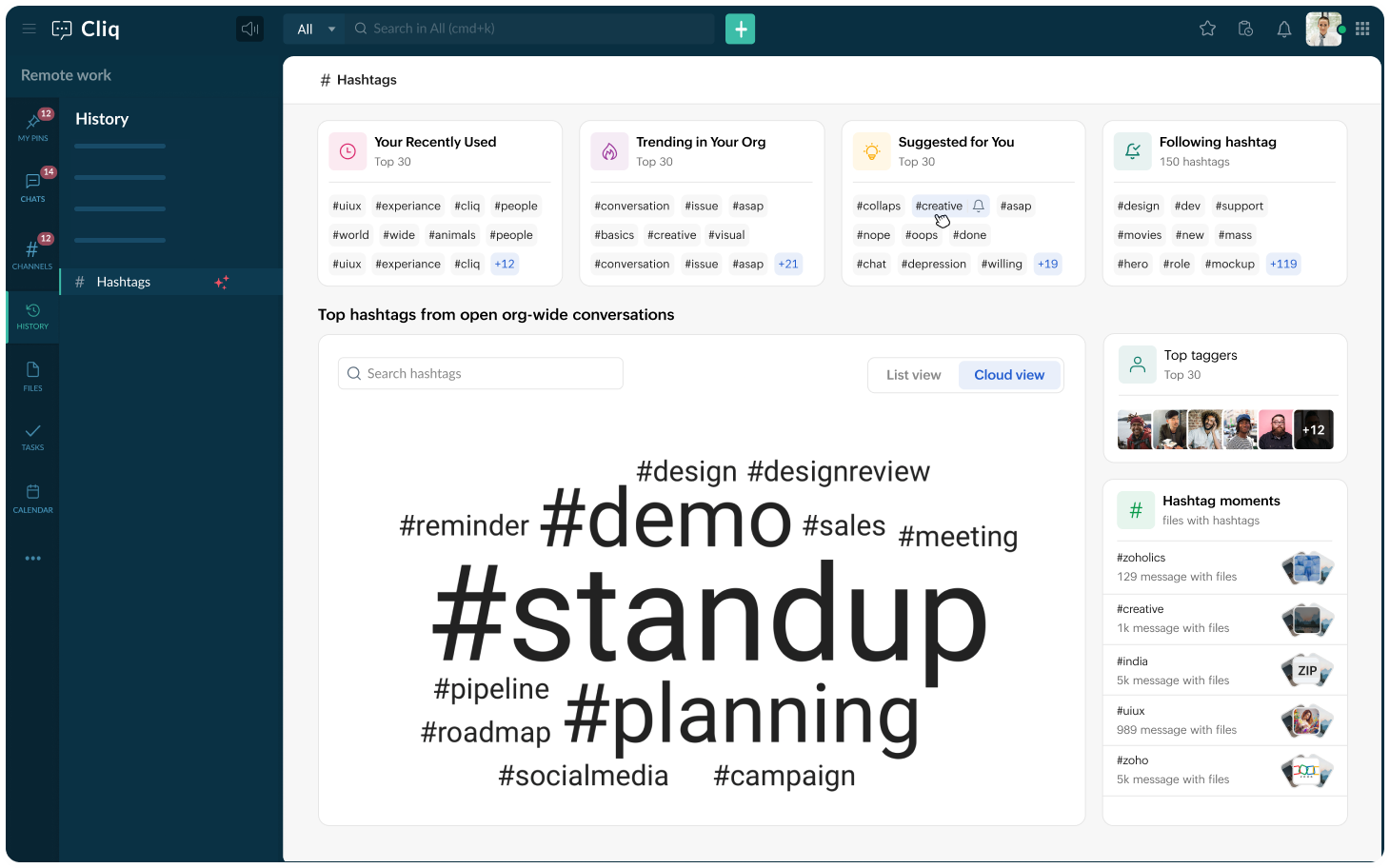
Tag important messages with something like #bugapril15, and a single search instantly brings together every tagged message, making it easy for you and your boss to revisit the discussion.
Use hashtags across chats, channels, and threads, and search them from any conversation you're a part of.
Need a broader view? Head to the Hashtags section to keep track of the tags you and your organization use. Discover trending hashtags, top hashtag users, and hashtag moments to quickly find the topics that matter most across your organization.
Find the needle in a haystack
Searching for an exact message from a couple of weeks ago often feels like a game of chance. You type in the words you think were in the message, hoping you've remembered them correctly and are searching in the right conversation. Even if you get all that right, you're still left scrolling through dozens of messages with the same keywords.
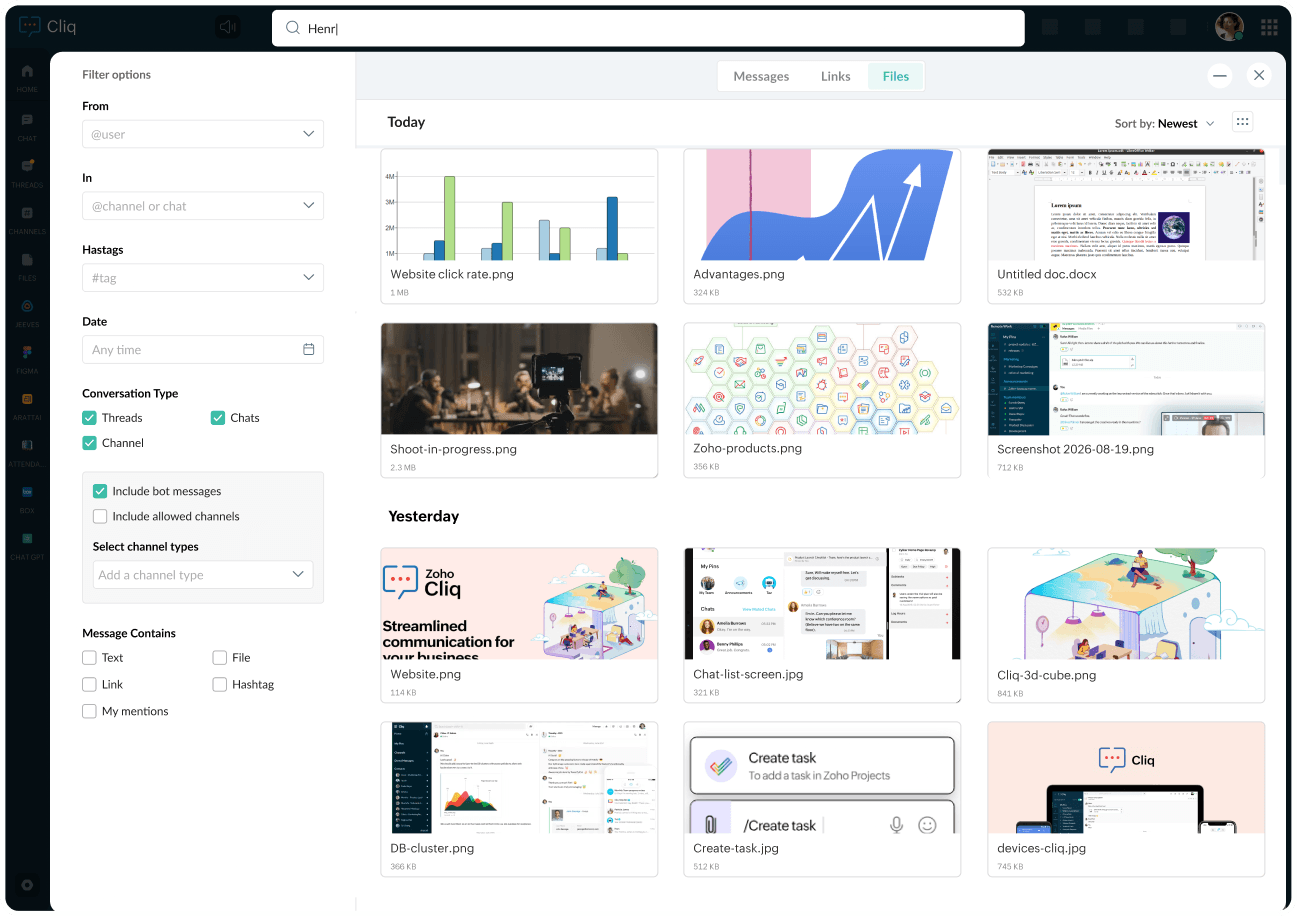
Advanced search changes that.
Narrow your search with filters like the sender, channel or chat name, date, and what the message contained, to quickly find the exact message you're looking for, without the guesswork.
Every screen needs clarity
There are days when we use Cliq on our mobile device more than on the web or desktop. But smaller screens often mean more clutter.
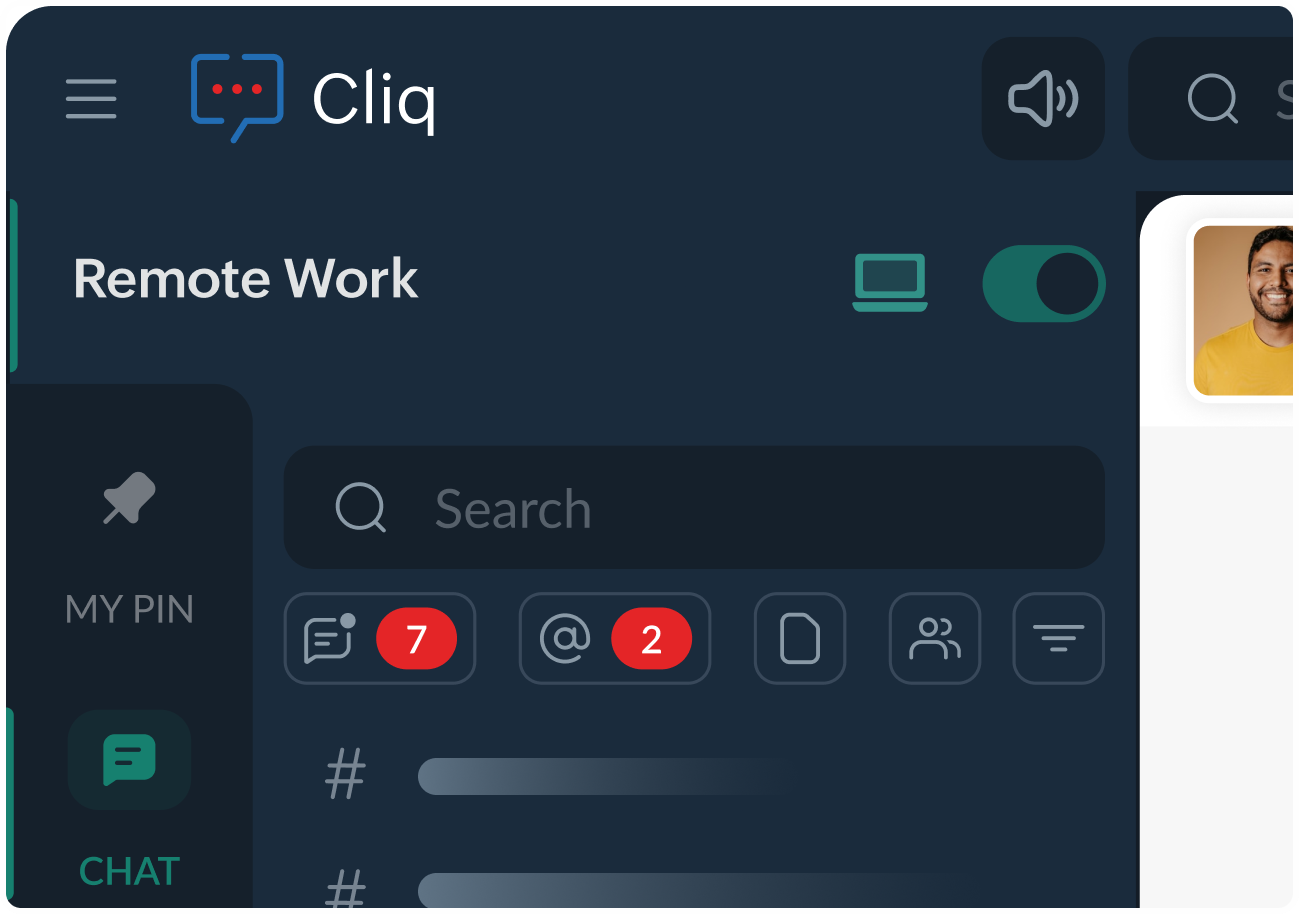
That's why we've introduced chat list filters. Filter your conversations to see exactly what you need, whether it's your pinned chats, unread messages, or specific conversation types, so you can focus on what deserves your attention.
We've brought the same philosophy to larger screens with an enriched sidebar that makes navigation clearer and more intuitive. Larger screens deserve tidiness too.
Need a distraction-free workspace? You can hide the sidebar entirely and focus on the conversation that matters.
The replies that matter
You reach your desk, open your laptop, and launch Cliq. Your notifications are filled with thread activity, but not every message is relevant to you. To make sure you don't miss an important reply, you end up opening every thread anyway.
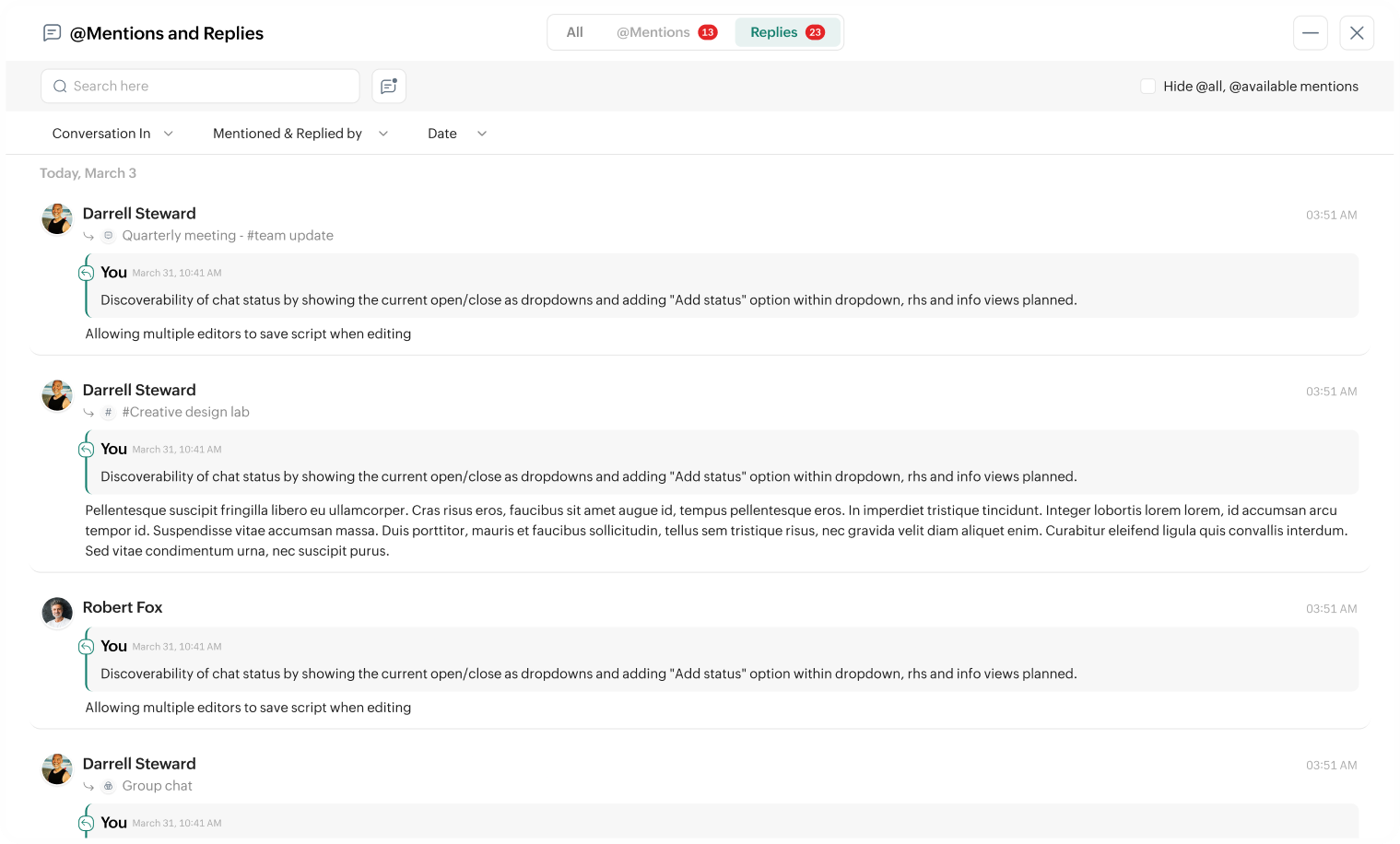
That's where the Replies View section comes in.
See all your mentions and replies in one place, without jumping across a dozen channels or digging through unrelated conversations. Instead of opening 12 channels to find replies from just three, head to Replies View and catch up only on the conversations that need your attention.
When time is of the essence
Your feature demo starts in 15 minutes. At the last minute, an item you thought wouldn't make the release miraculously clears QA and goes live.
You find a video explaining the feature. Hurray, right? Not quite.
The video is 1 hour and 17 minutes long, and you don't have the time to watch it all. It would be nice if someone could summarize it into a few bullet points, but that might be asking for too much.
Or maybe not.
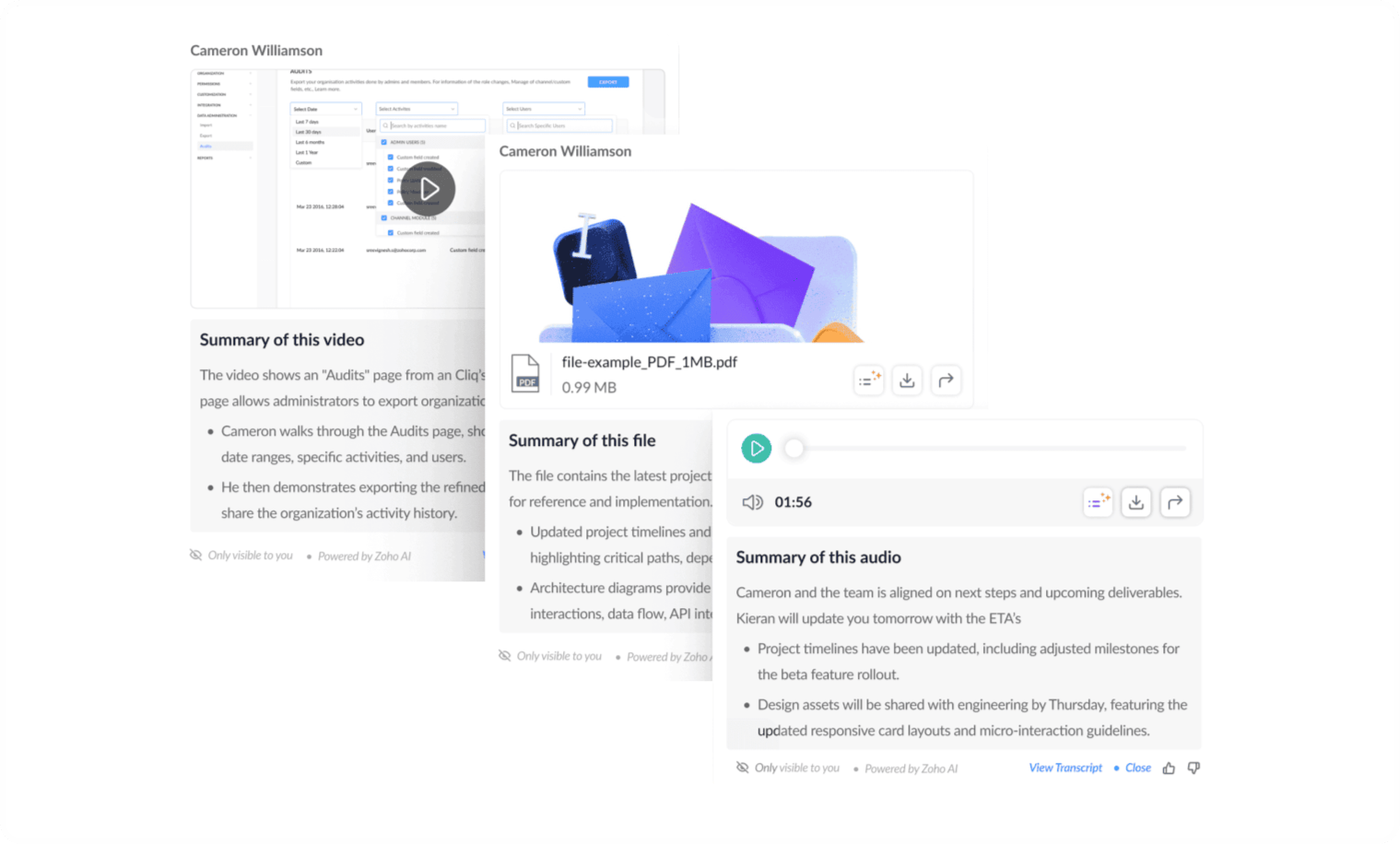
With the Multimedia Summary feature, you can instantly generate summaries for text, images, audio, and videos, giving you a quick overview of the key points. And sometimes, those key points are all you need to walk into your feature demo with confidence.
Too noisy to listen? No headphones? No problem.
Let's rewind to that train ride. You're trying to search for messages, fix bugs, and keep up with everything at once when your boss sends you a voice message.
You press play, but the train is too noisy to hear it clearly. And the part you actually need? It's probably a minute into the recording.
With voice message transcripts, you don't have to rely on audio alone. Every voice message comes with a transcript, so you can quickly read what was said whenever and wherever you need it.
The calendar is never wrong
You're tasked with scheduling a meeting for tomorrow at 1:00 PM with four other people. You ask everyone for their availability and get back to work.
The next day, at 12:45 PM, you discover that two of the participants are already booked during that time. With no common availability, you're forced to postpone the meeting.
If only you had known their schedules beforehand.
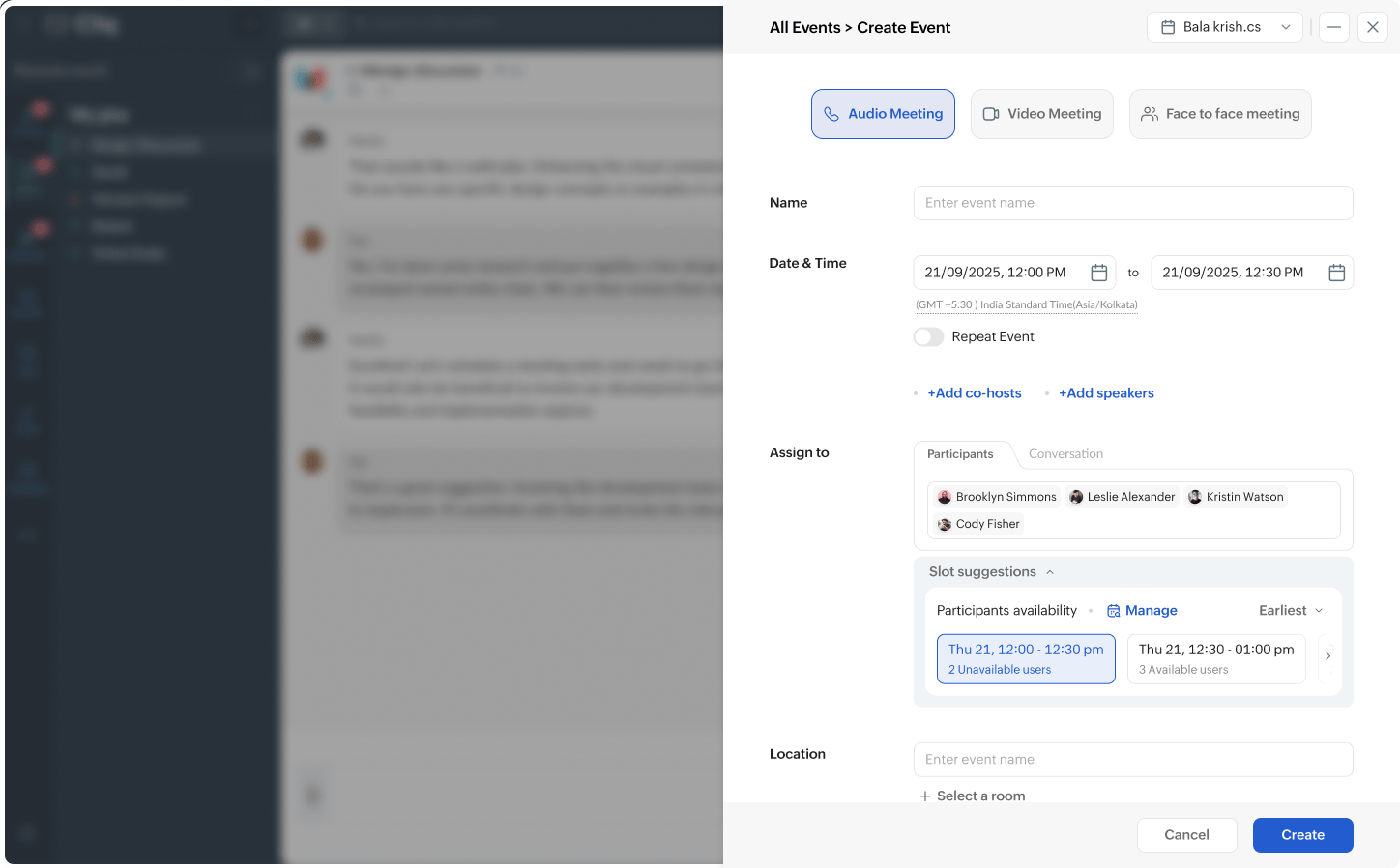
With the User and Slot Availability view, you don't have to guess. Simply add participants while creating an event to instantly see their free and busy slots, so you can pick a time that works for everyone and schedule the meeting right away.
Every workday is filled with tiny moments that snowball—searching for a message, replaying a voice note, skimming a recording, or hopping between conversations. This release is about giving those moments back. Find faster, focus better, and spend your time where it matters most with Cliq.


Comments