Cliq 7.0: Built to keep work flowing


Work feels seamless when information is available when you need it, wherever you're working, and without extra clicks. This year, our main goal was to cut through the noise and remove friction, and that's what this release delivers. Every conversation in Cliq 7.0 keeps your work moving forward.
Seamless PiP experience across your Zoho apps
Your meetings can now travel across your Zoho apps. Whether you're responding to an email, fetching a file from WorkDrive, or tracking lead information in CRM, keep your video meeting in view using picture-in-picture (PiP) mode in the Cliq Mini chat bar. With the option to pin video during the call, you'll never lose track of who's speaking.
Available on web, desktop, iOS, and Android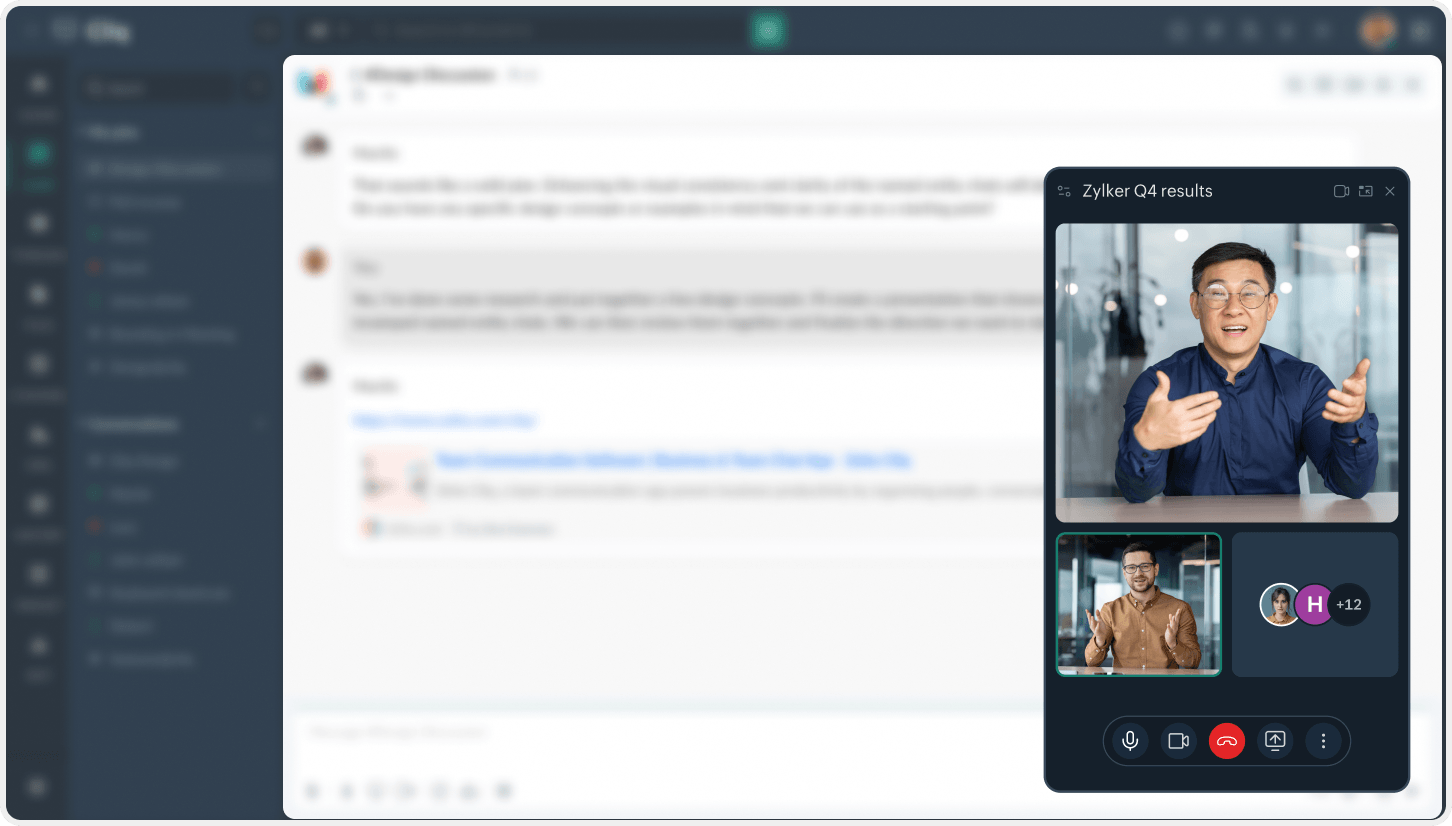
Make every screen-sharing session truly interactive
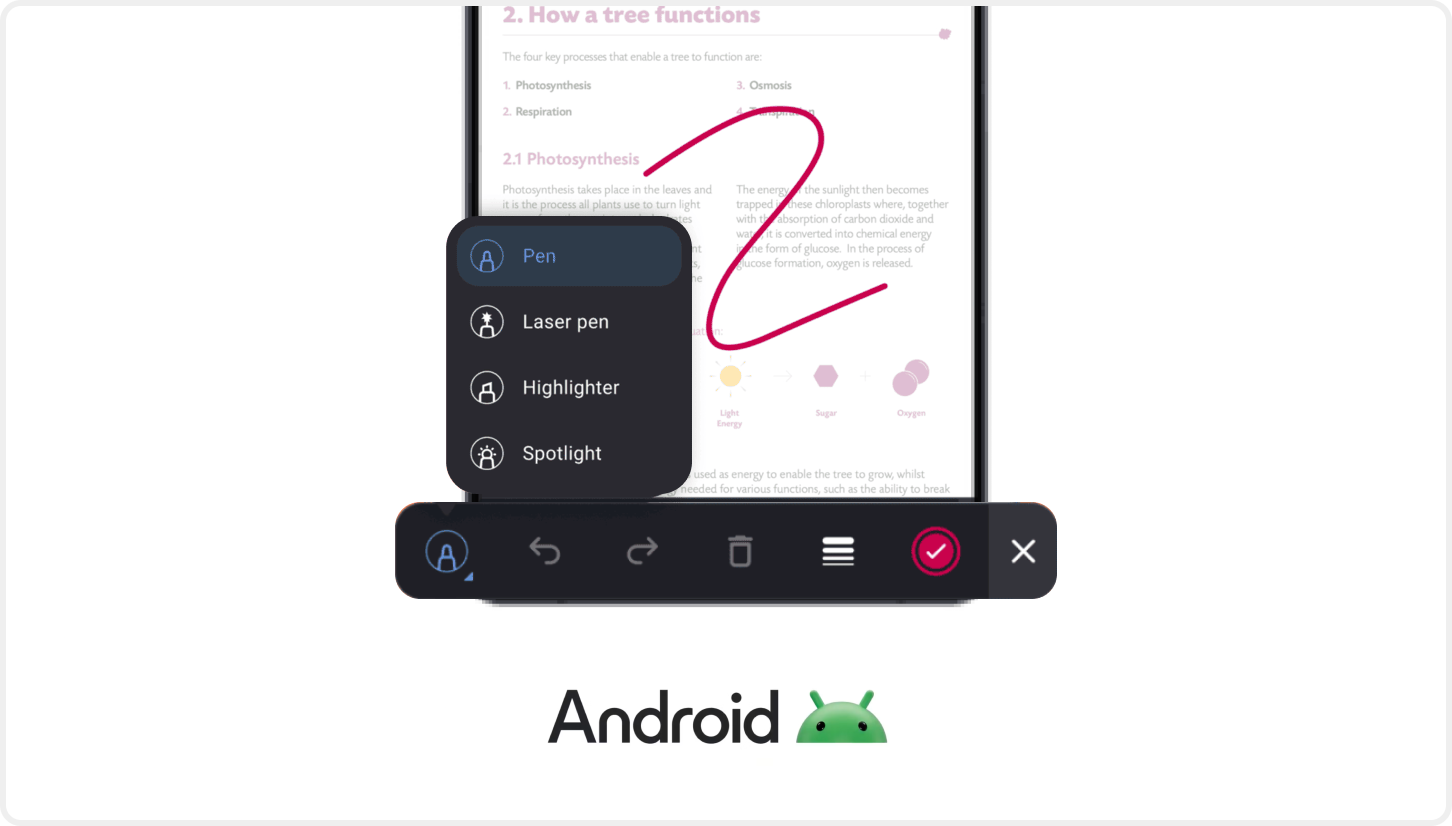
An engaging meeting is one where your entire team is in sync. Go beyond just presenting and make your screen-sharing sessions more interactive with annotations. Show participants exactly where to focus by highlighting specific sections, and add notes on screen to provide more context.
Available on Android
Compose messages with ease
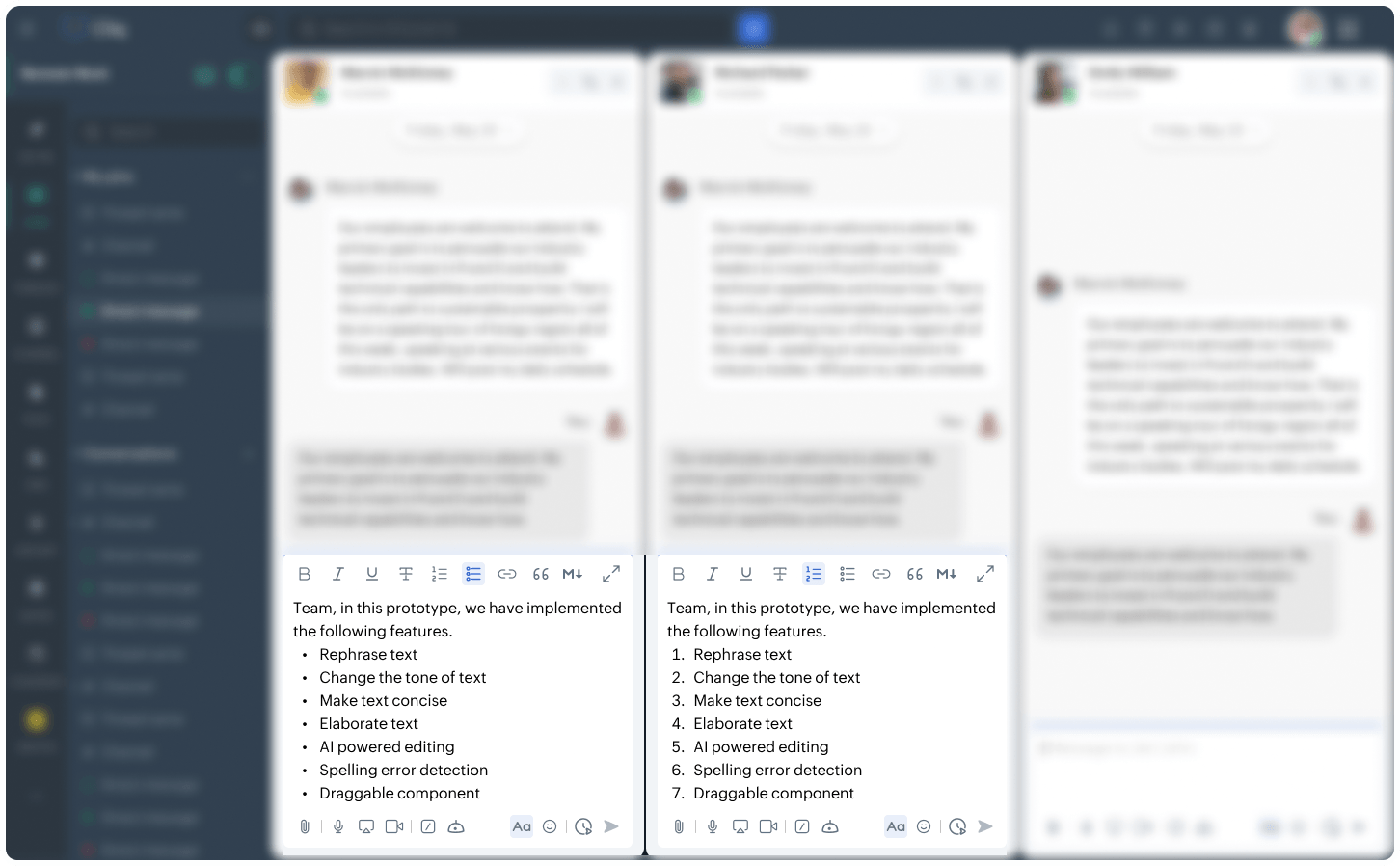
Clear messaging makes all the difference. Cliq's improved composer window makes it simpler to format text using bold, italics, and underline. Plus, create properly formatted bulleted and numbered lists, and easily escape markdown when you need plain text. We also introduced performance updates that make emojis appear faster when you type.
Available on web, desktop, iOS, and Android
OOO responses that work smarter for you
Vacations—or any long break from work—are less stressful when you know your coworkers know about your absence. Cliq's out-of-office (OOO) auto-response system has you covered. And it's not just for DMs. Even if you're tagged in a channel or group conversation, OOO now sends an automatic reply. Keep everyone in the loop by creating separate messages for DMs, channels, external users, and external channels. Messages are triggered for @mentions every 24 hours within your configured dates.
Available on web and desktop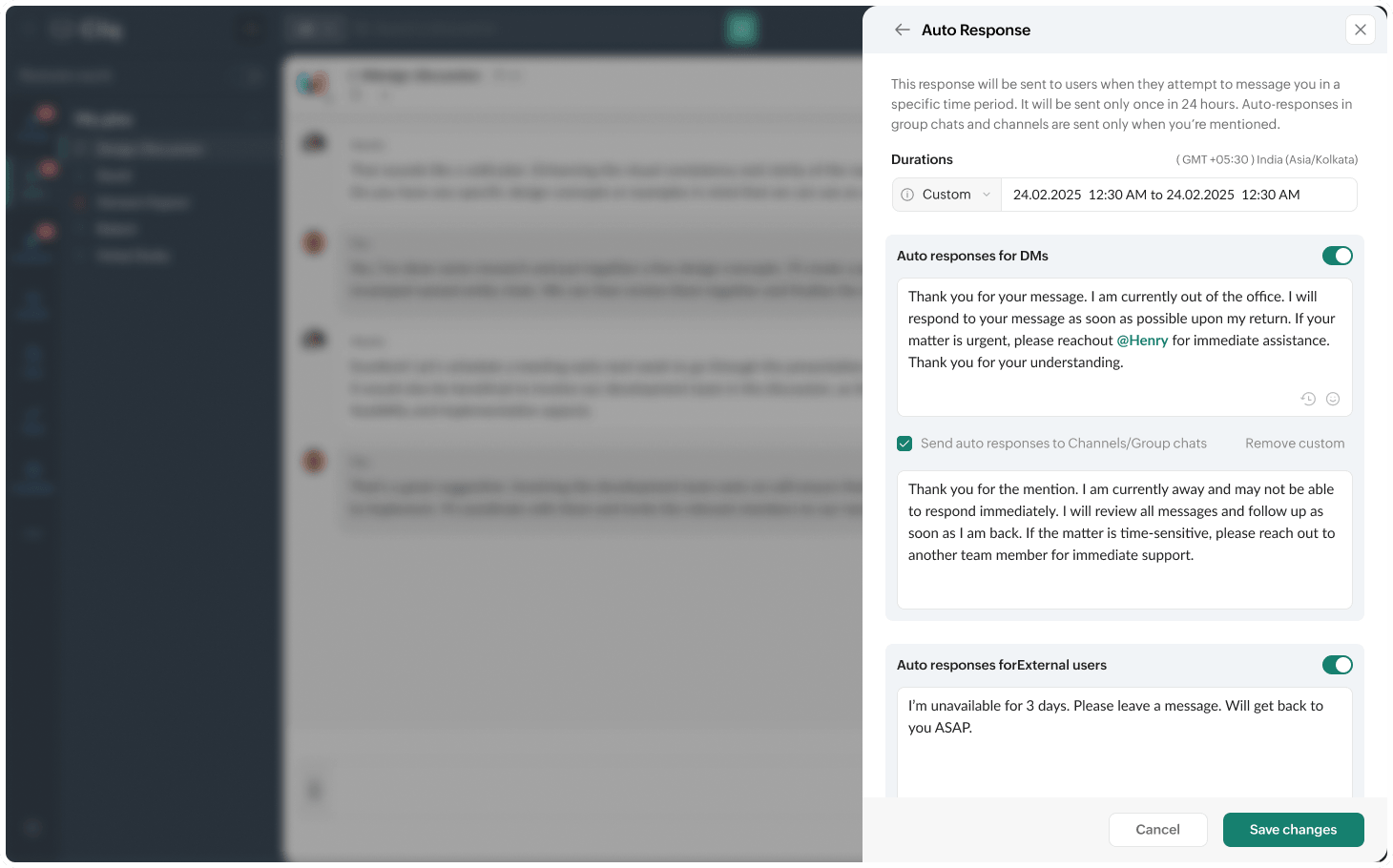
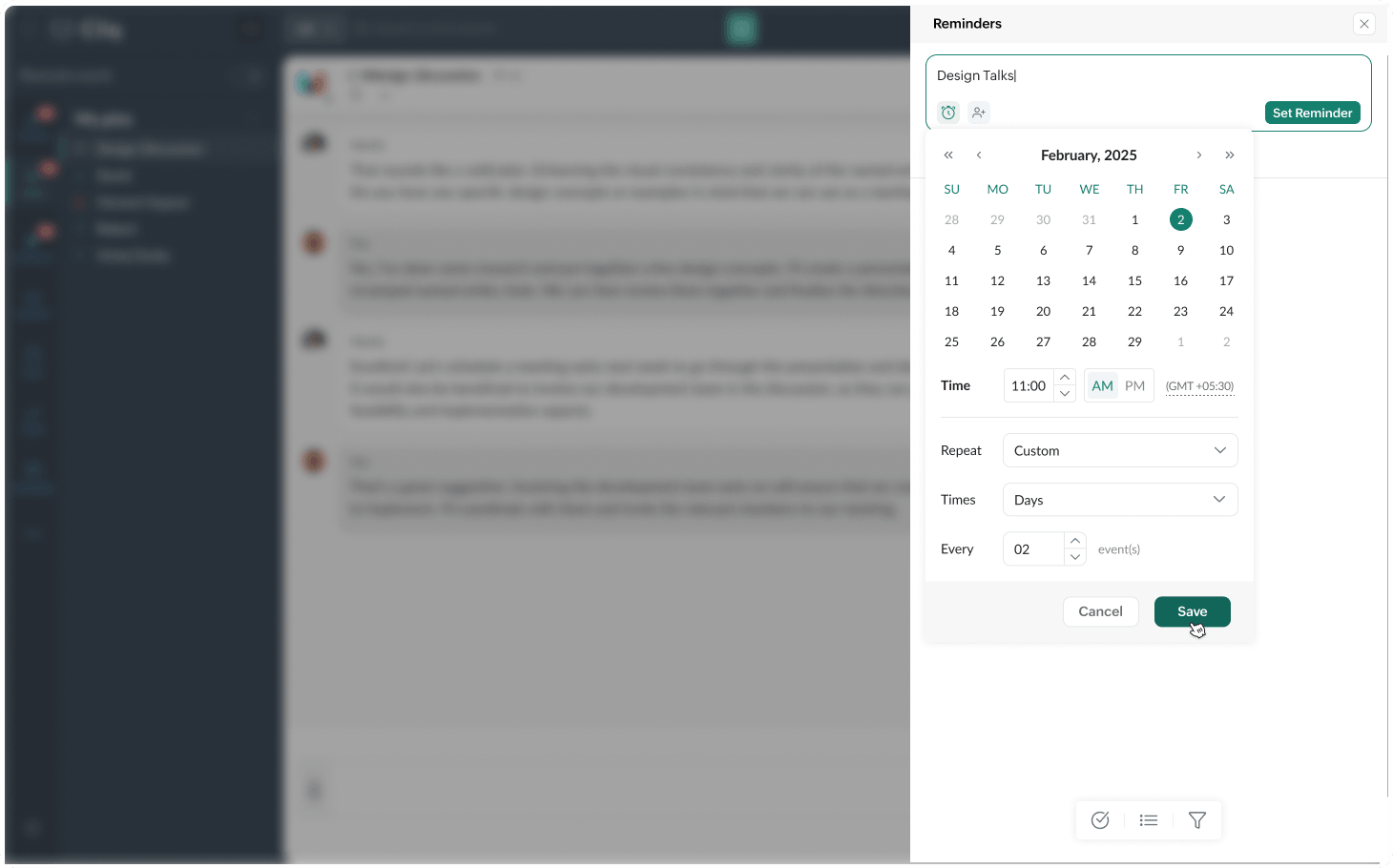
Never miss a thing with recurring reminders
You may write to-dos in a notebook, but that doesn't mean you'll remember to do them. That's exactly where recurring reminders come in. Set them up in Cliq, and they'll notify you about key tasks whenever required. You can also configure custom recurrences based on your preferences, and close single occurrences when they're completed. Set it once, and stay reminded every single time.
Available on web, desktop, iOS, and Android
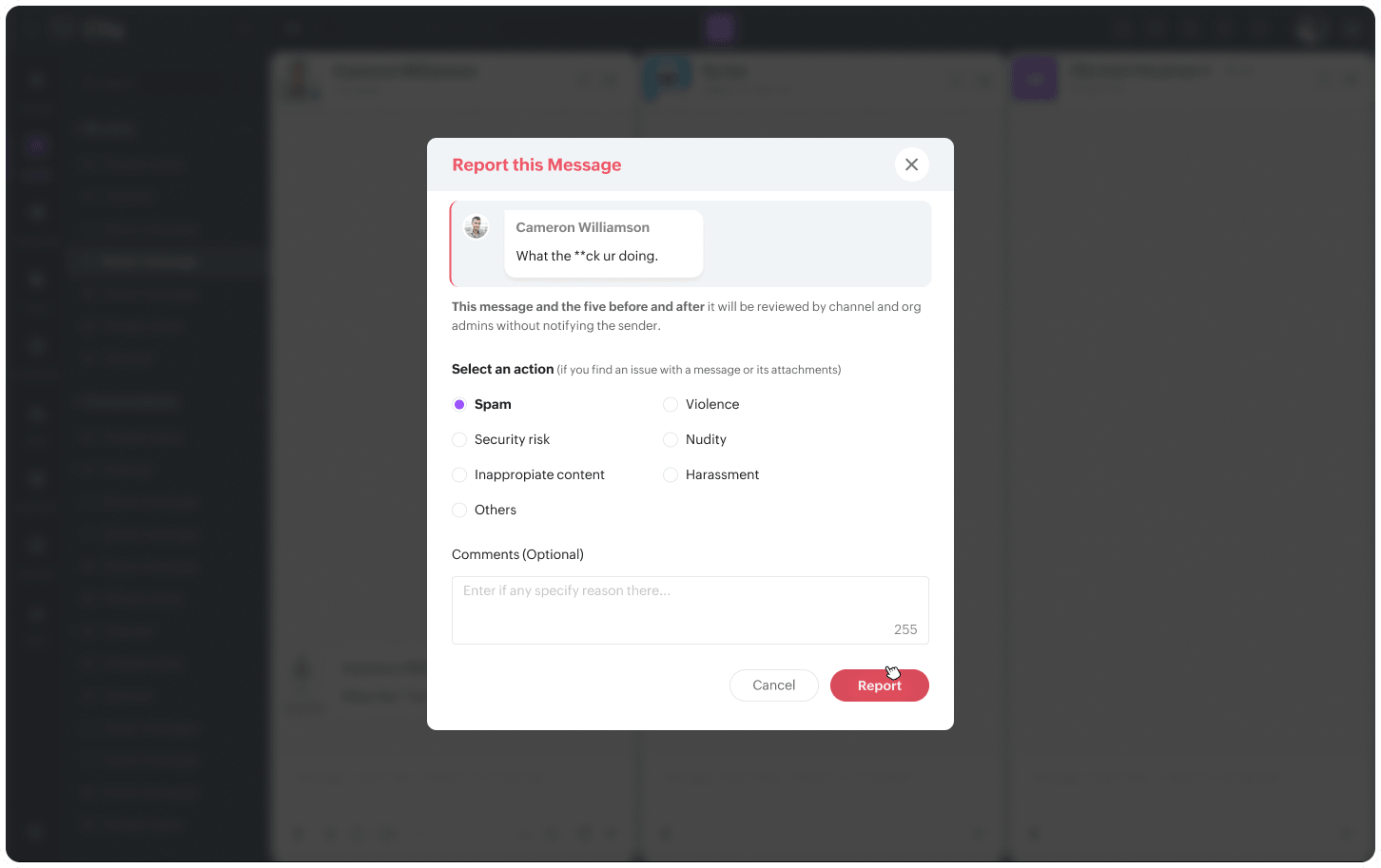
Flag messages that violate workplace policies
When someone says something controversial in a channel, it's often uncomfortable to address directly. Cliq's report feature gives you a practical way to take action. Once your admin configures the setting in the admin panel, you can report messages that violate your organization's policies. The request is automatically forwarded to the admin for review via the Approvals bot.
Available on web, desktop, iOS, and Android
This release has been more intentional than ever. While the changes might look small, they have a profound impact on how your work flows every day, slowly allowing you more time to complete tasks that need your undivided attention. Read more on how Zoho Cliq 7.0 has truly made work uninterrupted helping you find things faster.

Comments