Why your CRM should work for every team, not just sales

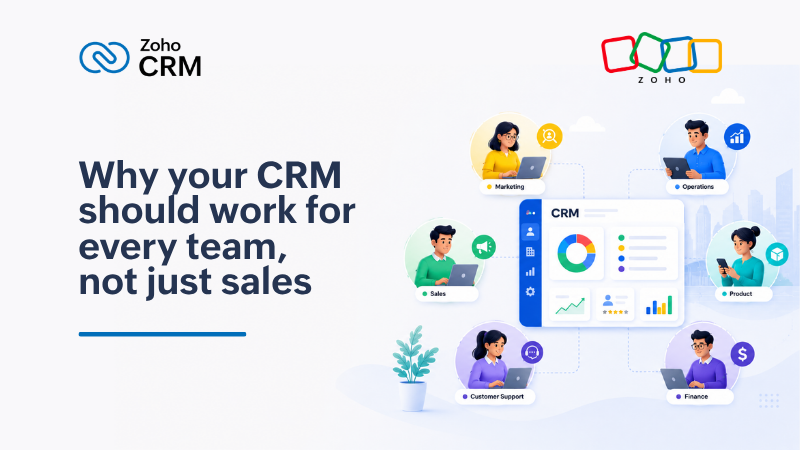
For most businesses, CRM software was built with one team in mind: sales. But the reality of closing and retaining a customer in 2025 involves far more people than that. Legal reviews contracts. Onboarding teams set customers up for success. Consulting teams provide references and use cases. Finance gets involved in approvals.
The problem is that most of these teams are working outside the CRM, in email threads, spreadsheets, and separate tools. When a customer moves between teams, context gets lost. Follow-ups are missed. Customers fall through the cracks, not because anyone intended it, but because the systems were never connected.
Zoho CRM for Everyone is designed to fix that.
The challenges it addresses
Handovers between teams are where customers get lost. When a deal closes and moves to onboarding, the information a sales rep holds often stays with that rep, in their notes, their inbox, or their memory. The onboarding team starts without full context. The customer has to repeat themselves. Trust erodes early.
Teams outside sales have no visibility into the customer record. A legal team drafting a contract has no easy way to see what was promised during the sales process. A consulting team preparing a reference case has to ask the sales rep for details rather than accessing them directly. This creates delays and adds coordination overhead.
Automation stops at the boundary of the sales team. When each team operates in its own system, there is no way to connect workflows across them. A signed contract cannot automatically trigger an onboarding task. A completed onboarding cannot feed back into the customer record. Every handover becomes a manual process.
What CRM for Everyone makes possible
Team modules allow every team involved in the customer journey to build their own workspace inside Zoho CRM. Contracts, case studies, onboarding checklists, and more can be created and linked directly to the deals and contacts they relate to. Each team works in their own space, but the data stays connected.

Requester profiles let sales reps assign tasks to other teams directly within the CRM. Instead of chasing legal for a contract status over email, a rep can raise a request, set a due date, and track progress without leaving their workflow.

Connected workflows allow automation to run across team boundaries. When a deal is marked as closed, an onboarding record can be created automatically. If a contract needs to be signed before a deal can close, that can be set as a required step in the workflow. The process is enforced consistently, without relying on individuals to remember.

AI-assisted setup means teams do not need technical expertise to configure their modules or workflows. Plain language prompts can be used to create modules, build automations, and generate reports. Non-technical teams can get up and running independently.

Transitioning to the new interface
CRM for Everyone comes with an updated interface designed to be cleaner and faster to navigate. Here is what has changed and what to expect when your team makes the switch.
A single sidebar. The previous layout used two sidebars, which took up screen space and added navigation steps. The new interface consolidates everything into one scrollable sidebar, giving your team more room to view records and fewer clicks to move between modules.
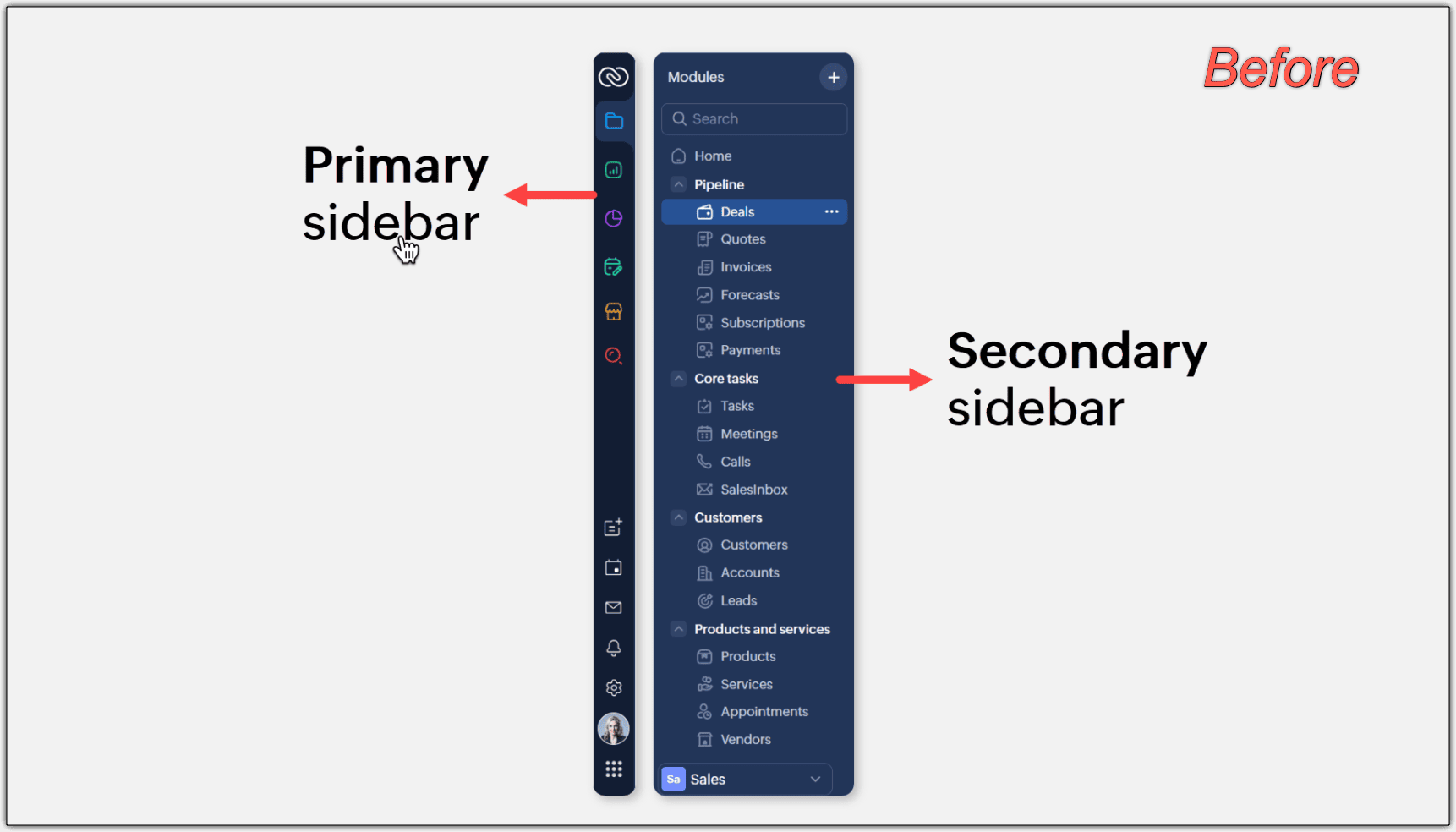
Search and quick create at the top. Global search is now prominently placed at the top of the screen. From the same location, your team can create records, add new team modules, or search across the entire CRM. Previously, search was placed below the module list, making it easy to overlook.
Setup and settings in the top right. The setup menu has moved to the top right corner and now opens to a homepage that organises all settings into clearly labelled categories. Finding and configuring tools takes fewer steps than before.
Reports and dashboards in one click. Reports and dashboards are now accessible from a dropdown menu rather than a secondary sidebar, making it faster to switch between views and modules.
Custom views as tabs. Frequently used custom views can now be pinned as tabs across the top of a module, making them immediately visible and one click away.
How the switch works
Each user can choose when to transition. When you log in, a banner will invite you to switch to the upgraded interface. You can move immediately or choose to do it later.
If you choose to switch later, the system will prompt you again after one week and move you to the upgraded interface at that point. The switch happens at the individual user level, so different team members can transition at different times.
If you prefer to return to the previous interface after switching, that option remains available.
New accounts created after this release will start directly in the upgraded interface.
What this means for your business
For enterprise teams across Asia Pacific managing complex, multi-team customer journeys, CRM for Everyone addresses a structural gap that has existed in most CRM implementations. Sales data has historically been siloed from the broader post-sales operation, creating coordination overhead and customer experience risk.
Bringing all teams into a shared CRM environment, with their own workspaces connected to the same customer records, is a practical step toward the kind of cross-functional visibility that supports both business productivity and long-term customer retention.
The transition to the new interface is straightforward and user-controlled. The underlying change, teams working from a shared source of truth rather than disconnected tools, has a more significant impact on how your business operates.
To learn more, visit the Zoho CRM for Everyone overview or review the full transition guide.


Comments