Identity reports In Zoho Directory: Take smarter security decisions with identity insights


What are identity reports in Zoho Directory and why do they matter?
In fast-moving organizations, identity decisions often become reactive — not because data is missing, but because it's scattered. Identity reports in Zoho Directory change that by giving IT admins a clear, organized view of who has access to what, how users are authenticating, and where risks might be building up.
By turning raw identity data into actionable insights, these reports help IT teams answer critical security questions instantly, detect risks early, monitor access effectively, and stay audit-ready without manual effort - enabling faster and more confident security decisions.
When do organizations actually need identity reports?
Studies show that a large percentage of security breaches are linked to compromised credentials, making identity visibility a critical priority. Strengthening access with MFA is key to preventing credential-based attacks.
It’s easy to assume reports are only useful during audits, but in reality, they’re needed much earlier and much more often.
Organizations rely on identity reports when:
Headcount grows or changes rapidly.
Someone asks, “Why does this user still have access?”
Login behavior suddenly changes.
Access reviews are required across applications.
Employees leave unexpectedly.
Security teams need proof of enforcement.
These scenarios happen almost daily in growing organizations. Without structured reporting, even simple questions like “Who has access to this app?” or “Is MFA enabled for everyone?” can take hours to answer.
This is where most IT teams struggle, not because they lack data, but because they lack organized visibility. Identity reports bridge that gap by bringing all your identity data — users, sign-ins, apps, MFA, and devices into one organized view, so nothing slips through.
If you're building an identity dashboard, there are five essential report categories every organization should include:
User reports
Sign-in reports
Application reports
MFA reports
Device reports
Let’s break down how each of these reports helps you stay in control of identity activity across your organization.
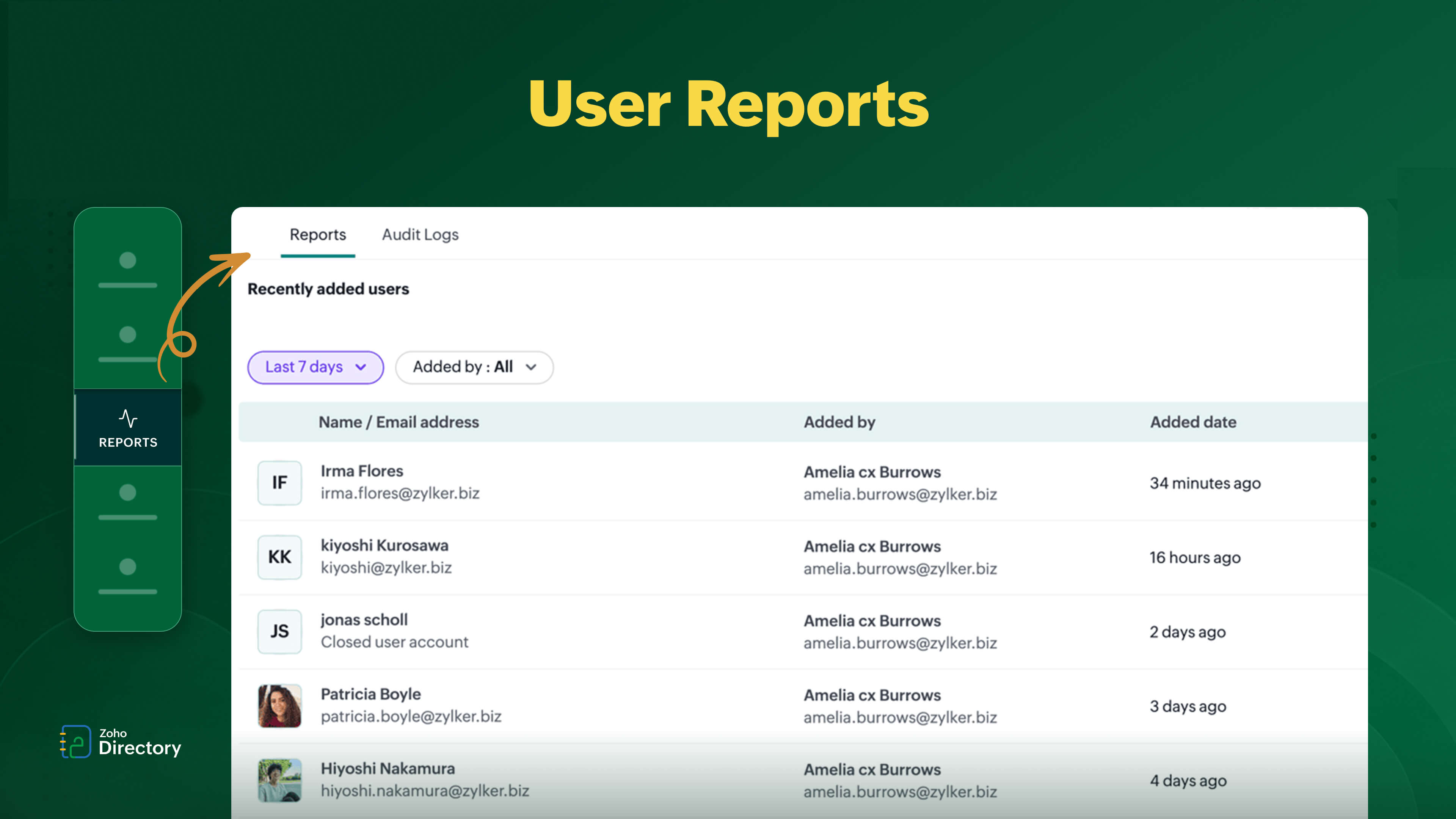
1. User reports: Clean user lifecycle visibility
As your organization scales, users are constantly added, removed, or moved across roles. Without clear visibility, gaps in onboarding and offboarding can quietly create security risks.
Zoho Directory’s user reports give you a real-time view of:
Recently added users
Recently deactivated users
Recently deleted users
Users without mailbox access
Locked-out users
One of the most common security gaps comes from incomplete offboarding. A user account might be deactivated, but still retains access to certain apps or services.
User reports solve this by helping admins:
Track onboarding and offboarding accurately.
Identify orphaned accounts.
Ensure access is provisioned correctly.
Prevent former employees from retaining access.
This isn’t just operational efficiency, it directly impacts your organization’s security posture.
2. Sign-in reports: Monitor authentication patterns
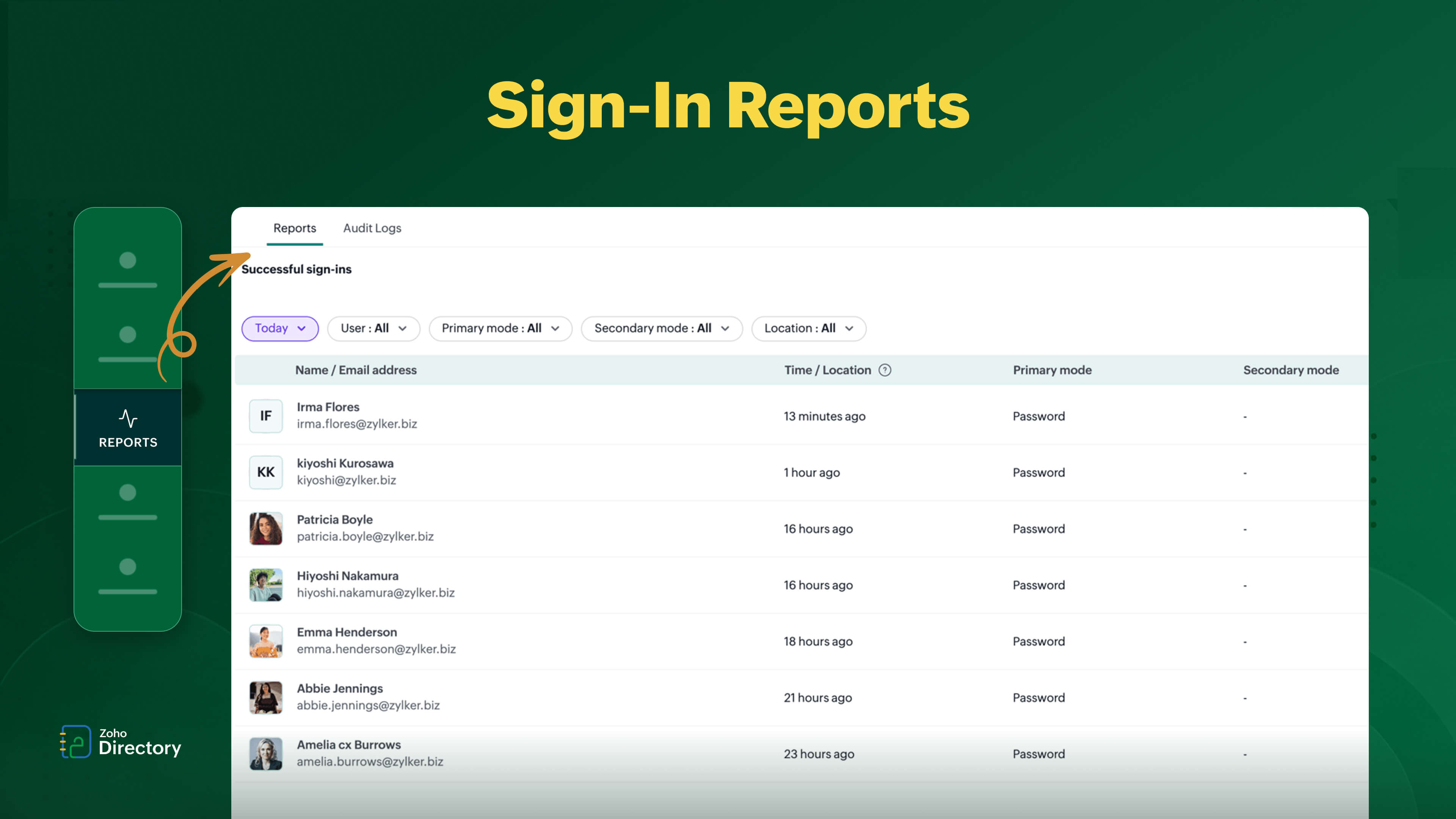
Authentication behavior tells you more than just login success; it reveals patterns, anomalies, and potential threats.
Zoho Directory’s sign-in reports include:
Successful sign-ins
Failed sign-ins
Most signed-in users
Most signed-in locations
Users without recent sign-ins
These reports are critical because unusual login behavior is often the first signal of a security issue.
For example:
Repeated failed logins could indicate brute-force attempts.
Logins from unfamiliar locations may signal compromised credentials.
Sudden spikes in login activity can indicate misuse.
Users without recent sign-ins may point to inactive or unnecessary accounts that still retain access.
Instead of relying on assumptions, sign-in reports give you clear, data-backed visibility.
This allows IT teams to:
Detect suspicious activity early.
Investigate authentication anomalies.
Strengthen access policies.
Improve overall login security.
Identify dormant accounts that may require review or deprovisioning.
3. Application reports: Understand app access & usage
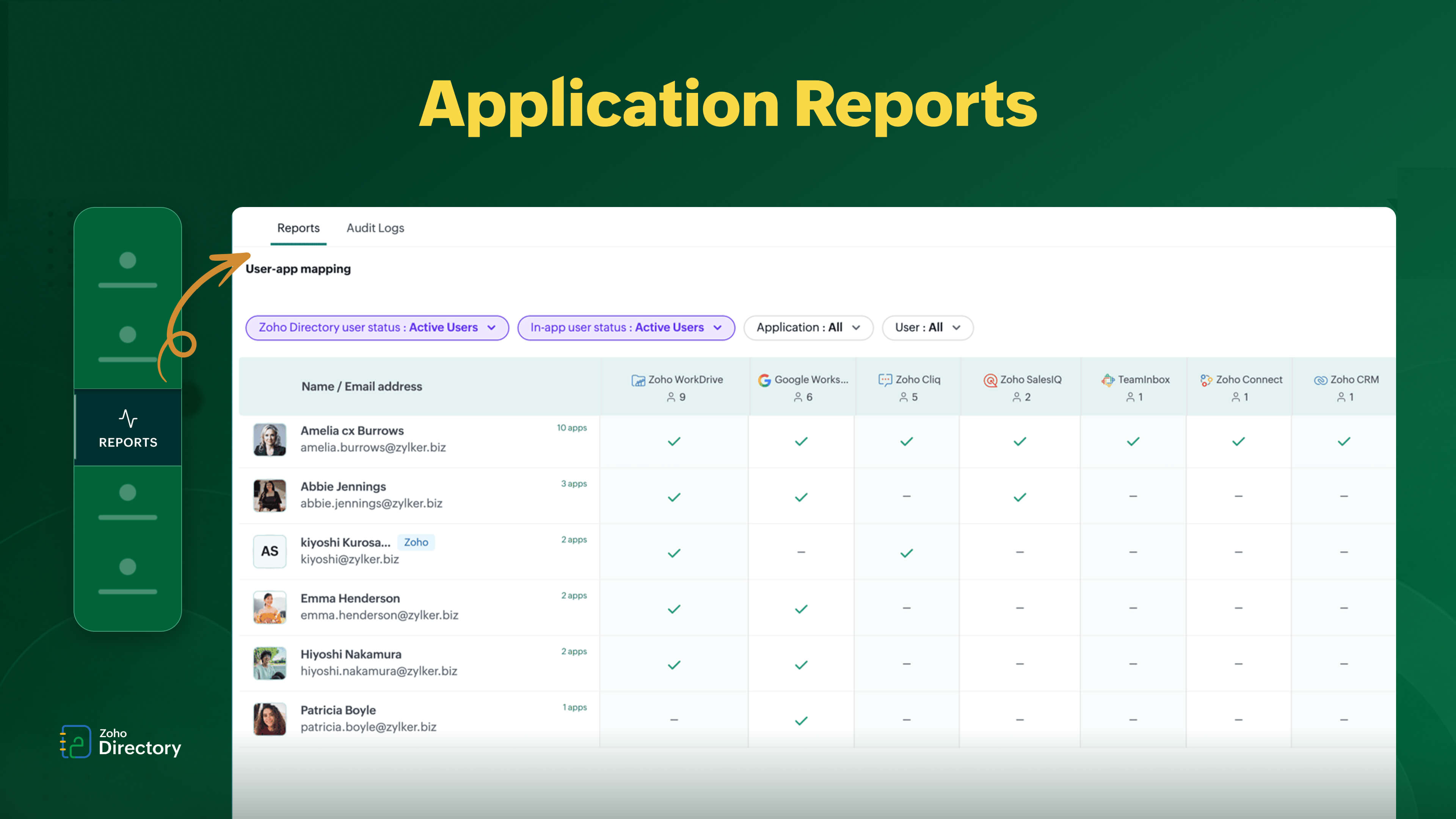
Over time, organizations accumulate applications, but visibility into their usage often falls behind.
Zoho Directory’s application reports provide insights such as:
Sign-in activity per application
User sign-ins across apps
Most signed-in applications
User-app mapping
User-role mapping
One of the biggest challenges IT teams face is license waste and over-provisioning. Users often retain access to apps they no longer use.
Application reports help solve this by:
Identifying unused applications
Highlighting excessive access permissions
Supporting access reviews
Optimizing license usage
From a cost and security perspective, this is a major win. You not only reduce unnecessary spending but also minimize your attack surface.
4. MFA reports: Verify MFA enforcement
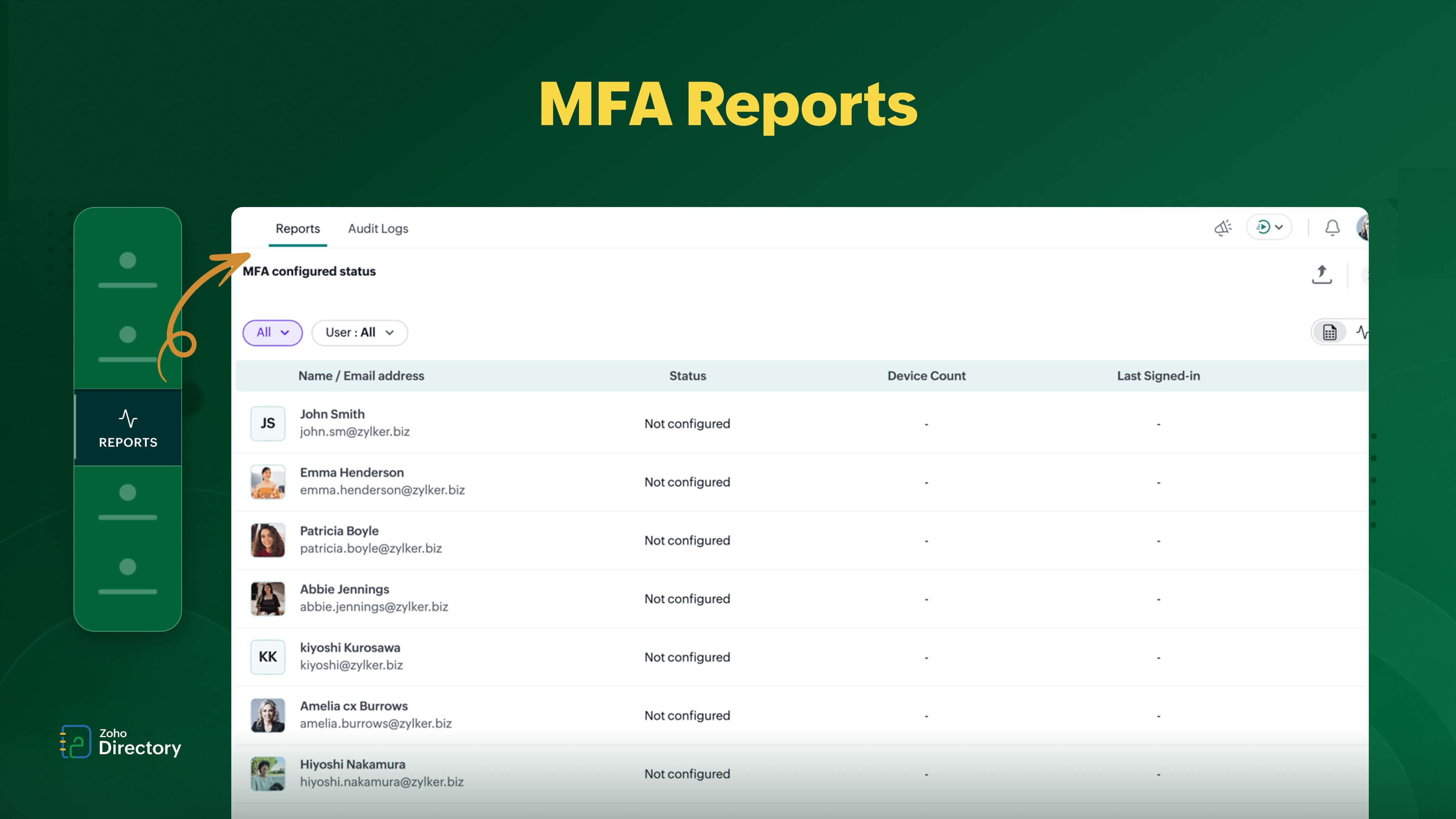
Enabling MFA is a great first step, but it doesn’t guarantee enforcement.
Zoho Directory’s MFA reports provide visibility into:
MFA configuration status
MFA methods being used
This helps answer critical questions like:
Who hasn’t configured MFA yet?
Which authentication methods are most used?
Are there gaps in enforcement?
In real-world scenarios, partial MFA adoption is a common issue. Some users enable it, others don’t and without visibility, these gaps go unnoticed.
MFA reports allow admins to:
Identify non-compliant users.
Track adoption rates.
Enforce stronger authentication policies.
Close security gaps proactively.
This ensures MFA isn’t just enabled—but actually effective.
5. Device reports: Track device & sync health
In hybrid work environments, devices are no longer separate, they are part of your identity layer.
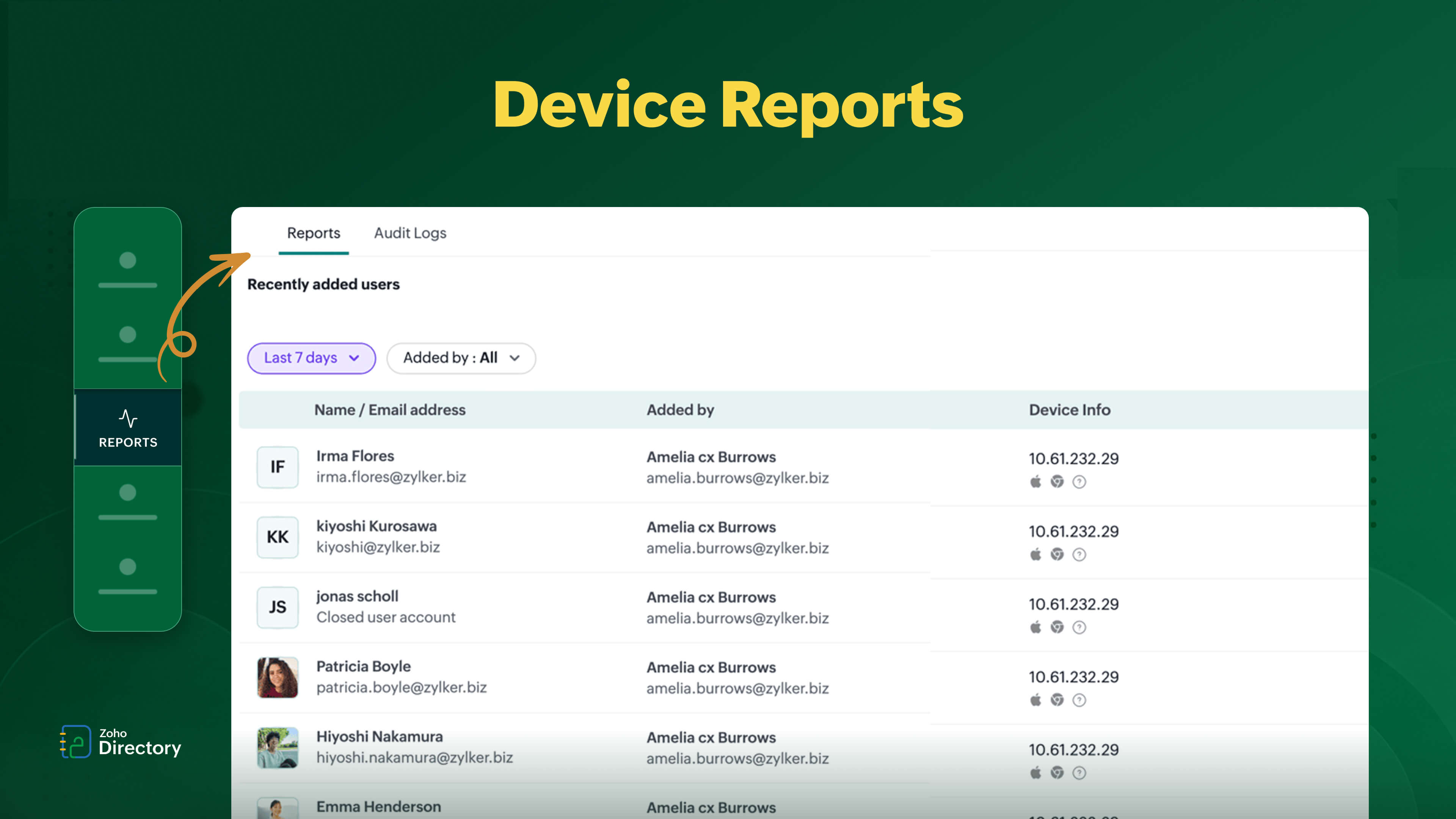
Zoho Directory’s device reports include:
Recently assigned devices
Newly added devices
Devices without synced passwords
Devices running outdated agents
One overlooked risk in identity security is device inconsistency. If devices aren’t synced properly or are running outdated agents, it can lead to authentication issues and vulnerabilities.
Device reports help IT teams:
Maintain sync integrity.
Monitor device hygiene.
Identify outdated configurations.
Ensure consistent authentication.
This is especially important in distributed teams where users access systems from multiple devices and locations. For a deeper walkthrough, check out our recorded webinar on authenticating and managing work devices with Zoho Directory.
Summary: What each report tracks
Report category | What it tracks? |
User reports | User lifecycle changes like additions, deletions, lockouts, and mailbox gaps. |
Sign-in reports | Authentication activity including successful, failed, and location-based logins. |
Application reports | App access, usage patterns, and user-role mapping. |
MFA reports | MFA configuration status and authentication method usage. |
Device reports | Device assignment, sync health and agent version status. |
How do identity reports help businesses stay secure and audit-ready?
Identity reports are not just administrative tools; they are the foundation of modern identity management.
They help organizations:
Detect threats early.
Govern access effectively.
Optimize software licenses.
Stay audit-ready always.
Without reports, decisions are reactive. With reports, security becomes proactive.
Frequently asked questions about identity reports
1. How can I check whether former employee still has app access after their account is deactivated?
User reports show recently deactivated accounts, and application reports show which apps those users are still mapped to. Together, they help you catch and close access gaps that incomplete offboarding leaves behind.
2. Can I tell which users have MFA enabled but never actually set it up?
The MFA configured status report shows exactly which users have not completed MFA setup, so you're not guessing — you're acting on a clear list.
3. Can I see suspicious logins without going through raw logs?
Sign-in reports surface failed logins, unusual locations, and login spikes in a structured view, so you can spot anomalies without manually sifting through log data.
4.How do I find apps that are assigned to users but no one is actually using?
Application reports show sign-in activity per app, making it easy to identify unused applications and clean up over-provisioned access before it becomes a cost or security problem.
5. How can I share these reports with auditors?
Reports in Zoho Directory can be exported in CSV, XLSX, and XLS formats, making it straightforward to share access records, MFA status, and sign-in activity with auditors or leadership without needing to grant them direct system access. Reports can also be scheduled, helping teams automatically generate and share reports at regular intervals.
See identity reports in Zoho Directory in action
The challenge today isn’t lack of data; it’s lack of clarity.
Identity reports bring that clarity by turning scattered identity signals into structured, actionable insights. They help IT teams move faster, reduce risk, and stay in control.
If you're looking to build a strong identity foundation, reports are where it starts.
Curious to see it in action? Book a demo to see how you can build your identity dashboard early with Reports in Zoho Directory and discover the latest features designed to enhance your security.
https://www.zoho.com/directory/zoho-directory-2025-feature-updates.html
For more insights and updates, follow Zoho Directory on LinkedIn.




Comments