The hidden power of remote configuration: dynamic app updates without code changes
- Last Updated : June 26, 2026
- 130 Views
- 6 Min Read
Things move fast in app development, and as apps increasingly ship AI-powered features, the margin for errors and delays keeps shrinking. But that speed comes at a cost.
Most app teams know this feeling: you spot a problem in production – a broken flow, a poorly worded CTA, a misbehaving model, or an AI feature that isn’t landing right; and your only move is to write a fix, push a build, wait for app store submission review, and hope users actually update.
By the time the fix reaches them, the damage is done.
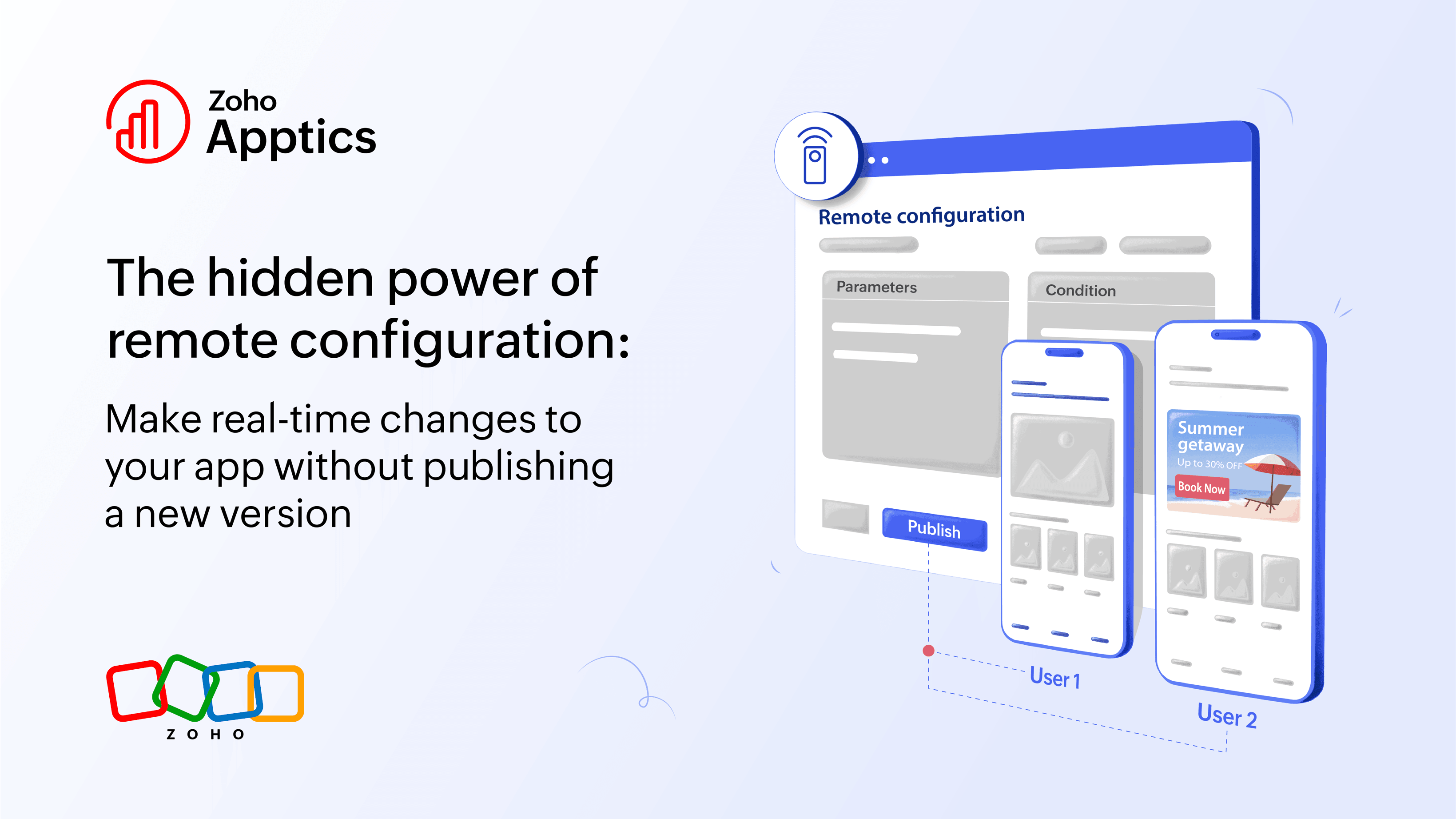
Remote configuration changes that equation. Instead of baking every decision into your codebase, you separate what your app does from how it behaves and store the latter on a remote server you control. Change a value from a dashboard, and your app responds instantly across thousands of devices. That means no rebuilding, no resubmitting, and no waiting.
It sounds like a small technical detail, but in practice, it reshapes how fast your team can move.
This post breaks down how remote configuration actually works, where it adds value, and why it's becoming a foundational tool for teams building adaptive apps that evolve continuously.
What is remote configuration?
Remote configuration is a way to dynamically control your app's behavior and appearance in real time without shipping a new version. You skip the entire cycle of updating code, rebuilding, and waiting hours or even days for the changes to go live.
Instead of hard-coding values into your app, you define them as parameters (simple key-value pairs) stored on a remote server. These parameters can then be updated remotely and reflected instantly in your app.
Say your app reads values like:
button_color = "green"
show_upgrade_button = true
But instead of having this in code, these values live on a remote server, so you can change them anytime. You don't need to rebuild and wait for the changes to be deployed.
Even better, you can also attach conditions to these parameters. That means your app responds to changes contextually.
How does remote configuration work?
Let’s walk through a simple example.
Step 1: Define a parameter
You have an upgrade button in your app and set a default value:
upgrade_button = "True"
upgrade_button_color = "Green"
This forms your basic key-value pair configurations.
Step 2: Add a condition
Now you decide to show the upgrade button to free-tier users. So you add a condition as:
subscription_plan = "Free"Now the button appears only for free users and stays hidden for everyone else. The button is toggled like an on-off switch.
Step 3: Customize further
Let’s say you want the button color to appear purple for users in a specific region, so you add a new condition:
region = "MENA"And now, apply that condition to the parameter and the update the value as:
upgrade_button_color = "Purple"Your app now behaves differently based on who is using it and where.
Step 4: Make it truly remote
All these configurations, including parameters and conditions, are stored on a remote server (like remote configuration in Zoho Apptics and Firebase). These configurations are completely independent of your app’s codebase and applied dynamically when the app fetches them.
So when you publish these changes on your browser, they reflect instantly for the targeted users without the need for an app update.
That’s the real magic of RC: zero dependency on release cycles.
Real-world use cases
Remote configuration isn’t just about convenience; it fundamentally changes how you build, release, and experiment with your app.
Remote configuration acts as the foundation for several powerful workflows like feature flags, staged rollouts, and experimentation, whether built directly into the tool or implemented using configuration logic.
Dynamic UI & behavior changes
Update UI layouts, copy, colors, or flows without touching code. Swap onboarding screens for a new cohort, update pricing displays for a promotion, or run seasonal UI changes that revert automatically, all from a dashboard.
Feature flags
Control feature availability using configuration conditions (often referred to as feature flags). Enable a new feature for beta users before a wider rollout, or disable a buggy one without an emergency build.
Controlled roll outs
Gradually expose features to subsets of users using conditions (for example, by region, user segment, or rollout percentages).
Rather than releasing to everyone at once, you can roll a feature out to 5% of users, watch how it performs, then expand gradually. If something breaks, you catch it early. If it holds well, you can scale with confidence. You can also phase releases by region and ensure they're stable in one market before going global.
Instant rollbacks
When something goes wrong in production, the usual response is a rushed hotfix build. Instead, you can use remote config as a "kill switch" to disable the problematic feature or roll back an unstable version immediately. This helps you buy your team time to fix it properly rather than patching hastily.
Experimenting variations
Experiment and test variations without separate builds. Different onboarding flows, CTA copy, or campaign banners can all run as parallel configurations, letting you measure what actually works before committing.
Industry-specific examples
Across industries, remote configuration plays different roles:
- eCommerce: Tweak pricing displays, offers, and checkout flows in real time.
- Fintech: Safely roll out sensitive features with tight control and rollback options.
- Media & OTT: Experiment with recommendations, layouts, and content visibility.
- B2B & SaaS: Customize onboarding and feature access by plan or user segment.
The specifics may differ, but the underlying benefit is the same: faster and safer iteration without disrupting user experience.
Remote configuration vs. feature flags
These terms often get used interchangeably, but they're not the same thing. In fact, feature flags are actually a subset of remote configurations.
Feature flags are binary, meaning a feature is either on or off. Remote configuration is broader: it controls any app parameter, not just feature availability, and supports multi-value and conditional logic. You can personalize behavior based on user data, device type, region, usage patterns, and more.
A useful way to think about it is that feature flags answer whether a feature should exist, while remote configuration answers how it should behave, look, and adapt.
| Feature flags | Remote configuration | |
| Purpose | Used to enable and disable features | Used to control any app parameter and configure more complex app logic |
| Logic | Acts as a binary (on or off) | Is complex with multi-value & conditional |
| Scope | Narrow and limited personalization | Can be personalized using behavioral data and provides more control |
Context-aware personalization
Static rules like "show this to free users" are useful, but the real shift happens when your configuration starts responding to live signals such as crash patterns, user behavior, device data, and engagement trends.
Say a feature is causing crashes on a specific device type. You can disable it for that segment instantly while keeping it active for everyone else. Meanwhile, you're tracking whether that change actually improves stability.
The configuration is part of a feedback loop: observe, adjust, measure, and improve.
This is where platforms like Zoho Apptics stand out. You're no longer guessing at what users need. You're watching, responding, and learning in real time. By combining crash reporting, user feedback, behavior analytics, and remote configuration, you go beyond making remote changes to understanding the impact of every change.
Remote configuration in gen-AI workflows
As more apps integrate AI features, remote configuration takes on a new role.
AI features require continuous tuning. Model behavior needs to be adjusted and exposure needs to be controlled.
When something goes wrong, you need to be able to act fast. You also need governance: guardrails that let you experiment without losing control.
Remote configuration acts as a control panel for AI experimentation and safety. You can:
- Gradually expose AI features to selected users.
- Adjust prompts or model parameters without redeploying.
- Disable a feature the moment issues surface.
- Run experiments on different response styles or UX flows.
For teams building AI-native apps, this becomes an enabler to build and ship responsibly.
Versioning and history
Good remote configuration systems maintain a version history of every change, audit logs of what went live and when, and the ability to revert instantly if something goes wrong.
This ensures transparency across teams, safer experimentation, and faster recovery from issues. You can explore how Zoho Apptics handles this in our remote config guide.
Conclusion
Remote configuration fundamentally changes how apps evolve.
- Reduces release bottlenecks and allows faster iterations
- Helps with controlled rollouts
- Replaces emergency build-merges with instant fixes in a few clicks
- Creates context-aware apps with better personalization
- Enables cross-team collaboration (non-technical teams can also contribute)
Remote configuration is a mindset shift. Instead of shipping static apps, you start building adaptive, intelligent systems that evolve in real time based on real user data.
Shipping used to mean freezing your decisions in code and waiting to learn from them. Remote configuration means your app can keep learning and adapting after it ships by responding to real users, behavior, and conditions.
The release cycle still matters, but it no longer has to be the bottleneck between what you know and what your users experience.
 Supraja Gayathri S
Supraja is a Product Marketer at Zoho Apptics with 5+ years of experience in breaking down complex concepts into easy-to-digest, detailed blogs. She loves blending technical content and data with creative storytelling.