SMS verification: What is it, and how does it work?
- Published : August 28, 2026
- Last Updated : August 28, 2026
- 1 Views
- 10 Min Read

Five billion people, which is 65% of the world’s population, today send and receive SMS text messages.
Short Message Service (SMS) has been part of our daily lives for more than three decades now. The first text message, “Merry Christmas”, was sent on December 3, 1992, marking the beginning of a communication channel that would eventually become one of the most widely used forms of communication worldwide.
Today, SMS has evolved beyond simple person-to-person communication. It’s become an important medium for identity verification, enabling businesses to authenticate users, secure accounts, and prevent unauthorized access.
In this article, we’ll explore what SMS verification is, how it works, why it’s essential for businesses, its advantages and limitations, and the best practices to follow when using SMS to send verification codes.
What is SMS verification?
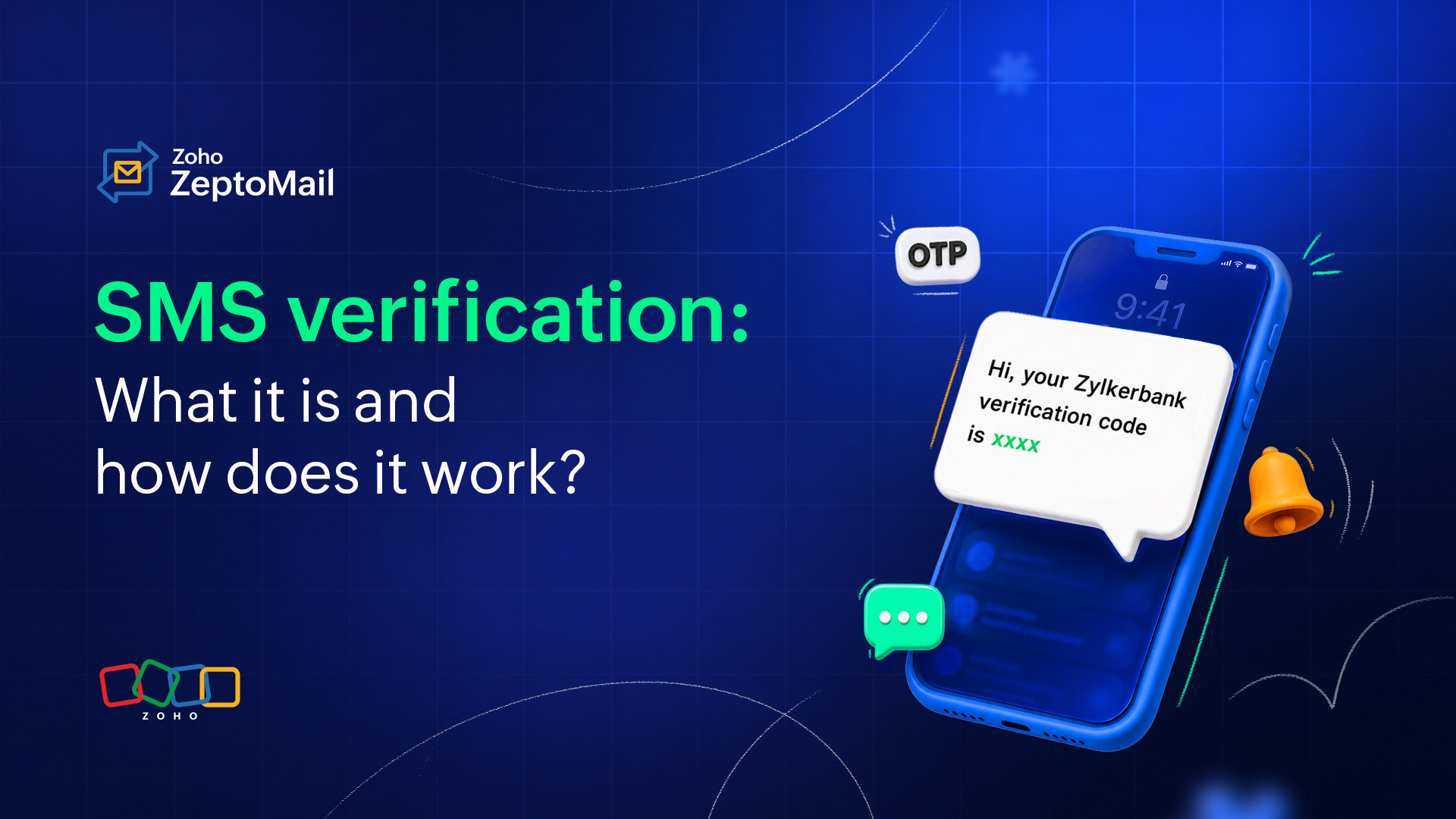
SMS verification is a security process used to confirm a user’s identity by sending a unique, short-lived verification code from a website or application to their mobile phone via SMS.
This is a common form of multi-factor authentication (MFA) or two-factor authentication (2FA). This process requires the user to prove that they possess a specific physical device before granting access to an account or authorizing a transaction.
Common use cases for SMS verification
SMS verification is commonly used in four key scenarios to verify a user’s identity and prevent unauthorized access.
1. When a user creates a new account
An SMS verification code is sent to the user’s phone number to confirm that the number is valid and accessible to them. This helps businesses verify the user’s contact information before activating the account.
2. When a user logs in from a new device
When a user attempts to access their account from an unfamiliar device, an SMS verification code provides an additional layer of authentication. It helps confirm that the person attempting to log in is the legitimate account owner.
3. When a user resets their password
SMS verification can be used during a password reset to confirm the user’s identity before allowing them to create a new password. This helps prevent unauthorized users from taking control of an account.
4. When a money transfer is made through a banking service
An SMS verification code can be sent to the user before completing a money transfer to verify that the transaction was initiated by the account holder. This adds an extra layer of security and helps prevent unauthorized transactions.
How does SMS verification work?
The SMS verification process relies on seamless real-time communication between your application, an API service provider, and cellular telecommunication networks. Here is the step-by-step workflow.
1. The user triggers an action. The user enters their phone number on your website or application interface during registration, login, or checkout and requests a verification code.
2. The server generates a unique OTP. The application server generates a cryptographically secure, random 4- to 6-digit code. It associates this code with the user's session and sets a strict expiration time (typically 3 to 5 minutes).
3. An API call is made to a SMS provider. Your application makes an API call to an SMS transactional API provider via HTTP REST request, sending the destination phone number and formatted message template.
4. The message is delivered via telecom networks. The SMS platform routes the message through global telecom carriers directly to the recipient’s mobile handset.
5. The user enters a code for entry and validation. The user types the received code on the application interface. The server compares the submitted entry against the active OTP in your database. If the code matches and hasn’t expired, access is granted.
Advantages of SMS verification
SMS provides a crucial security layer for mass-market consumer applications where convenience and wide adoption take priority. Apart from this, let's look at the other advantages of using SMS verification.
Accessibility and reach
SMS works on any phone: No smartphone or internet connection is required to any device that receives text messages.
Near-universal adoption: Almost everyone has a mobile number, so there’s no need to download an app or create an additional account.
No setup friction: Users don’t install authenticator apps or carry hardware tokens; they just receive a text.
Security benefits
A second layer of protection: It layers “something you have” (your phone) on top of “something you know” (your password), making stolen passwords alone insufficient.
Blocks basic credential attacks: It stops most automated bots, credential-stuffing, and casual account-takeover attempts.
Real-time alerts: An unexpected verification text tips users off that someone may be accessing their account.
User experience
Familiar and fast: Nearly everyone knows how to read a text and type in a code. It requires only a minimal learning curve.
Quick delivery: Codes typically arrive within seconds, making it easier for users to log in, retrieve, or make payments from their account.
Auto-fill support: Modern phones (iOS/Android) can detect and auto-fill OTPs, making it nearly frictionless.
Business and operational
Higher conversion: Lower friction than app-based methods means fewer users abandon the signup or login step.
Verifies real users: SMS confirms a valid, reachable phone number, which helps reduce fake or duplicate accounts.
Cost-effective to implement: SMS gateway APIs make it cheap and simple to integrate.
Challenges in SMS verification
Sending verification messages through SMS also comes with a few challenges.
Security concerns
SMS messages can travel across carrier networks without end-to-end encryption, which can allow attackers to intercept verification codes remotely. OTPs can also be exposed through malware, real-time phishing attacks, or even message previews on a locked screen.
Synced devices
Many messaging services sync texts across phones, tablets, and computers, which means the same OTP can appear on multiple devices. If any linked device is lost, left unlocked, borrowed, or compromised, the verification code can be exposed and potentially used to access the account.
Lost devices
A lost or stolen phone can put SMS verification codes at risk, especially when the device has a weak or missing screen lock. If someone can access incoming messages and already knows the user’s password, then they may have everything they need to take over the account.
SIM swaps
In a SIM swap attack, a fraudster tricks a mobile carrier into transferring the victim’s phone number to a SIM card they control. From then on, every SMS verification code goes to the attacker, allowing them to bypass verification without ever needing physical access to the victim’s phone.
Interception
Weaknesses in telecom networks can allow attackers to intercept SMS traffic and capture verification codes while they’re being transmitted, potentially giving them unauthorized access to the user’s account.
Is SMS verification secure?
SMS verification provides a strong baseline layer of security and remains an efficient way to deliver verification messages, especially transactional SMS such as OTPs. For businesses, it’s also a practical and cost-effective authentication method because it adds an additional layer of verification beyond a password.
The user must first have access to their mobile device, which is typically protected by a PIN, pattern, password, or biometric authentication.
The user then accesses the SMS app on their phone to retrieve the verification code and enters it into the application or website.
However, by modern cybersecurity standards, SMS verification has certain limitations and is considered less secure than methods such as time-based one-time password (TOTP) authenticator apps or hardware security keys. This doesn’t make SMS verification ineffective, but at the same time, not every user has access to or is comfortable using an authenticator app.
SMS remains one of the most familiar and accessible verification methods, offering a balance between security, convenience, and accessibility. For many businesses, this familiarity makes SMS a practical way to add an extra layer of protection without introducing unnecessary complexity for users.
What’s the difference between SMS verification and email verification?
Factor | SMS verification | Email verification |
What does it verify? | Access to a phone number | Access to an email address |
Best for | Phone number verification, mobile apps, login, transactions, password recovery | Account registration, email ownership, password recovery |
Delivery channel | Mobile network | Requires an internet or email infrastructure |
Requires mobile data? | No | Yes |
Requires an email account? | No | Yes |
User access | Requires access to the phone number | Requires access to the email account |
User experience | Quick and familiar for mobile users | Convenient when users are already using email |
Ideal when | A user’s phone number is central to the service | An email address is central to the account or workflow |
When should you use SMS verification vs. email verification?
You can choose any kind of verification modes that suits your business requirements.
Choose SMS verification when:
You need to verify that a user has access to a phone number.
Your application is mobile-first.
You need to reach users directly on their phones.
Phone-based authentication is part of your user journey.
Choose email verification when:
You need to confirm ownership of an email address.
Email is your primary communication channel with users.
You’re verifying an account during registration or recovery.
Users are more likely to have reliable access to their email than SMS.
Who should use SMS verification?
SMS verification can be useful for businesses that need to confirm phone numbers, reduce fake registrations, or add an extra authentication step.
Companies across industries—such as banking, healthcare, e-commerce, social media, SaaS, and retail—use SMS verification to confirm a user’s phone number or identity. It’s become a common security feature across websites and mobile applications.
The method is popular because it’s simple and accessible. It doesn’t require users to install a separate app or have an internet connection to receive the verification code. All they need is a mobile phone that can receive SMS.
Best practices for sending SMS verification code
A reliable SMS verification experience needs to balance security, delivery, usability, and cost. Follow these best practices when implementing SMS OTP verification.
1. Use secure, unpredictable OTPs
Generate OTPs using a cryptographically secure random process. Don’t use predictable sequences or information related to the user.
2. Set an expiration time
Make OTPs valid only for a limited period. An expired code should no longer be accepted, even if the user enters the correct code.
3. Make OTPs single-use
Invalidate the code immediately after successful verification. This prevents the same OTP from being reused.
4. Limit verification attempts
Set a maximum number of incorrect attempts for each OTP. This helps protect against automated attempts to guess the code.
5. Rate-limit OTP requests
Don’t allow users to request unlimited verification codes. Introduce a cooldown between requests and apply appropriate rate limits to prevent OTP abuse, SMS flooding, and unnecessary messaging costs.
6. Keep your SMS concise
Include only the information the user needs to complete verification. A typical verification SMS should contain:
Your brand or sender identification.
The OTP.
Its validity period.
A brief security instruction.
For example:
Zylkerfashions: Your verification code is 482916. It expires in 5 minutes. Do not share this code with anyone.
7. Provide a controlled resend option
Give users the option to request another code if they don’t receive the first one. However, use a cooldown period and rate limits to prevent repeated requests.
8. Don’t expose the OTP unnecessarily
Never include the verification code in URLs, logs visible to unauthorized users, or other places where it could be unnecessarily exposed. Store verification data securely and limit access to it.
9. Monitor delivery and verification activity
Track relevant events such as SMS delivery status, failed verification attempts, repeated OTP requests, and unusual activity. This can help you identify delivery problems as well as potential abuse.
10. Follow regional SMS requirements
SMS regulations, sender requirements, and consent rules can vary by country and carrier. Before sending verification messages at scale, make sure your implementation follows the requirements applicable to your target markets.
How do you send SMS verification codes?
A typical SMS verification flow works following the steps below.
1. Collect and validate the user’s phone number
Ask the user to enter their phone number and validate it before sending the verification code.
2. Generate a secure verification code
Generate a random, unpredictable OTP, typically consisting of four to six digits depending on your security requirements. Associate the OTP with the user’s phone number and the specific verification attempt.
Note: Avoid generating predictable codes or deriving them from information such as the user’s phone number or account details.
3. Send the OTP via an SMS service
Use an SMS API or transactional SMS service to send the verification code to the user’s phone. Keep the message short and clearly identify your business.
For example: Your verification code is 482916. It expires in 5 minutes. Do not share this code with anyone.
4. Ask the user to enter the code
Once the SMS is sent, display an OTP input field in your application and ask the user to enter the code they received. You can also provide a “Resend code” option if the user doesn’t receive the message, along with a short cooldown period to prevent repeated requests.
5. Verify the OTP
When the user submits the code, your application should check that:
The code matches the generated OTP.
The code hasn’t expired.
The code hasn’t already been used.
The user hasn’t exceeded the maximum number of verification attempts.
If all checks pass, complete the requested action and mark the verification as successful.
6. Handle failed verification attempts
If the code is incorrect or expired, provide a clear error message and allow the user to request a new code when appropriate. Limit repeated attempts to prevent SMS abuse.
SMS verification template examples
Here are five SMS verification templates covering common use cases. Each keeps the message concise and clearly communicates the OTP and its validity.
1. Account registration
{{Brand Name}}: Your verification code is {{OTP}}. Use this code to verify your phone number. It expires in {{X}} minutes.
2. Login verification
{{Brand Name}}: Your login verification code is {{OTP}}. This code expires in {{X}} minutes.
3. Password reset
{{Brand Name}}: Use {{OTP}} to reset your password. This code is valid for {{X}} minutes. Don’t share this code with anyone.
4. Transaction verification
{{Brand Name}}: Your verification code for this transaction is {{OTP}}. It expires in {{X}} minutes. Never share your OTP with anyone.
5. Phone number verification
{{Brand Name}}: Verify your phone number with the code {{OTP}}. The code is valid for {{X}} minutes.
FAQ
1. How long should an SMS verification code be valid?
An SMS verification code should typically remain valid for three to five minutes. Shorter expiry windows prevent interception risks while giving users adequate time to receive and submit the code.
2. Why is my SMS verification code not arriving?
Delays can occur due to cellular network congestion, incorrectly formatted or invalid phone numbers (such as missing country codes), incorrect digits, carrier spam filters blocking SMS content, or airplane mode being enabled on the recipient’s device.
3. Can SMS verification work without internet access on the recipient’s device?
Yes. SMS messages travel over cellular signaling channels, so recipients do not need active mobile data or Wi-Fi to receive verification codes.
4. Does SMS have end-to-end encryption?
No, traditional SMS does not provide end-to-end encryption. SMS messages can pass through mobile carriers and telecommunication networks.
5. Is SMS verification safe?
SMS verification is generally safe and convenient for many everyday verification use cases. However, risks such as SIM swapping, number porting, phishing, and SMS interception can compromise verification codes. Despite these limitations, SMS remains one of the most widely used and accessible communication channels worldwide, making it a practical choice for verification flows.