Public Extension
Summary
Publishing an extension publicly lists it on the Zoho Marketplace, making it available to all Zoho Writer users worldwide. Public publishing requires a review by the Zoho team before going live.
Prerequisites
- Extension fully tested and production-ready
- All required metadata prepared (name, description, icon, screenshots)
- Support contact information available
- Extension complies with Zoho content guidelines
Step-by-Step Guide
Step 1: Prepare Marketplace Listing
Gather all required assets before submitting:
| Asset | Requirement |
|---|---|
| Extension Name | Clear, descriptive name |
| Short Description | Brief one-line summary |
| Long Description | Detailed feature overview |
| Category | Select from available categories |
| Icon | 128×128 pixels, PNG format |
| Screenshots | At least one, minimum 1024×768 pixels |
| Support Email | Valid support contact |
Step 2: Publish as Public
- Open your extension in Zoho Sigma
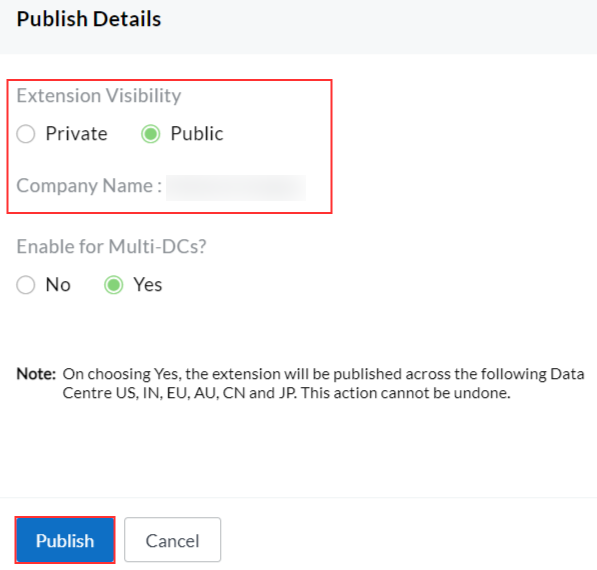
- Click the Publish button
- Select Public as the publish type
- Fill in the marketplace listing form
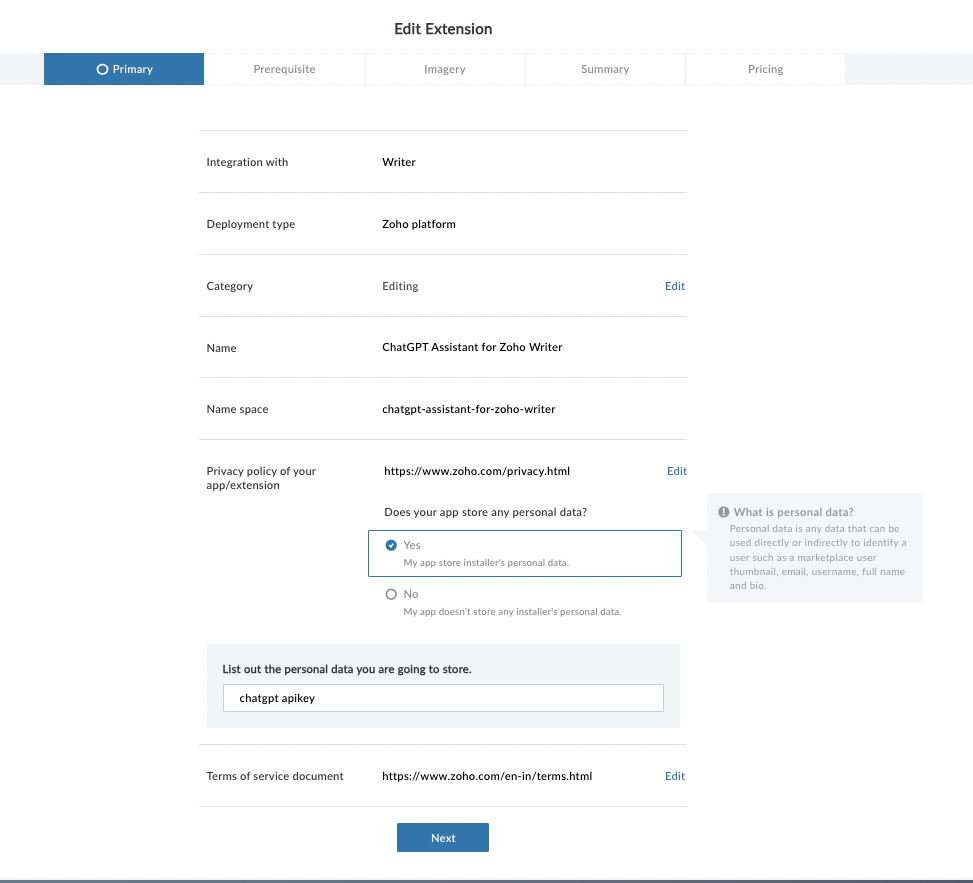
- Upload icon and screenshots
- Provide support contact details
- Click Submit for Review
Step 3: Wait for Review
The Zoho review team evaluates your extension. Extension state changes to "Public (Pending Review)".
| Outcome | Description |
|---|---|
| Approved | Extension goes live on the marketplace |
| Rejected | Feedback provided; fix issues and resubmit |
Step 4: Extension Goes Live
Upon approval, the extension is listed on the Zoho Marketplace and available for installation by all Zoho Writer users.
Content Guidelines
| Category | Allowed | Not Allowed |
|---|---|---|
| Content | ✅ Professional, productive content | ❌ Harmful, illegal, or offensive content |
| Data | ✅ Transparent data usage | ❌ Unauthorized data collection |
| Integrations | ✅ Legitimate services via Connections | ❌ Malicious redirects or phishing |
| UI | ✅ Responsive, user-friendly design | ❌ Misleading UI patterns |