Sharing passwords safely: A guide for individuals and teams
Table of Contents
- Understanding secure password sharing
- The importance of secure password sharing
- Secure methodologies for sharing passwords
- Password sharing tools in Zoho Workplace
- Why insecure sharing is so dangerous
- Methods to avoid at all costs
- Best practices for secure password sharing
- Conclusion
Understanding secure password sharing
Passwords remain the foundation of digital security, but sometimes sharing them becomes unavoidable. Whether it’s for work tools, Wi-Fi, or family accounts, the real risk lies in how you share them. Using insecure methods can expose sensitive data and open the door to serious breaches. This guide outlines the dangers, safe alternatives, and the best practices to share passwords.
The importance of secure password sharing
Passwords are often described as the first line of defense in digital security. They protect everything from personal emails and banking apps to company databases and critical systems. Many people assume that the biggest risk comes from weak or easy-to-guess passwords, but in reality the greater danger often lies in how those passwords are shared.
When a password is sent through an unencrypted email, written on a sticky note, or shared over text, it becomes an easy target for attackers. In today’s interconnected world, cybercriminals are constantly searching for the easiest entry point. A single poorly handled password can expose not just one account but entire organizations and essential infrastructure.
The consequences can be severe: loss of trust, reputational damage, regulatory penalties, and in some cases, nationwide impact. To understand why secure password sharing matters, here are some examples of incidents linked to insecure password sharing practices:
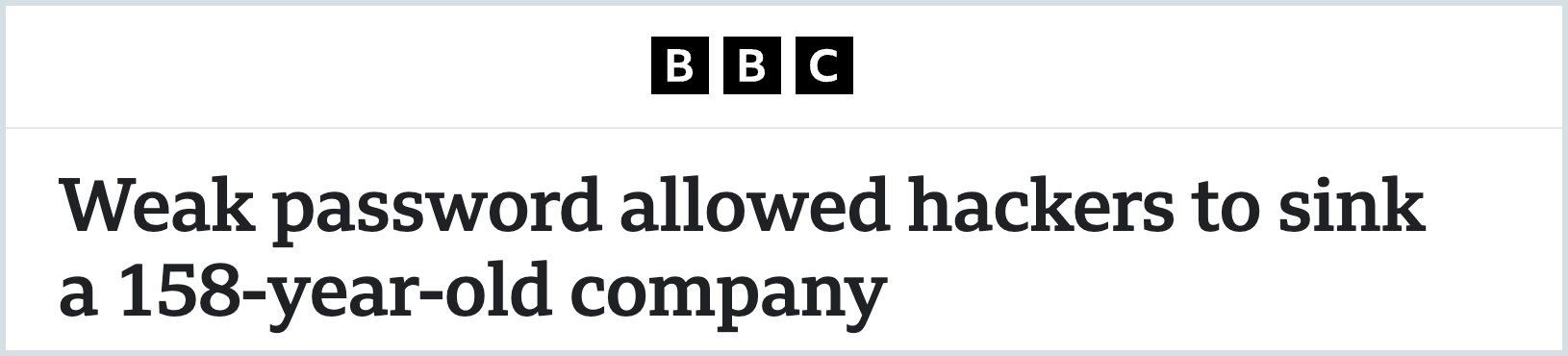
KNP (2025): A 158-year-old transport company was crippled by ransomware after hackers gained entry to their systems using a single, compromised employee password. This incident led to a loss of business and put 700 people out of work.
Mailchimp triple data breach (2022–2023): Mailchimp, the popular email marketing platform, suffered three breaches within a single year, each traced back to stolen employee credentials obtained through targeted phishing attacks. These incidents exposed customer data and disrupted services for businesses relying on the platform. The repeated breaches showed how credential compromise and weak internal access controls can create ongoing vulnerabilities, even for major service providers.
Secure methodologies for sharing passwords
1. Password managers (most recommended)
A password manager is the most effective and reliable way to store and share credentials securely. Instead of exposing the password in plain text, these tools use encryption and controlled access to protect your credentials.
How does it work?
- Select the credential: Choose the login you want to share from your encrypted vault.
- Choose the recipient: Assign access to an individual or team. The system shares an encrypted key, not the raw password.
- Define permissions: Decide whether the recipient gets view-only access or edit rights.
- Set expiration: Restrict access for temporary use by defining an expiry date.
Why is it safe?
- Passwords are protected with end-to-end encryption, meaning they’re encrypted on your device before being shared and can only be decrypted by the intended recipient. At no point are they transmitted or stored in plain text.
- With a zero-knowledge architecture, the service provider cannot access or view your stored data. Only encrypted information is hosted, and decryption happens solely on your device using your master password—which remains known only to the user.
- You have granular access controls, allowing you to decide who can view, edit, or share a credential. Permissions can be tailored at the individual or team level to prevent misuse.
- Access can be managed through revocation and expiration, so you can revoke access instantly or set expiry dates to allow only temporary use.
- Detailed audit trails provide transparency by showing who accessed, viewed, or modified a credential.
- Support for multi-factor authentication (MFA) adds an extra layer of protection before anyone can log in and access credentials.
- Data remains secure through encrypted synchronization across all devices, whether desktop, mobile, or browser extensions.
- Built-in phishing resistance ensures that credentials are autofilled only on the correct websites, reducing the risk of entering them on fraudulent pages.
- By promoting unique and strong passwords, password managers also reduce the risk that a single compromised credential could affect multiple accounts.
2. One-time links
Services like OneTime Secret or features in password managers let you create links that expire after a single use. Once opened, they disappear, leaving no record behind.
Password sharing tool in Zoho Workplace
Zoho Workplace offers secure password sharing as part of its productivity suite. Within this ecosystem, Zoho Vault allows users to store and share passwords with individuals or teams securely using encryption and access controls.
Together, they provide a centralized and reliable way to share passwords and collaborate without compromising security.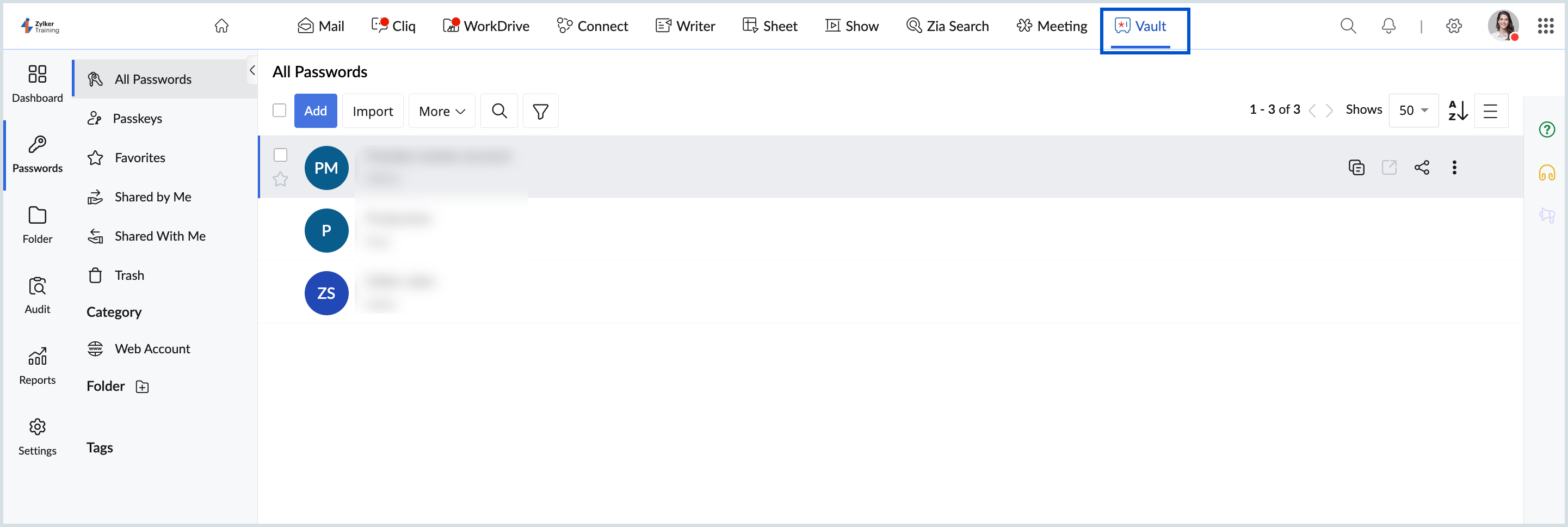
Secure password sharing in Zoho Workplace
- Log in to your Zoho Workplace account.
- From the top pane, open Zoho Vault and enter your master password.
- Once logged in, go to your Vault to view all stored credentials.
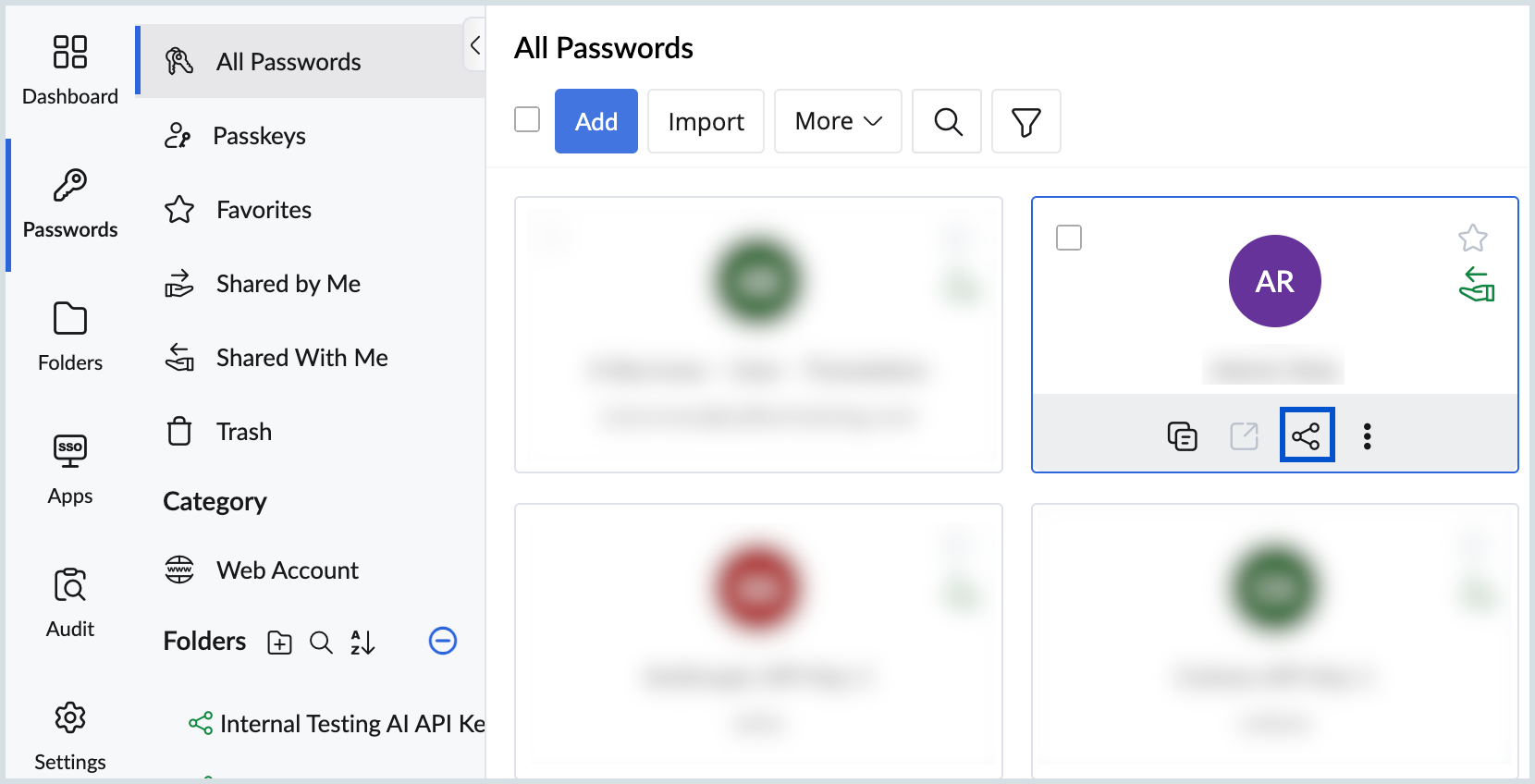
- Search for or select the credential you want to share.
- Click the Share icon below the chosen credential.
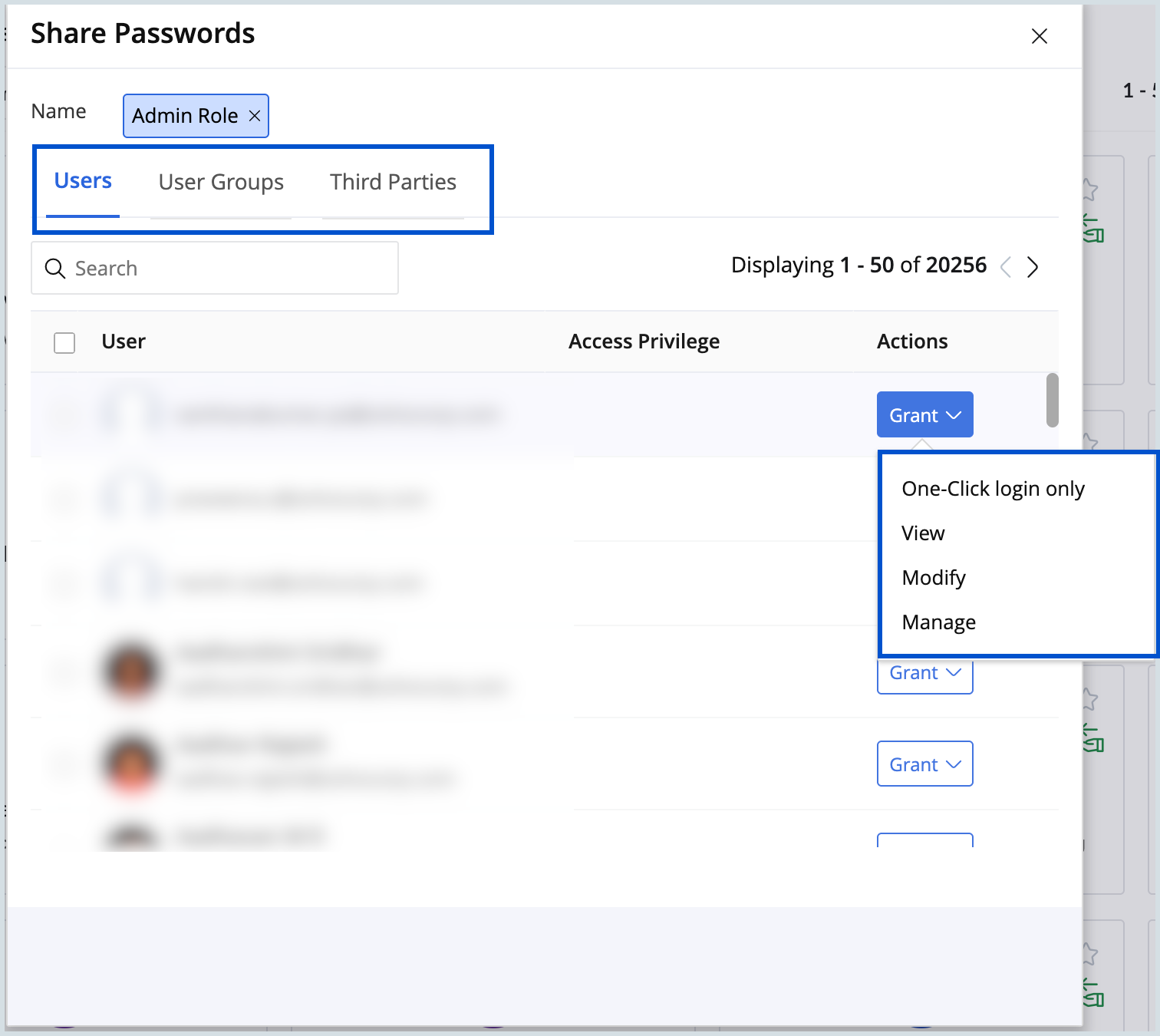
- Choose to share the credential with users, user groups, or third parties.
- From the drop-down menu, assign the appropriate permissions:
- View Only: Recipient can only view the credential.
- Modify: The recipient can view and edit the credential.
- One-click login: The recipient can’t view the password but can log into the websites directly. This enhances security by keeping the password concealed, reducing the risk of misuse or disclosure.
- Manage: The recipient has full control, including the ability to edit, share with others, or revoke access.
- While sharing the password link with third parties, you can set an expiration to revoke access automatically.
- The recipient will now have access to the credential based on the permissions you’ve defined, without the password being exposed in plain text.
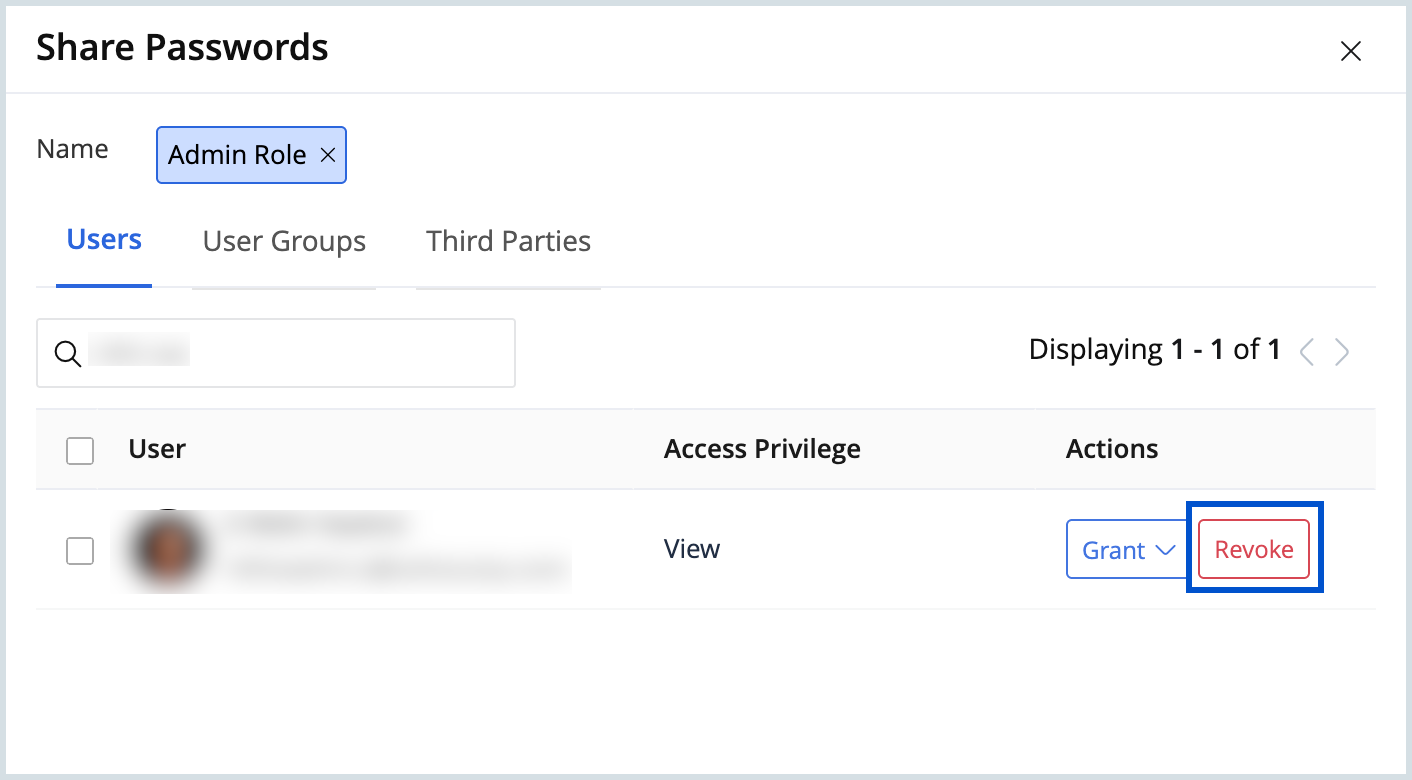
- To revoke or update permissions, click the Revoke button next to the drop-down menu and assign new permissions as needed.
Why insecure sharing is so dangerous
- Unencrypted channels: Sending a password through email or SMS is like writing it on a postcard; anyone intercepting it can read it in plain text. Once sent, these messages also remain stored on servers and devices, leaving them vulnerable in case of an account compromise.
- Workplace impact: In professional environments, careless sharing can lead to data leaks, compliance issues, and reputational damage.
- Physical risks: Writing passwords on sticky notes or paper and sharing with a colleague might feel convenient, but it creates a physical vulnerability. Anyone with the sticky note or notepad can gain access to your sensitive information and open doors to cyber incidents/attacks.
Methods to avoid at all costs
Email: Not inherently secure. Messages can be intercepted in transit and live indefinitely in inboxes and servers.
SMS/text message: Texts lack encryption, can be intercepted via SIM-swapping, and remain stored on phones and mobile network operators.
Instant messaging: Avoid using messaging services that don’t provide end-to-end encryption by default because they may leave your passwords exposed during transmission or in stored chat history.
Writing it down/verbal sharing: Paper notes can be lost, stolen, or misused and verbally shared passwords can easily be exploited.
Best practices for secure password sharing

Conclusion
In today’s connected world, the way we share passwords can make the difference between strong protection and serious vulnerability. A single careless exchange, whether through email, chat messages, or written notes, can expose confidential data and compromise entire systems. Secure password sharing isn’t just an IT best practice; it’s a shared responsibility that protects your work, your colleagues, and your organization’s trust.
Building a culture of password security not only safeguards individual accounts but also strengthens your organization’s overall defense against data breaches and unauthorized access. Empower your teams to collaborate efficiently while maintaining the highest standards of security.
Top Articles