- HOME
- Nine must-use features that make mobile spreadsheets effortless
Nine must-use features that make mobile spreadsheets effortless
- Last Updated : June 17, 2026
- 518 Views
- 4 Min Read
Managing mobile spreadsheets can be challenging—with small screens, long sets of data, and switching between apps slows you down. But, with the right features in hand, it doesn't have to be a hassle anymore.
Whether you are just getting started with mobile spreadsheets or looking to get more out of your existing setup, this blog will walk you through everything you need to know.
For this blog, we’ve used Zoho Sheet—a free spreadsheet app available on Android and iOS, to demonstrate how these features work and show how they can improve your spreadsheet experience.
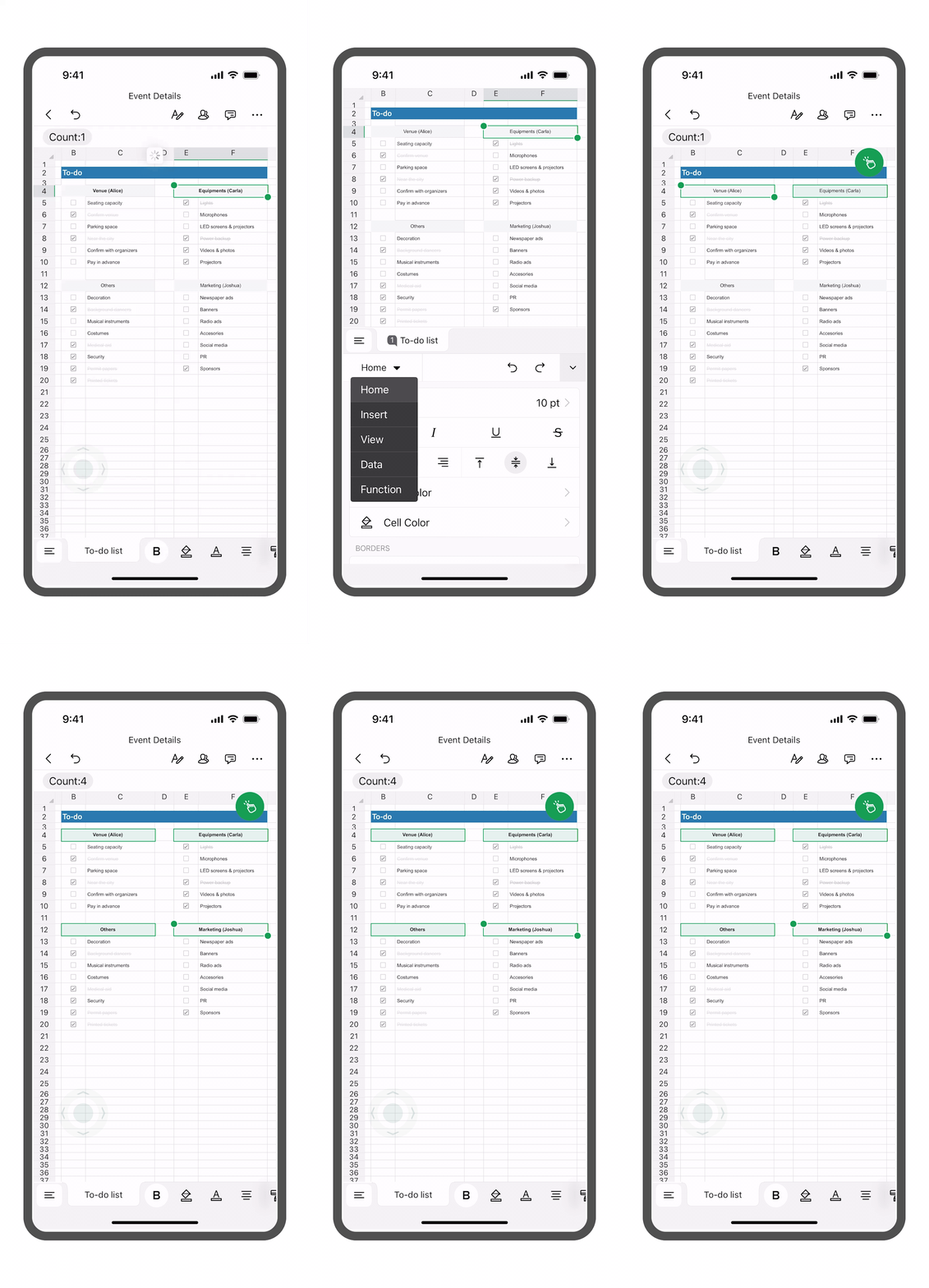
1. Multi-selection
Applying the same formatting across different cells gets repetitive when you are organizing large sets of data. Tapping each cell or range individually takes time. You can pick multiple cells, ranges or even columns and collectively format, resize, or apply borders.
For instance, If you have sales order details in a sheet with multiple columns that need to be formatted as currency, you can select and copy-paste them into a different range while maintaining consistent formatting.
2. Data from Picture
Typing out data from a bill, paper receipt, or digital tables into your spreadsheet is time consuming. With Data from Picture, printed documents can be scanned and converted to real spreadsheets which can be edited and formatted like any other.
You can turn a printed document or price list into a digital spreadsheet by either clicking a photo or uploading a file from your device. For instance, field sales teams can instantly capture customer orders, invoices, or price lists on the go.

3. Quick Calculations
Formulas make calculations easy, but typing them on a small screen can be complicated–especially when switching between symbols and equal signs. For simple calculations like sum or average, that effort isn't always necessary.
Quick calculations don't require any typing. By simply selecting a range of cells, you can instantly view its sum, average, or other simple metrics in the top right corner of your spreadsheet. Then you can add formulas once you are back at your desk.

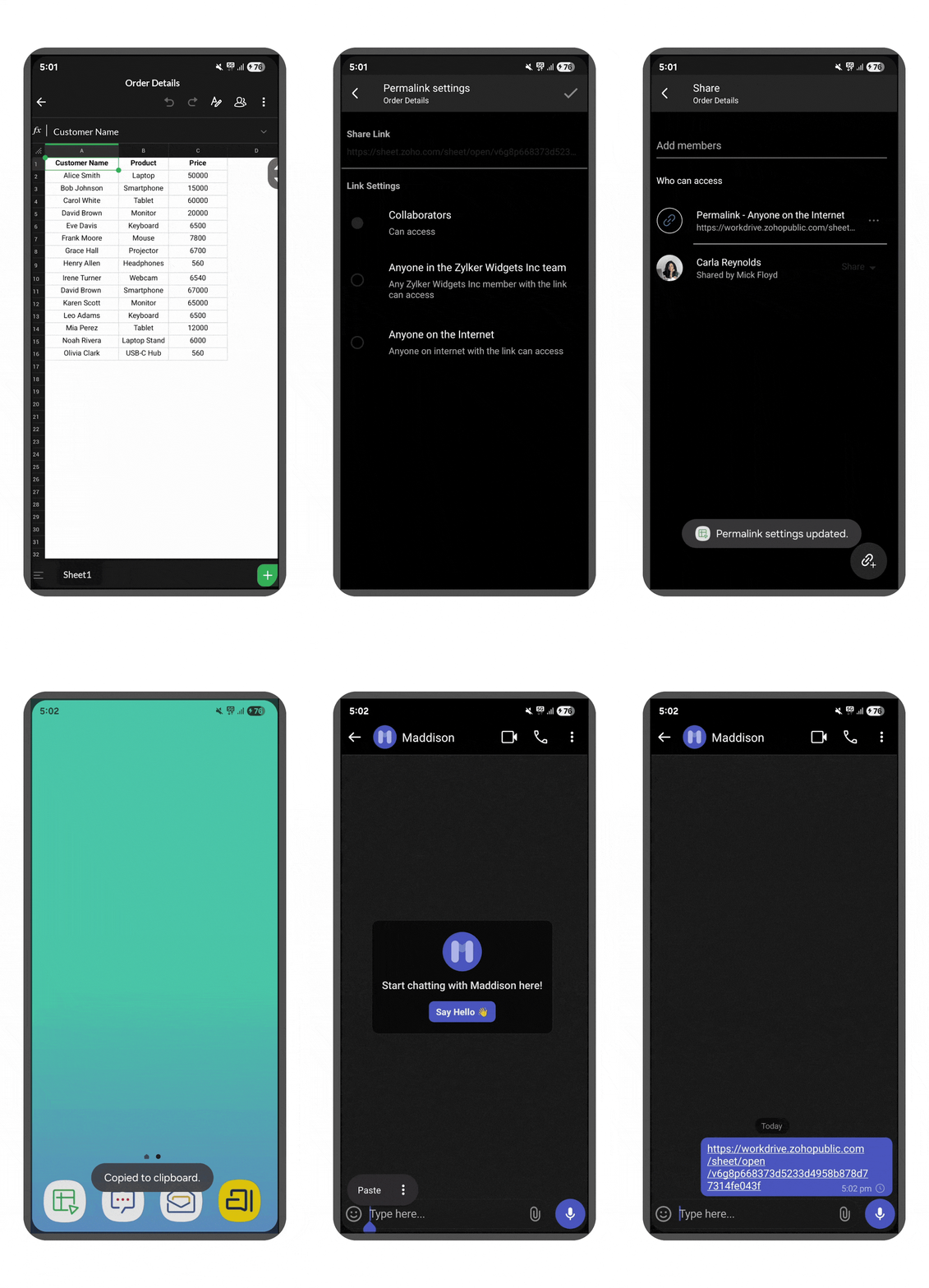
4. One tap sharing
Sharing your spreadsheet with other people shouldn't require switching platforms or a burdensome process of downloading and emailing an Excel file. With the Sheet mobile app, you can publish a sheet and share the link with anyone while keeping your data safe with restrictions and user permissions.
This means you can let anyone access your files without a complex process or requiring each user to sign up for a new account.
5. Freeze Panes
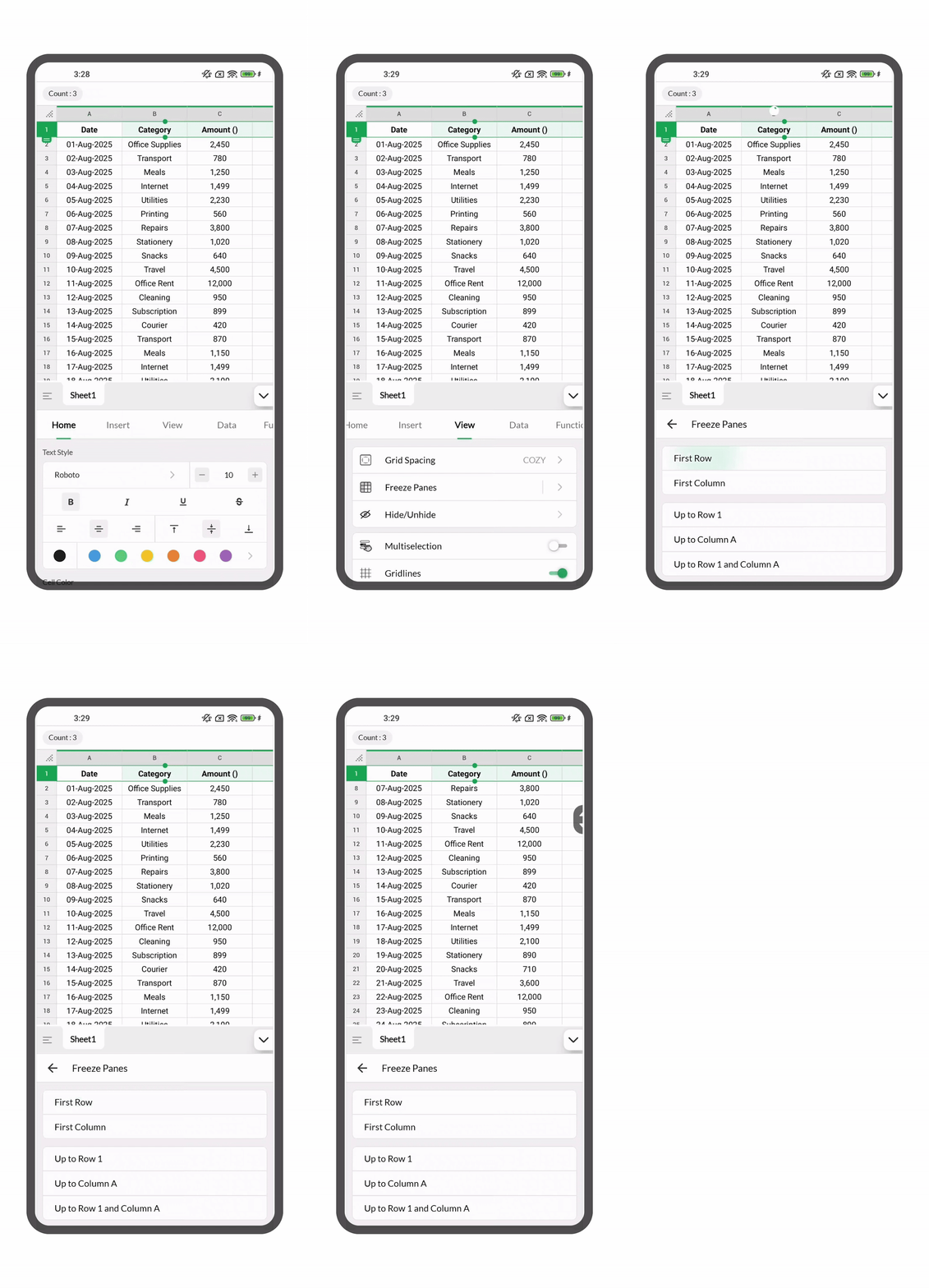
Let's say you have order details lined up in a spreadsheet. As you scroll through the list, your table headers disappear, making it harder to keep track of what each column means.
With Freeze Panes, you can lock your column headers in place, so they stay visible no matter how far you scroll. With headers always in view, you can easily see what each column represents and navigate your data without losing context.
6. Tap to Call
Managing orders and delivering them to customers comes with its own challenges, like struggling to locate addresses that Google Maps can’t figure out or handling cash on delivery when no one is home to pay.
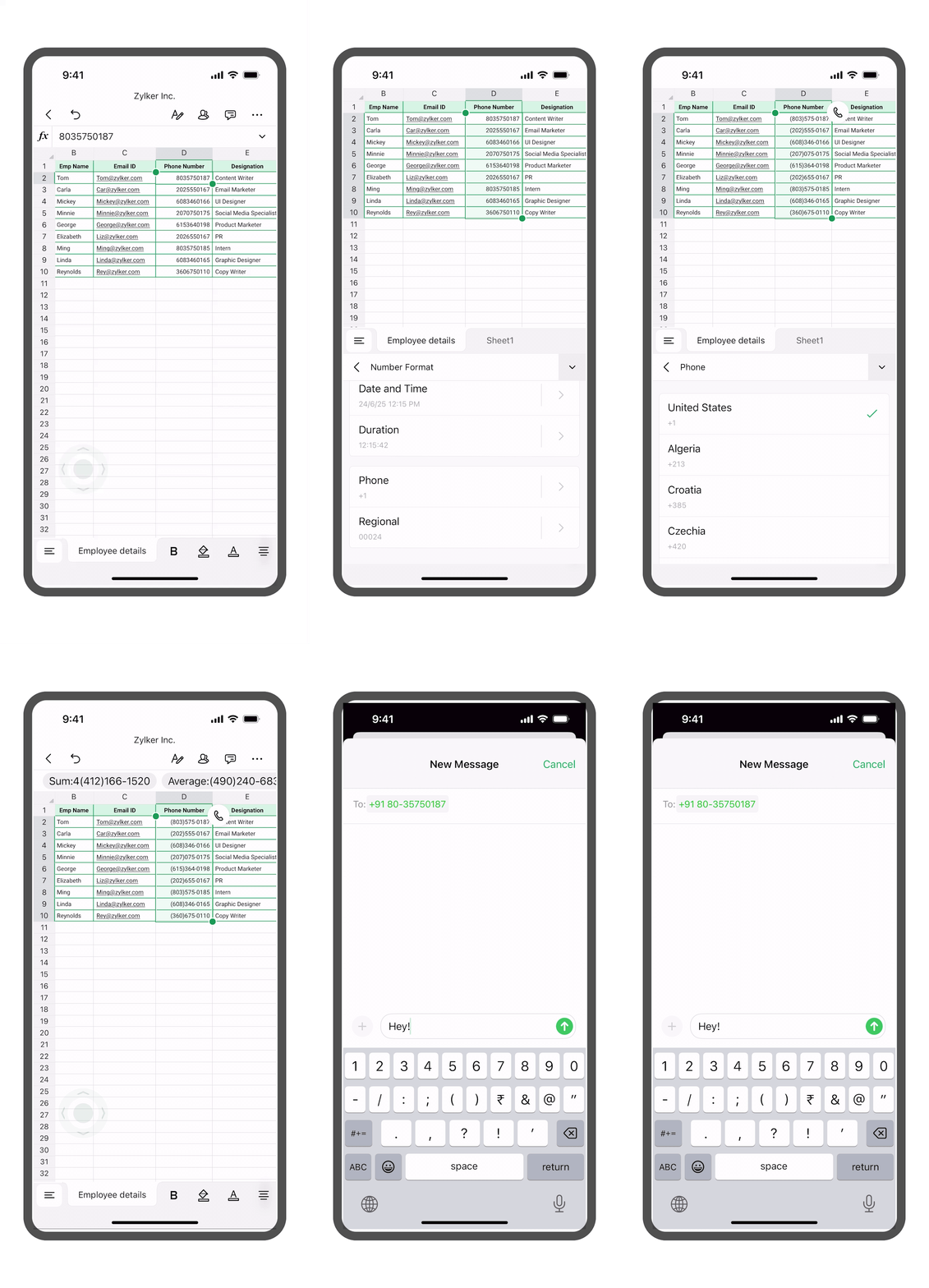
With situations like these, delivery partners need to contact customers directly for immediate updates and quick clarifications. Usually, this means copying phone numbers from your spreadsheet and pasting them into your dialler—slowing things down.
With Sheet's mobile app, you can simply tap the mobile number in your spreadsheet and connect with your customers without switching apps.
7. Find and replace
When you manage delivery details, you often need to update entries—like changing order statuses or specifying the delivery partner. Scrolling through rows to edit each one manually takes time.
With Find and Replace, you can update all matching entries at once. For example, if a delivery partner is re-assigned or a product ID is updated, you can replace every instance of the old value in just a few taps.
This not only saves time but also helps keep your sheet consistent and error-free.

8. Notification
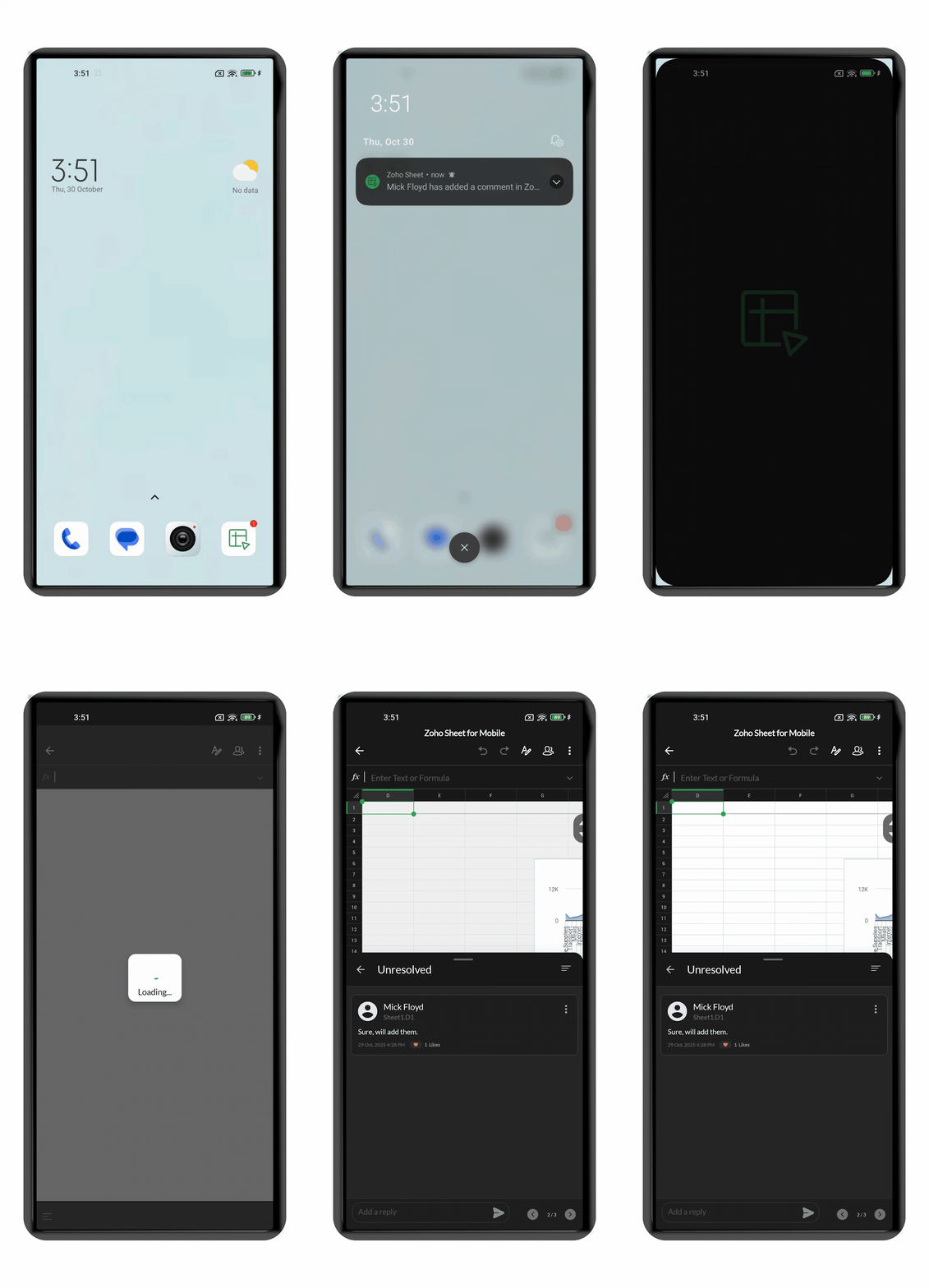
Constantly checking if something has been updated in a shared spreadsheet is not only tiring but also often leads to missing out on important updates. With notifications, you'll be able to stay on top of every update and never miss out on anything,
Whether it’s a colleague tagging you in a comment, your manager assigning you a task within the sheet, or a client leaving notes, you’ll be instantly notified.
9. Integrated maps
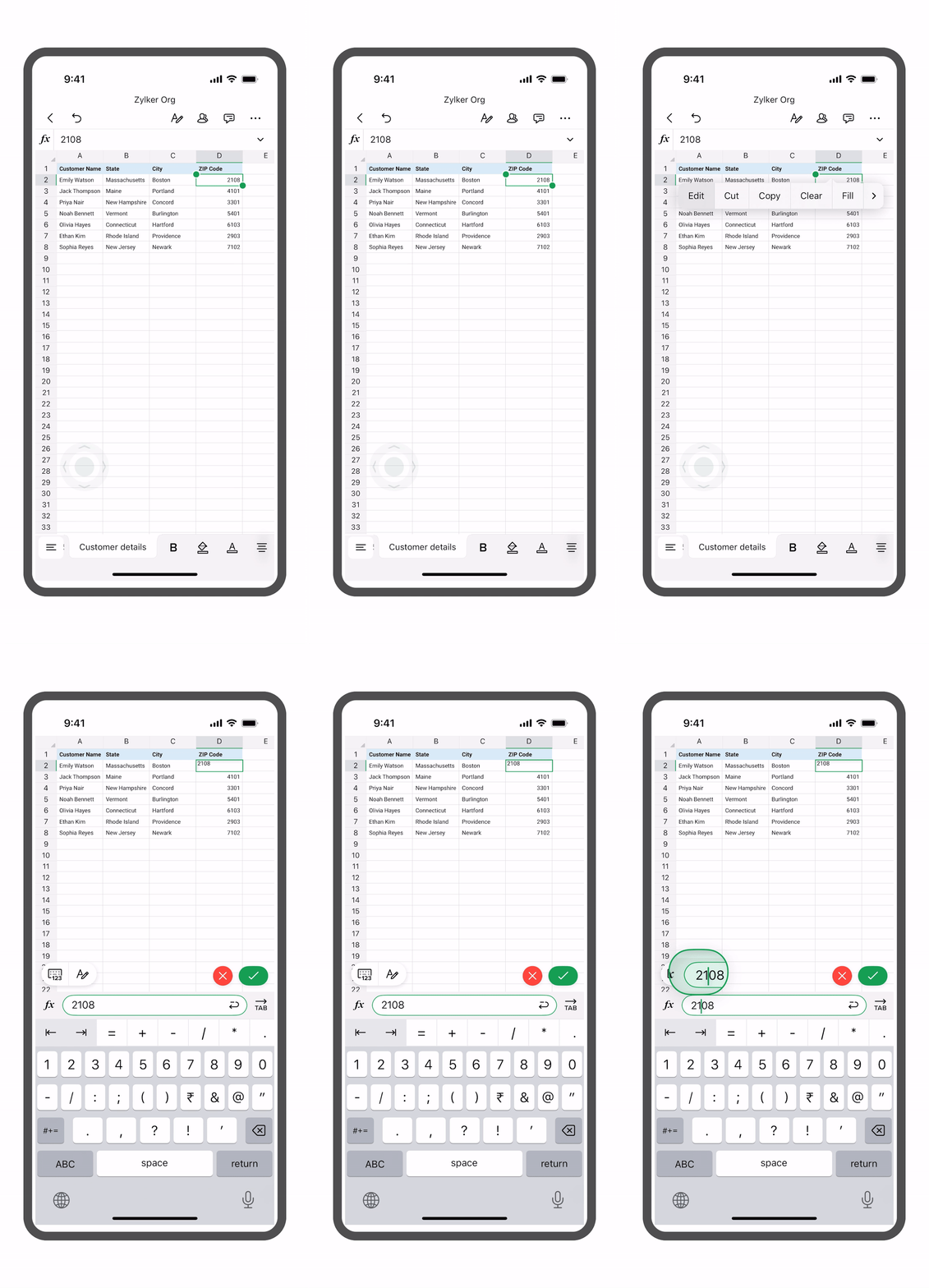
When managing deliveries to many locations, optimizing the best route to customers' doorsteps is complicated. When you collect delivery address details in a sheet, you and your delivery partners can integrate with popular mapping solutions to locate addresses and plan routes efficiently.
Quick overview: mobile spreadsheet features that save time
Feature | Use |
Multi-selection | Format multiple cells at once |
Data from Picture | Convert images into spreadsheets |
Quick Calculations | Instantly view sum, averages and few basic insights |
One-tap sharing | Share spreadsheets with your team instantly |
Freeze Panes | Keep headers visible even when you scroll through large data sets |
Tap to Call | Call customers and vendors directly from the sheet |
Find and replace | Make bulk updates |
Notifications | Get real-time updates from sales and delivery teams |
Integrated maps | Easily locate and plan routes |
Start working with mobile spreadsheets
Working with mobile spreadsheets on your Android or iOS devices no longer comes with limitations. With features that support quick data entry, built-in analysis and calculations, they now offer everything you need to manage your work efficiently on the go.
Now that you know which features to use, the next step is making sure your spreadsheet is set up the right way for mobile. Read our blog on how to set up a spreadsheet your team can actually use on mobile spreadsheets anywhere.
Download or learn more:
 Yazhini Devi R
Yazhini is a content marketer and user education specialist at Zoho Sheet. She also handles her team’s social media and runs webinars. She enjoys working with spreadsheets and uses them to plan almost everything, from daily routines to events and birthday celebrations. She’s always ready to plan the next one—even when there isn’t one yet.