Customers can now leave anonymous Google reviews: Everything you need to know
- Last Updated : January 22, 2026
- 2.0K Views
- 4 Min Read

Google rolled out a major update this November 2025, and it's something every business needs to know about. If you're a business owner, marketing manager, or someone who handles customer interactions online, this update is big.
Anonymous reviews! These are reviews with a fake, custom, or pseudonymous name. This change can be both a benefit and a challenge for your business.
Many customers want to share honest feedback but feel uncomfortable showing their real name. Others avoid leaving reviews altogether because they value privacy or simply feel shy. Google’s new nickname and avatar feature addresses this hesitation and makes it easier for more people to speak up.
This update may seem small at first glance, but it will reshape how customers express themselves and how businesses manage and respond to reviews.
What changed in Google reviews
Google now allows users to choose a nickname and a custom picture that will appear publicly on their Maps and Search contributions. This includes reviews, photos, videos, and Q&A responses.
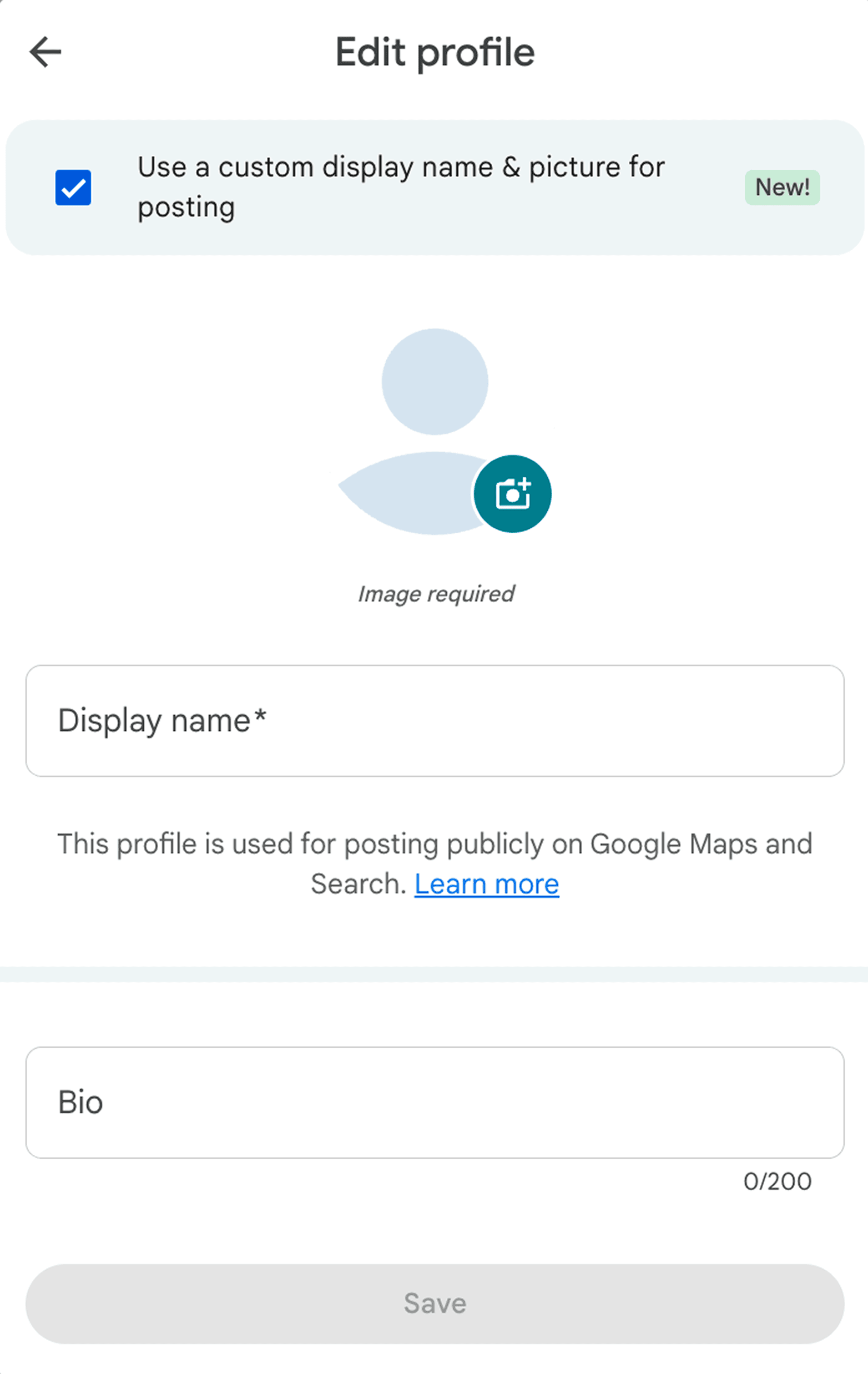
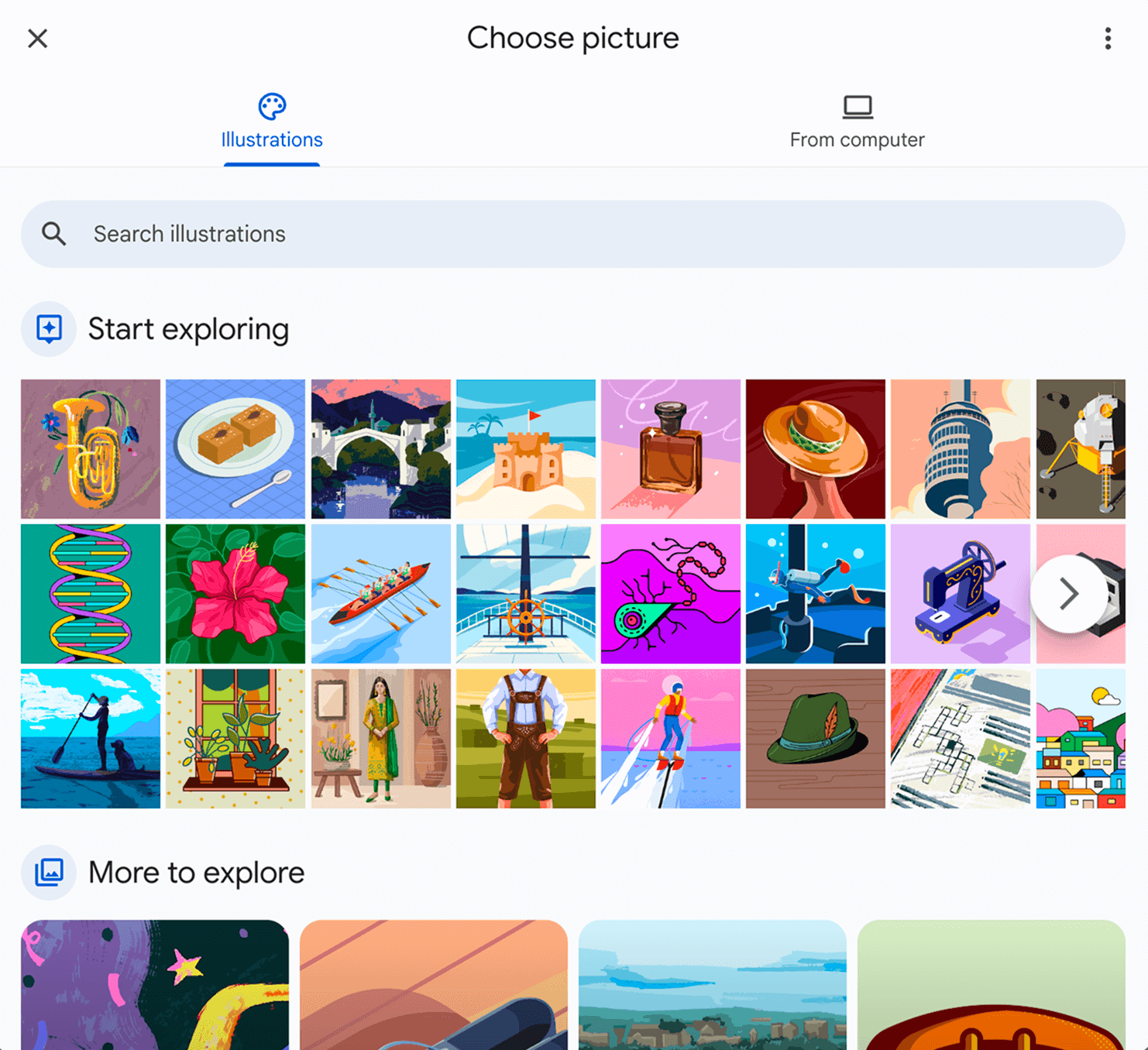
The important part is this:
The real Google account remains linked privately to the user. Only the display identity becomes flexible.
Users can also update their display name later, and their past reviews will automatically reflect the new name. The public sees only the nickname, but Google’s systems still know the real account behind it.
The feature is not true anonymity; it's privacy with accountability.
Why this change likely happened
Google didn't introduce this feature randomly. Several logical reasons point to why this shift was necessary.
Customers want privacy
Many customers hesitate to post reviews because they want to avoid showing their real identity. This hesitation is especially common in industries like:
Clinics and hospitals
Legal services
Counseling
Financial services
Sensitive personal services
Google needs people to feel comfortable sharing feedback. A nickname acts as that comfort layer.
More reviews mean better data
When more people participate, Google gets richer and more balanced information. Better data makes Maps, Local Search, and business suggestions more accurate.
Online identity is evolving
People are used to using usernames on platforms like Instagram, Reddit, gaming platforms, and community apps. Google is simply meeting users where they already are.
How people left anonymous reviews before
Before this update, privacy-conscious users tried to avoid showing their real name in less ideal ways.
They usually did one of these:
Created a separate Google Account with a fake name
Used an alternate email for non-personal activities
Kept reviews vague or minimal
Avoided reviews altogether
These methods worked, but they were messy and carried risks if Google suspected fake account activity. The new nickname feature solves this by offering a clean and official option.
Why this matters for businesses
More reviews from people who stayed silent earlier
Customers who avoided sharing feedback will now feel comfortable posting reviews. You can expect a rise in review volume across many categories.
More honest and detailed experiences
When people feel protected, they tend to express themselves more clearly. This often leads to detailed insights that are helpful for your team.
Not a free pass for fake reviews
Even though the public identity is hidden, Google still links each review to a real account internally, and spam detection continues to operate. The nickname does not weaken the system; it simply changes what the public sees, as outlined in Google’s latest guidelines addressing fake reviews.
Display names can change later
If a reviewer updates their nickname, your old responses might look mismatched. For example, you may have replied to John K, but now the same review may show HappyTraveler92. This is normal, and businesses should avoid using names in their responses to reduce confusion.
What you should do now (if you're a business owner or marketing manager)
Refresh your review request message
Tell customers they can use a nickname if they prefer privacy. This removes the hesitation barrier and increases the response rate.
Download and archive your reviews
Export your reviews regularly. Store the text, dates, and original profile details so you have a record even if display names change.
Respond to every review with care
Acknowledge reviews clearly. Focus on the content of the review rather than the identity behind it.
Watch for unusual patterns
If you see many similar reviews or suspicious patterns, report them. Nicknames don't affect Google’s ability to review flagged content.
Ask customers to describe their experiences
Encourage specific feedback. Detailed reviews help new customers make better decisions and help you understand what to improve.
What to expect in the coming months
More activity on your profile
As privacy concerns reduce, more users will likely leave ratings and share their thoughts.
More direct and honest comments
People are more comfortable speaking clearly when their public identity is controlled.
Higher importance for business responses
Customers will pay closer attention to how businesses reply. A thoughtful response shows professionalism and builds trust.
Stronger focus on real experiences
As display names become less relevant, the content of the review becomes the key signal customers rely on.
Final thoughts
Google’s new nickname feature is a simple change, but it encourages a healthier review environment. It supports privacy without inviting chaos, it invites more voices without lowering quality safeguards, and it helps businesses understand customers better while respecting personal boundaries.
If your business values genuine feedback and wants to build trust, this is a chance to strengthen your presence. Treat every review as helpful, respond with clarity, and carry the conversation forward.