- HOME
- Page Building
- Top 10 landing page builders in 2026
Top 10 landing page builders in 2026
- Last Updated : April 27, 2026
- 626 Views
- 12 Min Read
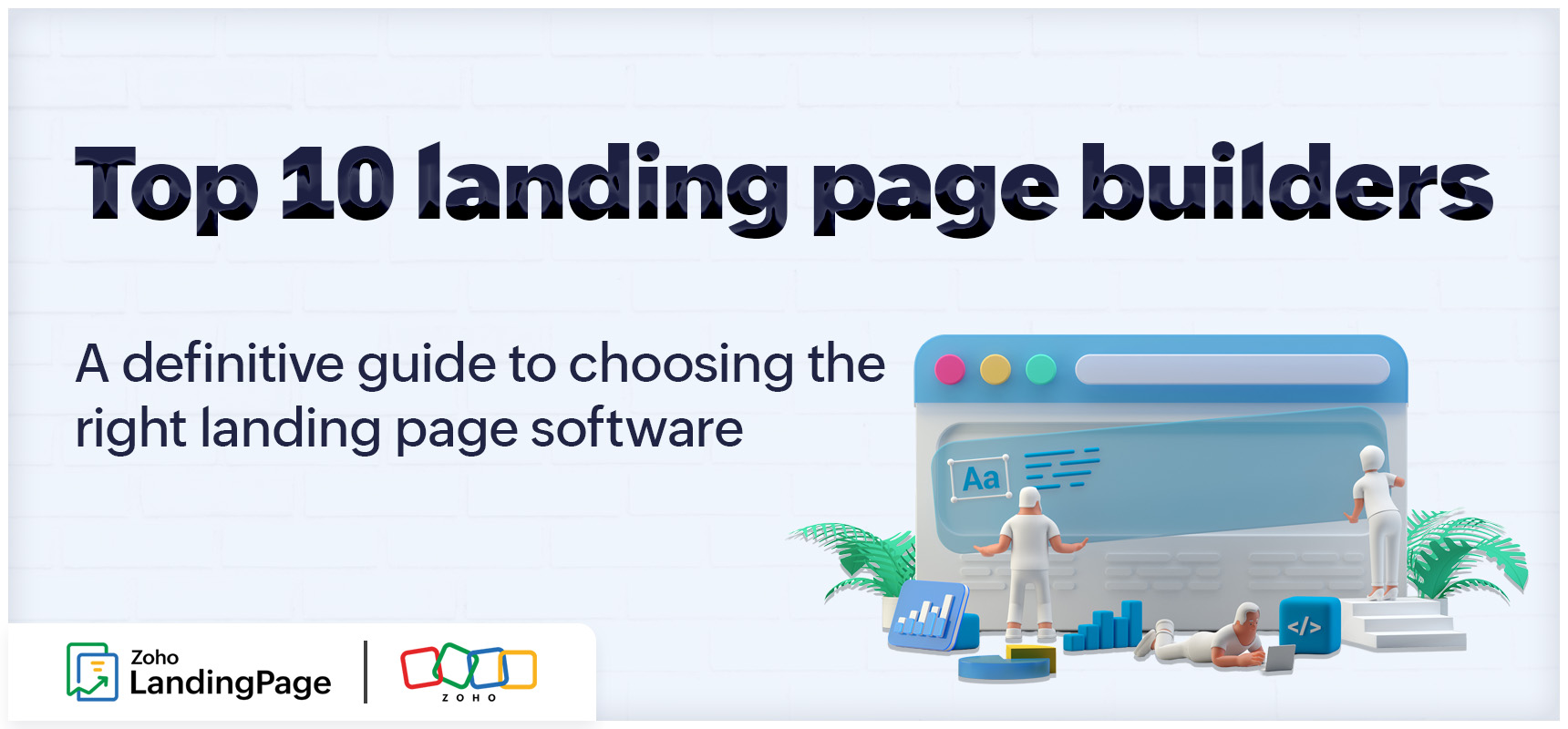
When a marketing program is small, the landing page builder almost doesn't matter. Any tool will do. The decision gets harder later: when A/B testing is running continuously, when lead volume is high enough that pricing quirks start showing up on invoices, and when someone in finance wants to know why the conversion data doesn't match the CRM. That's when the platform you chose in year one either earns its place or quietly creates problems.
This guide evaluates 10 widely used landing page platforms against the criteria that matter most as programs grow. Pricing and features have been verified against current published documentation for each platform.
The best landing page builders at a glance
Zoho LandingPage — for teams that want A/B testing, heatmaps, and CRM integration in a single workflow
Unbounce — for performance marketers optimizing paid campaigns with A/B testing and AI traffic routing
Instapage — for marketers running high-budget ad campaigns who need ad-to-page personalization at scale
Leadpages — for small businesses and entrepreneurs who need pages live fast without technical overhead
Landingi — for teams managing high volumes of pages who need a flexible, affordable builder
Webflow — for design teams who need pixel-level visual control and are comfortable handling optimization separately
HubSpot landing pages — for teams already on HubSpot who want landing pages, CRM, and automation under one roof
ClickFunnels — for businesses running multi-step sales funnels with upsells, checkouts, and email automation
Swipe Pages — for mobile-first campaigns where page speed directly affects paid ad performance
Carrd — for simple, single-page sites: portfolios, personal profiles, and basic product pages
What makes a landing page builder worth using in 2026
The landing page builder market has matured. Responsive templates, drag-and-drop editors, and basic form handling are bare essentials now. What actually separates good platforms from frustrating ones is how they handle programs that run continuously rather than in one-off bursts.
Optimization depth
A/B testing and behavioral analytics (heatmaps, scroll maps, attention maps) should be part of the core publishing workflow, not locked behind the most expensive tier. Platforms that treat testing as a premium add-on make systematic conversion rate optimization impractical for most teams.
Pricing model
Visitor-based pricing scales with traffic. Contact-based pricing scales with database size. Site-based pricing keeps publishing costs flat but usually means buying a separate optimization stack on top. None of these is universally better, but each creates different economics over time, and you want to understand which one you are signing up for before the program is built around it.
Integration continuity
Does lead data land in your CRM without someone manually exporting a CSV every week? Does your reporting hold together across the funnel, or does it require reconciling numbers between tools that were never designed to talk to each other?
Scalability
What does the pricing look like at two or three times current traffic or contact volume? Some platforms that seem affordable at entry level get expensive fast once the program starts working.
Design flexibility
For some teams, visual precision is the non-negotiable requirement. It's worth understanding where each platform sits on the spectrum between "fast and conversion-focused" and "complete creative control."
10 best landing page builders compared
Platform | Pricing model | Starting price (annual billing) | Optimization depth | Workflow integration |
|---|---|---|---|---|
Zoho LandingPage | Visitor-based | Free plan; paid from $18/month | A/B testing, heatmaps, engagement analytics | Native Zoho ecosystem + broad third-party |
Unbounce | Visitor-based | From $22/month | A/B testing, Smart Traffic AI | Third-party integrations |
Instapage | Tiered subscription | From $79/month | A/B testing, heatmaps | Ad and analytics integrations |
Leadpages | Tiered subscription | From $37/month | A/B testing | Standard integrations |
Landingi | Visit-based | Free plan; paid from $29/month | A/B testing, AI content tools | Integrations available |
Webflow | Site-based | Free plan; paid from $14/month | External testing required | Third-party integrations |
HubSpot landing pages | Contact-based | Free tools; paid from ~$20/month | A/B testing on higher tiers | Native HubSpot ecosystem |
ClickFunnels | Tiered subscription | From $97/month | Funnel-level A/B testing | Funnel ecosystem |
Swipe Pages | Visit-based | From $29/month | A/B testing, dynamic text replacement | Third-party integrations via Zapier |
Carrd | Flat annual | Free plan; paid from $9/year | No testing features | Minimal |
10 landing page builders reviewed
1. Zoho LandingPage review
Best for: Marketing teams running sustained acquisition programs that need A/B testing, behavioral analytics, and CRM reporting without stitching together a separate tool for each.
Pricing: Free plan available. Paid plans from $18/month on annual billing.
Most landing page platforms make you assemble your optimization stack yourself: a separate A/B testing tool, a behavioral analytics layer, CRM connectors routed through middleware. Each piece adds licensing cost, maintenance overhead, and another place for reporting to break. Zoho LandingPage puts A/B testing, heatmaps, scroll maps, and engagement analytics inside the same workflow where pages are built and published. No switching tools, no exporting data to somewhere else to analyze it.
For teams already in the Zoho ecosystem, the native connections to Zoho CRM, Campaigns, and Analytics carry reporting continuity from the first page visit through lifecycle follow-up. That's genuinely difficult to replicate when the pieces are from different vendors. Zia, the platform's AI content assistant, generates headlines and copy directly inside the editor. Dynamic text replacement adapts messaging based on visitor attributes, so a single page can speak differently to different audience segments without building separate variants from scratch.
The free plan includes five landing pages and up to 5,000 monthly visitors, with no credit card required. It's a low-friction way to evaluate whether the platform fits before committing.
2. Unbounce review
Suited to: Performance marketing teams running high-volume paid campaigns where launch speed and ad-to-page message match are the priority.
Pricing: No free plan; 14-day trial available. Paid plans from $22/month on annual billing, with visitor caps enforced at each tier.
Unbounce has been the go-to for performance marketers for a long time, and the core strengths are still there: a fast, mature builder; dynamic text replacement for keeping ad copy and page copy aligned; and a Smart Traffic feature on higher plans that uses machine learning to route visitors toward better-performing variants. For teams managing high-volume paid campaigns where speed of iteration is the main thing, it holds up.
Two things to understand before buying. A/B testing isn't on the entry-level plan. It requires upgrading to a higher tier at $149 per month. And visitor limits apply at every tier, which matters when you're managing high-traffic campaigns and need to know exactly where you sit relative to your cap. When requirements go beyond conversion tracking into behavioral analysis or lifecycle reporting, plan on adding external tools.
3. Instapage review
Suited to: Large marketing teams and agencies with multi-stakeholder review processes and high page volumes across multiple campaigns or client accounts.
Pricing: From $79/month. Enterprise pricing available on request. 14-day trial offered.
Instapage is the most enterprise-oriented platform on this list. Instablocks and Global Blocks let you build reusable branded components and push updates across large page libraries from one place. Real-time collaboration tools handle multi-stakeholder approval workflows. AMP support means faster mobile load times, which has a measurable effect in campaigns with heavy mobile traffic.
The testing picture is worth understanding before buying. A/B testing isn't available on the entry-level plan. It requires upgrading to a higher tier at $199 per month. Heatmaps are exclusive to the top custom-priced plan. A team starting at $79 per month gets a well-built page editor and collaboration tools, but none of the optimization features the platform is known for. Smaller teams evaluating it on feature breadth alone will find that the cost to access those features doesn't match their budget.
4. Leadpages review
Suited to: Small businesses and early-stage teams that need pages live fast without technical resources.
Pricing: From $37/month on annual billing. 14-day trial available. A/B testing requires a higher-tier plan.
Leadpages is built for speed of publication, not depth of optimization. The template library is broad, the editor needs no technical background, and built-in checkout and payment processing is available for teams with transactional requirements. For founders and small teams who need pages live quickly with minimal configuration, it does that well.
The constraints are worth knowing up front. The entry-level plan is limited to one custom domain and doesn't include A/B testing, which requires upgrading. If you expect to run multiple concurrent campaigns or build a consistent testing practice, check whether the plan you're starting on actually supports that before buying.
5. Landingi review
Suited to: Teams managing high volumes of campaign pages where production throughput and template variety are the main requirements.
Pricing: Free plan available. Paid plans from $29/month.
Landingi is built for teams that publish a lot of pages. The template library runs to more than 400 options, the editor gives you pixel-level layout control, and an AI content assistant is available to shorten the time from brief to launch. A/B testing is included across plans, though heatmaps and deeper behavioral analytics sit behind higher tiers. Teams that need that level of analytical depth alongside high-volume publishing will need external tools to fill the gap.
6. Webflow review
Suited to: Design-led teams where visual precision and custom interaction control come first, and who can manage optimization externally.
Pricing: Free plan available. Paid plans from $14/month.
Webflow occupies a different category. The level of control it gives over layout, animation, and custom interactions goes well beyond what purpose-built landing page platforms offer. For organizations where visual execution is genuinely non-negotiable, that matters.
The trade-off for marketing teams is real. There's no native A/B testing or built-in behavioral analytics. Running structured experiments requires third-party integrations, which take time to set up and maintain. If testing needs to live inside the publishing workflow rather than alongside it, a purpose-built platform is a better fit.
7. HubSpot landing pages review
Suited to: Organizations already standardized on HubSpot, where keeping landing pages, CRM, and automation under one roof is the strategic priority.
Pricing: Free plan available. Paid plans from approximately $20/month. Contact-based pricing; A/B testing on higher tiers only.
The integration case for HubSpot landing pages is strongest if you're already a HubSpot shop. Forms feed directly into the CRM, automation workflows respond to page interactions, and reporting connects across the funnel without custom mapping or manual reconciliation. If HubSpot is already your system of record, an external landing page tool creates friction that's hard to justify.
The planning consideration is contact-based pricing. As your lead database grows, costs grow with it. Model this at projected future volumes before committing to an annual plan. A/B testing isn't available until a significantly higher-priced tier, well above the entry point.
8. ClickFunnels review
Suited to: Direct-response businesses and ecommerce operators whose model depends on multi-step purchase funnels.
Pricing: No free plan; 14-day trial available. Paid plans from $97/month.
ClickFunnels is built for revenue sequencing: upsells, order bumps, checkout flows, and maximizing revenue per visitor through a structured purchase path. The analytics center on funnel movement rather than individual page behavior. For direct-response and ecommerce businesses whose revenue model depends on that kind of sequential journey, it's a well-matched tool. For organizations focused on lead generation or standalone page optimization, it's built for a different job.
9. Swipe Pages review
Suited to: Mobile-first marketers and agencies that prioritize fast page load speeds and need A/B testing available without upgrading to a higher tier.
Pricing: No free plan; 14-day trial available. Paid plans from $29/month on annual billing.
Swipe Pages has one clear focus: speed. Native AMP support means pages load in under two seconds on mobile, which reduces bounce rates and improves paid search quality scores. The builder is accessible, A/B testing and dynamic text replacement are available across plans without being gated at higher tiers, and the top-tier plan includes unlimited client sub-accounts for teams managing multiple campaigns.
Heatmaps and deeper behavioral analytics aren't available natively, so meaningful optimization insight beyond basic test results requires external tools. Integrations run primarily through Zapier rather than direct connectors. For teams whose primary requirement is fast, mobile-optimized pages with accessible testing, it delivers on that.
10. Carrd review
Suited to: Personal portfolios, event pages, and simple single-page publishing where cost and setup simplicity are the only requirements.
Pricing: Free plan available. Paid plans from $9/year.
Carrd is for single-page websites: personal portfolios, event announcements, simple product pages. It does that job well at a price no other tool on this list comes close to. There's no A/B testing and no meaningful analytics. For marketing teams running active acquisition programs, it's not the right tool.
How to choose a landing page builder: Questions worth asking first
The problems that push teams to switch platforms mid-program are the same ones worth avoiding when choosing in the first place. Testing runs outside the publishing environment, so experiments get delayed. Performance reporting requires manual reconciliation between tools that don't share data. Pricing climbs because the cost model ties to a metric, such as contact volume, that seemed irrelevant at the outset.
For teams already on a platform, these are the signs that the infrastructure decision needs revisiting. For teams choosing for the first time, they are the failure modes worth designing around. Either way, rebuilding pages, reconfiguring integrations, and losing historical performance data mid-program is painful. What looks like a publishing tool decision is actually an infrastructure decision.
Before switching or signing up, three questions will expose the gaps that entry-level pricing pages don't show you.
First: at which tier does A/B testing become available, and what does that tier cost? The entry price and the price at which useful experimentation is actually possible are frequently not the same number.
Second: what does pricing look like at two to three times your current traffic volume or contact database size? A model that looks manageable today can look very different once the program is working.
Third: how many additional tools are required to produce a complete performance picture? Platforms that need a separate testing tool, a behavioral analytics layer, and a CRM connector each add licensing cost, integration maintenance, and another place for reporting to fail. That cumulative cost is rarely visible at the point of initial platform selection.
For teams where design fidelity is the primary driver, the evaluation shifts toward tools like Webflow that prioritize layout and interaction control, with the understanding that optimization capability will need to be assembled on top.
Zoho LandingPage: Features, pricing, and fit
Most teams don't start with a testing culture. They start with a page, then a campaign, then a second campaign, and at some point someone asks why one version of the page outperformed the other and there's no clean answer because testing was never set up. The platform gap tends to become visible exactly then: when the questions get harder and the tooling isn't there to answer them.
Zoho LandingPage is structured so that gap doesn't form. Testing, behavioral analytics, and direct CRM integration are part of the default workflow, not something you layer on later when the program has grown into them. Visitor-based pricing means the cost of running the platform scales against the results it produces, not against how large your contact database has grown. And for teams inside the Zoho ecosystem, the reporting continuity from first visit to closed deal runs through a single environment rather than across three or four tools that require reconciliation.
The pricing comparison is worth stating plainly. Unbounce has no free plan. Instapage requires a credit card even for its trial. To get A/B testing from Unbounce requires upgrading to a higher tier at $149 per month. To get it from Instapage requires a higher tier still at $199 per month. Zoho LandingPage includes A/B testing, heatmaps, and scroll maps from $18 per month on annual billing, with a free plan to begin.
Start on the free plan to evaluate the workflow before spending anything.
Frequently asked questions
What is the best landing page builder in 2026?
It depends on what you're optimizing for. Zoho LandingPage is the strongest choice for teams focused on continuous optimization. Unbounce suits high-volume performance marketing. Instapage is built for enterprise-scale experimentation. Leadpages is a practical starting point for early-stage teams with straightforward publishing needs.
Is a dedicated landing page builder necessary, or can an existing website platform suffice?
For teams running regular acquisition campaigns, dedicated builders offer real advantages: campaign-focused templates, integrated A/B testing, conversion tracking, and pre-built connections to CRM and advertising platforms. A general website platform can technically host a landing page, but it won't give you the testing and analytics infrastructure that makes optimization systematic.
Can a landing page builder be used without an existing website?
Yes. Most dedicated platforms, including Zoho LandingPage, Unbounce, Leadpages, and Landingi, host pages on their own infrastructure. You don't need an existing website. Connect a custom domain to keep branding consistent.
What role do landing pages play in a broader digital marketing strategy?
Landing pages are where advertising spend, organic traffic, and campaign messaging either convert into measurable outcomes or don't. Unlike general website pages, a landing page is designed around a single objective and a single audience, which makes it the most controllable variable in an acquisition program. Each improvement you make applies to every subsequent visitor the page receives. That compounds over time in a way that most other marketing investments don't.
How much does a landing page builder cost?
Prices range from free to over $97 per month, depending on the platform and the tier at which useful features become available. Free plans exist on Zoho LandingPage, Landingi, Webflow, HubSpot, and Carrd. Paid plans for optimization-focused platforms typically start between $18 and $79 per month on annual billing. The more important number is the tier at which A/B testing becomes available. On several platforms, that's significantly higher than the entry price. Among platforms that include both A/B testing and heatmaps, Zoho LandingPage has the lowest entry point at $18 per month on annual billing.
 Karthik
Product Marketer - Zoho LandingPage