How to evaluate if your team needs an integration platform
- Last Updated : December 24, 2025
- 289 Views
- 5 Min Read
Summary:
- Manual data transfer across apps is inefficient, error-prone, and doesn’t scale as teams grow.
- Native integrations are limited and become difficult to manage as workflows and app usage increase.
- An integration platform centralizes workflows, data flow, and error handling across systems.
- You can choose the right integration platform by evaluating factors like supported apps, ease of use, accessibility, pricing, and security.
Whether you’re a startup or an enterprise, you need to streamline data flow between your apps. No matter how many apps you use, ensuring smooth data transfer is essential, and doing it manually is never a feasible option. It can be time-consuming, unsustainable, and highly error-prone.
Integration between your apps is now a necessity—but how do you integrate your apps? Do you need an integration platform? And if you get one, can you handle it without coding knowledge? Here's how to find out:
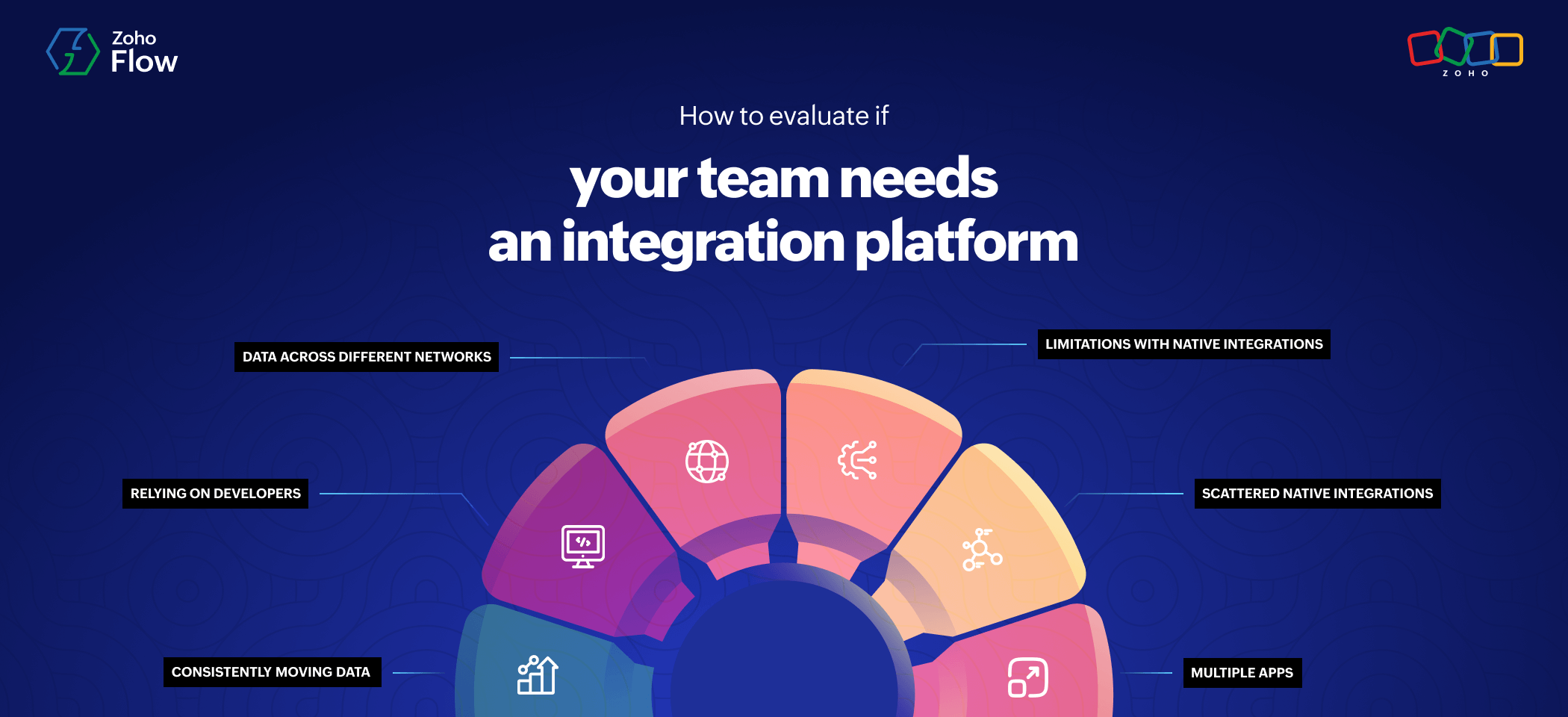
Six signs your team needs an integration platform
Your team is consistently moving data across apps
Every business uses multiple applications, and data transfer between them is unavoidable. But when it becomes a core part of your job, if it's consistently hindering your work, you must find a way to eliminate it.
An integration platform can not only help you automate repetitive and tedious tasks but also streamline data in your organization. This lets your apps function better, without your team wasting time on manual efforts.
Your team is scaling and using more apps
As your business grows, the number of apps you depend on grows as well. At some point, your current model, where you're not using an integration platform, won't be sustainable anymore.
You'll have a lot of data to be managed, and without an integration platform to sync data automatically, you'll be stuck with data silos and scattered data. This will directly hinder the growth of your business, slowing down progress.
Native integrations are cutting you off
Native integrations let you connect your apps and streamline data transfer. However, the apps that you use probably can't all be integrated natively. For example, if you're collecting lead information using Zoho Forms and want it to be updated in Zoho CRM, native integrations can work. But if your form builder is Contact Form 7, which doesn't natively integrate with Zoho CRM?
Similarly, if you want to perform follow-up steps like adding the lead to a mailing list or scheduling a demo for them, you can't do that with native integrations. But an integration platform overcomes that problem, letting you integrate your favorite apps with ease.
If you have scattered native integrations
Even if all native integrations cover your needs, your integrations will be spread across different apps with different credentials, end points, and webhook URLs for each app. You'll have to manage all of these integrations separately, making it harder for you to keep track.
At one point, you'll have a scattered set of integrations, and no one will know who built which integration when, and it can lead to confusion. An integration platform can centralize all your integrations in one place, offering you complete control and visibility over them.
If you're relying on developers for integrations
While native integrations are easily to set up, their limitations can force you to look in the other direction—building your own custom integrations. While this is definitely a viable option, it takes a lot of time and effort, and you'll have to rely on someone with extensive coding knowledge.
Imagine you're working in sales or marketing, and you rely on your development team to build integrations for you every time. It might work once or twice, but it isn't feasible in the long run. With an integration platform, anyone can build integrations on their own—and most of the time without any need for coding.
Your data is spread across different networks
Many businesses today use applications that are spread across different networks. For handling very sensitive information or vendor data, they use on-prem apps like SAP HANA, SQL, or MariaDB. At the same time, for managing finances or accounts, they might be using cloud apps like Zoho Books or QuickBooks.
When apps are spread across different ecosystems, you won't be able to automate data transfer across them, and you'll have to move huge amounts of data manually. Integration platforms offer you the ability to connect cloud and on-premises apps together, letting you automate data transfer across networks.
Factors to consider to find the right integration platform
While an integration platform can help you streamline work and automate data transfer, you also need to figure out the right integration platform based on your needs. Thankfully, there are many iPaaS solutions out there which offer a variety of capabilities and functionalities.
Here are the factors you have to consider to ensure that the iPaaS you're choosing is the right one for your business:
Variety of apps
- Does the platform offer integration support for the apps I use?
- Can I build workflows with apps across different streams and ecosystems?
- Does the platform support integrations for cloud and on-prem apps?
Features and capabilities
- Can I build complex multistep workflows with logic elements?
- Am I limited to only the actions/functions that the platform initially offers?
- Does the platform support webhooks?
Accessibility and ease of use
- Is the UI of this platform user-friendly?
- Does the platform offer prebuilt connectors?
- Do I need to know coding to build integrations using this platform?
Security
- Does the platform have self-hosted data servers?
- Is the platform compliant with policies like GDPR and HIPAA?
- Does the platform offer OAuth, SAML, and other security protocols?
Pricing
- Are the pricing plans clear and align with your budget?
- Are there any hidden costs or charges apart from what you're paying initially?
- Is there a free trial or a demo period for this platform?
Troubleshooting
- Does the platform provide real-time monitoring of your integrations?
- Does the platform instantly notify you of any errors or failures?
- Does the platform show you why your workflow failed, helping you fix it easily?
Reputation
- Does the platform feature in top review sites like G2, Gartner, and Capterra?
- Does the platform have genuine success stories from previous customers?
Does Zoho Flow fit as the right integration platform?
Zoho Flow supports integrations for 1,000+ applications that are spread across different streams, networks, and ecosystems. It also offers advanced integration capabilities, including decision branching, custom functions, and other logic elements, apart from incoming and outgoing webhook support.
With enterprise-grade security and exceptional troubleshooting features, Zoho Flow offers a complete integration and workflow automation experience, helping you streamline work throughout your organization, without the need for coding.
Explore Zoho Flow's 15 day-free trial to see whether it checks all the boxes to be the right integration platform for your business.
 Sooraj
Content writer for Zoho Flow. Ardent fan of sports and movies.