How workflow automation can transform healthcare operations
- Last Updated : January 19, 2026
- 606 Views
- 5 Min Read
Summary:
- Healthcare teams struggle with manual processes and disconnected systems that slow down their operations.
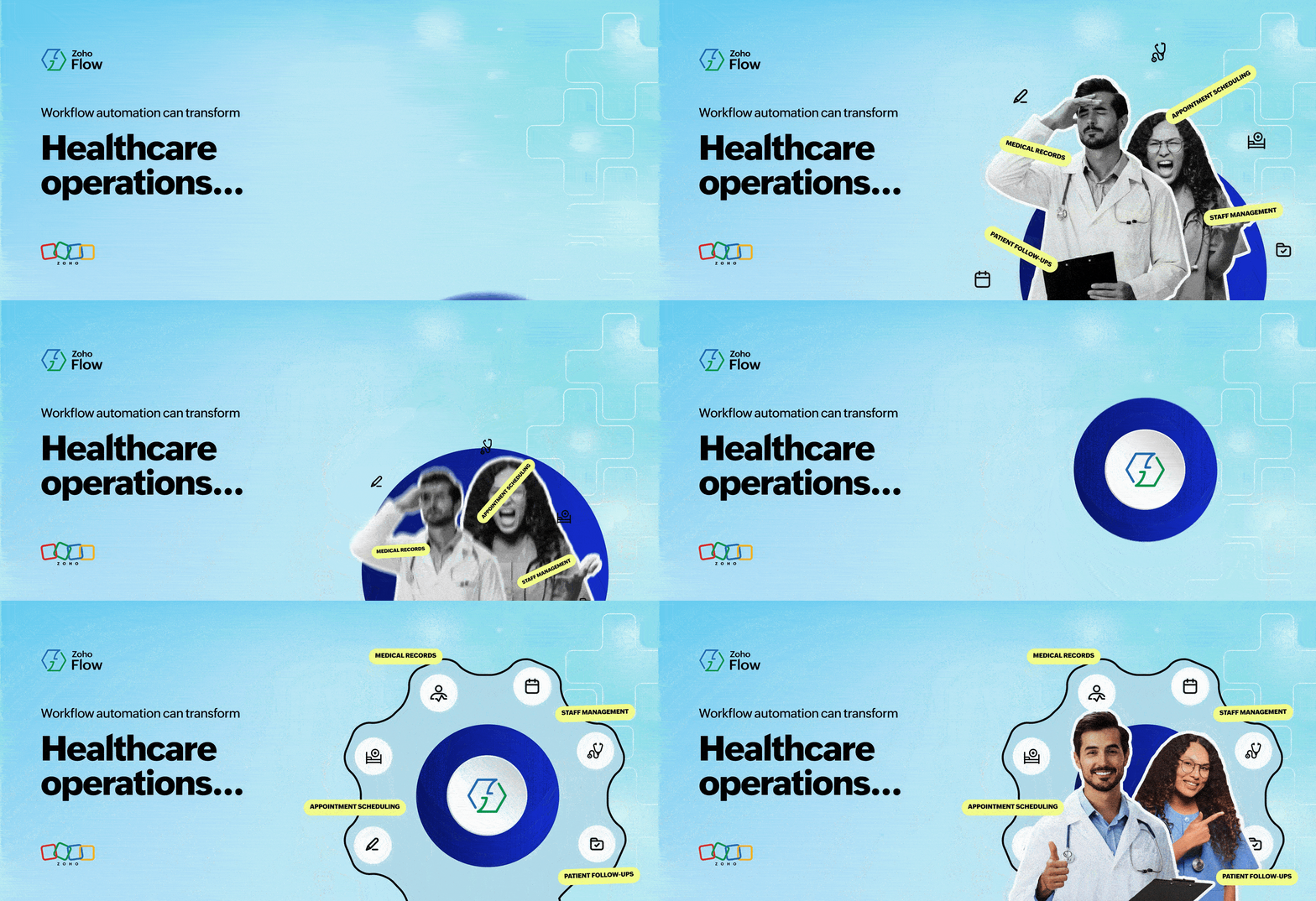
- Automation in healthcare helps them bring systems together and simplify everyday tasks.
- With routine tasks out of the way, healthcare professionals can save time and focus on their standard of patient care.
The healthcare industry today
Healthcare organizations should provide quality patient care, but achieving this mission becomes complex if everyday operations are burdened by outdated systems.
Imagine a busy hospital on a weekday morning. Patients line up for assistance, doctors handle back-to-back consultations, and staff members switch between multiple applications to keep things moving. These routine activities rely on manual work and disconnected tools, so even small errors can affect the quality of care. This is a common reality for many healthcare institutions today.
The challenge: Systems don't work together
When hospital systems operate in silos, data becomes scattered and difficult to work with. This creates additional challenges for healthcare teams:
- Manual patient data entry across systems
- Delayed follow-ups between doctors, front-desk staff, and administrators
- Inefficient staff management, including attendance and shift schedules
- Higher risk of errors caused by manual data handling
- Missed or duplicated appointments due to disconnected systems
These challenges not only accumulate to increase business costs, but also prevent healthcare professionals from focusing on patient care.
The solution: Integrating and automating your workflows
A strong integration and automation platform helps healthcare organizations connect their tools and streamline repetitive processes. As a result, data moves smoothly, consistently, and accurately between systems, helping your teams:
- Minimize recurring manual work.
- Ensure real-time data sync across systems.
- Enable faster patient follow-ups.
- Scale operations without adding more resources.
- Maintain reliable handling of patient information.
How to get started: A step-by-step automation guide
Here are some key steps to take as you start automating:
1. Identify the repetitive tasks
Start by listing down daily or frequent tasks, such as patient data entry, staff attendance updates, and medication updates.
2. List the apps involved
For each task, note the applications used. This could include appointment scheduling tools, HR platforms, email apps, and chat tools.
3. Choose the trigger for each workflow
Find out what event starts the workflow. It could be a form submission, appointment booking, employee check-in, and so on.
4. Determine the next steps
Decide what actions should follow the trigger and how information should move between applications. For example, you might send an automated confirmation email after a patient books an appointment.
5. Start small and improve gradually
Begin with simple workflows and test them thoroughly. Slowly move on to more complex and multi-step automations.
Common healthcare processes you can automate
Now that you know the basics, you can apply this approach to real healthcare scenarios. Here are some common healthcare workflows that can be automated to reduce manual effort and time.
Patient appointment scheduling
Handling patient appointments manually can lead to missed visits, scheduling overlaps, and even double-bookings. Capturing appointment details automatically and ensuring timely follow-ups helps teams reduce these issues.
Below is a simple automated workflow that manages a patient appointment end to end, without any manual intervention.
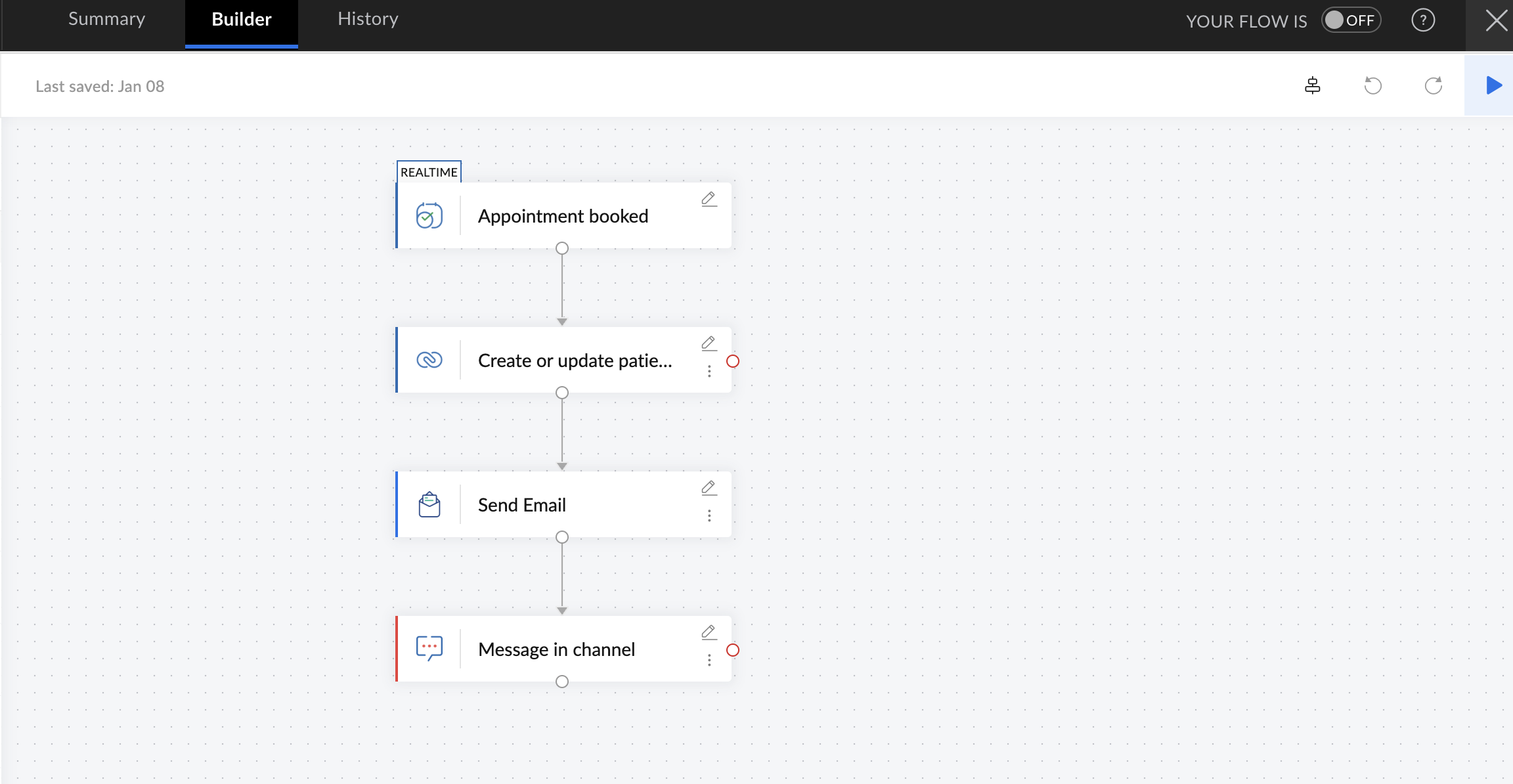
In the above workflow, when a patient submits an appointment via Zoho Bookings, their details are automatically added or updated in the appointment tracker in Zoho CRM. A confirmation email is sent immediately to acknowledge the request, and the internal hospital team is notified in their Zoho Cliq team channel.
Benefits: Accurate appointment tracking, no manual effort, no delayed follow-ups
Staff attendance and shift management
When a hospital has many staff members checking in and out at different times, monitoring attendance manually can be challenging. Shift-based work, overtime, and duty changes can lead to inaccurate records or missed updates. Collecting attendance data in real time and keeping shift information updated across systems helps avoid confusion.
For example, whenever an employee checks in or out via Zoho People, their attendance data is immediately logged. If someone misses a shift, the supervisor can be instantly notified in Slack to assign another staff member. Additionally, the updated schedule can be synced in Zoho Calendar.
Benefits: Fewer attendance errors, better shift coordination, no manual tracking
Patient follow-ups and reminders
Regular communication is critical in patient care, whether it's appointment reminders, medication instructions, or test results. Manually following up with each patient isn't feasible for a large organization and requires significant resources. With automation, you just have to set your workflow once and the system will reach out to patients consistently.
For instance, when an appointment is marked complete in Zoho Bookings, you can automatically send the medication details and instructions to the patient via email. If the patient has undergone any lab tests, the results can be shared with them in Zoho Cliq. The system can also send reminder messages when it's time to refill their medications.
Benefits: Better patient engagement, improved patient trust, reduced manual effort
Billing and payment notifications
Transparent and timely billing helps build trust between patients and healthcare providers. Handling billing across disconnected systems can be time-consuming for finance teams, making it harder to ensure accurate cash flow, generate invoices, and track payments.
By connecting patient records, billing systems, and payment apps, teams can have all the right information at one place. For instance, when a consultation is completed, invoices can be generated and sent automatically. Payment updates can be tracked in real time and finance teams are notified immediately.
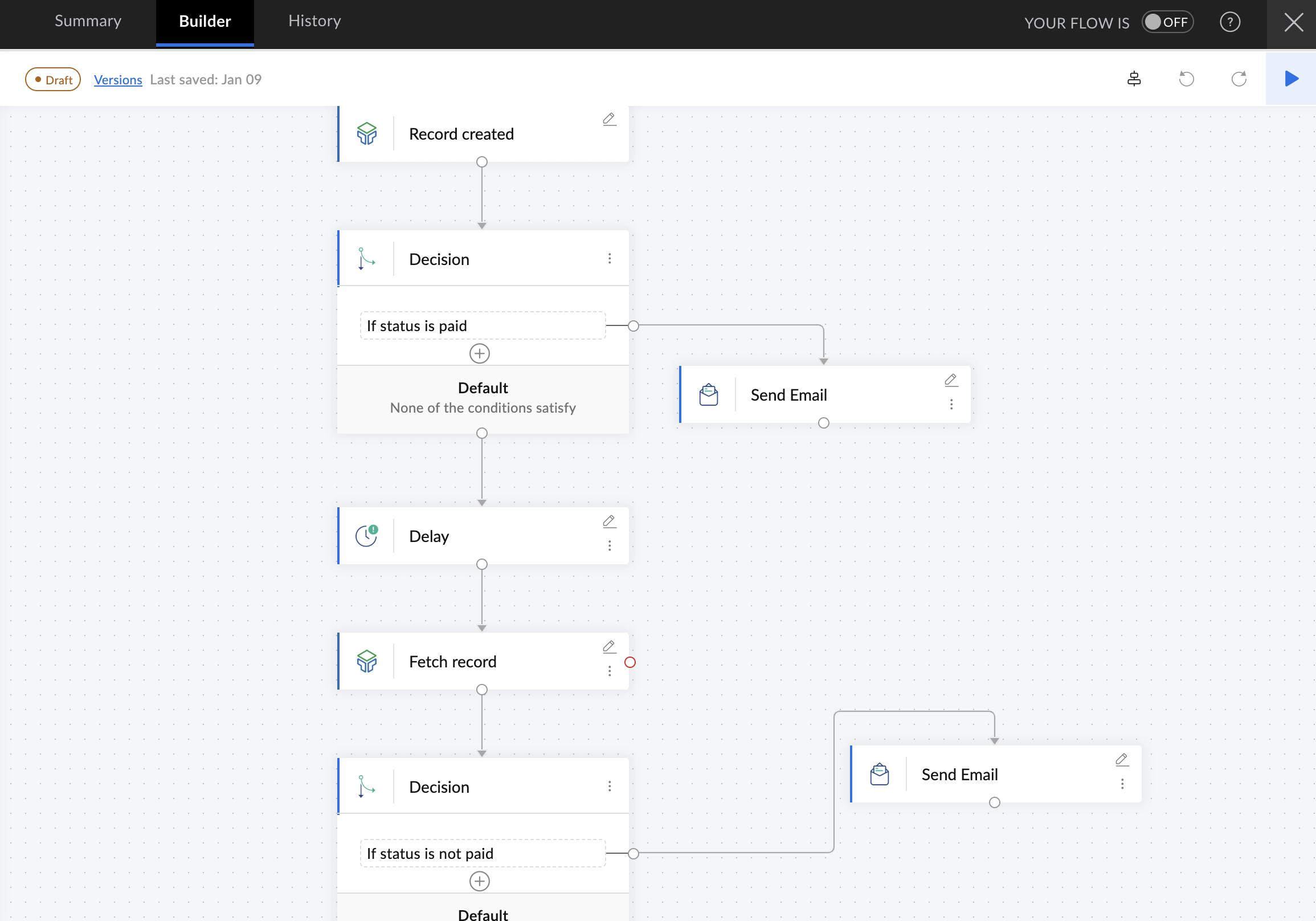
In the above workflow, a payment table in Zoho Tables tracks customer payments after consultations. When a customer completes payment, a thank-you email is sent to them immediately. If no payment is recorded within one day, an automated reminder email goes out.
Benefits: Quicker invoice processing, faster payment follow-ups, simplified billing process
Medical records and data synchronization
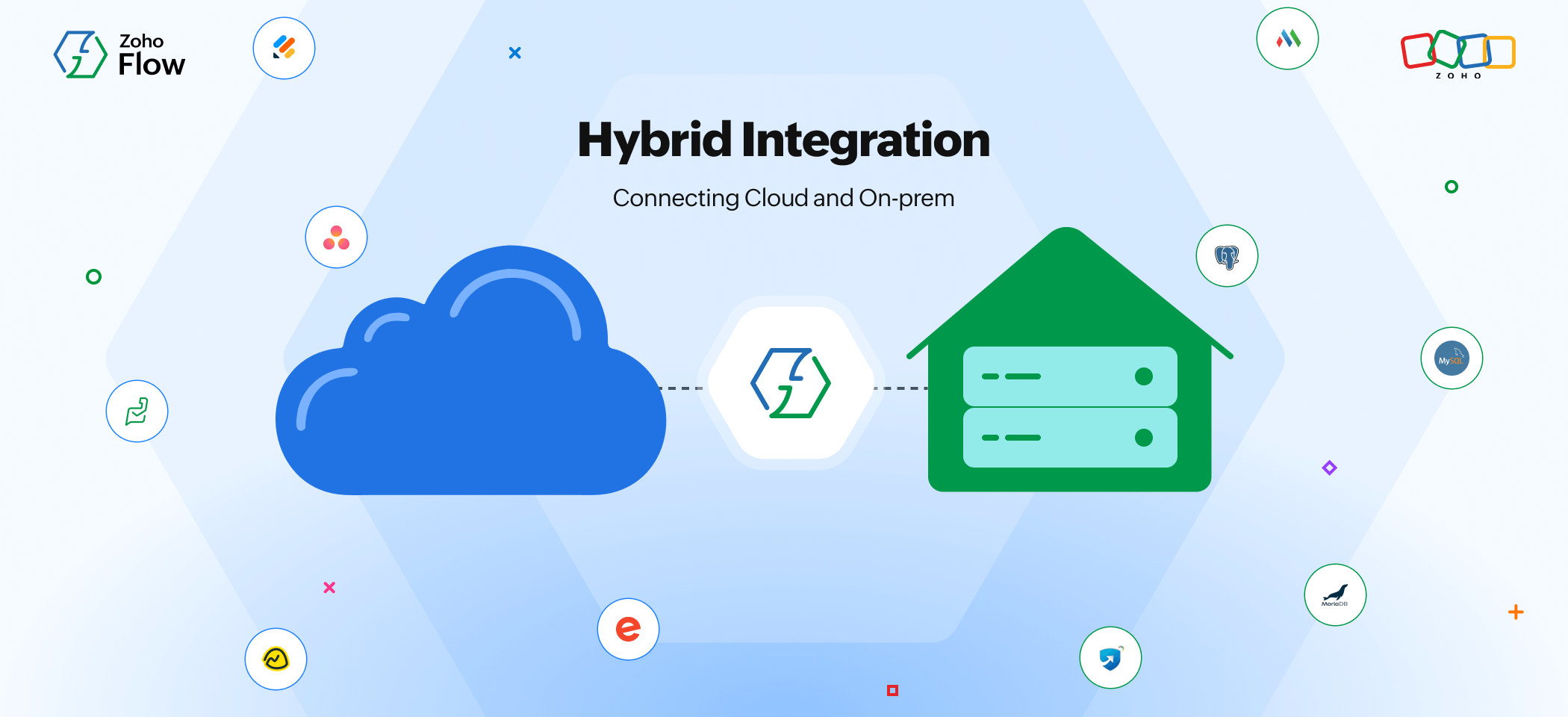
When patient details and medical records are spread across different apps, it's easy to have mismatches, outdated information, and errors. This data can be synchronized across systems once you automate your workflows. If your data is stored on private servers, you can connect it with your cloud applications without compromising privacy and security using Zoho Flow's on-prem agent.
For instance, when a patient books an appointment in Calendly, the same information can be instantly reflected in a patient management system like Zoho CRM, billing tools like Zoho Books, and communication platforms like Slack. This way, teams can access the updated patient data wherever it is needed.
Benefits: Real-time data sync, minimal errors, no manual data entry
Summing up
Workflow automation in the healthcare industry is a powerful support system that simplifies daily tasks. By implementing automation, you can quickly introduce noticeable operational improvements for your organization. Time previously spent on repetitive tasks then goes directly toward providing better care for patients. Explore Zoho Flow's free plan to experience automation today!
 Gayathri Babu
Content writer for Zoho Flow. Passionate about creating engaging content that truly resonates with the readers.