How to integrate Notion and Microsoft To Do using Zoho Flow
- Last Updated : April 28, 2026
- 376 Views
- 5 Min Read
Summary:
- Notion is a platform where teams plan their work. Integrating it with apps like Microsoft To Do helps planned work move instantly into execution.
- With this integration, you can automate task creation in Microsoft To Do based on work items in Notion, and update work items in Notion based on task completions in Microsoft To Do.
- You can even take this further by building multi-step workflows that involve triggering actions in multiple apps, including Microsoft To Do, based on a single update in Notion.
- Zoho Flow facilitates an easy way to build these automated workflows in minutes, ensuring your data is transferred between these two apps and more, securely and in real time.
Notion is where teams organize their work. This includes planning projects, managing roadmaps, tracking backlogs, and more. Microsoft To Do is a task manager to track your day-to-day tasks. Many teams use both: work gets planned and structured on a broader level in Notion while team members maintain and execute their tasks in Microsoft To Do.
But there's no built-in way to connect the two. Without an integration, tasks have to be manually recreated, due dates copied over, and status updates made in both apps separately. As the team grows, this becomes a bottleneck.
But an integration platform can help you bridge this gap. Here are a few scenarios where connecting Notion and Microsoft To Do through automated workflows can help:
Automatically create Microsoft To Do tasks from Notion items
This is the most straightforward and commonly needed use case. When a new item is created in a Notion database, a corresponding task is automatically created in Microsoft To Do with the relevant details.
This removes the need for anyone to recreate tasks across apps manually, and ensures that nothing planned in Notion gets lost before it reaches someone's personal task list. It's useful for teams where work is organized in Notion but executed in Microsoft To Do.
Sync task completion back to Notion
Getting tasks from Notion into Microsoft To Do is only half the picture. When someone completes a task in Microsoft To Do, the corresponding item in Notion should reflect that change automatically. Without this, project boards in Notion become unreliable, showing tasks as in progress when they've already been finished.
With an automated workflow, completing a task in Microsoft To Do can trigger an update to the corresponding Notion item, changing its status to "Done" or moving it to a completed category. This keeps Notion accurate as a source of truth for project tracking, without requiring teams to update both apps every time they finish a task.
Route tasks to different lists based on Notion properties
Not every task from Notion should land in the same Microsoft To Do list. With conditional logic in an integration platform, you can route tasks based on properties set in Notion, like priority level, project name, or assigned team.
For example, high-priority tasks from a Notion database can be sent to a dedicated "Urgent" list in Microsoft To Do, while lower-priority items go to a different list. Or tasks tagged under different projects in Notion can be routed to separate lists in Microsoft To Do.
Build multi-app workflows that go beyond two tools
For many teams, creating a task in Microsoft To Do isn't the only thing that needs to happen when work is planned. When a new item appears in a Notion database, you might also want to notify the team on Slack or Microsoft Teams, log the entry in a Google Sheet, or send an email update through Zoho Mail.
An integration platform helps you connect all these actions together into a single workflow. One trigger in Notion can set off a series of actions across multiple apps, turning what would be several minutes of manual work into something that happens instantly and automatically in the background.
How to integrate Notion and Microsoft To Do using Zoho Flow
Zoho Flow offers a drag-and-drop workflow builder that lets you connect Notion and Microsoft To Do in just a few minutes. Let's walk through setting up the most common workflow: automatically creating a task in Microsoft To Do whenever a new item is added to a Notion database:
- Log in to your Zoho Flow account.
- Navigate to My Flows, click + Create, and choose Create Flow from the dropdown.
- Provide a name and description (optional) for your flow and click Next.
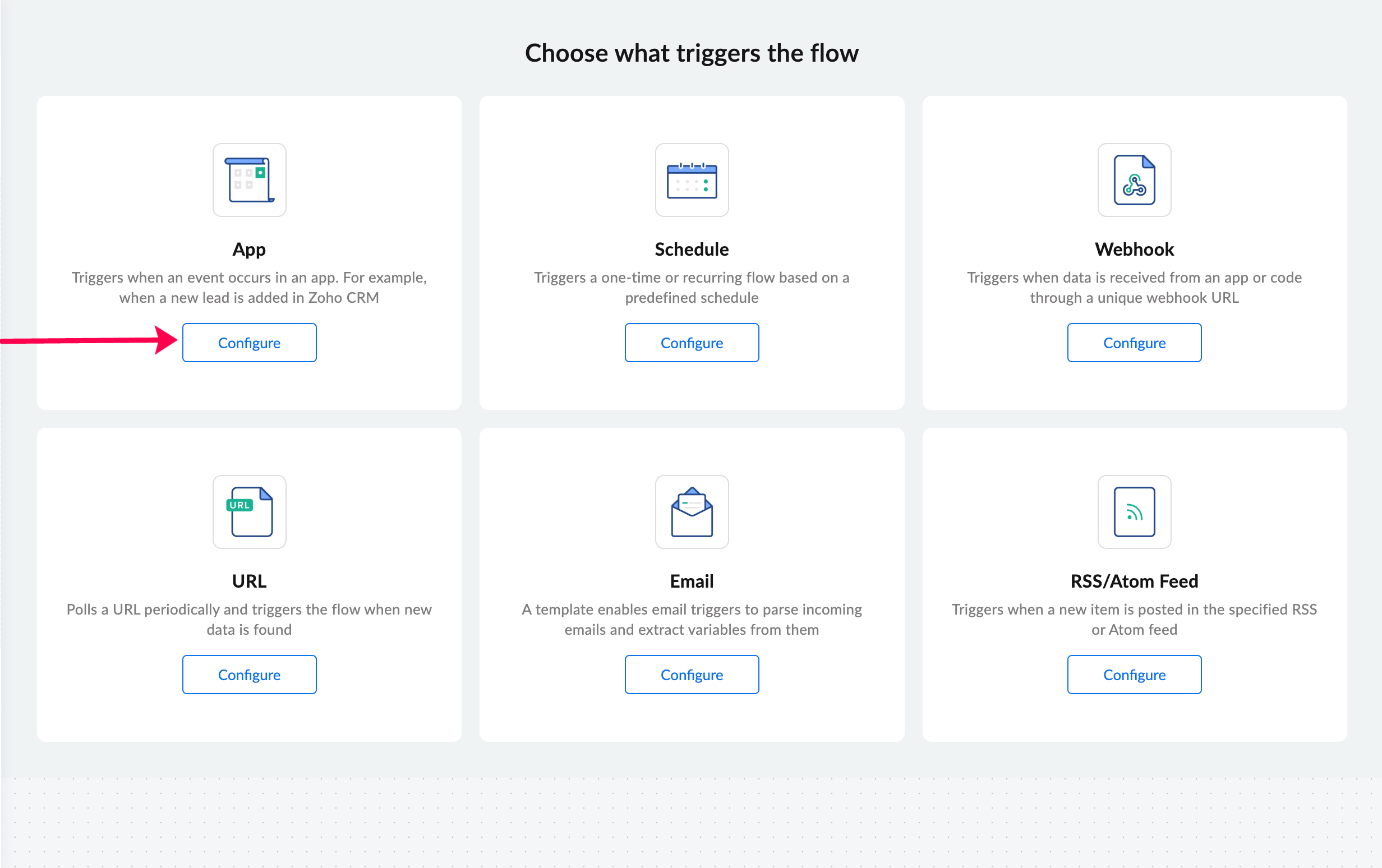
- Click Configure in the app trigger box to choose an application as the trigger.
Select Notion as your app and choose Item created as the trigger event.
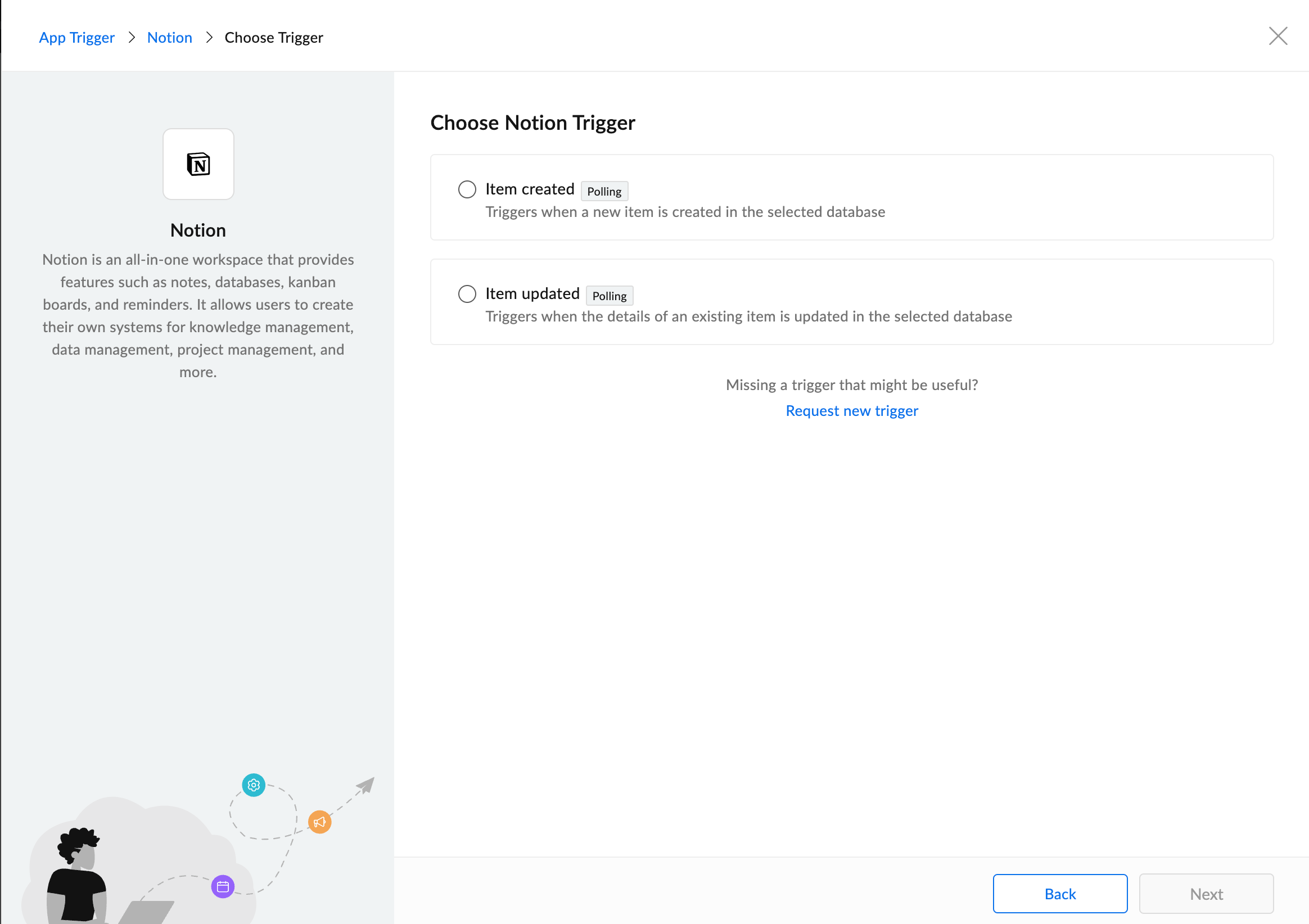
- If you have an existing Notion connection in Zoho Flow, select it. Otherwise, click Connect to create a new connection, authorize access to your Notion workspace, and select the relevant Notion database.
- In the builder, on the left side, under Apps, search for Microsoft To Do.
- Drag and drop the Create task action into the builder.
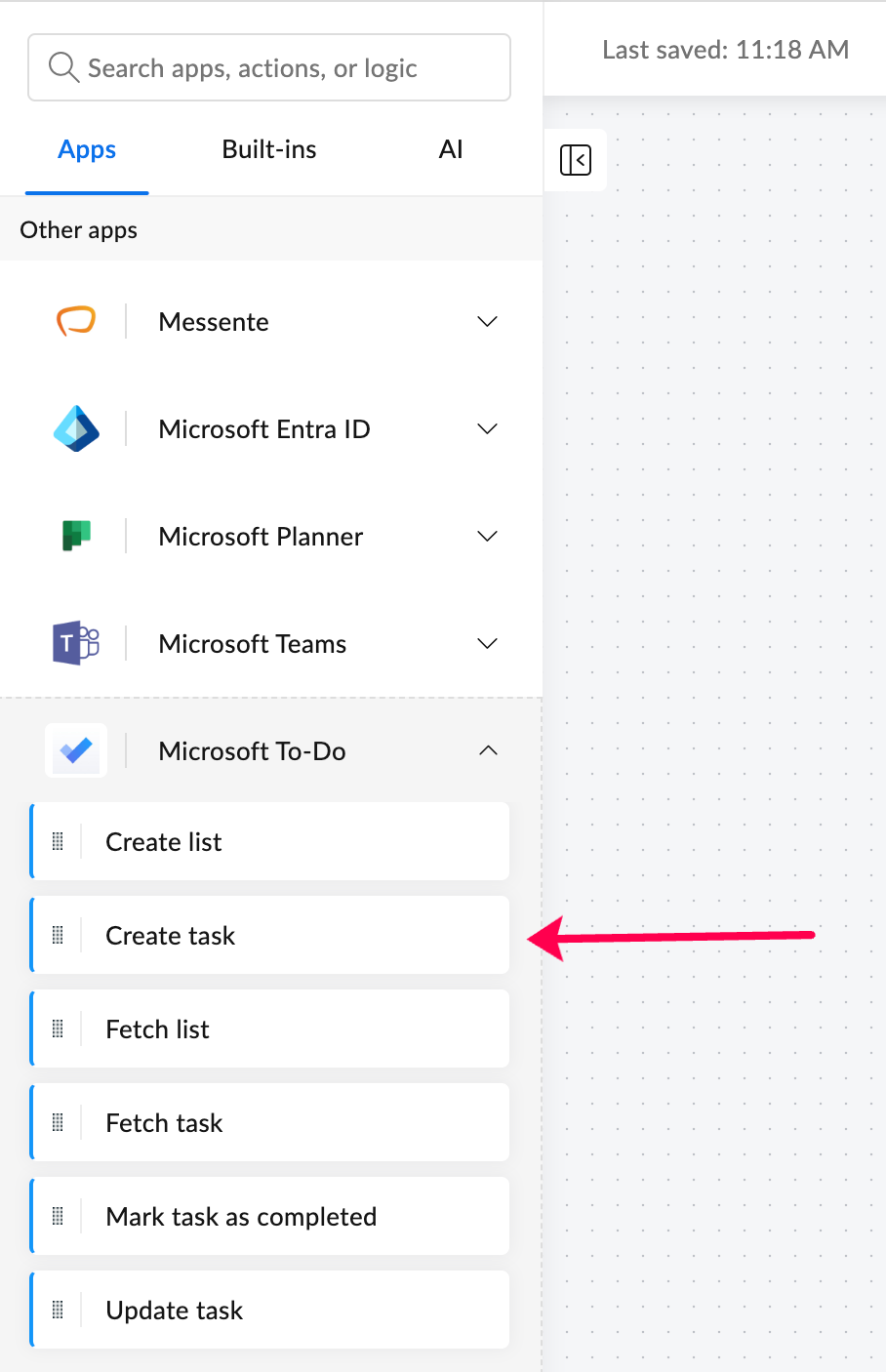
- Configure the action by creating or choosing a Microsoft To Do connection, similar to how you connected Notion.
- Set up the action by mapping the variables from the Notion trigger to the relevant Microsoft To Do fields, such as mapping the item title to the task subject, and the due date property to the task's due date.
- Turn the flow on using the toggle at the top-right corner of the page.
And your flow is all set! Now, every time a new item is added to your selected Notion database, a task will be automatically created in Microsoft To Do with the details you've mapped. No manual copying, no missed tasks.
If your workflows extend beyond this, Zoho Flow lets you add more actions to the same flow, bring in logic elements, and use intelligent AI-based actions to enhance your workflow based on your specific requirements.
The Notion - Microsoft To Do integration is just one example of how you can connect your business apps with ease using Zoho Flow. Sign up with Zoho Flow and start automating your workflows today!
Related reading:
 Sooraj
Content writer for Zoho Flow. Ardent fan of sports and movies.