


Is Power BI holding your data analysis back?
Hidden cost for basic functionalities
With Power BI, the feature list might look full until you try to use it.
Confusing Licensing
You shouldn't need a dashboard to understand your BI tool's pricing model.
DAX Complexity
Building reports shouldn't feel like learning a second language.
It's time to switch from

What makes Zoho Analytics a better Power BI alternative?
Flat or per user plans
Get clear, upfront pricing before you begin. No hidden charges for sharing, embedding, or refreshing your data.

Transparent pricing
You always know what you're paying for. Finally, a BI tool where your pricing model doesn't need its own dashboard.

Intuitive drag-and-drop analytics
Build reports with clicks, not code. Designed for all types of users, so your team can focus only on insights.

Pricing Comparison: Zoho Analytics vs Power BI
50 Users/Creators
200 Viewers
250 Users/Creators
Users/Creators
Note: Taking into account the site-wide licensing option of $4,995 per month for Power BI Premium
Power BI Pro: With Zoho Analytics, you save $30,480 or up to 72.57% in savings.
Power BI Premium: With Zoho Analytics, you save $48,420 or up to 80.78% in savings.
Key Differentiators
| Features |  |  POWER BI POWER BI |
|---|---|---|
| Data integration | Seamless integration with 500+ native data connectors | Powerful Microsoft integration but require manual setup for others |
| Data visualization | Create reports with over 50 visualization options with the intuitive drag-and-drop interface | Requires a separate desktop app to create reports |
| Native data preparation | Built-in data prep and easy for non-technical users | Requires Power Query and is more complex |
| Automatic data blending | Automatic blending across sources | Manual setup for complex datasets |
| Generative AI | Zia AI for automated insights, NLP queries, anomaly detection | Power BI AI, but with limited automation |
| DSML studio | Built-in DSML tools for predictive analytics and anomaly detection - no code needed | Requires Azure ML, Python for advanced ML capabilities |
| Automation and reporting | Automated data workflows and data reporting | Limited without paid licenses |
| Deployment flexibility | Flexible cloud and on-premises options are available | Mostly cloud, on-premises requires Power BI Server |
| Scalability | Scales easily and supports data growth without any extra cost | Requires Premium for large datasets |
| Customization | Users can tailor the platform to their business needs | Customization is possible but is more technical |
| Collaboration | Real-time collaboration and easy sharing, which enables easy teamwork | Requires Pro or Premium version for collaboration |
| Global presence and compliance | Global data centers ensuring compliance with regional data protection. Strong global presence, multilingual support | Strong compliance, but within the Microsoft ecosystem. Access to specific tools often requires additional services |
| Security and governance | ISO/IEC 27001, 27017,27018, SOC 2 Type 2, GDPR, HIPAA | ISO 27001, 27018, GDPR, HIPAA |
Generative AI for BI and Data Analytics
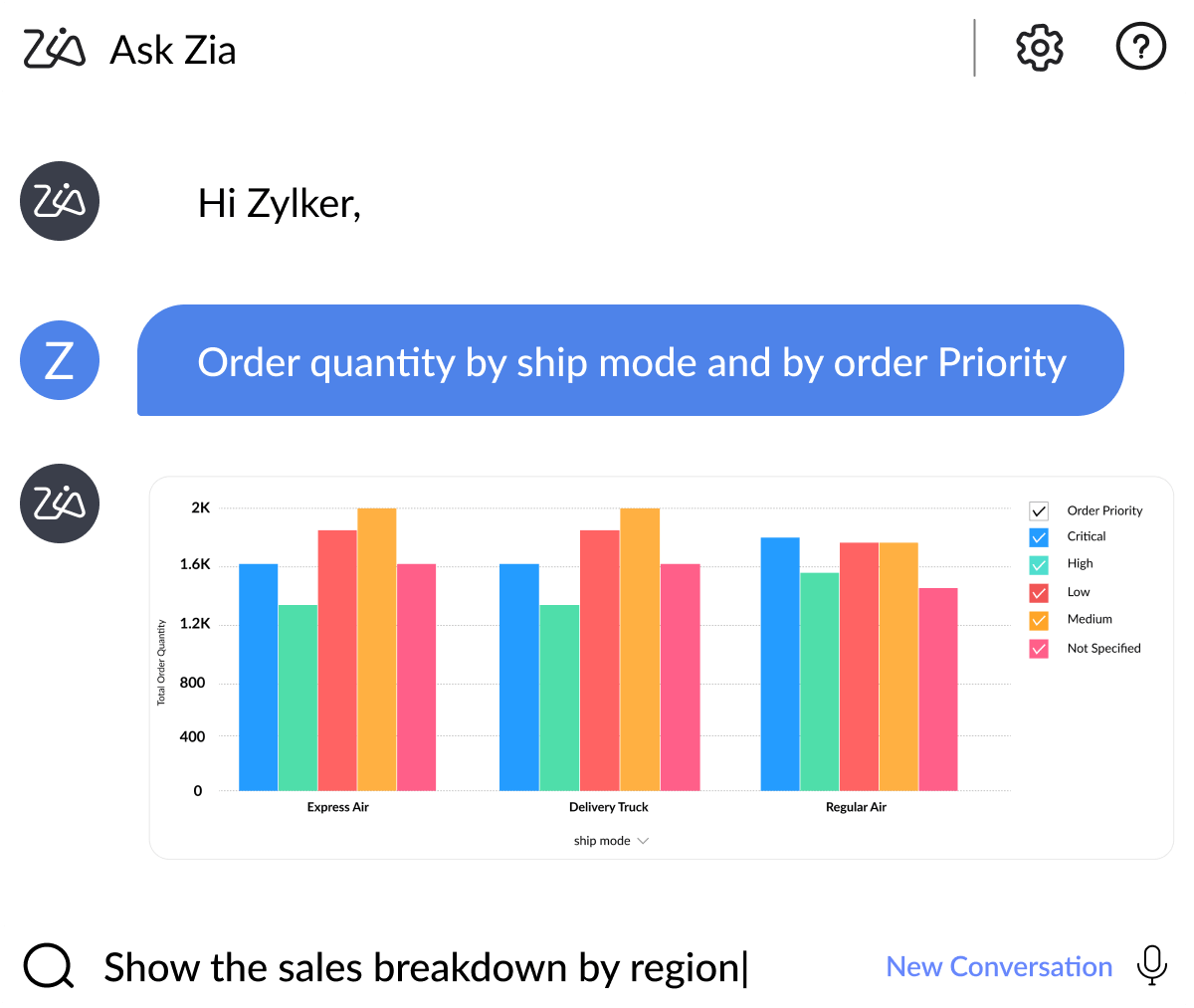
Ask Zia - Copilot for Data & Insights
Ask questions to Zia for instant insights and reports
Enable conversation mode for followup questions
Type or speak with Zia in multiple languages
Zia Insights
Get key insights from a report in just a click
Switch between textual and visual insights
Spend less time extracting insights, more on action
Diagnostic analytics
Perform root cause analysis with smart key driver analysis
Diagnosis offered contextually as you analyze any data
Available inside Zia Insights narratives
Predictive AI for advanced analytics
Use various AI forecasting models to predict future outcomes
Spot anomalies/outliers in your data and get notified with alerts
Perform what-if analysis, visualize data clusters, and more


The Ask Zia and Zia Insights features are so cool. I can ask for a specific agent name for their quarterly or monthly performance and get to see if their sales numbers are trending up or down, and from which geographic areas their sales are coming from. I can also dive into why they can't close deals in other areas and try to replicate the successful ones.
DSML Studio

Build your own custom ML model from scratch

Streamline your analytics workload with ML models

Create machine learning models using our no-code builder


More reasons why Zoho Analytics is the best alternative to Power BI
500+ Data Sources
From databases to cloud apps like Salesforce, Google Analytics, and Shopify, bring it all together in one place, no code required.
75+ Visualization types
From heat maps to funnel charts to geo visualizations, Zoho Analytics gives you all the chart types you need to go from raw data to real insights.
Easy collaboration
Invite teammates, annotate reports, and set access levels with ease. Zoho Analytics makes it simple to collaborate on reports & dashboards.
Prebuilt reports & dashboards
As soon as you connect a business app, you will get access to 100+ ready-made reports and dashboards for you to jump-start your analysis.
Embedded analytics
Get your AI-powered embedded analytics solution under your brand name. Focus on your core competency, gain a competitive edge, and accelerate time to market.
Security and governance
Analyze your data with peace of mind with enterprise-grade security. Our multi-layered security approach, makes us a trusted partner in your data journey.













Frequently asked questions
How hard is it to switch from Power BI to Zoho Analytics?
- Not hard at all. Most teams are up and running in days. Zoho Analytics supports importing your Power BI datasets and rebuilding dashboards with our easy drag-and-drop interface.
Will I lose my data or dashboards?
- No. Your data remains secure and accessible. While dashboards can't be auto-converted, you can easily recreate reports with similar or improved functionality (often with fewer clicks).
Why is Zoho Analytics the best Power BI alternative in 2026?
- With Zoho Analytic's user-friendly interface, integration with more than 500+ connectors, and pocket friendly pricing, it stands out as the best Power BI alternative in 2024. The advanced analytical capabilities, flexible deployment options, and advanced security make it a top choice for businesses looking for an easy, scalable, and customizable BI solution.
Can Zoho Analytics connect to the same data sources?
- Yes, and then some more. Zoho Analytics supports 500 data connectors, including databases, data lakes, data warehouses, business apps, and more.
What about user roles and permissions?
- You're covered. Zoho Analytics offers granular user-level controls, data sharing permissions, and role-based access.
Is Zoho Analytics secure and enterprise-ready?
- Absolutely. We're GDPR compliant, SOC 2 Type II certified, and support SSO, encryption, and IP restrictions. Big or small, your data stays protected.
What kind of support do I get during migration?
- You will get onboarding help, live chat, documentation, and even dashboard rebuilding support with the professional services program. We're here to make migration painless.
Is there a free alternative to Power BI?
- Zoho Analytics has a free plan that includes basic data analysis and reporting features, making it an excellent alternative to Power BI for users seeking an analytical tool with no cost. This option is perfect for individuals and small teams interested in exploring BI capabilities without an initial financial commitment.
How does Zoho Analytics compare to Power BI in terms of pricing?
- Compared to Power BI, Zoho Analytics offers a more budget-friendly pricing plan. The recent increase in Power BI's pricing - from $10 to $14 for Power BI Pro and from $20 to $24 for Power BI Premium Per User - has prompted many users to seek a more affordable yet equally powerful analytical tool.