- HOME
- Know Your Tech
- How to improve your student attendance management system
How to improve your student attendance management system
- Last Updated : March 2, 2026
- 623 Views
- 7 Min Read
How much time does your staff spend managing attendance each week? Between entering data into systems, calculating absence rates, and contacting parents, schools lose hours every day that could go toward actually supporting students.
Highlights
- Automated check-in methods like QR codes, RFID tags, and biometric systems eliminate manual roll calls and recording errors while speeding up daily attendance capture.
- Real-time dashboards transform attendance numbers into visual insights, helping schools spot trends, identify at-risk students, and track engagement patterns as they develop.
- Automated parent notifications send immediate SMS or email alerts when students are marked absent, improving family communication without additional staff work.
- Role-based access controls and encrypted storage protect sensitive student information while ensuring only authorized staff can view or edit attendance records.
- Mobile andoffline access lets teachers record attendance from any location using smartphones or tablets, with data syncing automatically when devices reconnect.
Automated attendance systems reclaim that time while improving accuracy and communication. Quick check-ins through cards or apps replace manual roll calls, real-time reports show trends as they develop, and automatic parent alerts keep families informed without additional staff work.
This blog post breaks down the essential features of an attendance management system. You’ll also learn tips to build custom workflows that match compliance requirements for protecting student data.
Top 7 features every student attendance system should have
Schools can use attendance management systems to spot patterns that indicate student engagement levels, identify students who may need additional support, and communicate with families about attendance concerns. Here are some must-have features that every modern student attendance system should offer:
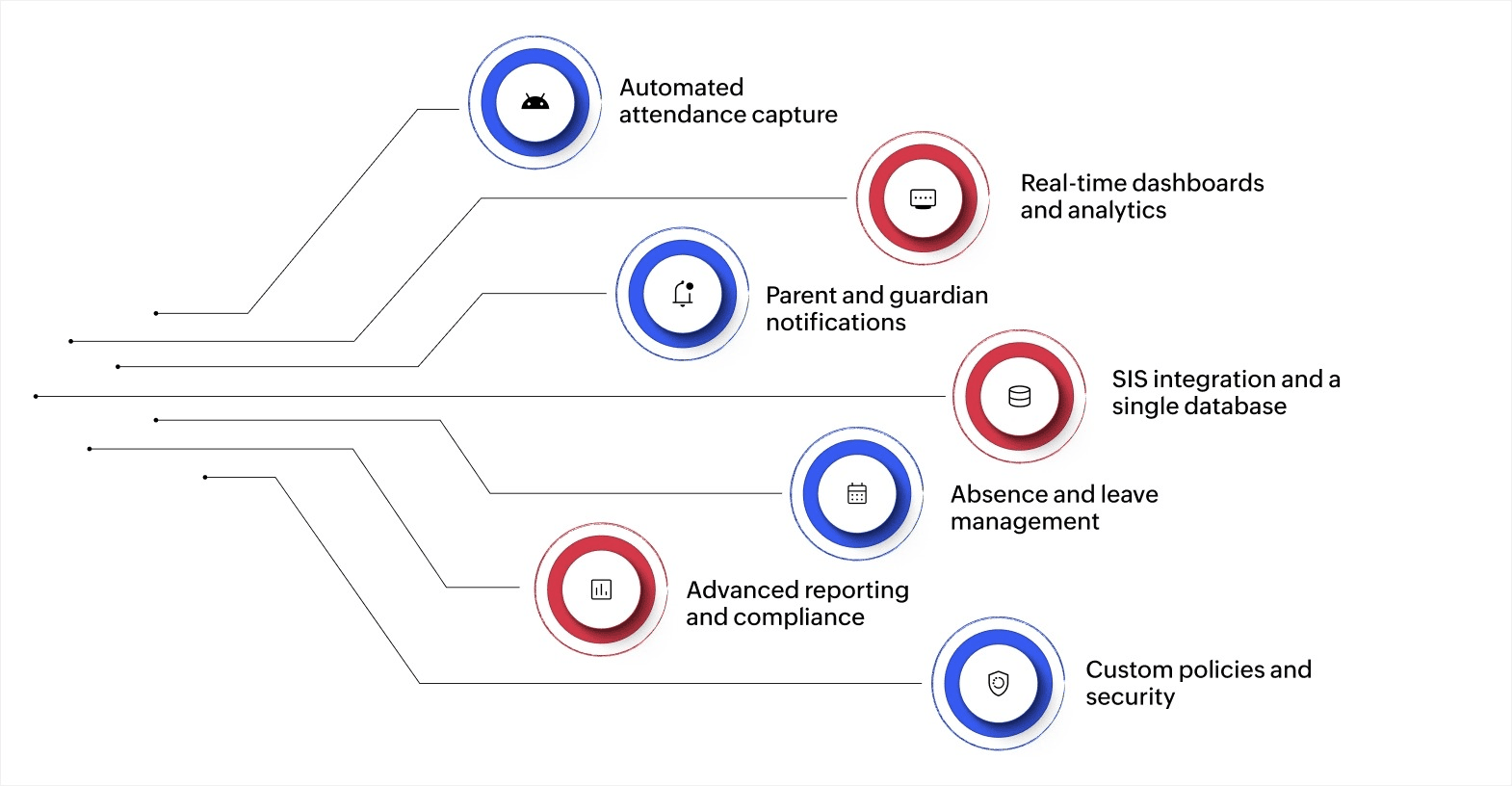
1. Automated attendance capture
Automated attendance capture simplifies the process of taking roll calls. No more stacks of paper or ticking off names one by one. Teachers can instantly mark students as present using a smartphone or web portal.
To make this even clearer, here’s how modern systems make life easier:
- Radio-frequency identification (RFID) or QR code ID cards: Students can tap RFID cards or scan QR codes at classroom entrances for quick, contactless check-ins.
- Biometric systems: Fingerprint or facial recognition scanners identify students automatically, ensuring only they can mark their own attendance.
- Syncs with class schedules: Systems sync with class schedules so attendance records attach to the correct session automatically.
- Offline mode: Offline mode allows recording without an internet connection, with data syncing once devices reconnect.
- Unique IDs prevent proxy check-ins: Unique student IDs prevent someone else from checking in for an absent student.
- Time-stamped records: Each check-in includes an automatic timestamp showing exactly when the student arrived.
2. Real-time dashboards and analytics
Attendance data is much more useful when it tells a story. Real-time dashboards change raw numbers into actionable insights that schools can use. They offer:
- Instant reports: Generate attendance summaries filtered by class, grade, or student.
- Live stats: Visual dashboards display real-time attendance trends, such as low attendance on particular days.
- At-risk alerts: Highlight students who need early intervention.
- Charts and alerts: Built-in visuals save time and reduce reliance on manual data entry and spreadsheets.
- Goal tracking: Monitor attendance targets like monthly objectives at a glance.
3. Parent and guardian notifications
Families want to know what’s happening, and modern attendance systems make that easy. These notifications keep everyone informed with the help of:
- Instant alerts: SMS or email notifications go out the moment a student is marked absent.
- Parent/student portal: Everyone can check attendance records anytime.
- Two-way communication: Parents can confirm absences or ask questions directly through the platform.
- Audit trail: All messages and responses are logged with timestamps for full transparency.
4. Student information system (SIS) integration with a single database
Attendance systems work best when they integrate smoothly with your SIS. Integration helps in:
- Automatic sync: Attendance gets updated directly in each student’s record.
- Single source of truth: A single database contains schedules, grades, and attendance records.
- Eliminate duplicate entries: No more updating multiple logs, as everything is in one place.
- Better oversight: Administrators can run reports combining attendance with performance or billing.
- Compliance-ready: Centralized records make generating required reports for regulators straightforward and efficient.
5. Absence and leave management
Absence tracking needs to capture why students are out and whether absences are authorized. This means handling leave requests, storing documentation, and routing approvals to the right people.
- Submission of online leave requests: Parents or students enter the reason and dates, attach notes, and assign for approval.
- Approval workflow: Admins can mark absences as excused or unexcused with a single click.
- Absence categorization: Systems distinguish between planned absences, medical leave, and family emergencies, maintaining clear records for each type.
- Notifications for follow-up: Counselors can be alerted if a student is repeatedly absent.
6. Advanced reporting and compliance
Attendance software simplifies reporting, giving schools the ability to harness:
- On-demand reports: Daily, weekly, or annual summaries can be filtered by class, grade, or teacher.
- Compliance templates: Built-in formats simplify state or district reporting.
- Trend analysis: Charts and graphs show seasonal dips or patterns.
- Gap identification: Filter data to spot students or grades that are lagging behind.
- Exportable data: Raw logs and summaries can be downloaded for analysis or archiving.
7. Custom policies and security
Schools have different rules, and modern systems let them set policies that fit. Here’s how customization and security make a difference:
- Custom attendance rules: Define class lengths, tardiness penalties, or excuse codes.
- User permissions: Control who can view or edit attendance.
- Data privacy: Records are encrypted, backed up, and compliant with regulations.
- Localization: Supports local languages, calendars, and time zones.
- Integrations and APIs: Connect with other school systems for a smooth workflow.
Once your system has the right features in place, the next step is knowing how to use that data to support student success.
Also read: Why your school needs a classroom management glow up
How to use attendance data to identify students who need support
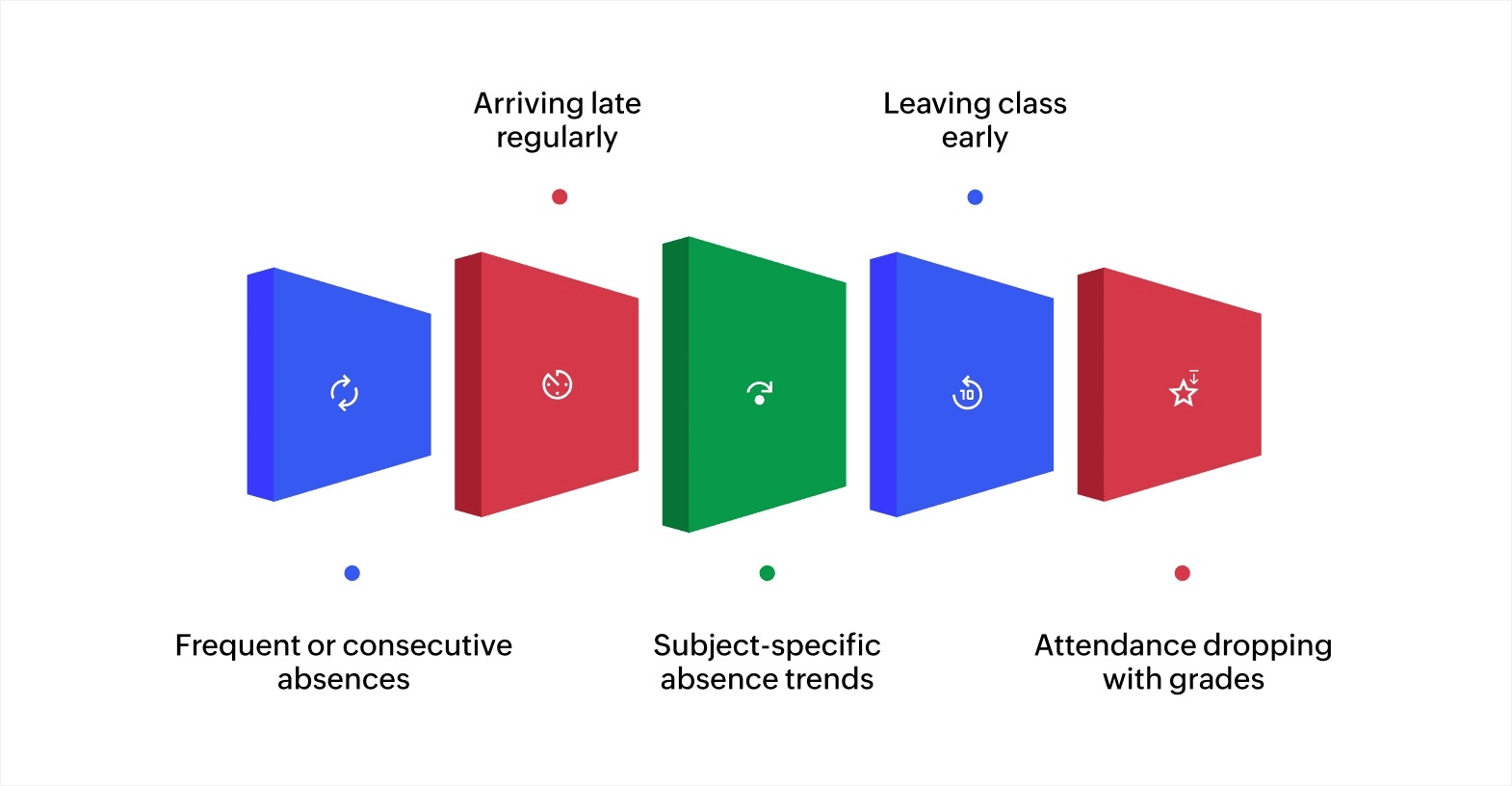
Attendance patterns can show which students might be struggling before grades start to drop. Missing classes regularly, consistency arriving late, or skipping specific subjects often indicates academic challenges, social issues, or family situations that need early attention.
Here are the key patterns to watch:
- Frequent or consecutive absences: Students missing several days in a row may be avoiding school due to learning difficulties, social problems, or challenges at home.
- Arriving late regularly: Students who show up late consistently might face transportation issues, struggle with morning routines, or have time management difficulties.
- Subject-specific absence trends: Students who attend most classes but skip certain subjects may find that material especially hard or feel disconnected from how it's taught.
- Leaving class early: Students who exit before sessions end could be disengaged with the content, struggling to focus, or dealing with health concerns.
- Attendance dropping with grades: Students whose class participation decreases alongside academic performance show a clear link between showing up and achievement.
Review attendance data weekly rather than waiting for semester reports. Spotting these patterns early lets you contact students and families with specific concerns, creating focused conversations and targeted support plans.
Best practices to stay compliant and keep student data safe
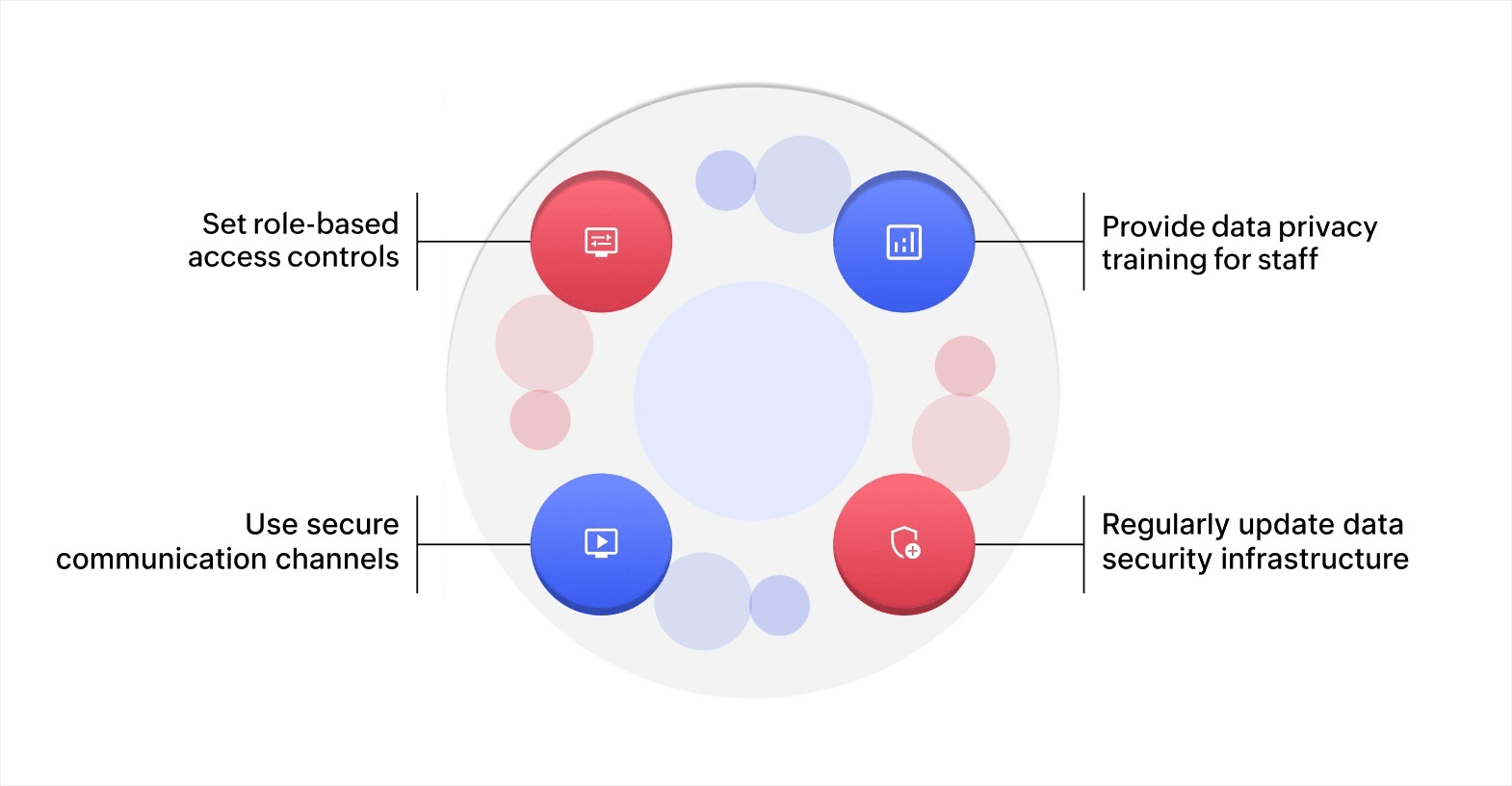
Keeping student data safe is a legal requirement. Schools have a responsibility to protect sensitive information while following strict data protection rules. Here’s how you can make sure your student data stays secure and your school stays compliant:
Set role-based access controls
Assign staff access based on their responsibilities. Teachers might need grades and attendance info, but not personal records. For example, a counselor may only need behavioral records, while an administrator may need broader access.
Use your student management system to set up access controls and review permissions regularly as roles change.
Provide data privacy training for staff
Ensure that teachers, administrators, and IT staff are aware of your school’s privacy policies. Show them how to recognize phishing, handle data securely, and dispose of sensitive documents properly.
You can offer regular workshops, webinars, or online courses to keep staff updated on best practices and regulations.
Use secure communication channels
Use an encrypted email for sending sensitive data to parents or authorized parties. For internal communication, use platforms that comply with privacy laws, ensuring data isn’t stored in unsecured places.
Select communication tools that meet your privacy requirements, and train staff on how to use them safely.
Regularly update your data security infrastructure
Keep all software, including your student management system, up to date with the latest patches. Use strong firewalls and antivirus tools to prevent unauthorized access and malware.
Schedule regular security audits, software updates, and system checks with IT or a trusted IT provider to maintain the security of your infrastructure.
Also read: Your guide to effortless attendance management for students and employees
Create attendance management systems that fit your workflow
Manual attendance tracking involves entering data into spreadsheets, maintaining paper records, and updating multiple systems separately. Your staff handles the same information several times, you can't see patterns across the organization easily, and mistakes happen when data is transferred between platforms.
Zoho Creator is an AI-powered, low-code app development platform that helps you build custom attendance management systems tailored to your specific needs. You can design workflows that align with your policies, automate repetitive tasks, and integrate attendance data with other systems.
Start with the ready-to-use attendance management template, then customize everything to fit your requirements. You can set up approval workflows that automatically route leave requests to the right staff members. Configure automated notifications that alert you when students reach the absence thresholds you define.
Ready to simplify attendance tracking and gain better insights into student engagement? Start your 15-day free trial and see how quickly you can build a custom system that fits your school's needs.
FAQ
1. What is an online student attendance management system?
An online student attendance management system is a digital tool that helps schools, colleges, and universities track student attendance. It automatically records when students attend classes, both in person and online, and stores the data for easy reference.
2. Can attendance be tracked in asynchronous online classes?
Yes. For asynchronous classes, you can track attendance by monitoring student engagement, such as submitting assignments, participating in discussion boards, or completing quizzes within a specified time frame.
3. How do I handle students who consistently mark attendance but don't participate?
Track active participation through metrics like comments, questions, or quiz responses. Set clear expectations and follow up with students who are logged in but not engaging.
4. Can I integrate attendance data with other academic systems?
Yes. Most modern systems can be integrated with student management or grading platforms. This enables you to correlate attendance with performance, spot trends, and identify students who need extra support.
5. How can I handle attendance for students in different time zones?
Set flexible attendance windows or use asynchronous methods like recorded lectures and timed assignments, allowing students to participate at a time that works for them.
 Merlin
Merlin is our in-house digital workplace content specialist. She spends part of her days combining her passion for writing with marketing. The rest of her time is spent reading manga, battling friends in online games, and discovering new music.