- HOME
- Contract Management
- How to automate contract approvals without bottlenecks
How to automate contract approvals without bottlenecks
- Last Updated : August 6, 2026
- 82 Views
- 6 Min Read

The handshake is done. The customer is ready. The document has been floated.
Then nothing. The contract lands in an inbox, waits on a stakeholder who was never briefed, and sits in an approval chain with no clear owner. The customer follows up. The sales specialist knows it’s stuck. All they can do is ask for more time. This isn’t a rare situation. It’s the default one.
Research from World Commerce and Contracting found that the average contract takes 3.4 weeks to move from draft to signature, and a significant share of that delay happens during internal approval, not negotiation with the counterparty.
This piece walks through why approval bottlenecks form, what a working process looks like, and how to automate contract approvals so they move at the speed the business needs.
Key takeaways
Different contract types ask for different approval paths.
A structured approval process brings consistency and traceability.
Slow contract approvals are a process problem, not a people problem.
Contract approval software closes the gaps: It routes, gates, alerts, delegates, and records approvals on its own.
What is a contract approval process?
A contract approval process is the internal review a contract goes through before it’s executed. It ensures that the right people have seen the agreement, assessed the risk, and confirmed that the terms are acceptable before the organization commits to them.
It’s one of the most scrutinized stages in contract management, since it’s where risk gets caught before a signature makes anything official.
How contract approval workflows typically work
When a contract is submitted for review, it routes to the first approver, who either approves it, rejects it, or sends it back with changes. Once approved, it moves to the next approver until everyone required has signed off.
The path depends on the contract type. Different contracts need different approvers, reviewing in a defined order that’s set in advance.
When this works well, the process is invisible. When it doesn’t, the contract stalls and everyone spends more time chasing than reviewing.
Why a structured approval process matters
A clearly defined structure changes outcomes at every stage of approval. This is because approval routing stays consistent; the same contract type always moves through the same approvers in the same order. This keeps approvers reviewing only what falls within their scope, reducing errors and bringing consistency in the process.
Structure also brings accountability. Each approval traces back to a specific person and It never disappears into a shared inbox once it’s done.
Common bottlenecks in manual contract approvals
The first is unclear approval routing.
At its core, this comes down to a contract type that was never broken down to define exactly who should approve it. Without that, a contract can end up with the wrong person, or simply take longer to reach the right one because nothing set the path in advance.
The second is serial dependency.
When approvals are stacked one after another, a single unavailable approver stops everything behind them. One person out of the office or one notification missed is enough to freeze the chain.
The third is dependent reminders.
After a deadline is set, it’s often the contract owner’s responsibility to track every approver’s due date themselves and follow up manually one email and one person at a time. This effort can compound with multiple contracts moving at once because each one needs its own separate chase.
The fourth is a visibility gap.
Beyond not knowing where a contract sits, there’s often no way to tell whether it has even been opened or viewed by the approver holding it up. The only way to find out either way is to ask directly.
How to automate your contract approval workflow
Manual approvals don’t fail because anyone is careless. They fail because the process was never built to carry the load on its own. Automating them the right way means letting the system handle the coordination, so people are left with the decisions that need actual judgment.
This starts with mapping. Pick one contract type and walk it backwards from execution, who approved it, and what would have stopped it if that person had been unavailable. That alone usually surfaces the gaps: undefined steps, approvers no one is sure about, and points where contracts quietly stall.
The points below cover what a mapped workflow actually does once it’s running.
Route workflows by contract type
Once the map exists, it goes into the system. Each contract type gets its own approval path defined in advance, so the moment a contract is submitted it moves to the right people without anyone deciding where it goes.
Choose between sequential and parallel
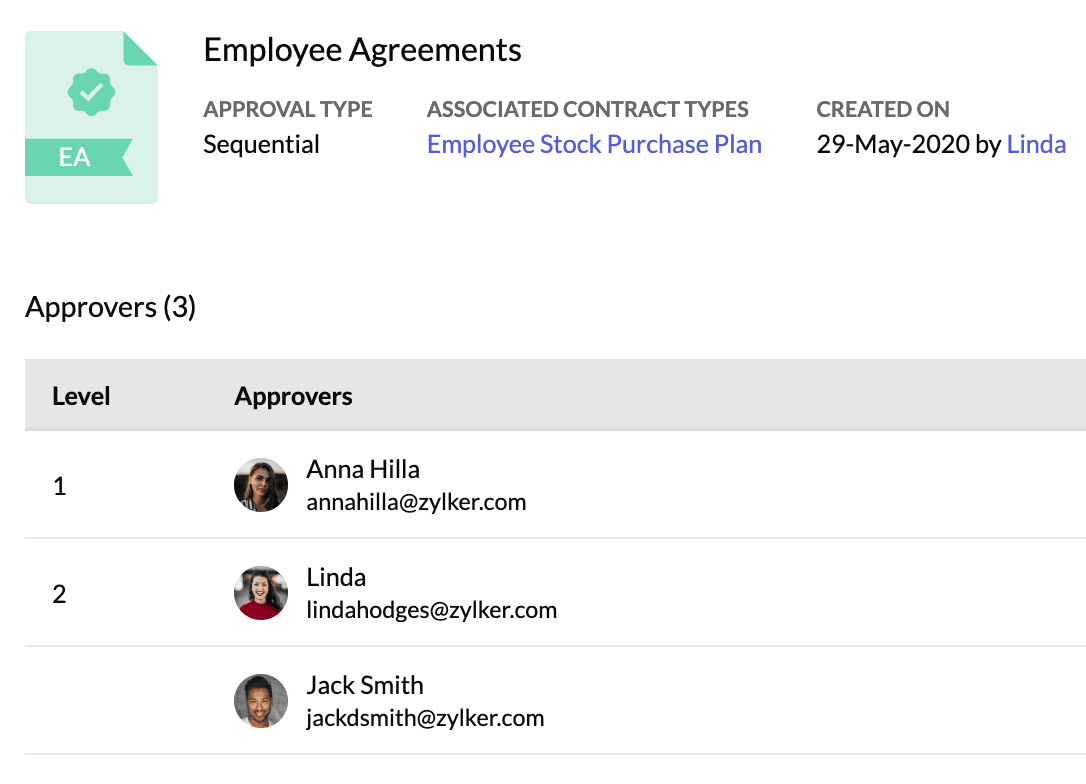
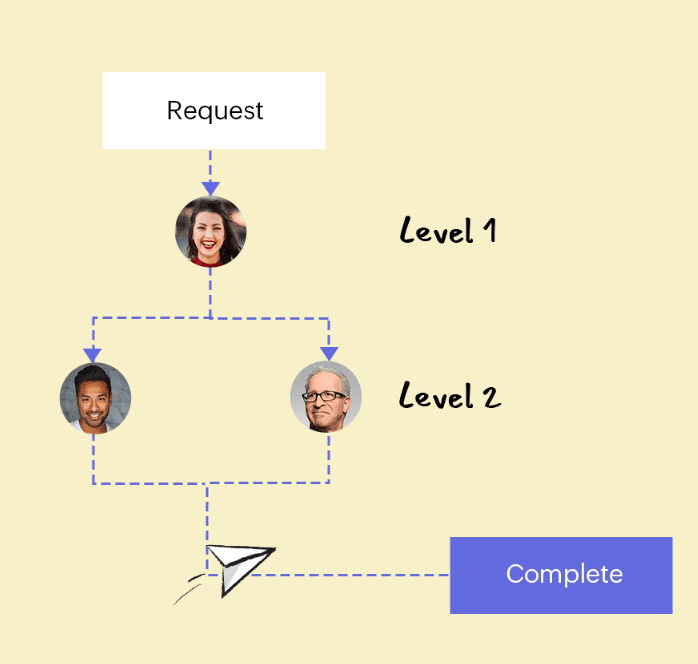
In a sequential workflow, there are multiple levels of approval. Within each level, you can have multiple approvers. However, you only need one of the approvers to approve the contract for it to move forward.
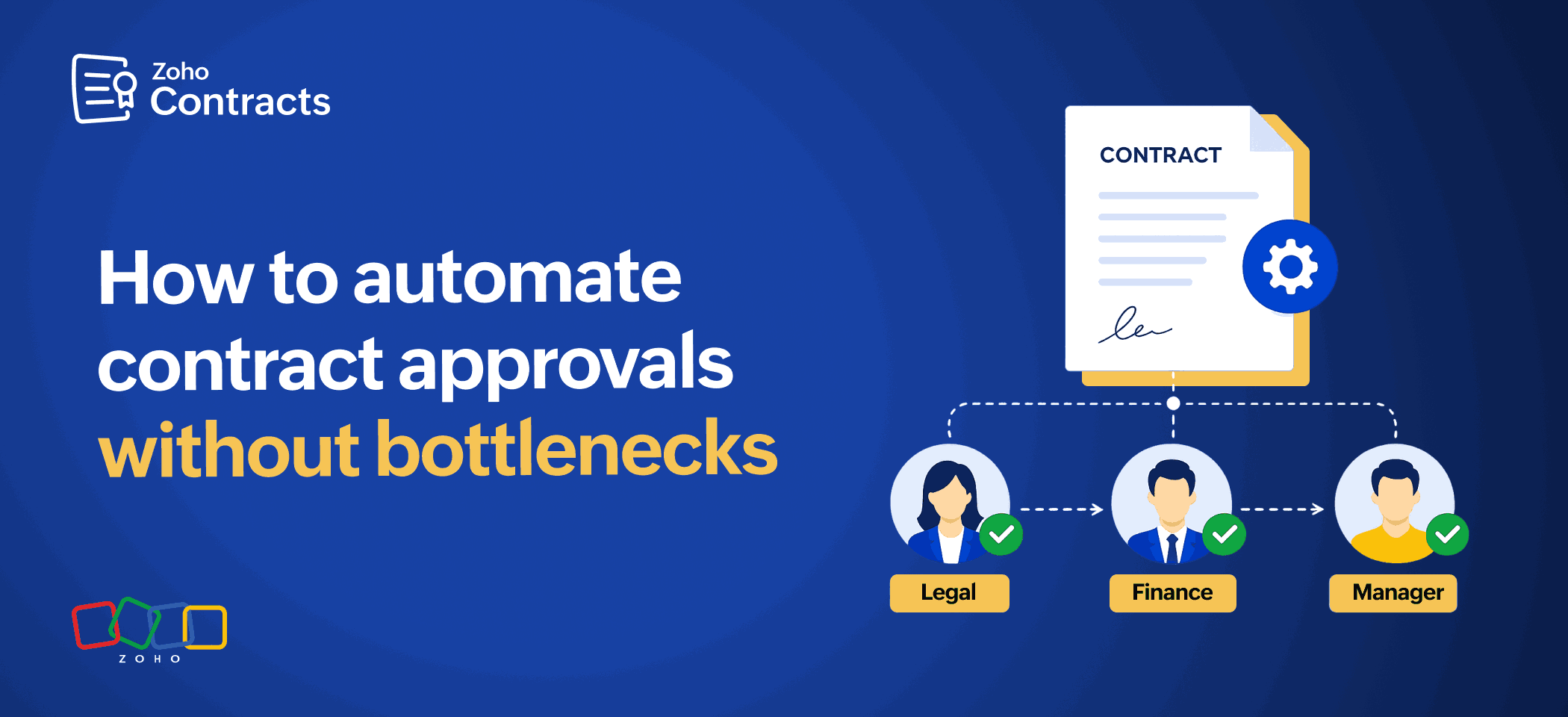
A parallel workflow is different. Each approver represents a distinct role, such as legal for risk or finance for terms, and none can substitute for another. All of them have to sign off before the contract can proceed.
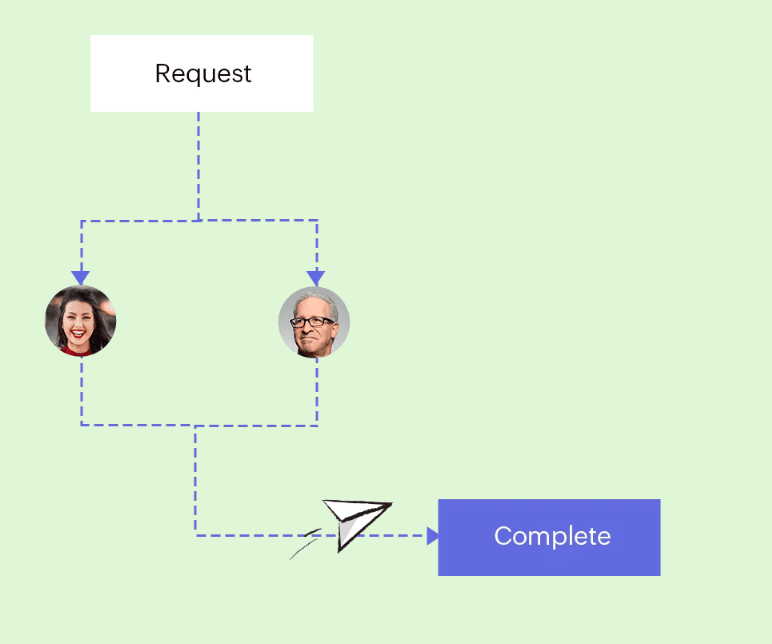
See how approval workflows are built in Zoho Contracts.
Build approval gates
Flagging a risky clause should prevent a contract from moving forward. In a manual process, though, there’s no clear stopper enforcing that. Nothing actually keeps the contract from advancing while the concern sits unresolved. A built-in gate prevents an approver from signing off while comments remain open. Every issue raised has to be addressed before the process advances, so a critical clause cannot slip through unnoticed.
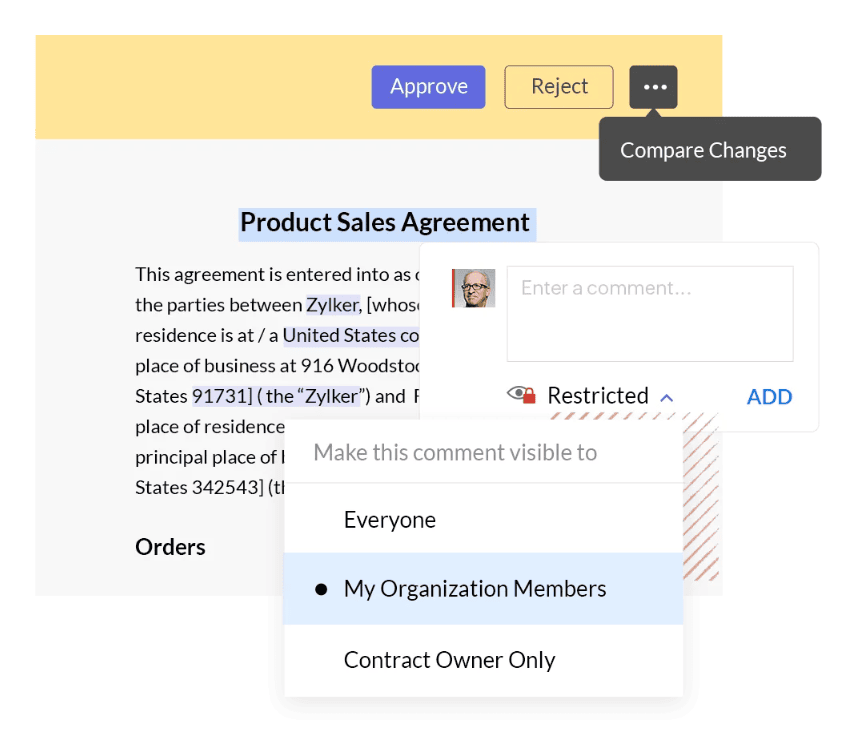
Ensure availability and course correction
Availability is always a risk but it doesn’t have to stop things. If an approver cannot act, they can pass the review to another member by delegation. If something changes before a decision is reached, the contract owner can recall the approval request and make the correction.
If the contract is rejected instead, the owner can review each comment left by the approver, edit the draft to address them, and resubmit it for approval. However, the process restarts because the new language needs to be confirmed by all approvers again.
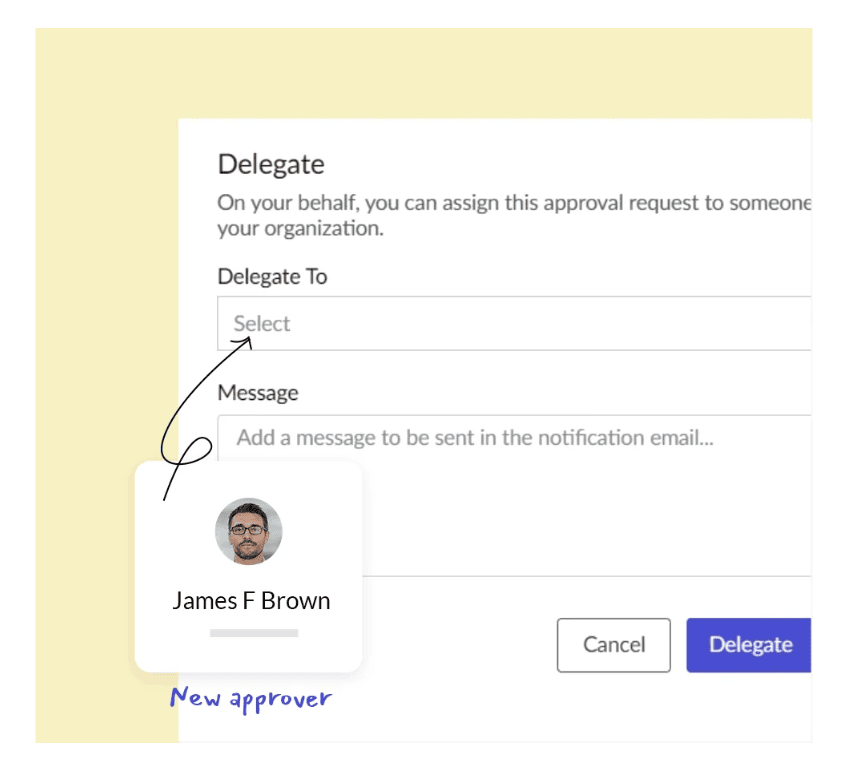
Enable smart alerts
Waiting to find out if a contract has been approved or rejected shouldn’t require a follow-up. The moment a contract is submitted, approvers are notified automatically. If a decision is taking longer than expected, the contract owner doesn’t have to email each approver individually; a reminder can be sent directly instead. The contract owner is also updated the moment a decision is made, whether it’s approved, rejected, or recalled, so they don’t have to ask where things stand.
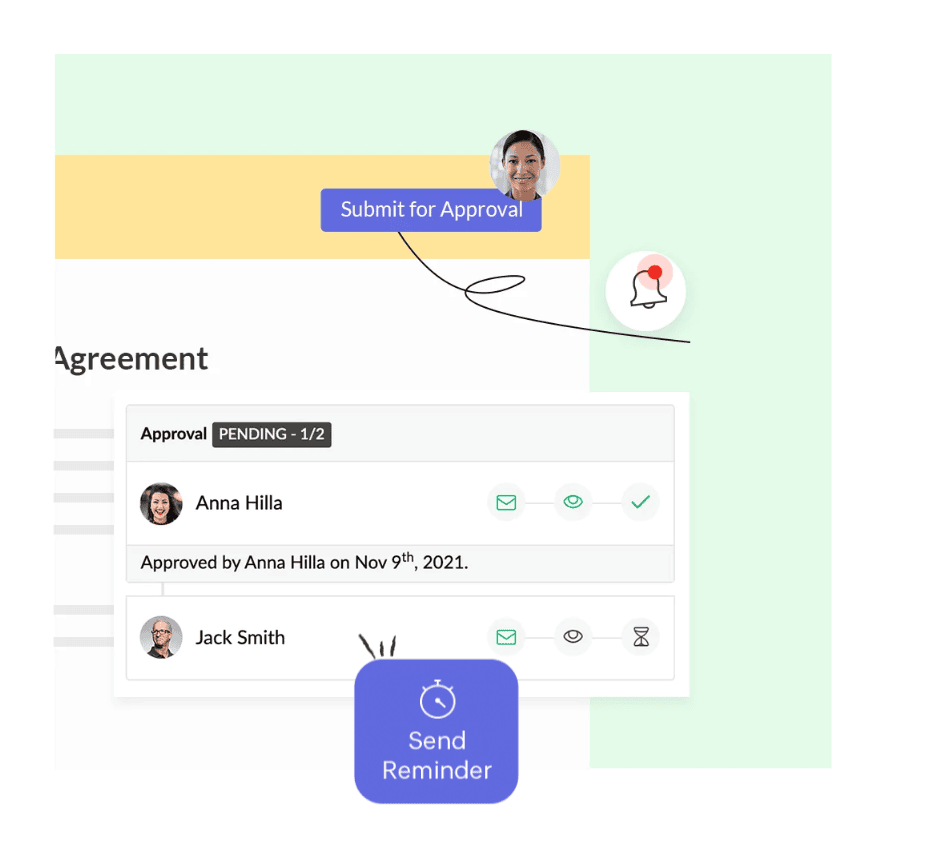
Track approval activity
By recording every submission, approval, view, rejection, and recall the moment it happens, a contract owner doesn’t have to go through the manual chase process or wait on a reply, they can just check the contract’s activity to stay updated.
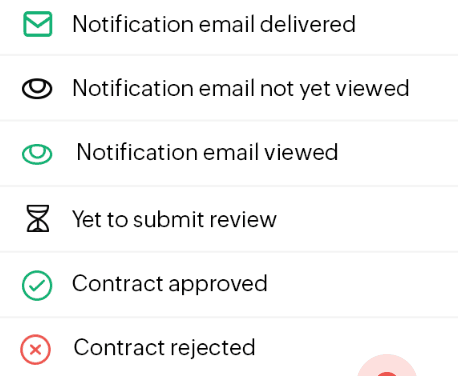
Modern contract approval software ties together routing, gates, delegation, alerts, and a full activity record into a single process that runs on its own. In most cases, it comes bundles as part of a broader contract lifecycle management offering.
Zoho Contracts: Contract approvals without the bottlenecks
The fix isn’t chasing harder. It’s building a contract approval workflow that moves on its own, routes to the right people, flags what needs attention, and keeps a record of everything without anyone having to manage it manually.
Zoho Contracts is built to do exactly that. Start your free trial or book a demo to see how it works for your team.
FAQ
What causes contract approval delays?
Most delays trace back to a small set of recurring problems rather than how carefully anyone reviews a contract. Unclear routing, a single approver being unavailable, reminders that depend on one person to chase manually, and no way to confirm whether a contract has even been opened are the most common causes.
What’s the difference between a sequential and a parallel approval workflow?
A sequential approval workflow moves one level at a time, and each approver only sees a contract once the person before them has cleared it. A parallel workflow notifies everyone at once because each approver is usually accountable for a different concern rather than one level double-checking another.
Do you need an approval process for every contract?
No, not always. Routine contracts with low risk are often sent straight for negotiation without an internal review first. Approval steps are usually reserved for contract types where that internal check really matters.
Who’s usually involved in approving a contract?
It depends on the type of agreement. A routine contract may only need one internal reviewer, while a higher risk or higher value agreement often needs sign off from legal, finance, and sometimes leadership before it moves forward.
How does Zoho Contracts take care of the approval process?
Every contract type gets its own defined approval path, so routing is never decided on a case-by-case basis. Approvers cannot sign off while a flagged concern is still open, and if someone is unavailable, they can delegate their review. Contract owners can also recall their approval requests if needed. Reminders can be sent directly instead of chasing approvers by email, and every submission, view, approval, rejection, and recall is logged automatically, so the status is always visible without asking.