Workflows, webhooks, and zero manual work: Your webinar operations, on autopilot

Running a webinar is never just about going live. There's the flurry of registrations to track, attendees to follow up with, recordings to share, CRM records to update, and somehow, all of this has to happen on time, every time. Until now, most of it was manual.
We're excited to announce that Workflow Automation is now live in Zoho Webinar, and it fundamentally changes how your team operates before, during, and after every session. Whether you're running product demos, training programs, or large-scale virtual events, automation puts the routine on autopilot so your team can focus on what actually matters: delivering exceptional webinar experiences.
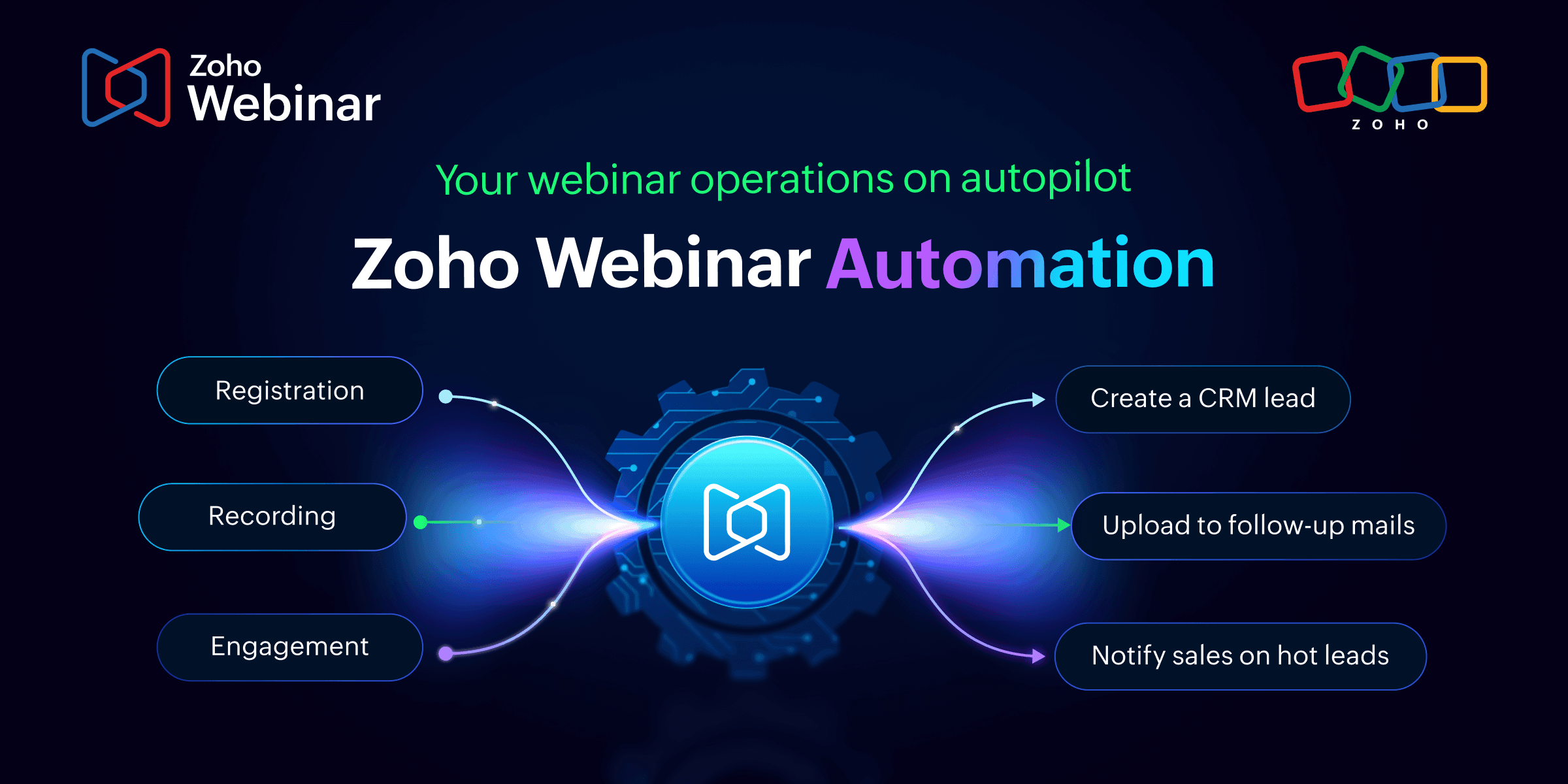
What is Workflow Automation in Zoho Webinar?
At its core, Workflow Automation lets you define what should happen when a specific event occurs in your webinar, without writing a single manual process each time. You choose a trigger (like a new registration or a webinar ending), set optional conditions to narrow when the rule applies, and define an action to execute, instantly or on a schedule.
It takes four steps to set up:
Name your workflow: Give it a clear title and description
Set a trigger: Choose the event that kicks everything off
Add a condition: Optionally filter to specific subsets of records
Define an action: Run a webhook or a custom Deluge function
Triggers across the entire webinar lifecycle
One of the most impressive things about this release is the breadth of trigger coverage. Zoho Webinar’s automation isn’t limited to one moment in your webinar, it spans five modules that mirror exactly how a webinar unfolds.
Webinar: Automate around the webinar itself: When it’s created, updated, cancelled, started, or ended.
Registration: Certain actions fire the moment a new registration comes in.
Attendees: React in real time when an attendee joins the session or is removed.
Recording: Trigger workflows when a recording is uploaded, a transcript is generated, or a summary is added.
Engagement: Respond when poll responses come in during a live session.
This lifecycle-wide coverage means there’s no gap in your automation story. Every meaningful moment in a webinar can now trigger a downstream action.
Who is this built for?
Workflow automation in Zoho Webinar is a game-changer for any team that runs webinars regularly and finds themselves doing too much manual work around them.
Marketing teams can eliminate repetitive registration follow-ups, sync leads to CRM automatically, and ensure that no prospect falls through the cracks after a session ends.
Customer success and training teams can automate post-webinar recording delivery, send session transcripts to attendees, and trigger onboarding sequences based on who attended.
Sales teams running product demos can auto-create deals or tasks in their CRM the moment a registration is confirmed, and send tailored follow-ups based on attendee engagement.
HR and L&D teams hosting internal training programs can automate completion notifications and push transcripts to their LMS or knowledge base.
Event managers running multi-session programs can set up reusable, condition-driven workflows once and have them work consistently across every event.
Real-world use cases: What you can actually do
Here’s where things get exciting. Let’s walk through what this looks like in practice.
Instant CRM sync on registration
A prospect registers for your webinar. The moment that happens, a webhook fires to your CRM (such as Zoho CRM, HubSpot, Salesforce) with the registrant’s details, creating or updating a contact record automatically. Your sales team knows about every new lead in real time, without lifting a finger.
Instant Slack notification when a registrant joins
Using a webhook, you can push a real-time notification to a Slack channel the moment an attendee joins your session. Your team stays informed without watching a dashboard.
Instant Actions vs. Scheduled Actions: Timing is everything
Zoho Webinar gives you two timing options for every action, and knowing when to use each makes your workflows significantly more effective.
Instant Actions fire the moment the trigger condition is met. Use these for real-time integrations, notifying a Slack channel, pushing data to a CRM, or executing logic as a webinar starts or ends.
Scheduled Actions run at a defined interval after the trigger: minutes, hours, days, weeks, or months. Use these for reminders before a session, follow-ups after it, or drip sequences over time. A single workflow can chain multiple scheduled actions, such as a 1-hour reminder, a 24-hour follow-up, and a 7-day re-engagement nudge, all from the same trigger.
Connect anything with webhooks
Every action in Zoho Webinar can be a webhook, an instant HTTPS POST or PUT request to any external URL. This means your webinar can talk to virtually any third-party system that accepts web requests: Zapier, Slack, your internal APIs, marketing platforms, ticketing systems, and more.
Go further with Custom Functions
If webhooks are the bridge to external tools, Custom Functions are the engine for internal logic. Written in Deluge, Zoho’s scripting language, custom functions let you manipulate data, update records across Zoho apps, calculate values, or call any external API programmatically.
Can’t find a pre-built function for your use case? Write one from scratch directly inside the workflow builder using the built-in code editor. The flexibility here is real; this isn’t a no-code-only solution. It’s built for teams that occasionally need to go deeper.
The bigger picture: Less admin, better webinars
The real promise of workflow automation isn’t any single use case, it’s the cumulative effect of removing friction across your entire webinar operation. When registrations sync automatically, when follow-ups go out on time every time, when your recordings reach attendees without anyone pressing send manually, your team reclaims hours every week. More importantly, your attendees experience a polished, responsive journey that reflects well on your brand.
This is the kind of infrastructure that separates occasional webinar hosts from organizations that use webinars as a genuine growth channel.
Get started today
Workflow Automation is available now in Zoho Webinar. Head to Settings → Automation → Workflows in your account to create your first workflow. The setup is guided, the logic is visual, and you can be live with your first automation in under ten minutes.
The routine work has always been the part that slowed you down. Now it’s handled.
Have questions about setting up your first workflow? Visit our help documentation or reach out to support@zohowebinar.com, we’re here to help.
Comments