Introducing Accessibility Controls in Zoho Vault

At Zoho Vault, we believe in security for everyone. Our commitment to accessibility goes beyond compliance; it's about empowerment. We strive to provide an intuitive and inclusive web experience, ensuring that every user can protect their online identity with ease and confidence. While we continuously enhance accessibility across all platforms, this blog post focuses on how we’re breaking down digital barriers within Zoho Vault on the web.
What is WCAG, and why does it matter?
The Web Content Accessibility Guidelines (WCAG), developed by the World Wide Web Consortium (W3C), set the global standard for digital accessibility. These guidelines aren't just recommendations; they're a lifeline for millions. Created in collaboration with disability advocacy groups, government agencies, and accessibility researchers, WCAG ensures that websites and applications cater to diverse needs.
WCAG provides three levels of conformance: A, AA, and AAA. Think of these as stepping stones toward true digital inclusivity, with Level A covering basic accessibility, Level AA (which Zoho Vault adheres to) ensuring strong usability, and Level AAA setting the highest possible standards. Our journey toward inclusivity doesn’t stop at AA compliance—we're committed to going even further.
How Zoho Vault makes security accessible for everyone
Our goal at Zoho Vault is to provide an effortless security experience for everyone, including individuals with disabilities. We've implemented a range of accessibility features to remove barriers and improve usability across our platform. Here’s how we’re making security easier and more inclusive.
Seamless navigation with screen readers
For visually impaired users, navigating a digital space shouldn’t be a struggle. That’s why Zoho Vault is fully compatible with all major screen readers. Our intuitive interface ensures users can comprehend on-screen information effortlessly. Whether you’re logging in, managing credentials, or sharing secure data, every function is accessible without barriers. We designed Zoho Vault to be not just seen, but heard—so you always know where you are and what actions you’re taking.
Personalized font adjustments
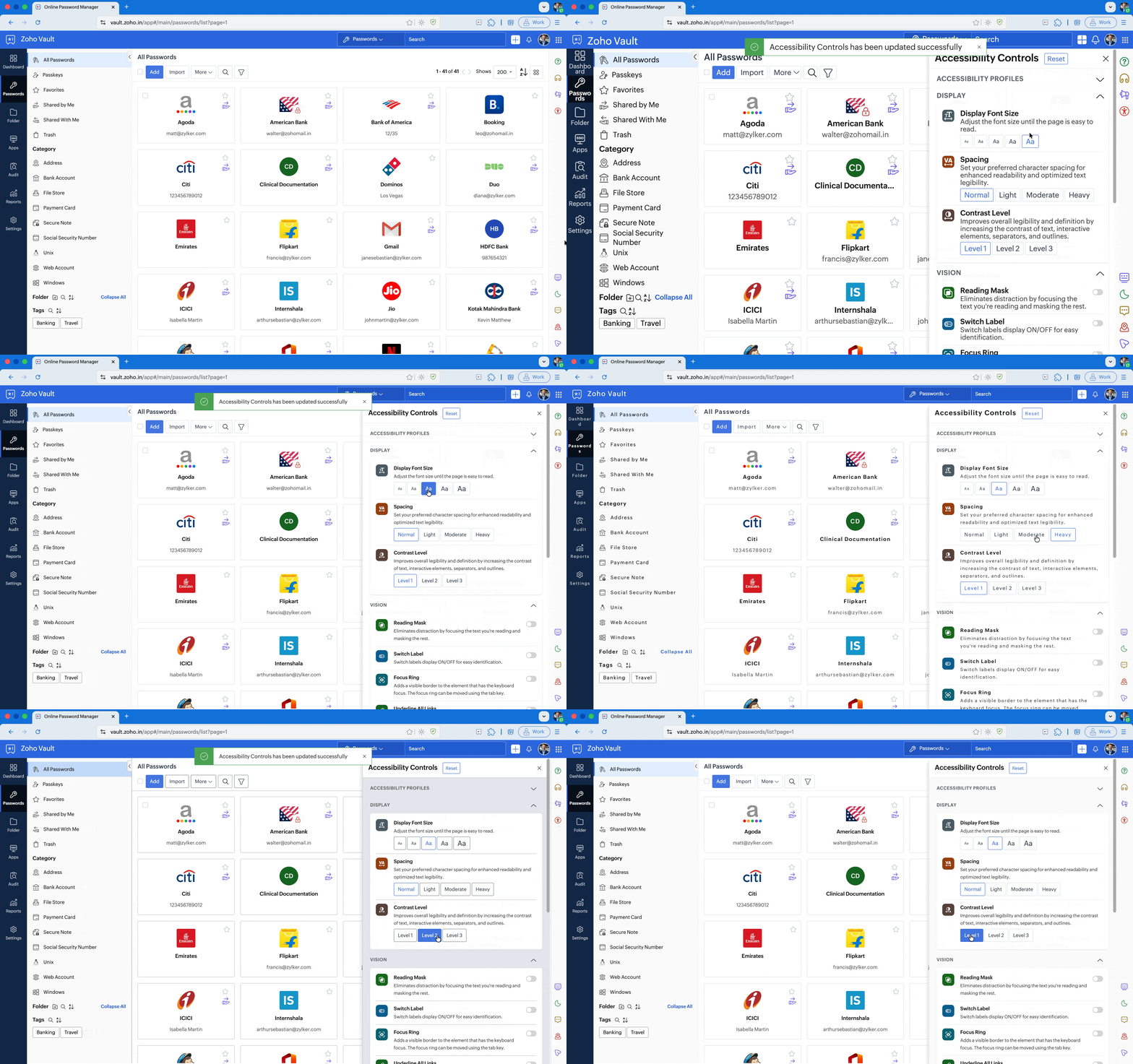
Your security experience should be as comfortable as it is safe. Zoho Vault lets you tailor font size, character spacing, and contrast levels to your exact visual needs. Whether you prefer bold, high-contrast text for enhanced readability or need to fine-tune spacing for better clarity, you can customize your interface so your experience feels natural, not forced.
Focus without distractions
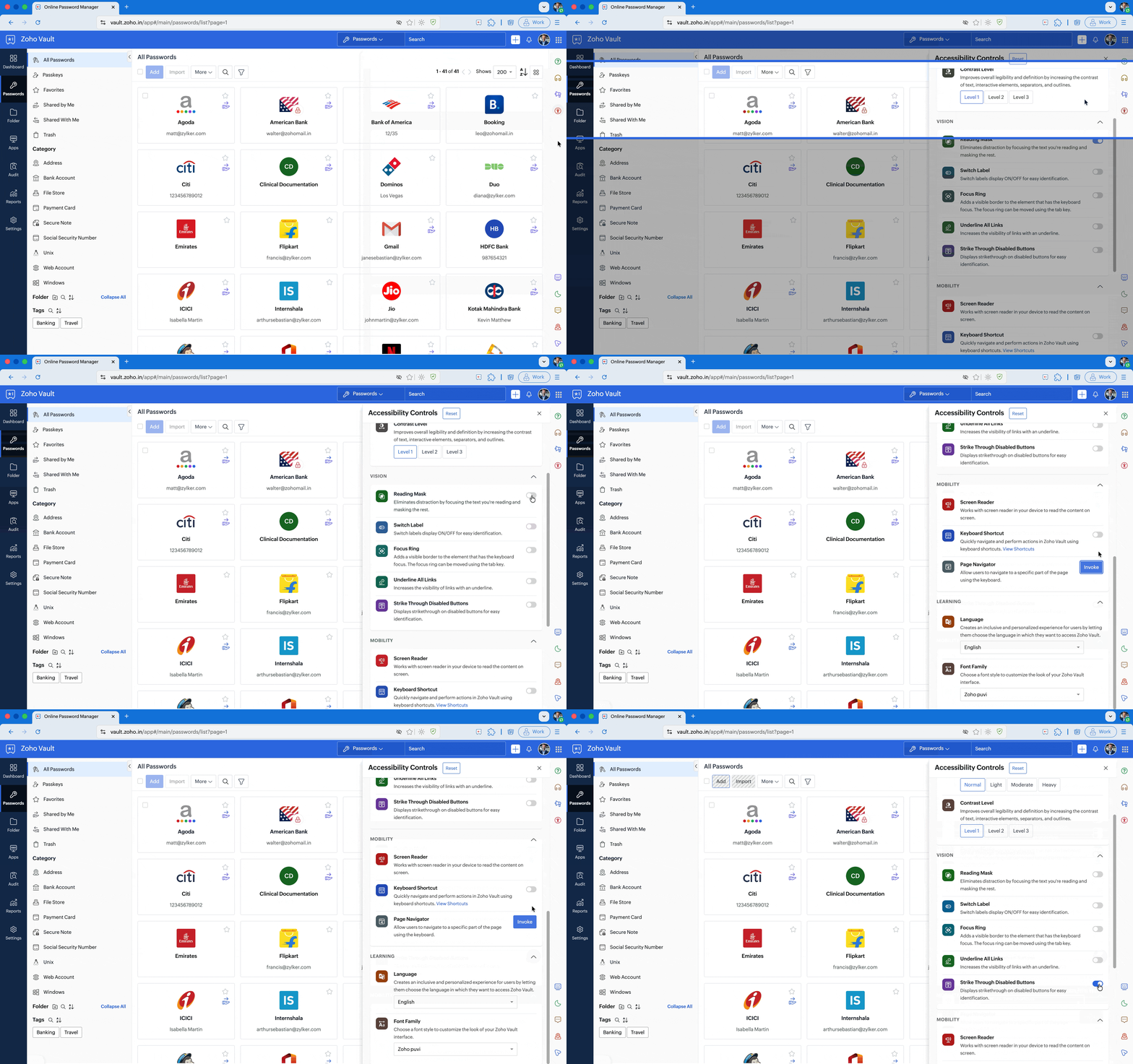
Too much clutter can make it hard to focus, especially for users with cognitive or visual impairments. Zoho Vault introduces a reading mask to highlight specific text, reducing distractions and enhancing concentration. A focus ring highlights the focused element with a visible border, helping you navigate efficiently. And to eliminate uncertainty, disabled buttons are now visibly marked with a strikethrough, so you’ll never have to wonder whether an option is active or not.
Clear visual cues with switch labels and underline links
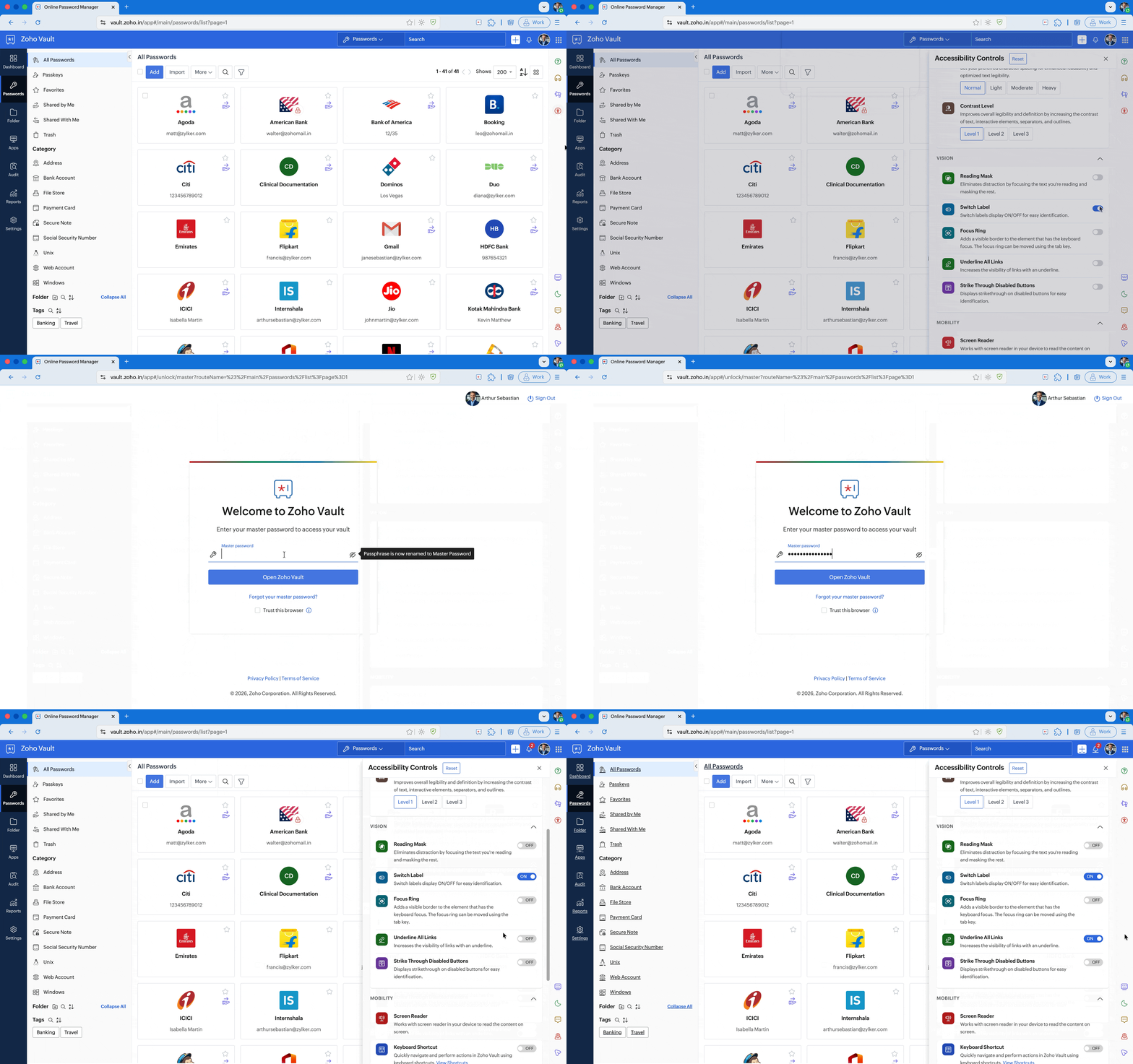
Confusing toggle switches and hidden links create unnecessary obstacles. Zoho Vault simplifies this with clear, descriptive switch labels—every toggle is explicitly marked ON or OFF to eliminate ambiguity. Plus, every hyperlink is underlined, ensuring that clickable links are unmistakably clear. No more second-guessing where you need to click or how to make changes.
Breaking language barriers
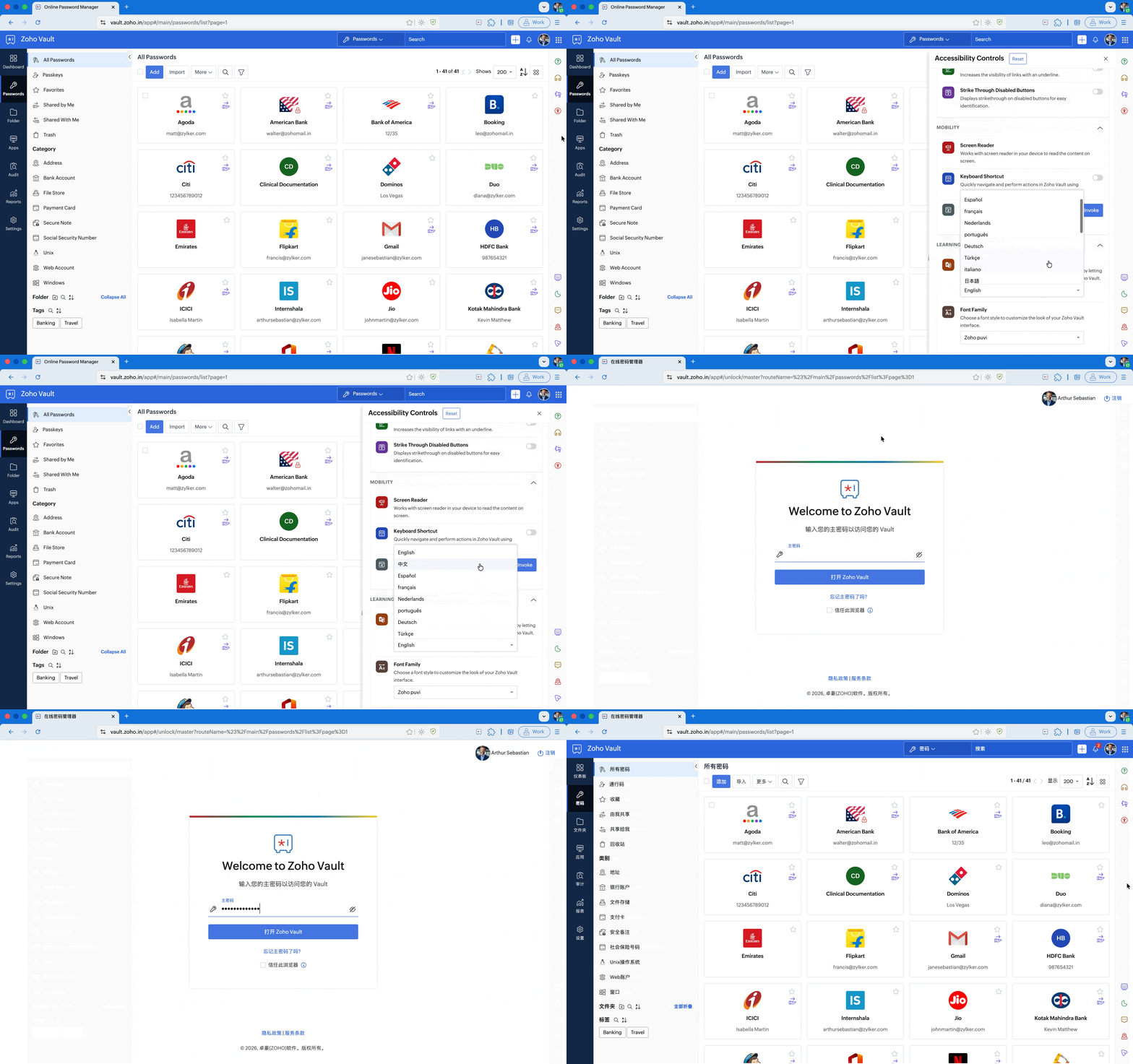
Security should feel like home, no matter where you are. Zoho Vault offers multiple language options, allowing you to use our platform in the language that feels most natural to you. Whether you’re protecting sensitive information in English, Spanish, or another language, you can navigate Zoho Vault with ease.
Boost productivity with keyboard shortcuts
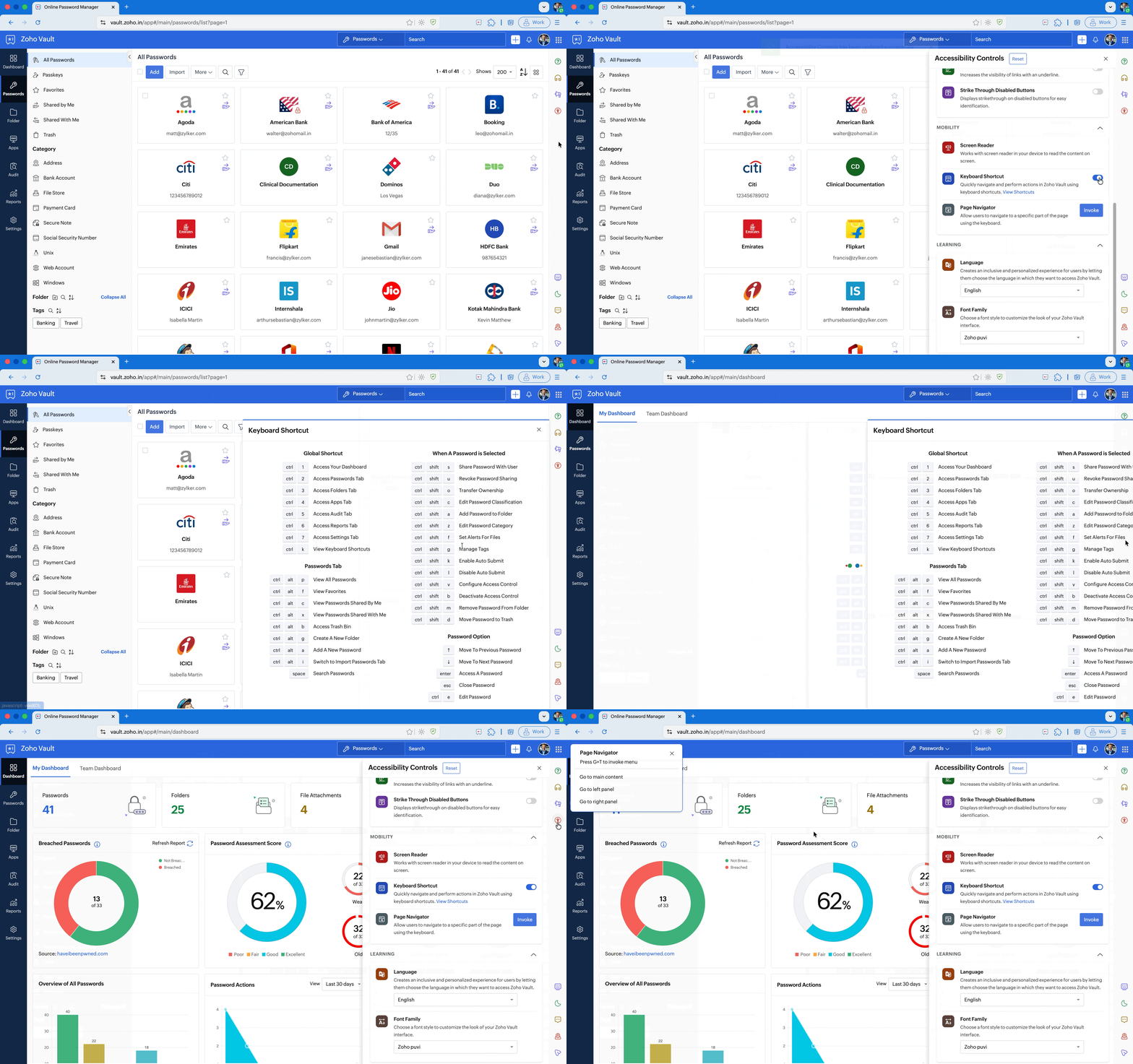
Time is valuable. That’s why Zoho Vault offers intuitive keyboard shortcuts, enabling you to navigate critical sections of your vault with a few simple keystrokes. Say goodbye to unnecessary clicks and endless scrolling—manage your sensitive information efficiently and securely, all at your fingertips.
Tailored security with adaptive accessibility profiles
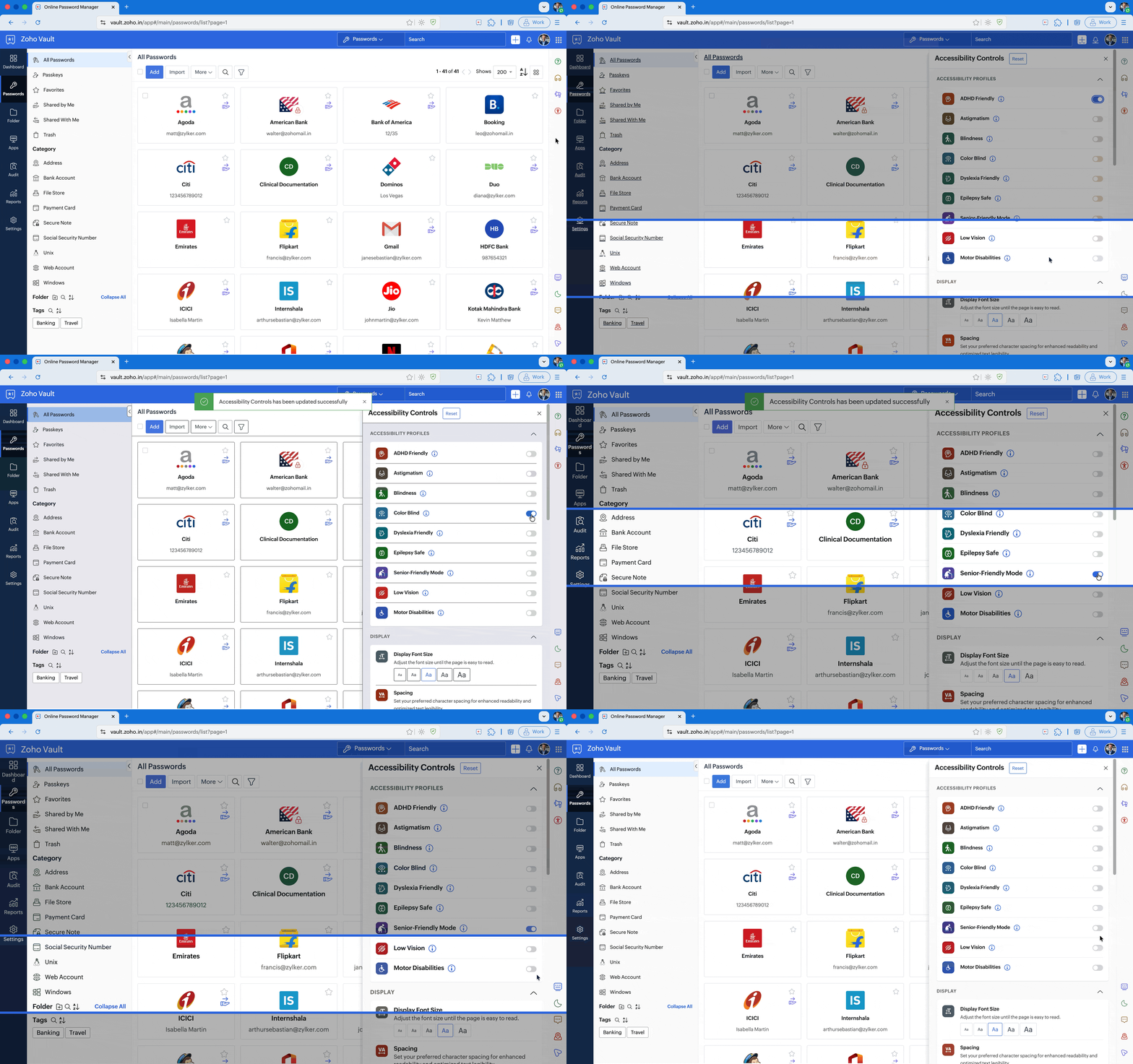
We understand that accessibility isn't one-size-fits-all. Everyone experiences the digital world differently, and that’s why Zoho Vault offers customizable accessibility profiles to create a truly personalized security experience.
ADHD-Friendly Mode: Reduces distractions, improves focus, and creates a structured interface for a smoother experience.
Astigmatism Mode: Adjusts text and contrast to minimize fuzziness and glare, reducing eye strain.
Blindness Mode: Seamlessly integrates with screen readers and keyboard navigation tools for a fully accessible experience.
Color Blind Mode: Enhances contrast and differentiates colors for better visibility.
Dyslexia-Friendly Mode: Adjusts fonts and spacing to improve readability and comprehension.
Epilepsy-Safe Mode: Eliminates flashing elements and reduces animations to prevent triggering seizures.
Senior-Friendly Mode: Enhances text size and clarity, making navigation effortless for older users.
Low Vision Mode: Improves legibility with high-contrast text, larger fonts, and sharper visuals.
Motor Disability Mode: Simplifies navigation for users who rely on keyboard-only or assistive devices.
Security without barriers: Our commitment to you
Zoho Vault is built on the belief that security should be effortless, inclusive, and accessible for all. Our WCAG AA compliance is just the beginning. We’re constantly innovating to break down barriers, ensuring that everyone can safeguard their digital identity—without frustration or compromise.
Learn more about our Accessibility features in Zoho Vault.
Why wait? Sign up for a 15-day free trial today and experience security that adapts to you. For questions, feedback, or a personalized demo, reach us at support@zohovault.com.
Comments