Exhibiting Zoho Inventory updates on Apple Intelligence for iOS 27, iPadOS 27, and macOS Golden Gate

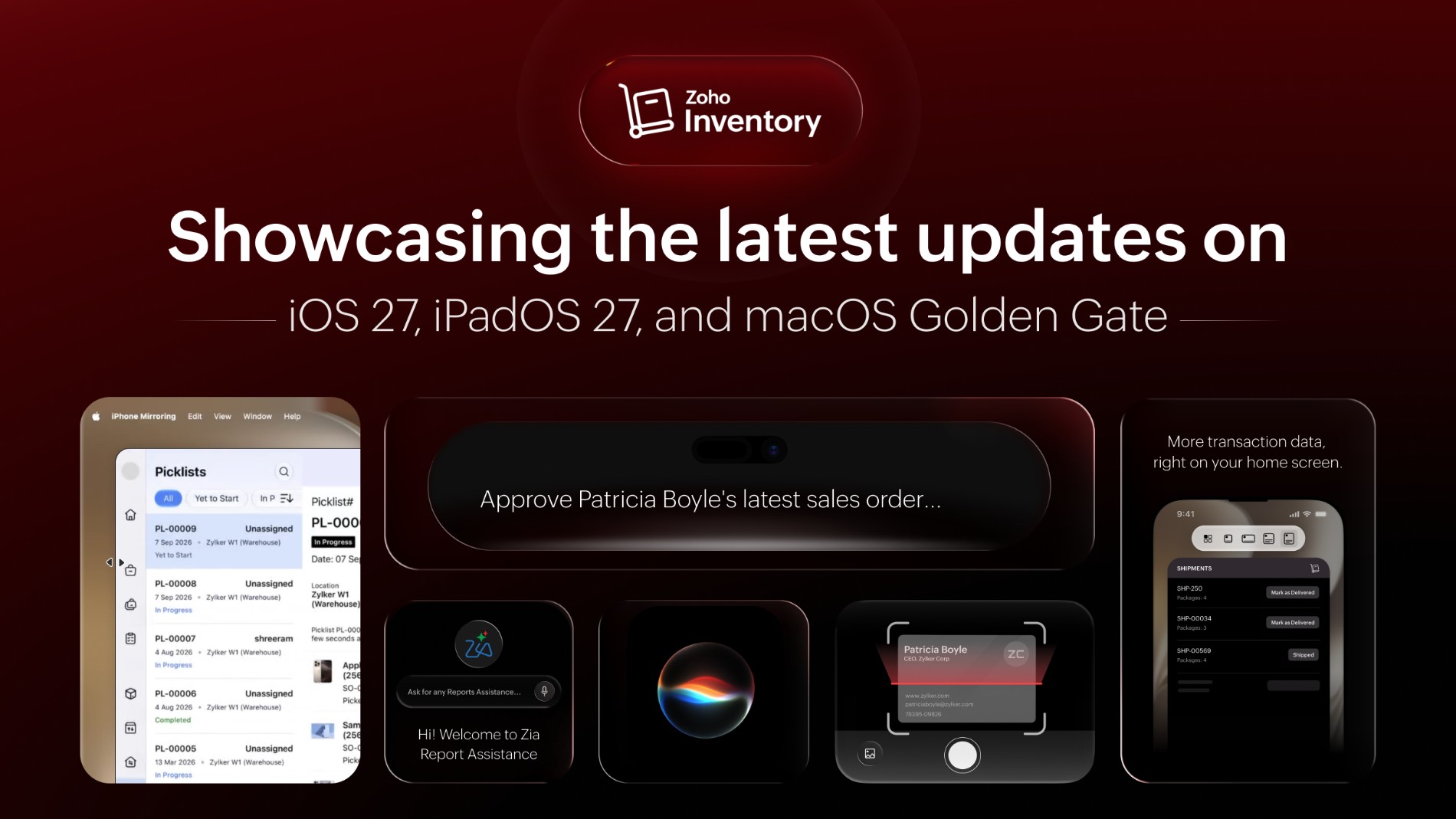
Apple gave the iPhone, iPad, and Mac a serious upgrade this year. At the WWDC 2026 keynote on June 8, it unveiled iOS 27, iPadOS 27, and macOS Golden Gate, with a big wave of on-device intelligence to match. We couldn't wait to build it. You can now capture item details by scanning them instead of typing them in, use your voice to move everyday tasks along, resize the app to fit your Mac, and access your transactions right from the home screen — less tapping, more action. Here's what's new.
Scan it and skip the typing: Apple's Foundation Models
Supported OS: iOS 26, iOS 27
Manual data entry is the tedious part of inventory work, and it eats up more time than it should.That's exactly where Apple's on-device Foundation Models earn their keep. They read, understand, and organize your information for you, right on the device, so it's quick and nothing you scan ever leaves your iPhone or iPad. Here's what you can do with the new scan feature.
Create items and batches with a scan: Point your device at an item, a label, or a batch tag, and Zoho Inventory pulls the details in and fills in the fields for you. Give it a quick once-over, save it, and move on. When you're setting up a whole shelf of new stock, those saved minutes really stack up.
Get the right report just by asking: You don't need to remember which report you want or where it's tucked away. Ask in plain words, say, "show me last month's low stock," and Zoho Inventory finds the closest match, lets you set the dates, pulls it together, and even sums up what it found.
Turn a business card into a contact: Just met a supplier at a trade show? Snap a photo of their card and the details become a new contact, or slot into an existing one, with no typing at all. Name, company, phone, and email, all in the right place before you've left the booth.
Hands full? Just ask Siri!
Supported OS: iOS 26, iOS 27
Warehouse and field work rarely happen sitting at a desk. Your hands are full, you're on the move, and reaching for the app to tap through screens isn't always practical. That's where Siri comes in. It now handles a lot of the everyday tasks for you, so you don't even have to open Zoho Inventory. You say it and it happens. Here's what you can do with Siri in Zoho Inventory.
Approve a transaction by number: Already know the transaction number? Just tell Siri and approve it right then. No hunting, no jumping between screens.
Clear a pile of approvals at once: Ask for a customer's pending transactions and Siri lays them all out, so you can approve them one at a time or wave them all through together. This is especially handy at the end of a long day.
Upload documents with your voice: Need to add paperwork to a record? Ask Siri to start attaching record files to the Documents module in Zoho Inventory, then add one or more files in a single flow, without digging through folders in your mobile.
Find any customer using the search tool: Type or say a name straight from your device's search tool and land right on the customer's record.
More at a glance: The new extra-large widget
Supported OS: iOS 27
Sometimes you don't need the whole app, you just need to move one thing along. The new extra-large widget lives on your home screen and shows a big, filtered view of your transactions at a glance. And it's interactive; you can mark a shipped package as delivered right from the widget while you're out and about, without ever opening Zoho Inventory. A glance, a tap, and you're on with your day.
Any size, any window: App resizability
Supported OS: iOS 26, iOS 27
Zoho Inventory now adapts to whatever screen you're working on. Resize the window or change your screen setup, and the layout adjusts to match, so you can run Zoho Inventory side by side with another app and keep both in view at once, or let it fill the whole screen when you want the full picture. At any size, everything stays tidy and easy to read, so you can work the way that suits you best.
So, that's the round-up! Whether it's scanning in a new item, kicking off a transaction by voice, or clearing a shipment from your home screen, this release comes down to two things: fewer taps, and less repetitive work, so you can get through your inventory hassle free.
We're excited to get it into your hands. Update your iPhone and iPad to the latest OS, grab the newest Zoho Inventory update, and take it for a spin. Then come tell us in the comments which feature you'll use the most.


Comments