Introducing AI in Polls

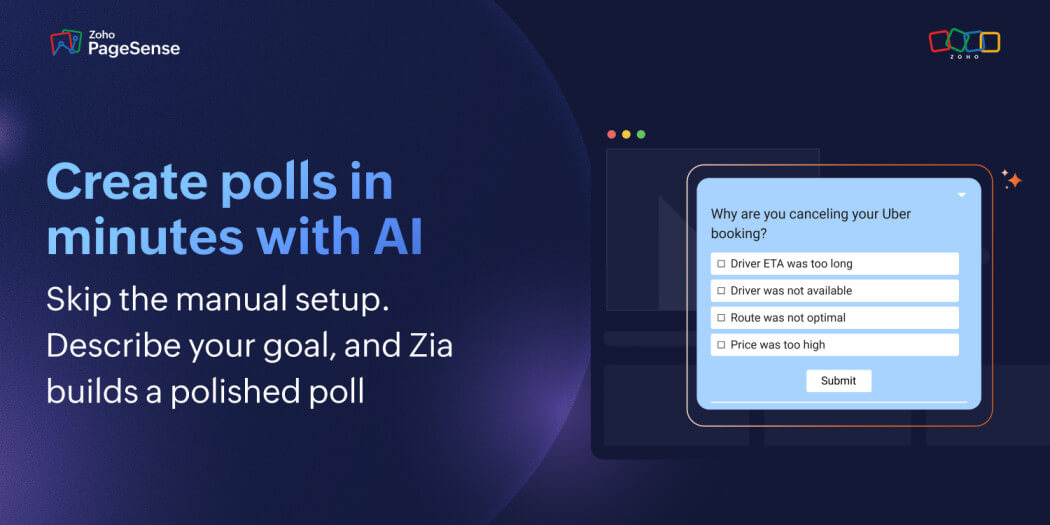
We're excited to announce that Zoho PageSense has launched AI-powered poll generation — and it's one of the most meaningful upgrades we've made to the Polls module.
If you've used Polls in PageSense before, you already know how powerful it is for capturing real-time user sentiment directly on your website. What's changed is how fast you can go from knowing you need feedback to actually collecting it. With AI in Polls, the hardest part of running a poll — writing the questions — is handled for you. You describe what you want to learn, and PageSense builds the poll.
Here's everything that's new, why we built it, and how to get the most out of it.
Why We Built This
Polls are one of the most efficient tools a CRO or product team has. They're lightweight, they live on the page where the experience is happening, and they collect direct user input at the exact moment it's most relevant.
But there's always been a gap between knowing you should run a poll and actually running one.
Building a poll from scratch takes more than it looks. Writing neutral, unambiguous questions that produce usable data is a skill. Picking the right response types, structuring the flow, adding branching logic for different user paths — each of these decisions takes time, and that time adds up. The result is that polls get deprioritized, delayed, or built under pressure and published half-baked.
The teams that get the most value from user feedback aren't the ones who plan it best. They're the ones who can act on the impulse to ask a question before the moment passes. AI in Polls is built to make that possible.
What AI in Polls Does
Generate a complete poll from a plain-language prompt
The core of the feature is simple: describe the feedback you want to collect, and PageSense generates a complete poll — questions, answer options, structure, and response types — from that description.
You're not filling in a template or selecting from a pre-built library. You're describing your actual intent in your own words, and the AI generates a poll tailored to that specific goal.
A few examples of what that looks like in practice:
"Five-question poll for first-time buyers about their delivery experience, product quality, and likelihood to purchase again. Radio buttons and a 5-star rating."
"Short exit poll for visitors leaving the pricing page without signing up. I want to understand their hesitation — pricing, missing features, or just browsing."
"Post-launch feedback poll for existing users who've seen the new dashboard. Focus on ease of use and what's missing. Three to four questions."
The more specific your prompt, the more relevant the output. But even a broad prompt gives you a strong enough starting point to edit from — which is almost always faster than building from nothing.
Come in as the editor, not the author
When AI handles the first draft, something important shifts. Instead of generating content and evaluating it simultaneously — which is cognitively expensive and leads to questions you're not fully confident in — you come in purely as a reviewer.
Is this question worded neutrally? Does this response type match what I need? Is the flow logical for this audience? Are there questions missing that would make the data more complete?
These are higher-order judgments, and you make them much better when you're not also trying to write. Teams consistently find that the polls they publish after reviewing an AI-generated draft are more carefully designed than the ones they built from scratch under time pressure.
Iterate with versions, not overwrites
Every time you generate or regenerate a poll in Zoho PageSense, a new version is created and saved. Previous versions are never overwritten.
This means you can experiment freely. Run a broad prompt and see what comes back. Refine it and generate again. Compare both versions side by side and continue with whichever fits best — or take the structure from version one and the tone from version two.
This turns AI generation from a one-shot gamble into an iterative loop. The best polls usually come from a few rounds of refinement, and PageSense makes that loop lightweight enough to actually use.
Fix individual questions without rebuilding the whole poll
Sometimes the poll structure is right but one question doesn't land the way you want. The wording is too formal. The tone doesn't fit the page it's going on. It's too long for a visitor who's mid-scroll.
That's what Ask Zia is for.
Select any generated question and ask Zia to improve just that one — without touching the rest of the poll. You can ask it to rewrite the question more conversationally, simplify the wording, shorten it, or adjust it for a specific type of user. The remaining questions stay exactly as they are.
The distinction matters: Ask Zia refines individual questions.
Refine Prompt regenerates the entire poll.
Both are available at all times. Use the right one for the size of the problem.
Build polls that adapt to each visitor with Logic Jump
One of the most common reasons poll data comes back noisy is that everyone gets the same questions regardless of their actual experience on your site.
A visitor who completed a purchase and a visitor who abandoned at checkout have completely different stories to tell. If both of them see the same five questions, you end up with a muddy average of two incompatible experiences — and insights that feel inconclusive because the signal was never clean.
Logic Jump lets you build polls that branch based on what each visitor actually answers. Someone who converted sees satisfaction questions. Someone who didn't sees abandonment questions. A visitor who says they found what they were looking for goes one way. One who says they didn't goes another.
The poll adapts to each person's real experience — which means completion rates go up (visitors only answer relevant questions) and data quality goes up (you're not averaging incompatible responses together). The insights you pull are sharper and easier to act on.
Logic Jump is available for all polls, AI-generated and manual alike.
Choose the AI model that fits your setup
PageSense supports two AI models for poll generation: Zia(Zoho's native AI), and OpenAI.
Zia is built directly into Zoho PageSense and requires no additional setup — enable it from the AI Setup page, accept the Terms of Use, and it's ready. If you already use OpenAI and prefer consistency across your stack, you can connect it via the Integrations page with your API key. Both models produce the same poll generation experience; the choice is yours based on what you already use.
The Difference This Makes in Practice
The efficiency gains from AI in Polls are real — but the more significant change is behavioral.
Polls that used to get scheduled now get done. When building a poll takes twenty minutes, it competes with everything else on the list. When it takes two, it doesn't. Teams that ran one or two polls a quarter find themselves running them continuously — after every feature release, every UX change, every campaign. The feedback loop tightens.
Questions get better, not just faster. Counterintuitive as it sounds, AI-generated polls tend to produce better questions than manually built ones — not because AI is a better writer, but because reviewing a draft is a sharper cognitive process than writing from nothing. You catch things as an editor that you'd miss as an author.
Data becomes more actionable. Faster polls mean feedback is collected closer to the experience it's measuring — while the memory is fresh and the context is clear. Combine that with Logic Jump branching and well-structured questions, and the data you collect tells you something specific enough to act on.
The research habit actually forms. When feedback is easy to collect, teams ask more questions of their users, more often. That continuous loop of asking, learning, and adjusting compounds over time in ways that occasional research projects never do.
When to Use AI in Polls
AI generation works best when you're starting from zero and need a strong first draft quickly. Here are the scenarios where it adds the most value:
Post-purchase research — The window to ask is short. When building a poll takes twenty minutes, that window closes before the poll goes live. When it takes two, you catch the moment while the experience is still fresh.
Exit intent polls — Why are visitors leaving your pricing page without converting? What's stopping them at checkout? These questions deserve to be asked every week, not every quarter.
Feature feedback — You shipped something and need to know if it's landing. The signal is richest in the first two weeks. A fast poll gets you that signal while it's still actionable.
NPS follow-up — A low NPS score tells you something is wrong. A well-designed follow-up poll tells you what. The faster you can run it, the closer to the original experience you catch users.
Onboarding friction — Where are new users getting stuck? What almost made them give up? These questions should be answered continuously, not in a quarterly research cycle.
Checkout abandonment — Pricing concerns? Missing trust signals? Unclear value proposition? A targeted poll at the right moment tells you exactly where to focus your optimization effort.

AI in Polls is live in PageSense now.
Go to the Polls module, describe the feedback you've been meaning to collect, and let PageSense generate the first draft. Review the questions, refine what doesn't fit, set up your Logic Jump flows, and publish.
If you have questions about the feature or want to share feedback on how it's working for you, we'd love to hear from you at presales@zohopagesense.com.
Comments