Meet Zoho Inventory MCP: Inventory operations that work through conversation

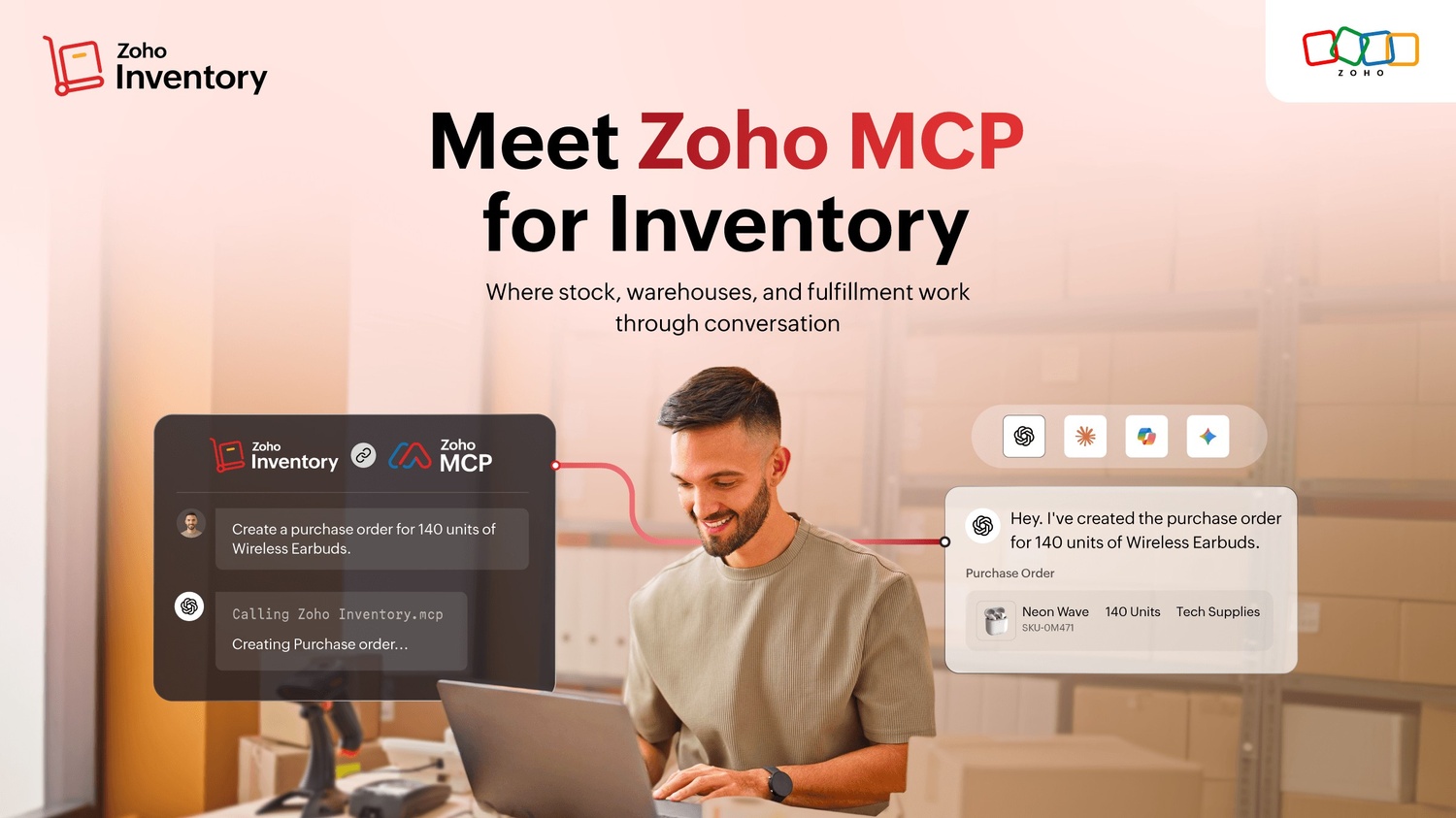
Inventory work rarely happens in isolation.
A bulk sales order comes in when you least expect it.
Suddenly, the warehouse team is rushing to pack and ship. One item is running low on stock. Another is available, but only in a warehouse halfway across the country. A customer wants to know if their order will arrive on time. The procurement team is trying to figure out whether it's time to reorder inventory, and the finance team is wondering why margins on a best-selling product seem thinner than usual this month.
Nothing is technically wrong. But everyone is looking at a different screen, chasing a different answer, and trying to keep the same operation moving. Individually, none of these tasks take much time. Together, they can consume an entire day.
That's the shift Zoho Inventory MCP is built for.
Zoho Inventory MCP connects the AI tools you already use with Zoho Inventory, allowing your AI assistant to perform inventory operations through natural conversations. Instead of navigating menus, switching between applications, and coordinating manually across teams, you can simply ask your AI tool to do something:
"Create a purchase order."
"Check stock availability."
"Allocate inventory."
"Create shipments."
"Investigate stockouts."
"Review inventory trends."
You can do all of this from the same conversation.
What is MCP?
MCP, short for model context protocol, is an open standard that allows AI tools like Claude, ChatGPT, Cursor, Windsurf, and others to securely interact with business applications.
Traditionally, AI assistants could answer questions. MCP enables them to do something more useful: take action.
With Zoho Inventory MCP, your AI assistant can work directly with your inventory data and workflows while respecting the permissions and controls you've already configured.
What this looks like in practice?
An operations manager starts the day with a simple request:
"Show me all orders that cannot be fulfilled with available stock and tell me the fastest way to fulfill them."
Within seconds, the assistant identifies affected sales orders, checks inventory across warehouses, highlights incoming purchase orders, and recommends stock transfers between warehouses that can prevent fulfillment delays.
A few minutes later, another request follows:
"Create transfer orders for the items that can be moved immediately."
Done.
What would normally involve jumping between reports, warehouses, orders, and conversations now happens in a single thread.
That's the real value of MCP. It doesn't replace your inventory workflows. It just removes the friction around them.
Oversee your inventory operations
Some of the most important things happening in your inventory are also the easiest to miss.
A product that suddenly starts selling twice as fast as usual. A warehouse that's slowly accumulating dead stock. A vendor whose deliveries are becoming less reliable every month. A fulfillment issue that starts as a small delay and gradually turns into a customer experience problem.
The information is already there. It's sitting in reports, transactions, and inventory movements across your business. The challenge is finding the time to connect the dots.
With Zoho Inventory MCP, your inventory data has someone paying attention to it.
Ask questions like:
"Which items are likely to go out of stock next week?"
"Show products with declining inventory turnover."
"Which warehouse has the highest return rate this quarter?"
"Identify items with unusual demand spikes."
"Which vendors are consistently delaying deliveries?"
The answers are already in your data.
Connecting the rest of your business
Inventory sits at the center of almost every business operation.
Sales teams need inventory visibility before they commit to delivery dates. Purchasing teams need demand insights before placing vendor orders. Finance teams rely on accurate inventory valuation. Manufacturing teams need materials available before production can begin.
A decision made in inventory rarely stays in inventory.
With Zoho Inventory MCP, those workflows stay connected.
You can ask:
"Create purchase orders for materials required for this month's production schedule."
"Generate invoices for all shipped orders from yesterday."
"Show inventory committed to open sales orders in Zoho CRM."
"Create shipments for completed manufacturing orders."
Instead of moving between applications, teams can coordinate work from a single conversation.
Built with the right controls
Inventory decisions affect purchasing, fulfillment, customer commitments, and financial reporting.
Moving faster is important. Staying in control is even more important.
Zoho Inventory MCP operates within the same permissions and approval structures you've already established. Teams only see the information they're allowed to access. Sensitive actions can require approvals before they're executed. Every action remains visible and traceable.
Your processes stay the same. Your team simply spends less time navigating them.
The future of inventory management
Inventory management has always been a balancing act between supply and demand; warehouses and customers; and purchasing, fulfillment, and planning. As businesses grow, that coordination becomes harder. There are more orders, more warehouses, more channels, and more decisions.
Zoho Inventory MCP helps reduce that complexity by turning inventory operations into conversations. Instead of spending time searching, switching tabs, and chasing information, your team can focus on keeping inventory moving, customers happy, and operations running smoothly.
If you already use Zoho Inventory, you can start exploring MCP workflows today. And if you're new to Zoho Inventory, there's never been a simpler way to experience inventory management powered by AI.

Comments