Cliq 7.0: Built to fit the way you work

There's a tax you pay every workday that never shows up in your work log. Like the few seconds asking someone to repeat themselves on a call, time digging through app settings to find the right configuration, or the minutes verifying if a message actually went through. These might feel small enough to ignore, but they're constant enough to add up.
Cliq 7.0 goes after those small moments, with updates across four areas: inclusivity, so no one has to strain to keep up; collaboration, so external and internal work can coexist without friction; AI, so teams can choose the assistants and experiences that work best for them; and flexible subscriptions, so plans fit how people actually use the platform. Here's what that looks like.
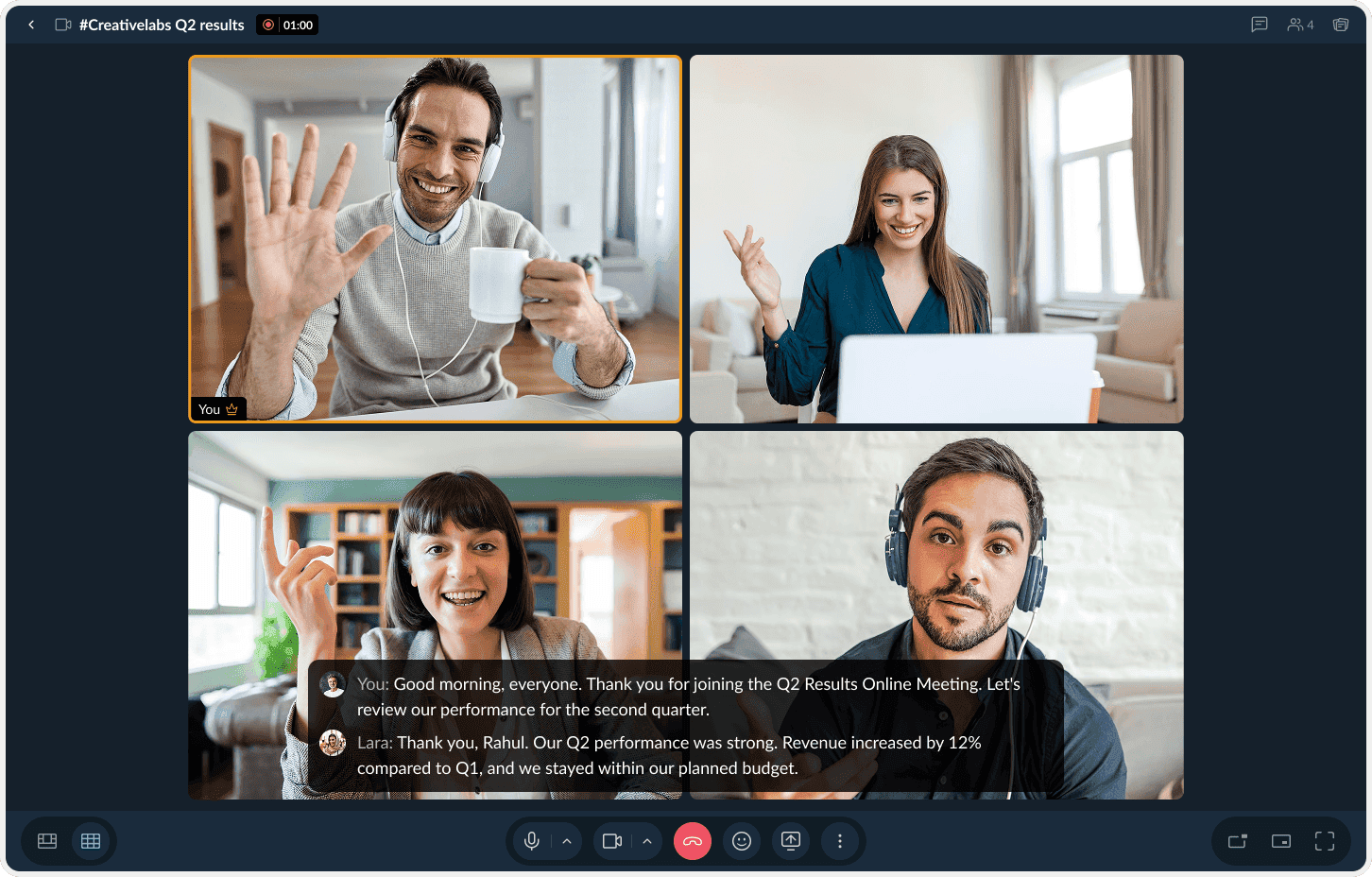
Never miss a word in meetings with live captions
Live captioning has been around for a long time. What makes Cliq's live captions different is how naturally they fit into everyday meetings. For instance, say someone's connection drops for two seconds, there's a background noise making it hard to stay focused, or someone on the call is hard of hearing. With live captions, a quick glance helps you catch what you missed, jot down key points as the conversation moves, and get right back into the conversation, without having to ask anyone to repeat themselves.
And even then, if anything slips through, the meeting summary and transcript will be available once the meetings wraps up.
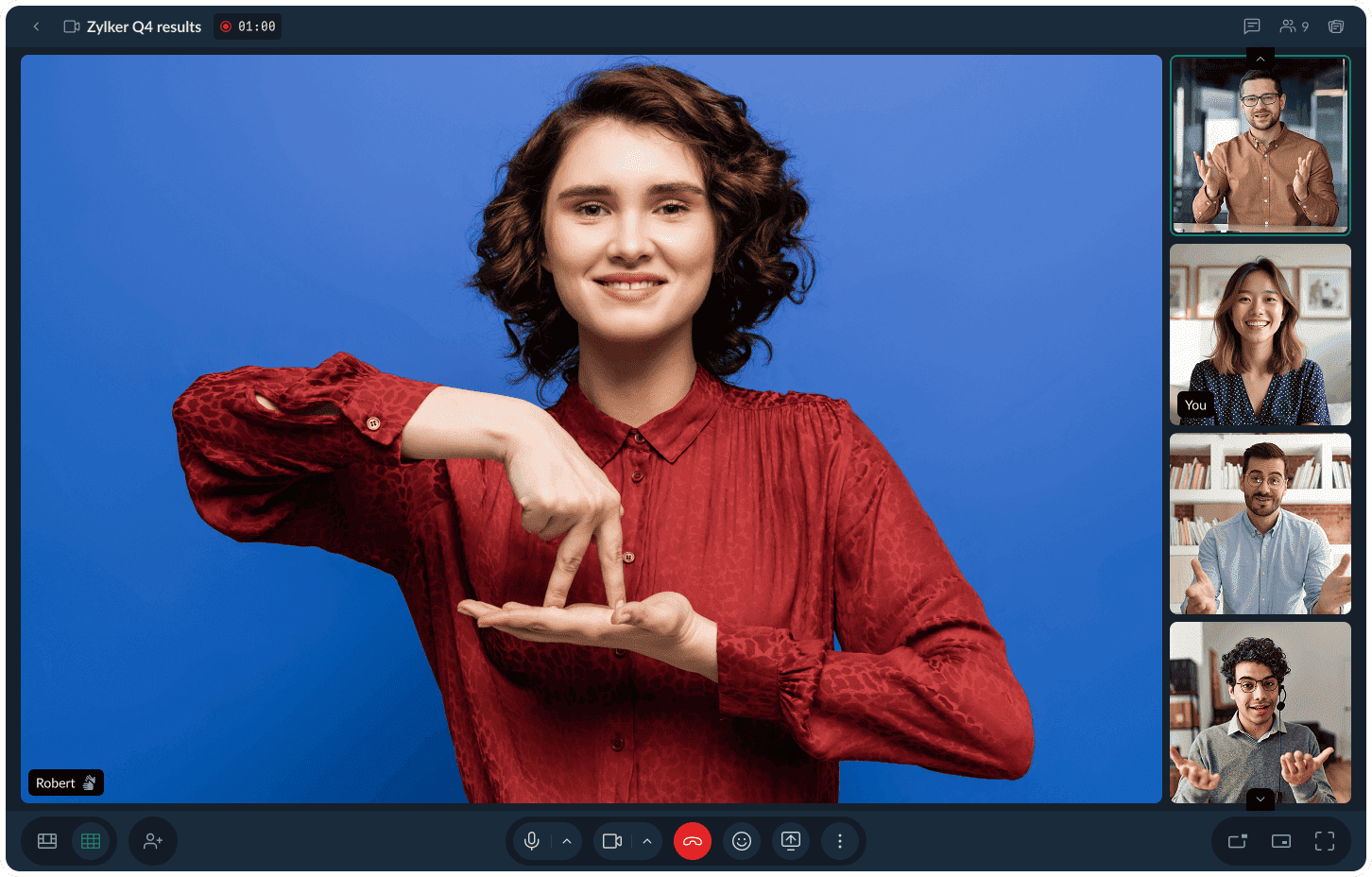
Sign Language Mode: The interpreter stays pinned, no matter what
Live captions are one way Cliq makes meetings easier to follow. Sign Language Mode comes from the same idea, but solves a different challenge. If you've ever been in a meeting with a sign language interpreter, you know how distracting it can be when the video layout keeps changing. Someone unmutes, someone joins the call, and the interpreter suddenly shrinks into a thumbnail or moves elsewhere on the screen. With Sign Language Mode, the interpreter stays pinned throughout the meeting, regardless of who else is speaking. It's a change that makes conversations easier to follow and reflects a simple idea: Accessibility shouldn't feel like an add-on; it should be part of how meetings work.
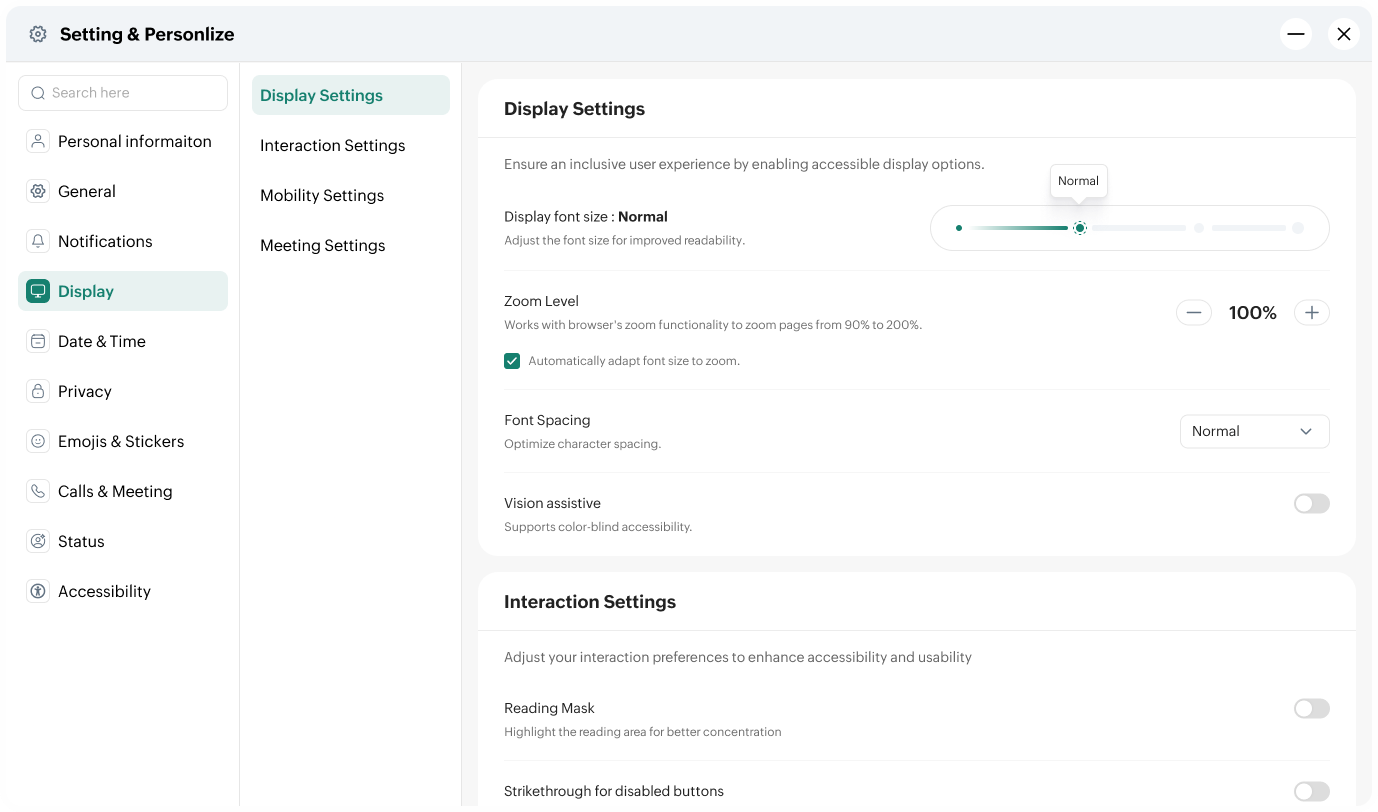
Accessibility upgrades: WCAG 2.0, aligned by default
Font scaling, better contrast, spacing, visible focus indicators, and full keyboard navigation are now aligned with Web Content Accessibility Guidelines (WCAG) 2.0, the globally recognized standard for making digital tools easily usable by people with visual, motor, auditory, and cognitive impairments. Meeting it is what makes sure Cliq works reliably for someone using a screen reader, navigating without a mouse, or relying on a high-contrast display.
Know exactly where your file stands with Download Manager
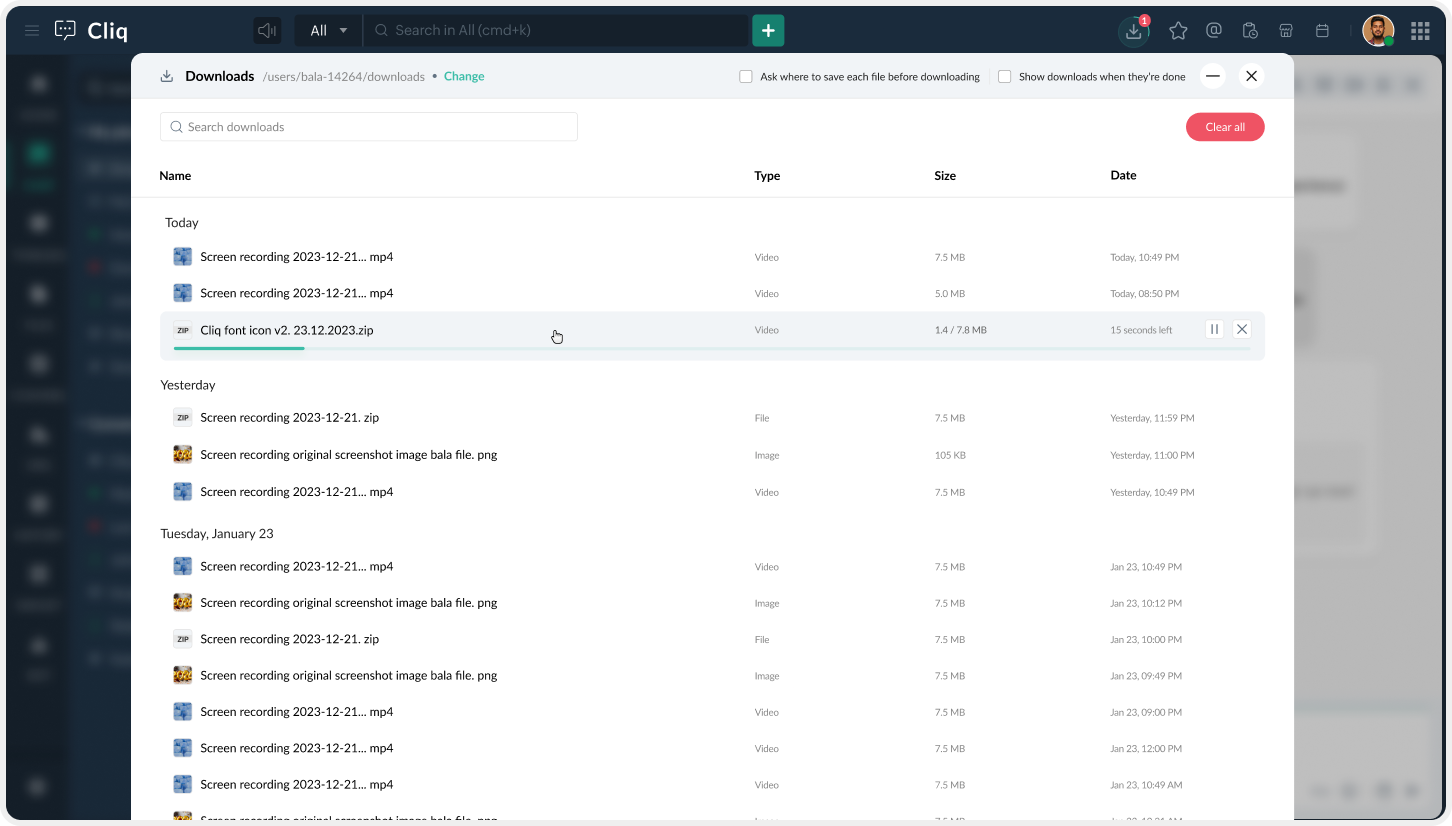
On the Cliq desktop app, you might start downloading a large file, switch to something else, and come back later wondering if it finished, failed, or is still running in the background. Now, you can see every download in progress or paused, with clear status updates, either in a pop-up or a dedicated window.
Client users: Bring in collaborators, not a whole workspace
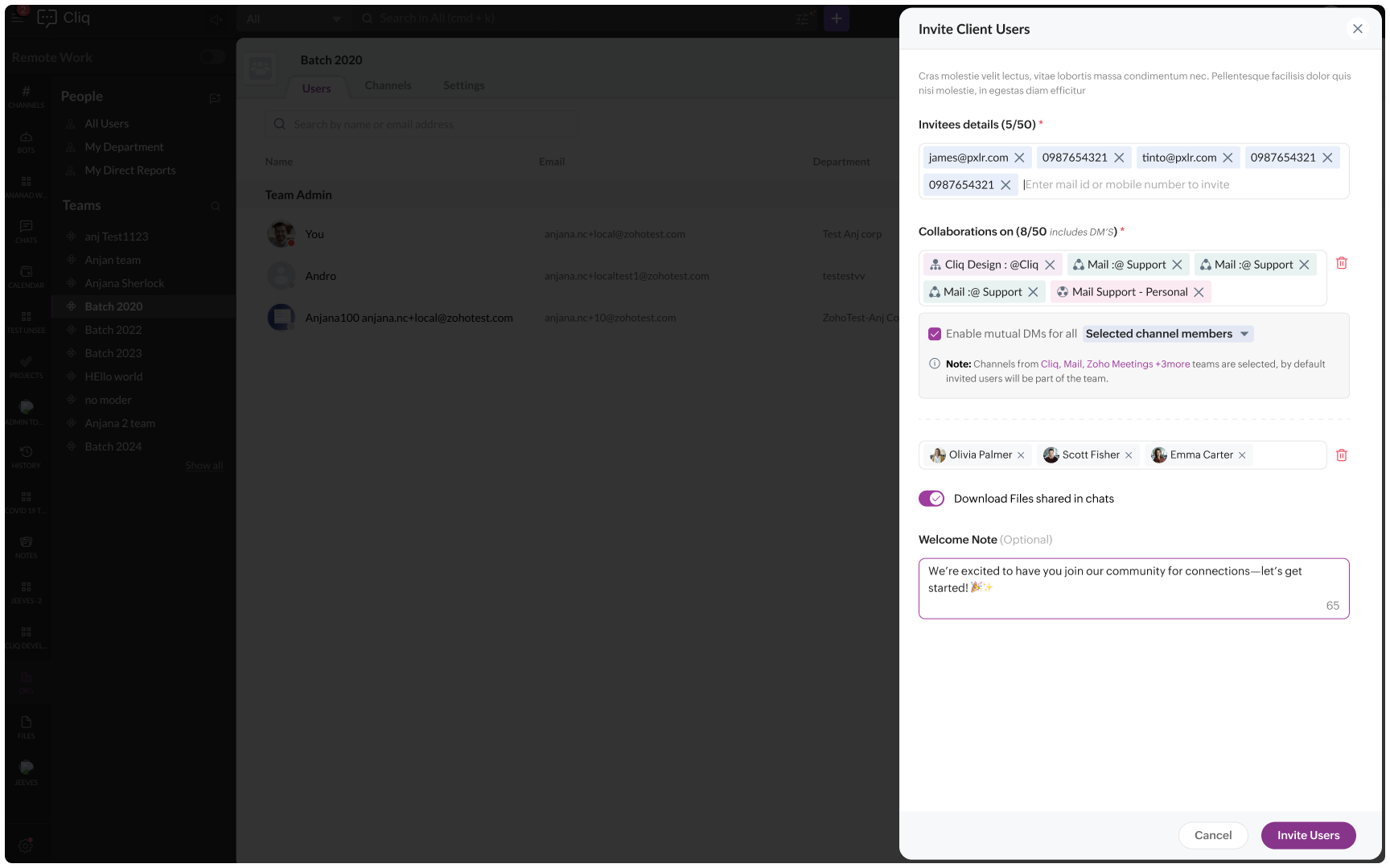
Not every external collaboration needs a separate network. Sometimes, you just need to bring one client, partner, or vendor into a specific conversation.
Client users are built for those moments. Give external users a single login with access only to the channels and discussions relevant to them, so they can stay connected to the work that involves them without seeing the rest of your workspace.
Pick the AI model that works for you
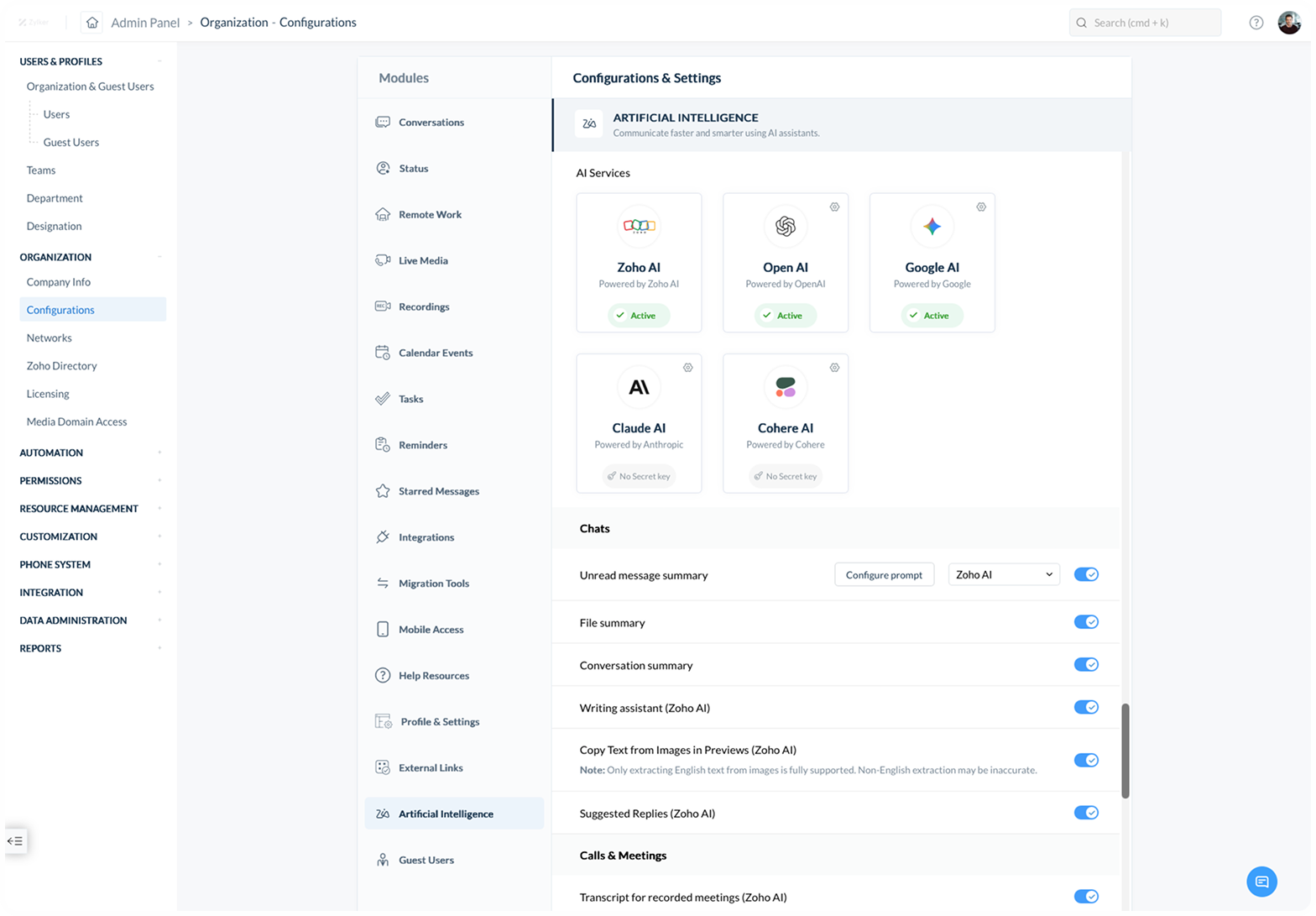
Almost every team exploring AI at work runs into the same wall sooner or later. Legal wants to know what model is being used, security wants to know where the data goes, and somewhere in between, someone just wants an easier way to catch up on a conversation they missed. So in this release, we decided to turn AI off by default.
An admin can enable select AI functionalities, with controls shaped by the rules your organization chooses. And when AI is switched on, teams are no longer limited to a single model or approach. Whether it's Claude, Cohere, Gemini, ChatGPT, or Zoho's own models, you can choose what works for your team, customize it with prompts that match how your organization communicates, and use AI in a way that fits your workflow.
Mix and match licenses with the Flexi Subscription plan
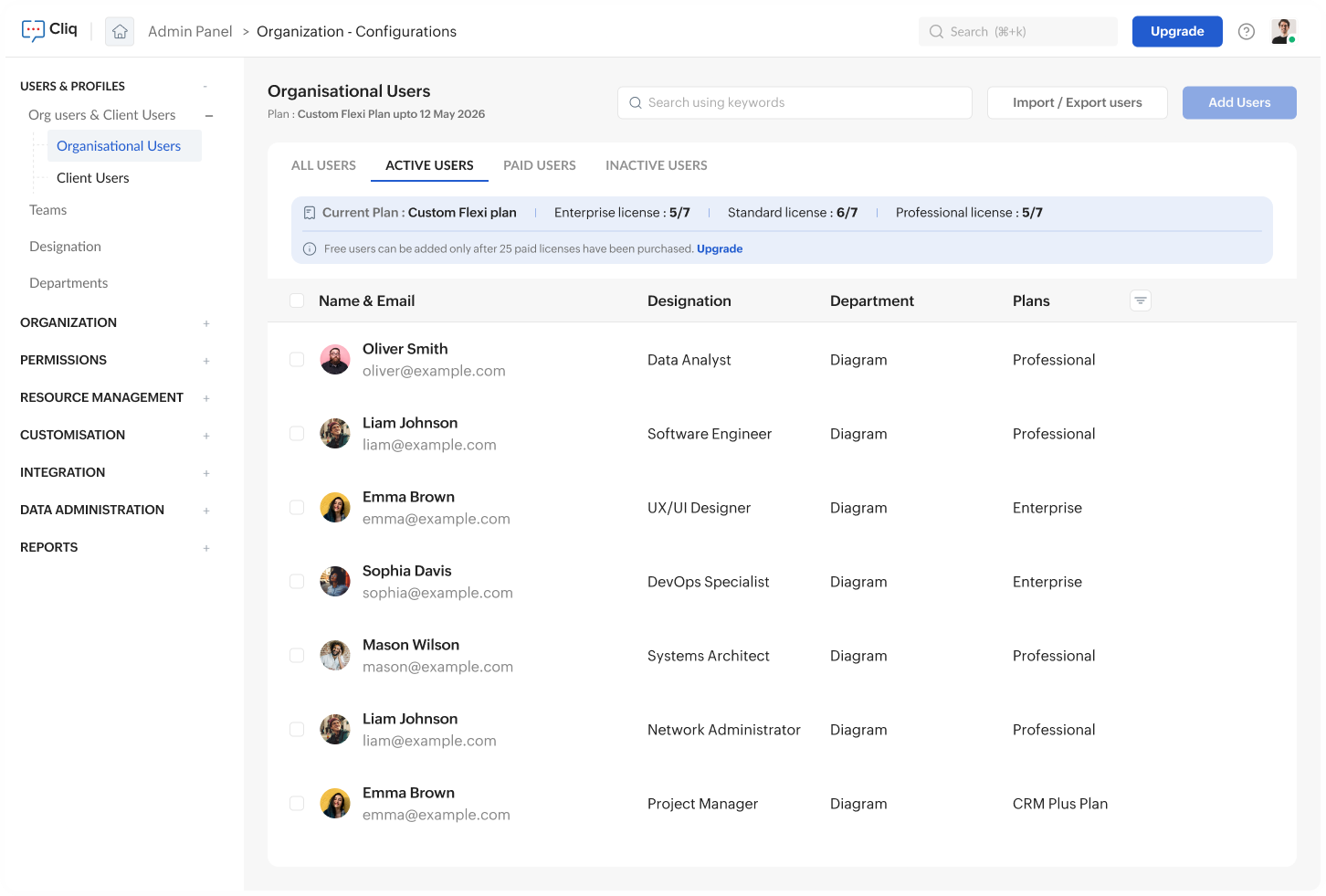
Most tools assume that people across a team all need the same things. In reality, teams don't work that way. The developer who lives in the tool all day and the field salesperson who checks in twice a week have never needed identical licenses. Now they don't have to share one; you as an admin can mix and match Cliq plans based on individual needs and create your own Flexi Subscription plan. Tailor each person's plan, keep the same workspace.
The most meaningful improvements are often the ones that simply make work feel smoother. Across Cliq 7.0, each update follows the same concept: the tool should adapt to the person using it, not the other way around.
Explore the full release to see everything that's new.
Comments