




Run your business finances faster with AI in accounting
Use AI to ask questions in plain English, spot issues early, and move from reports to action faster.
How does AI work in Zoho Books?
AI in Zoho Books is built to improve real workflows, grounded on real data, and designed to save time where it matters. These practical AI capabilities help you quickly find answers and not just numbers, execute tasks with prompts, and nudge you to take timely actions.


Use machine learning to flag unusual spikes or drops in your report data, showing exactly how far they deviate from expected values.
Get a forward-looking view of revenue, cash flow, or other metrics with variance ranges. Easily plan for conservative and optimistic scenarios.
Get quick, plain language insights from reports. Zia will get you the gist of what’s where in your report even before you go through the numbers.
Get finance answers from Zia
Agentic AI & MCP
Connect your finance and accounting data to trusted AI agents and other tools so you can create invoices, track payments, and pull reports just by asking in plain language.
Ask Zia
Ask Zia and it will answer. Better, it will help you act on it immediately! Input what you need in plain English and get answers along with links to initiate action.
You can also ask follow-up questions, and even get follow-up actions to complete tasks right from the chat box.
Speed up collections and everyday financial tasks
Improve collection with invoicing agent

Get AI summaries based on your invoices, risk flags, and ready-to-send bulk reminders to stay ahead on invoices and collections.
Email with Zia
Generate, refine, and personalize your automated business email templates with Zia.

AI for categorizing bank statements
Lighten your categorization. Zia pre-fills details against the statement based on available data saving you valuable time.

Design AI-powered workflows and richer data flows
Prompt to create with CoCreate Agent
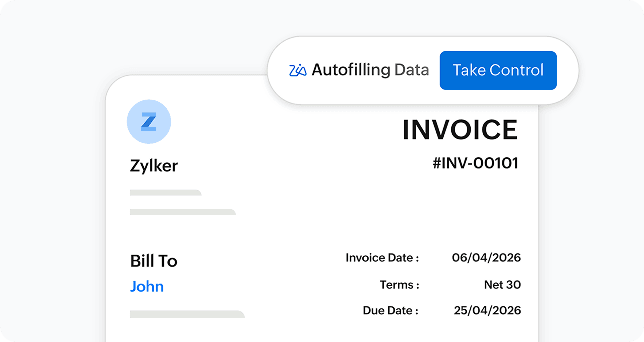
Just type what you want and get invoices, quotes, sales orders, and credit notes. It doesn't stop there, it also extends to customizing reports with a prompt. See something in the creation you want to change? Take control of the agent anytime!
AI custom fields
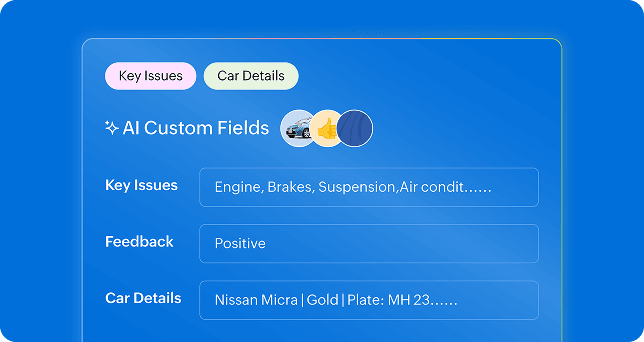
Automate capturing unique, contextual information based on available data, uploaded image, or other fields. Use the field for sentiment analysis, OCR, generating image descriptions, and detecting objects among other features.
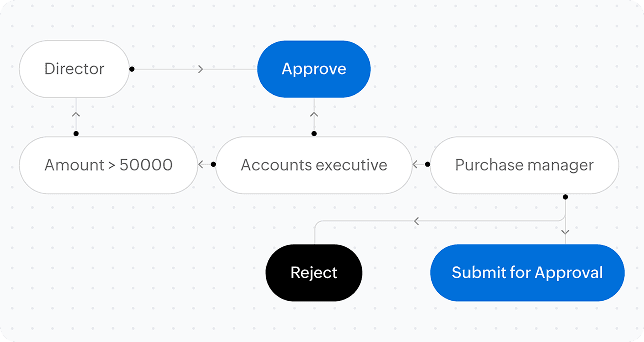
Generate Blueprints using Zia
Use AI prompts to build Blueprints in your custom modules. Describe your process and get draft states, transitions, and ownership mapped for consistent steps, clear accountability, and fewer manual handoffs.