Advance analytics
The Advanced analytics section in ZeptoMail Reports gives detailed insights into the performance of your transactional emails across different Email Service Providers (ESPs).
You can analyze email performance, deliverability trends, and bounce patterns at three levels. Use the filter dropdowns to customize the report.
- Domain level: Select all domains or choose a specific domain to view a consolidated report across your account.
- Agent level: Select all agents or choose a specific Agent to narrow the report to that sending agent.
- From Address level: Select all From addresses or choose a specific From address to filter results by sender.
- Advanced analytics feature is currently available only for selected data centers.
Advanced analytics reports
In the advance analytics section you can generate and view the following reports:
- Email Performance
- Deliverability by ESP
- Bounce by ESP
Viewing advance analytics reports
- Log in to your ZeptoMail account.
- From the left navigation panel, click Analytics.
- Go to the Advanced analytics tab.
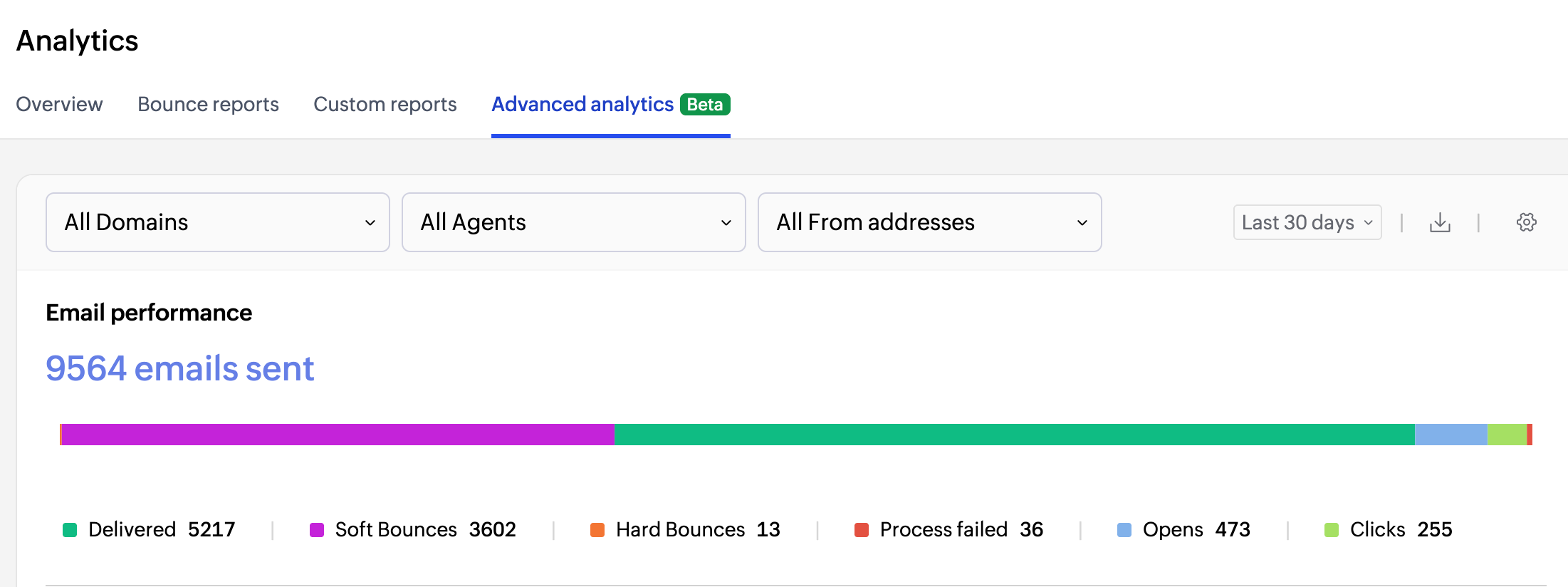
- Select the Domain(s), Agent(s) or From address(s) from the drop down for which you need the analytics report.
Time period
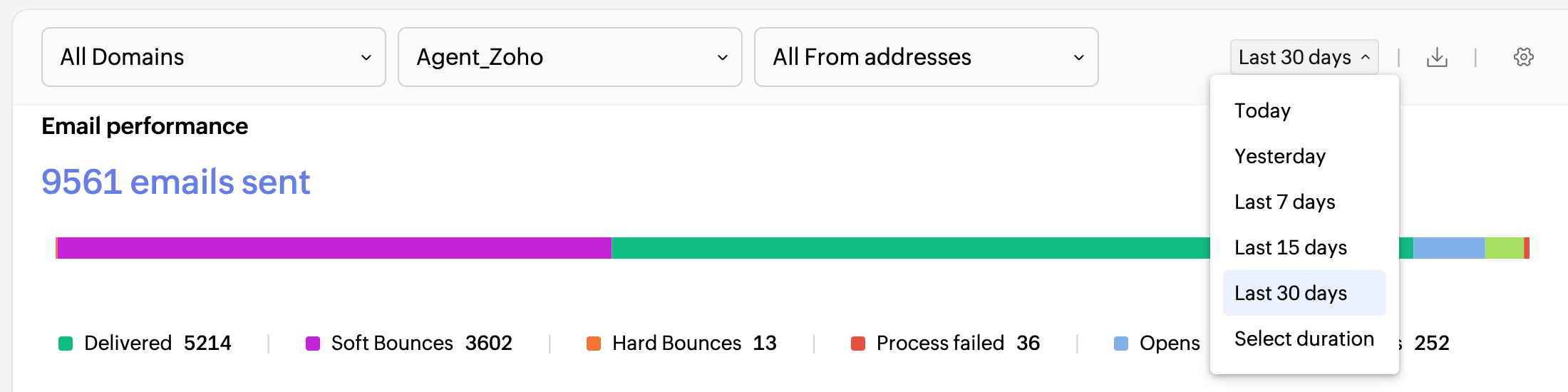
Time period For the above reports you can select the date range for any report using the time period selector from the top-right corner of the report section. Select from preset ranges such as today, Last 7 days, Last 15 days, or Last 30 days. You can also specify a custom date range by entering a start and end date.
Download options
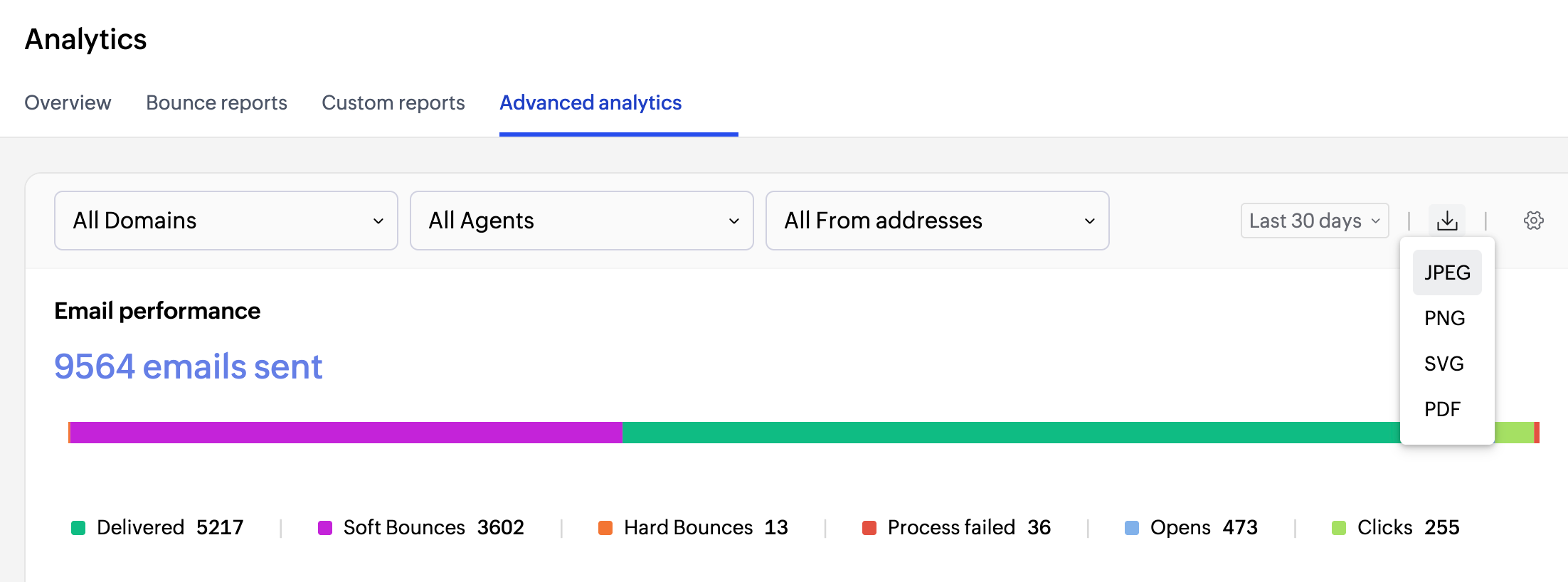
You can download the Email Performance chart as an image or document. Click the download icon at the top right corner and select your preferred format.
Additionally you can download the Deliverability by ESP and Bounce by ESP reports as CSV file for future references. To download the report select the "Download CSV" option from the top right corner.
Email performance report
The Email Performance report gives you a detailed view of how emails sent from your account have performed over the selected time period. It tracks key delivery and engagement metrics across your Agents or From Addresses.
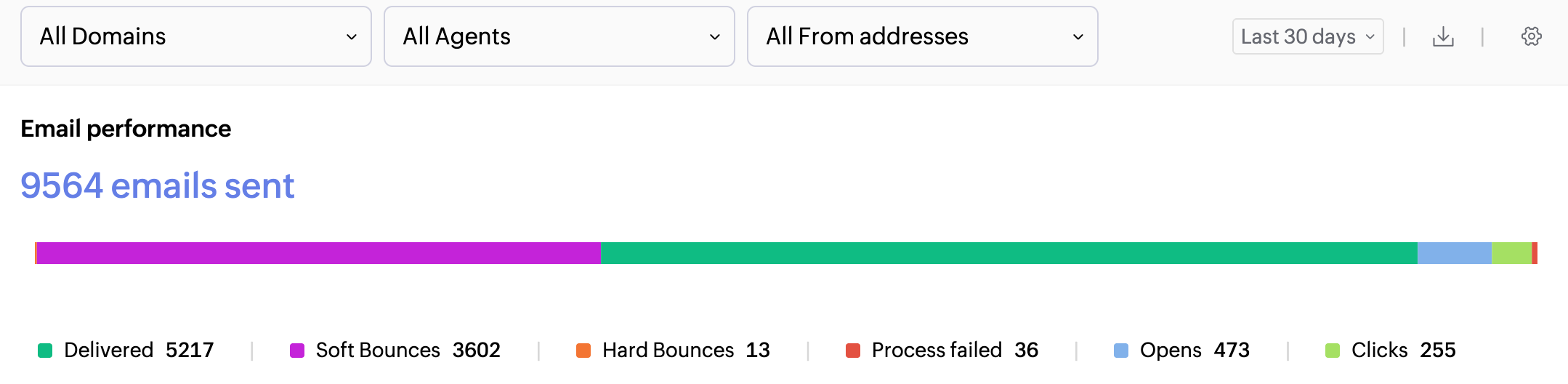
- Emails sent: Total number of emails processed by ZeptoMail. Each recipient address (To, CC, BCC) counts as one sent email.
- Delivered: Number of emails successfully delivered to the recipient's inbox.
- Soft bounces: Emails that failed to deliver due to temporary issues, like recipient server being down or recipient's inbox being full.
- Hard bounces: Number of emails that did not delivered due to permanent reasons like invalid recipient address.
- Clicks: Total number of clicks for your emails. These clicks are for the links embedded in your email html body.
- Opens: Number of times recipients opened your emails.
Email tracking has to be enabled for getting the click and open data.
Deliverability by ESP report
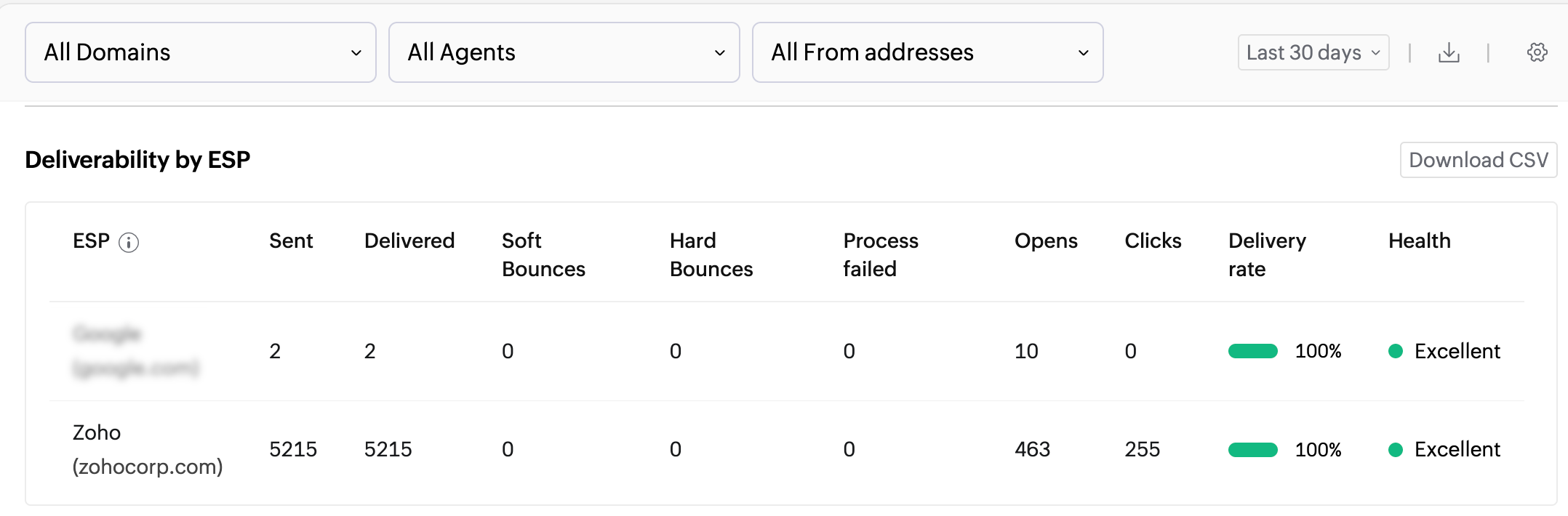
The Deliverability by ESP report breaks down your email delivery performance by different email service providers such as Zoho, Yahoo, Outlook, and others. This helps you identify which ESPs are successfully delivering your emails and which may be causing issues. This report shows:
- Delivered and bounced counts segmented by the recipient's ESP.
- Delivery rate across different providers over the selected time period.
Bounce by ESP report
The Bounce by ESP report shows bounced emails categorized by ESP. It helps you understand which providers are rejecting your emails and why. You can also use it to troubleshoot for a specific ESP.
Bounce categories
ZeptoMail provides a dedicated bounce reports dashboard that offers comprehensive information on email bounces. To help you diagnose and resolve delivery issues quickly, bounced emails are organized into clearly defined categories based on the reason for failure.
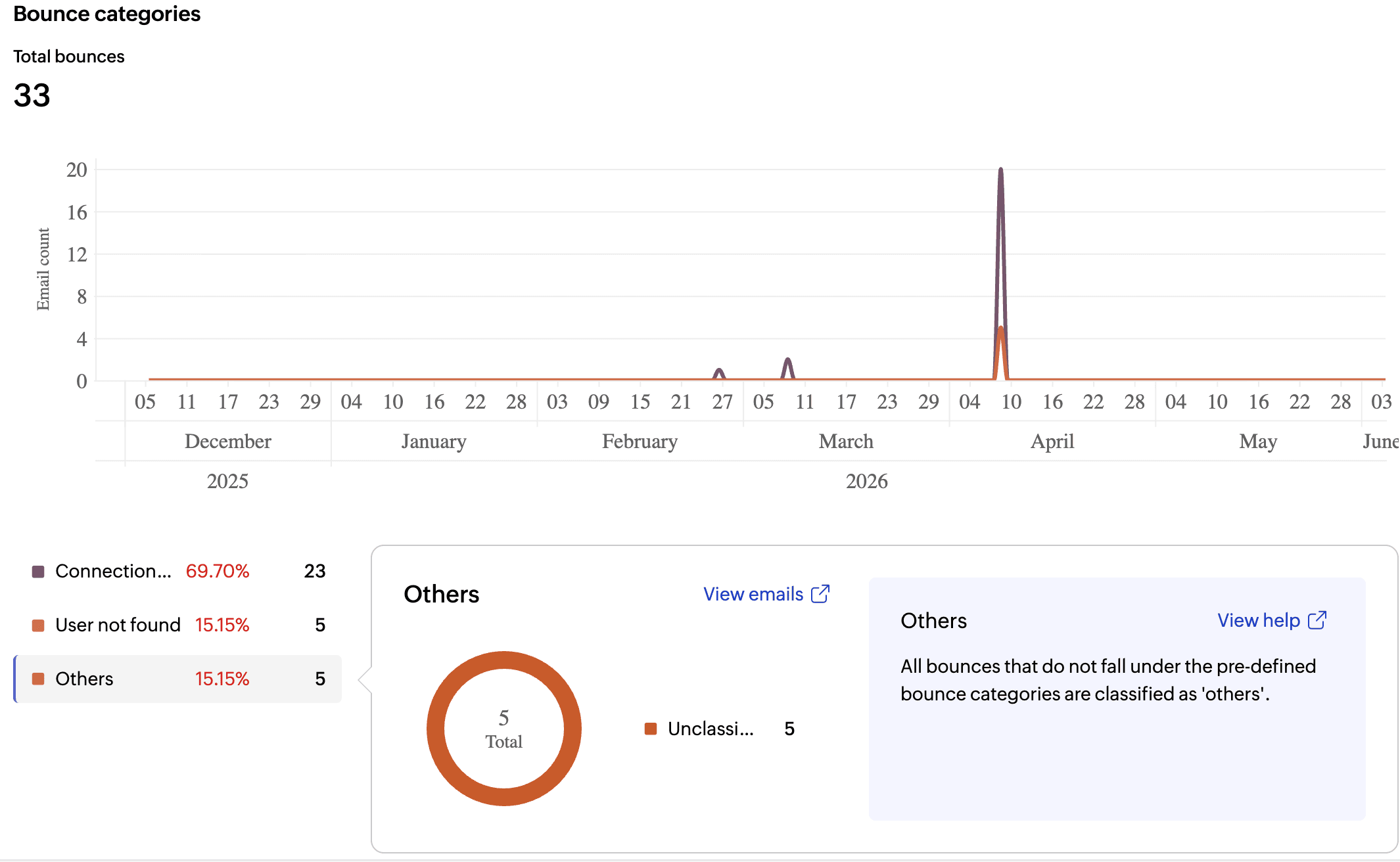
Here are the main list of bounces encountered by transactional emails.
Category | Description |
Connection issues | The sending server was unable to establish a connection with the recipient's mail server. |
Policy failures | The email was rejected due to the recipient server's sending policies, such as rate limits or authentication failures. |
Spam | The email was flagged or rejected as spam by the receiving ESP. |
User not found | The recipient email address does not exist on the receiving server. |
Invalid DNS | The sending domain has DNS configuration issues preventing delivery. |
Others | Any other bounce reason not covered by the above categories. |