Getting started with Zoho Writer in Zoho Workplace
Zoho Writer is a powerful word processor built to create, collaborate and publish documents with ease. It offers powerful editing tools, automation capabilities, and integration with Zoho CRM, WorkDrive, and other apps. Zoho Writer’s minimalist interface and AI-powered features (using Zia AI) help you to focus on content creation and productivity. Zoho Writer offers:
- Real-time Collaboration: Co-author documents with live commenting and suggestions.
- Document Automation: Generate business documents using templates and data fields.
- Offline Editing: Zoho Writer provides you with the option to work without internet and sync changes later.
- e-Sign Integration: Send documents for approval or signature directly.
- Advanced Formatting: Create visually appealing documents with layout and different style controls.
You can immediately start working with Zoho Writer by creating a document
Steps to create a new document in Zoho Workplace
- Click on Writer at the top pane. This will redirect you to the Writer dashboard, which contains lists all the documents you have created.
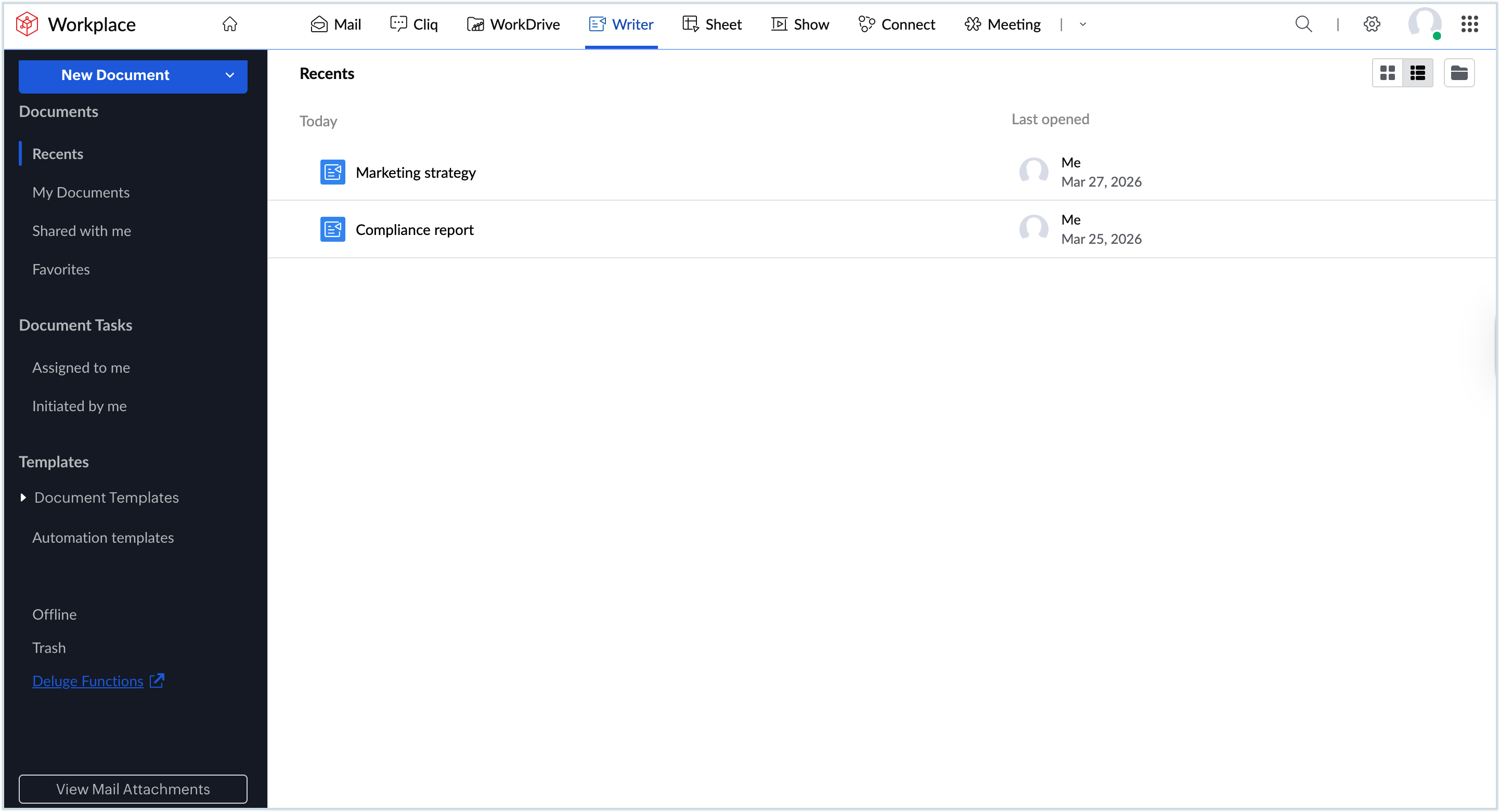
- Click New documentat the top-left corner. This will open a blank document.
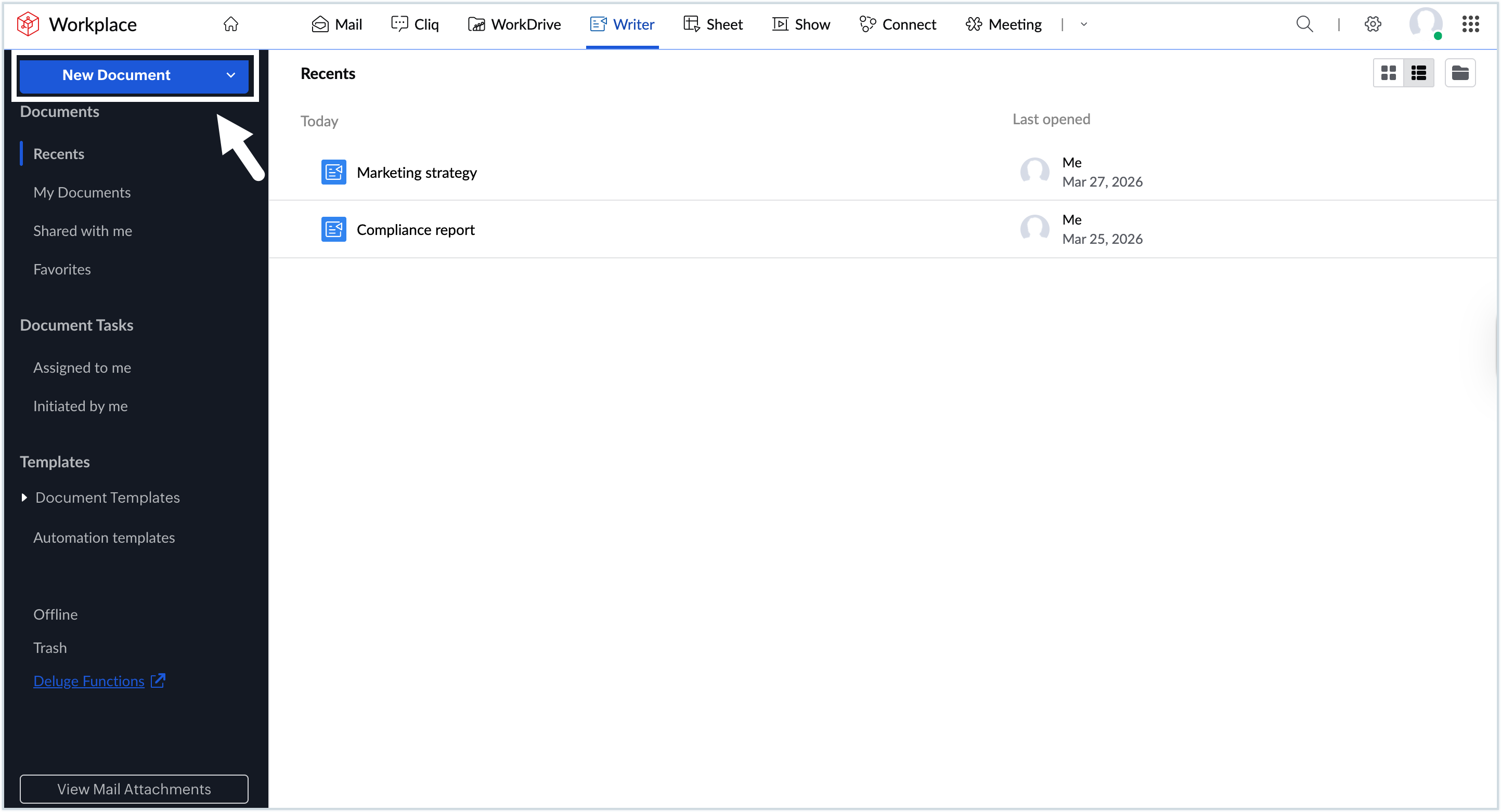
- You can now start working on the document and use the toolbar at the top to access various formatting, editing, and design tools as needed.
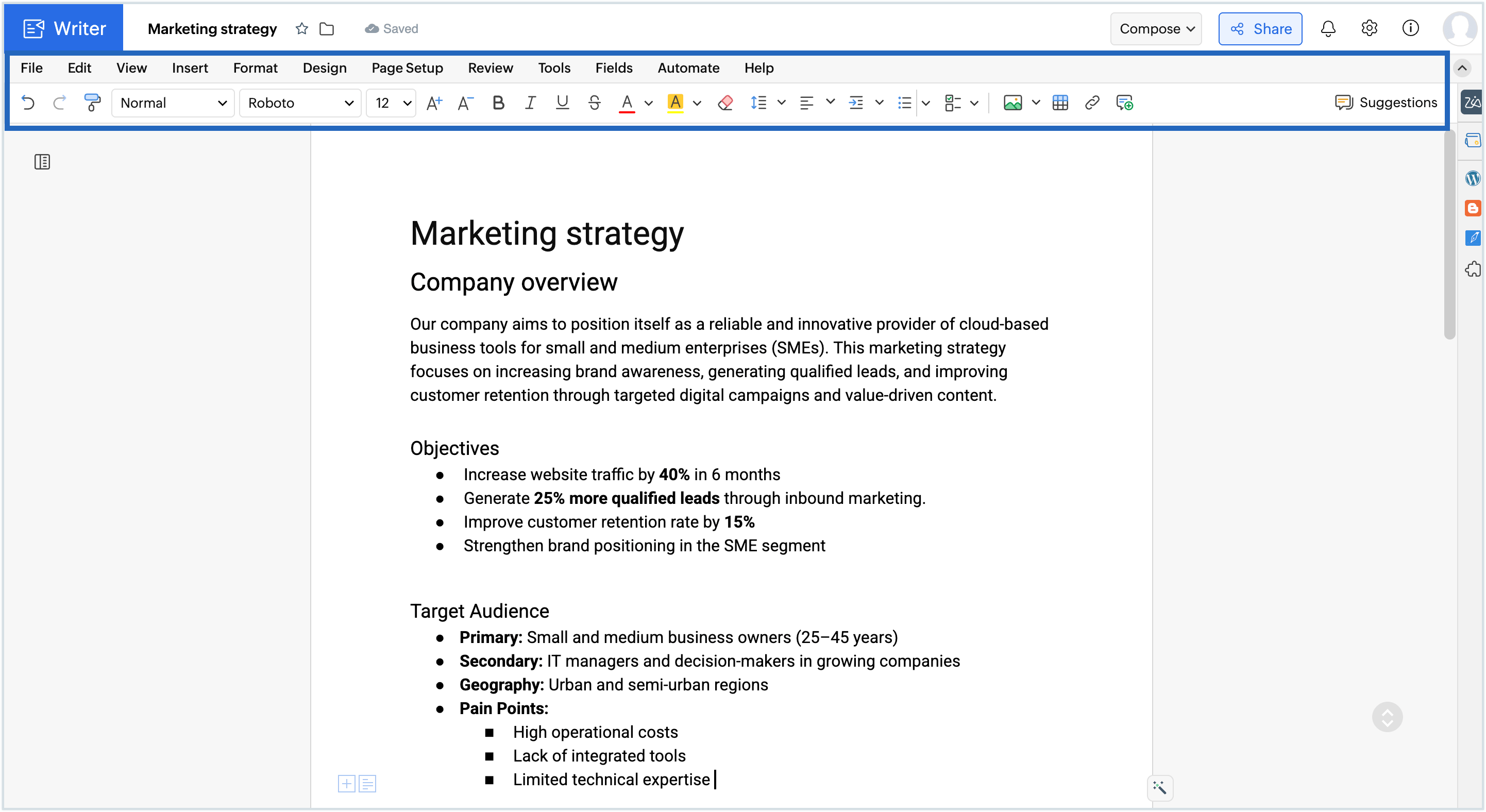
- All edits made to the document are automatically saved.
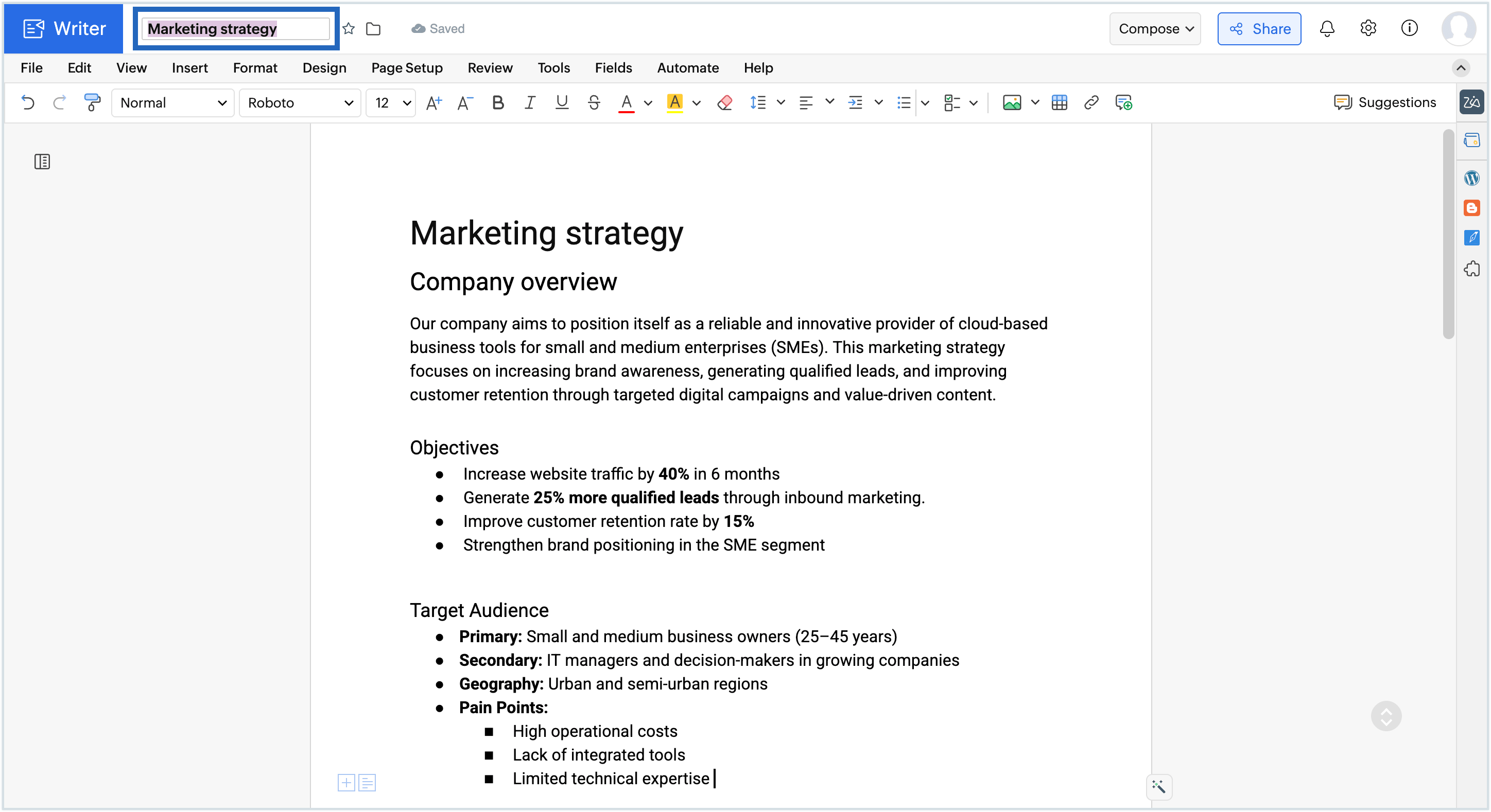
- Click the file name field at the top-left corner and enter a name for the file.
- If you wish to save the document in a different format, Go to Fileand click Save As and select the desired format from the list(DOCX, PDF, ODT, RTF, ODT, TXT, EPUB, and HTML).
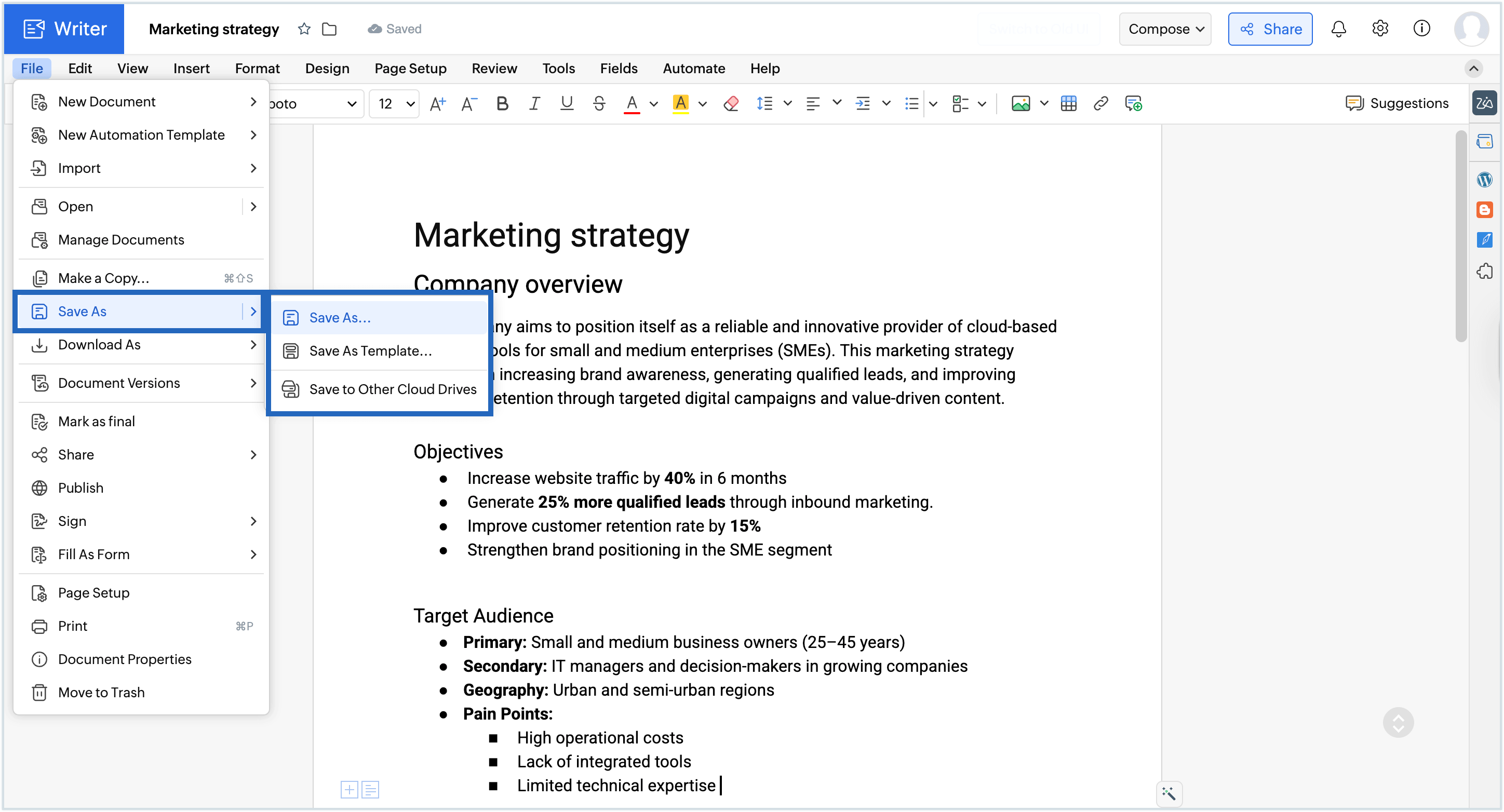
- If you wish to save your document on a cloud drive, go to File > Save as > Save to Other Cloud Drives.
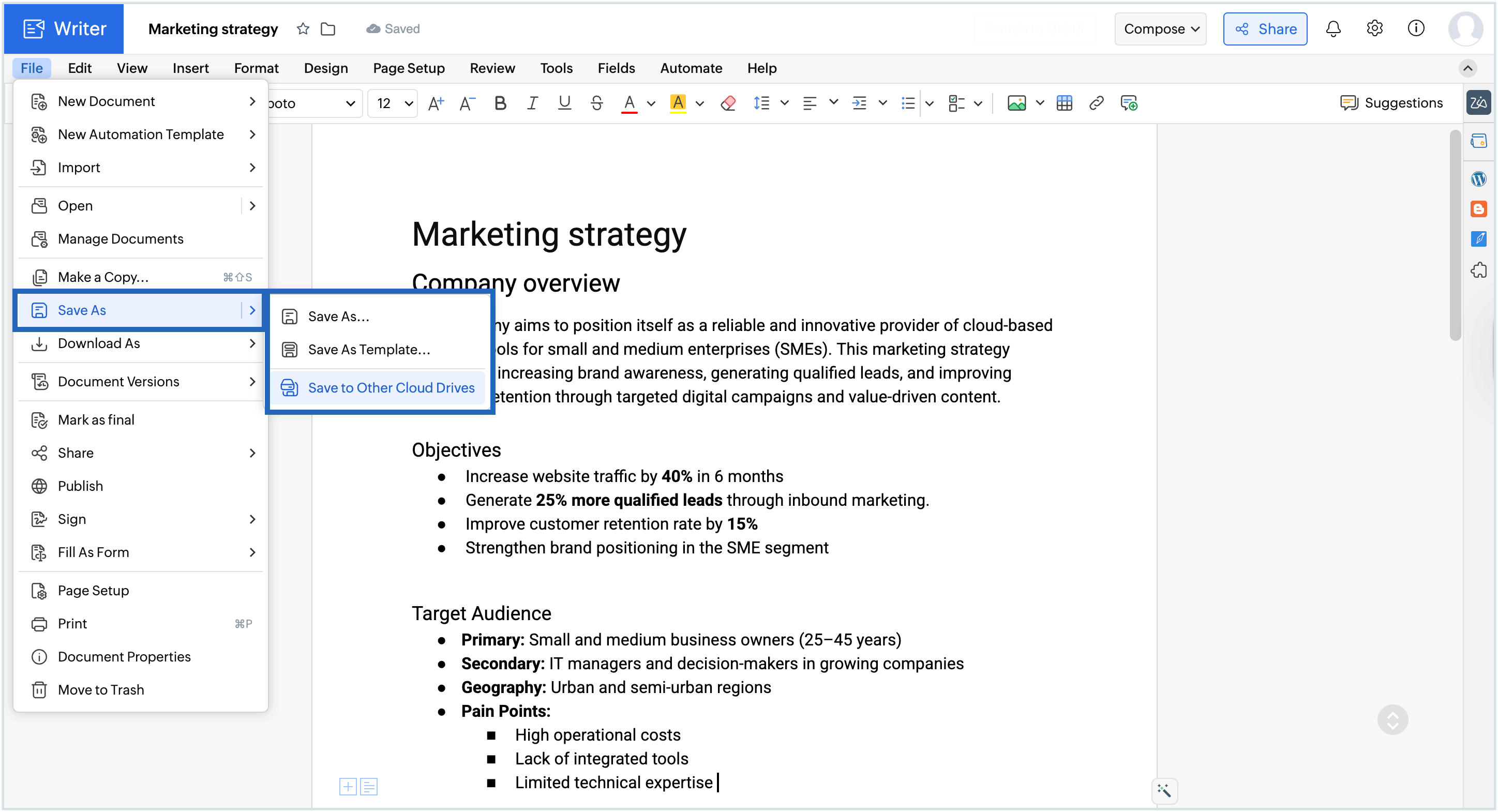
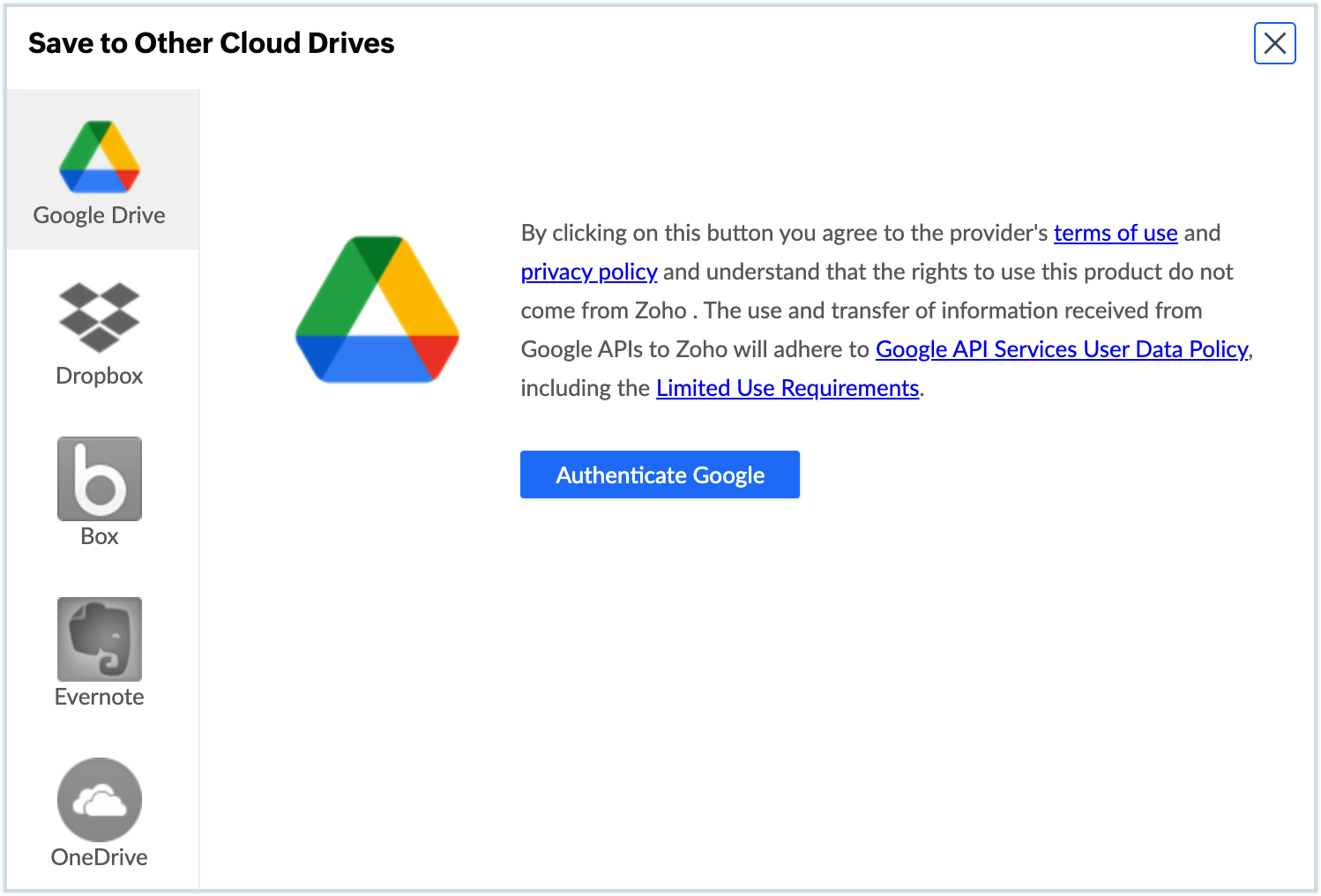
- Choose the desired drive and authenticate the service so can save your document to it.
Steps to upload an existing document to Zoho Workplace
If you have an existing document you wish to work on, you can upload it to Writer and edit it directly.
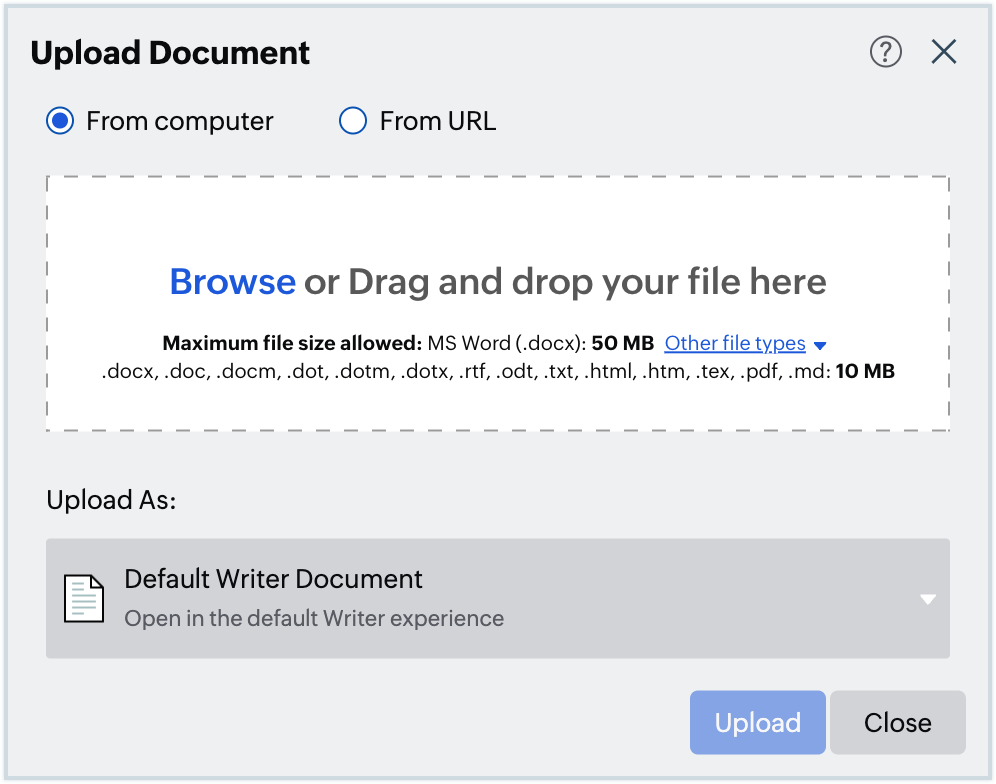
- Navigate to the Zoho Writer dashboard in Zoho Workplace and click New Documentand select Upload document.
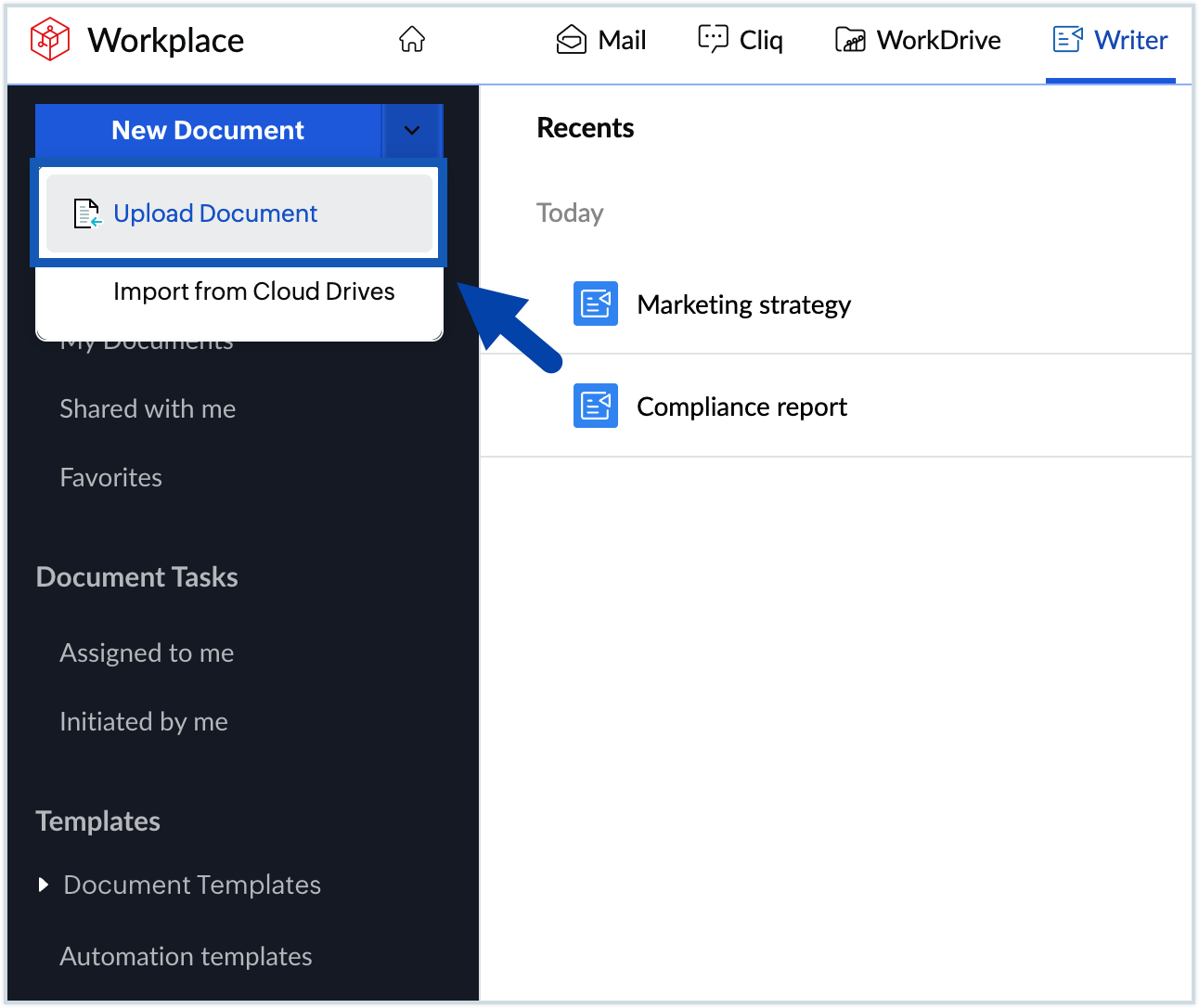
- Choose the desired file/URL you wish to upload and click Upload.
- You can upload files from your cloud storage too. To do so, go to New Document >> Import from Cloud Drives.
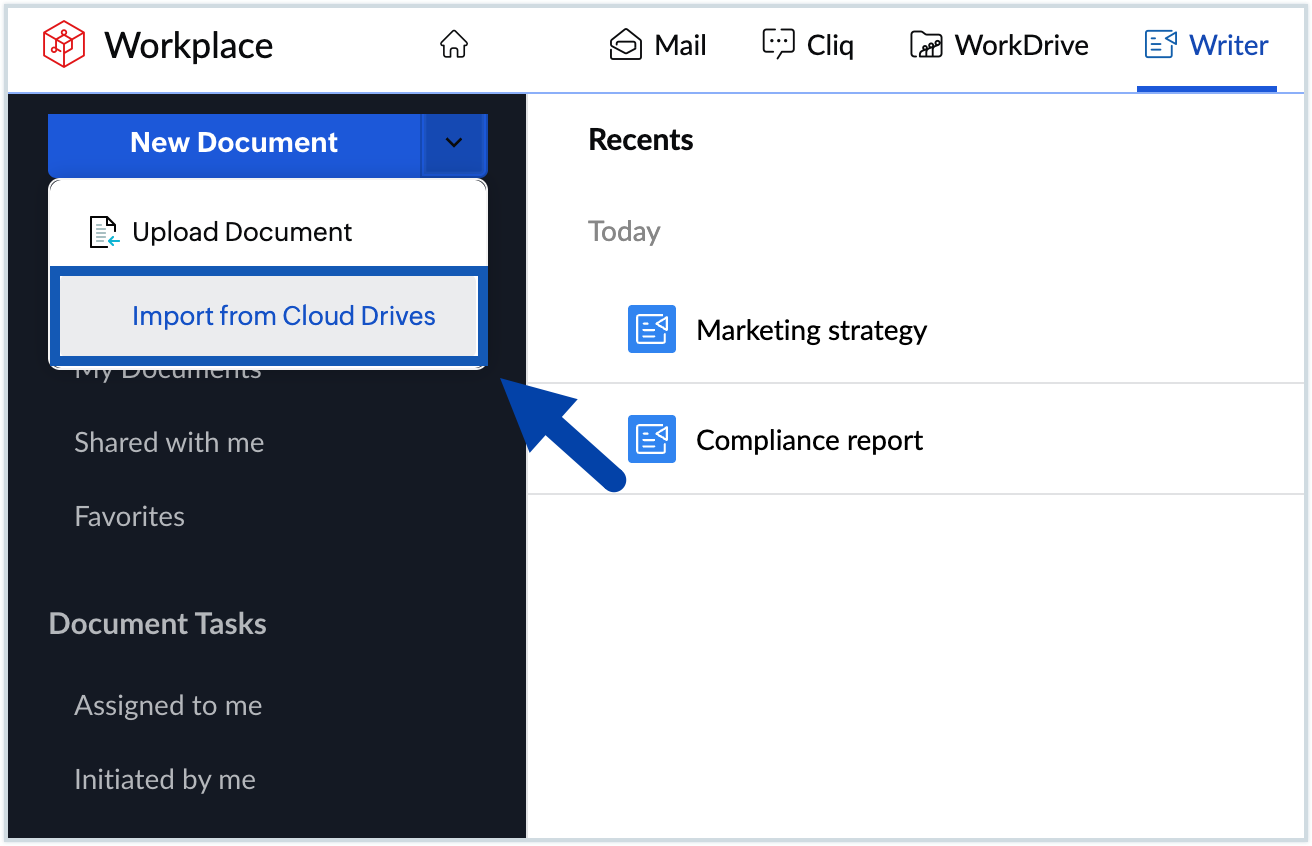
- Authenticate the service you wish to upload from and proceed.
- Alternatively, you can import files from within a document by: File >> Upload document.
Note
Zoho Writer allows you to create workflows within documents to automate your document reviews and approvals.
Learn more about Zoho Writer
Now that your document is set up, you can explore the following next: