Number Purchase
Purchase numbers in Zoho Voice to get your own numbers and make the most of its services. Make sure you have all the necessary documents ready, and you can complete the purchase process in a few simple steps through the Zoho Voice interface.
Purchasing numbers requires an active plan, and only super admins and admins can make a purchase.
Documents required for number purchase
To complete your number purchase, you'll need to provide any of the following documents:
Business Registration certificate - A copy of your valid business registration certificate.
Local address proof - Proof of address for the region where you're purchasing the number. Acceptable documents include an internet bill, water bill, or electricity bill.
Valid business website - Your business website details must match the submitted documents.
Note
In some regions, you may need to provide additional documents, like a government-issued ID or passport copy. Requirements can vary, so please check with our support team at support@zohovoice.com before proceeding with your number purchase.
Purchasing a number
To purchase a number:
Go to the Numbers module from the left sidebar menu.
You may choose to filter numbers by type and specify whether they should contain, start with, or end with the country code and the number entered in the Country field. Then click Search to view any available matching numbers.
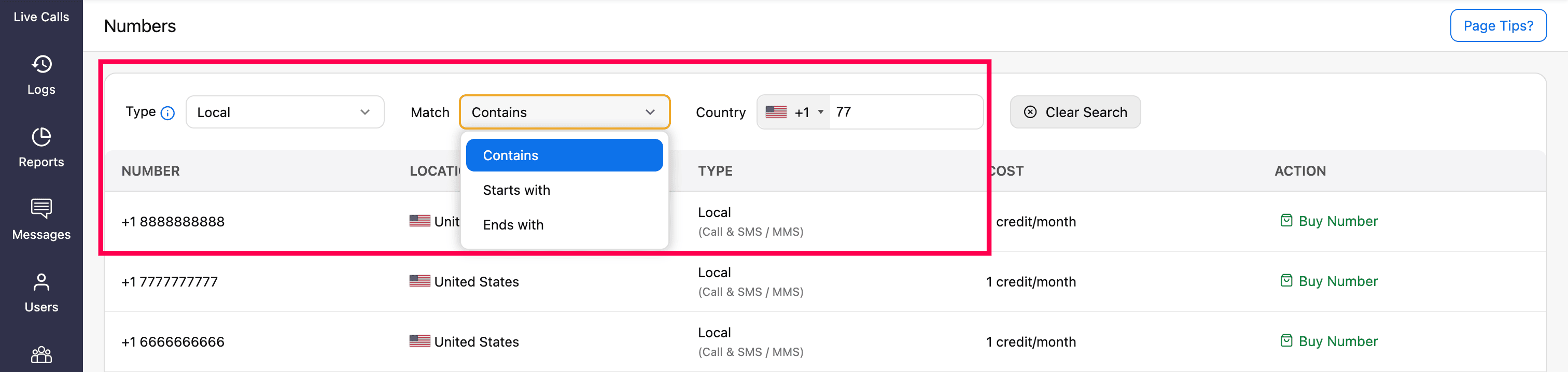
Click Buy Number next to the desired number of your choice.
A prompt will display the details of the selected number type. Review the details and click Continue.
On the Purchase Number using Credit page, enter a Display Name for the number.

Attach your address proof under the Proof of Business field. You can either select a previously uploaded business document from the dropdown (sourced from the Settings → Document module) or directly upload a new one by clicking Add New.

Select the agents to assign this number as their default outgoing number.
Note
- For personal and personal unlimited numbers, only one agent/user can be assigned.
- If you prefer, skip this step and assign the number later in the Call Config module.
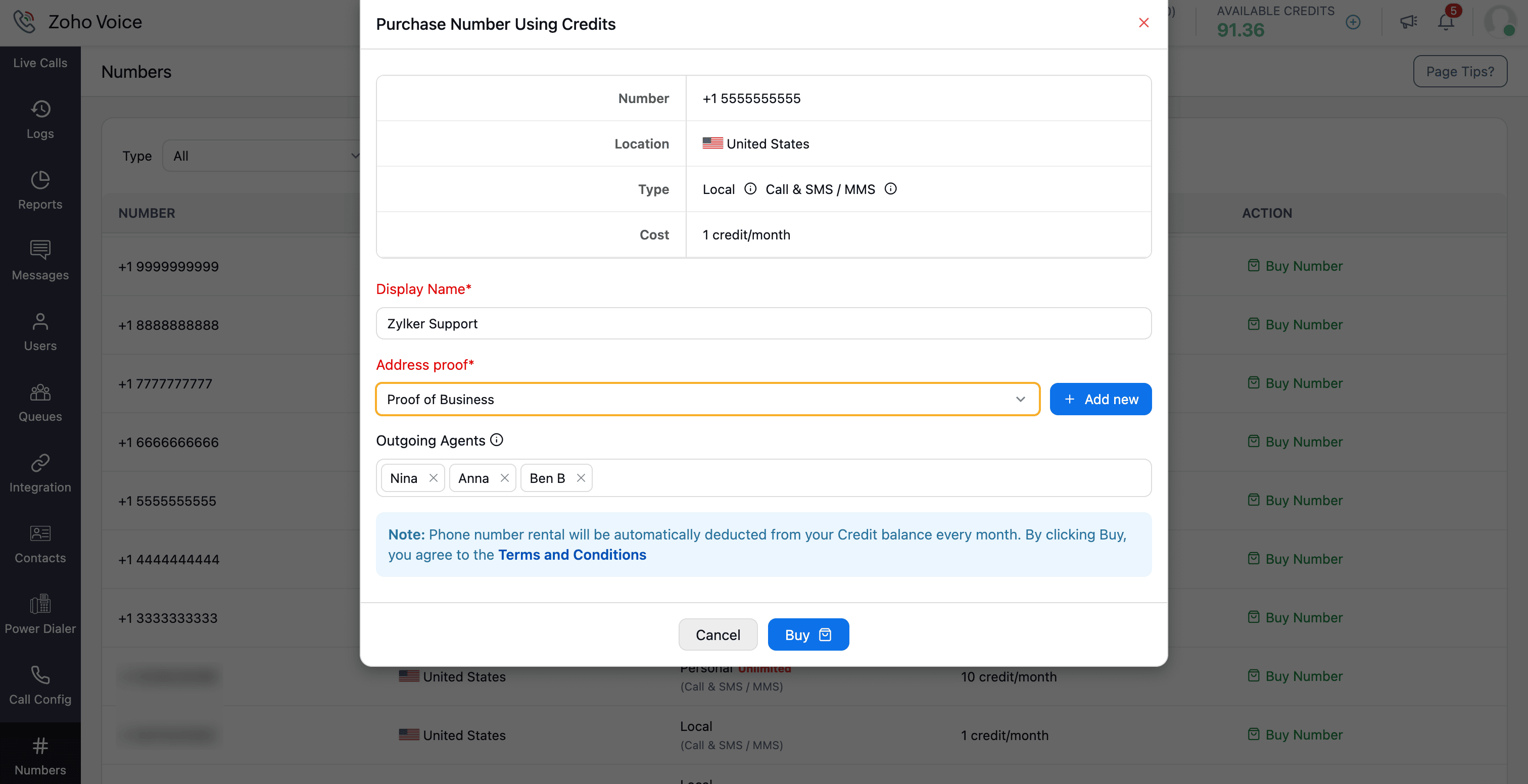
Click Buy and finalize the payment using credits.
Note
Number rental will be automatically deducted from your credit balance every month. By clicking Buy, you agree to the Terms and Conditions.
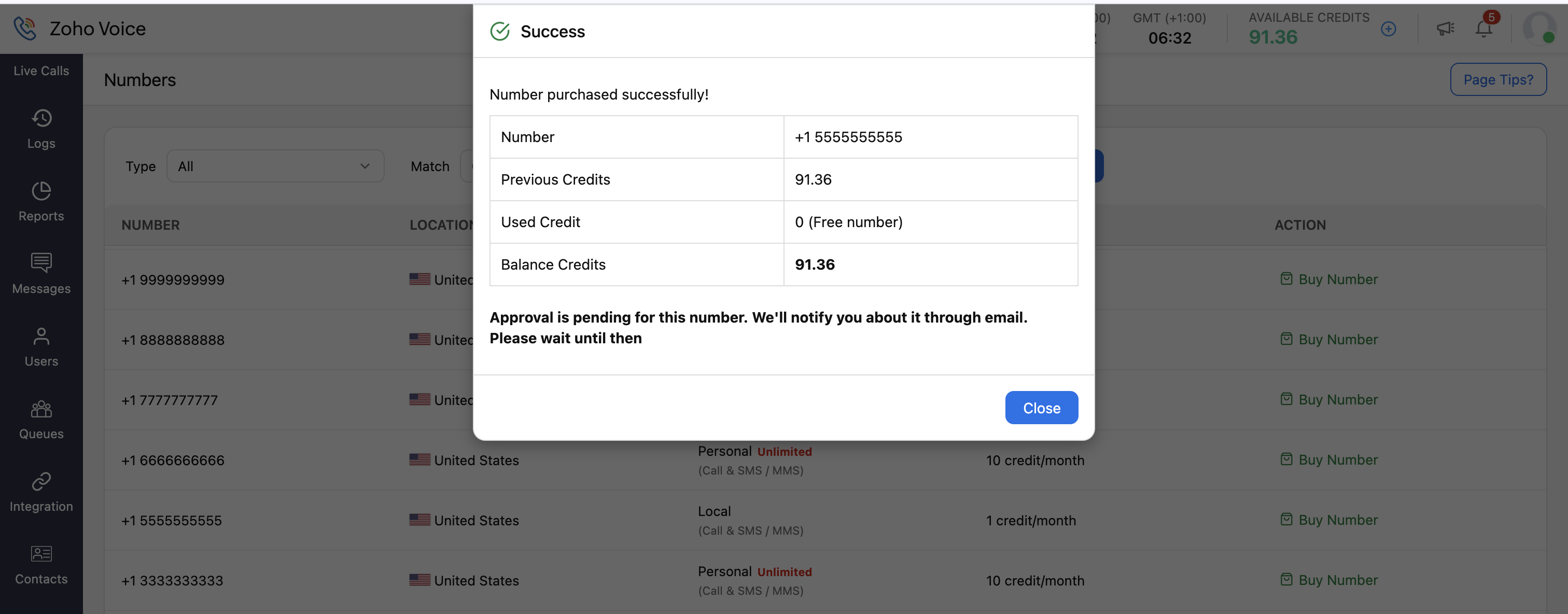


The Zoho Voice support team will verify your submission and approve the number.
Note
Numbers cannot be purchased while on a trial period using free credits.