My Profile Setup
Zoho Voice offers a dedicated general settings section where you can customize key preferences to suit your organization's communication needs. From configuring UI behaviour to setting up notification preferences, this is your central hub for system configurations.
You can also manage the Auto Credit feature here. When enabled, Auto Credit automatically adds credits to your account whenever the balance falls below a specified threshold. The system will top up the credits based on the configuration you set here in Settings → My Profile. The added credits will be included in your next subscription renewal.
In this section:
Super admin and admins can define organization-level settings.
Set preferences for email notifications triggered by specific events.
Customize date and time formats, time zones, and display options.
Customize and configure voicemail greeting.
Configure call recording retention (auto-delete durations).
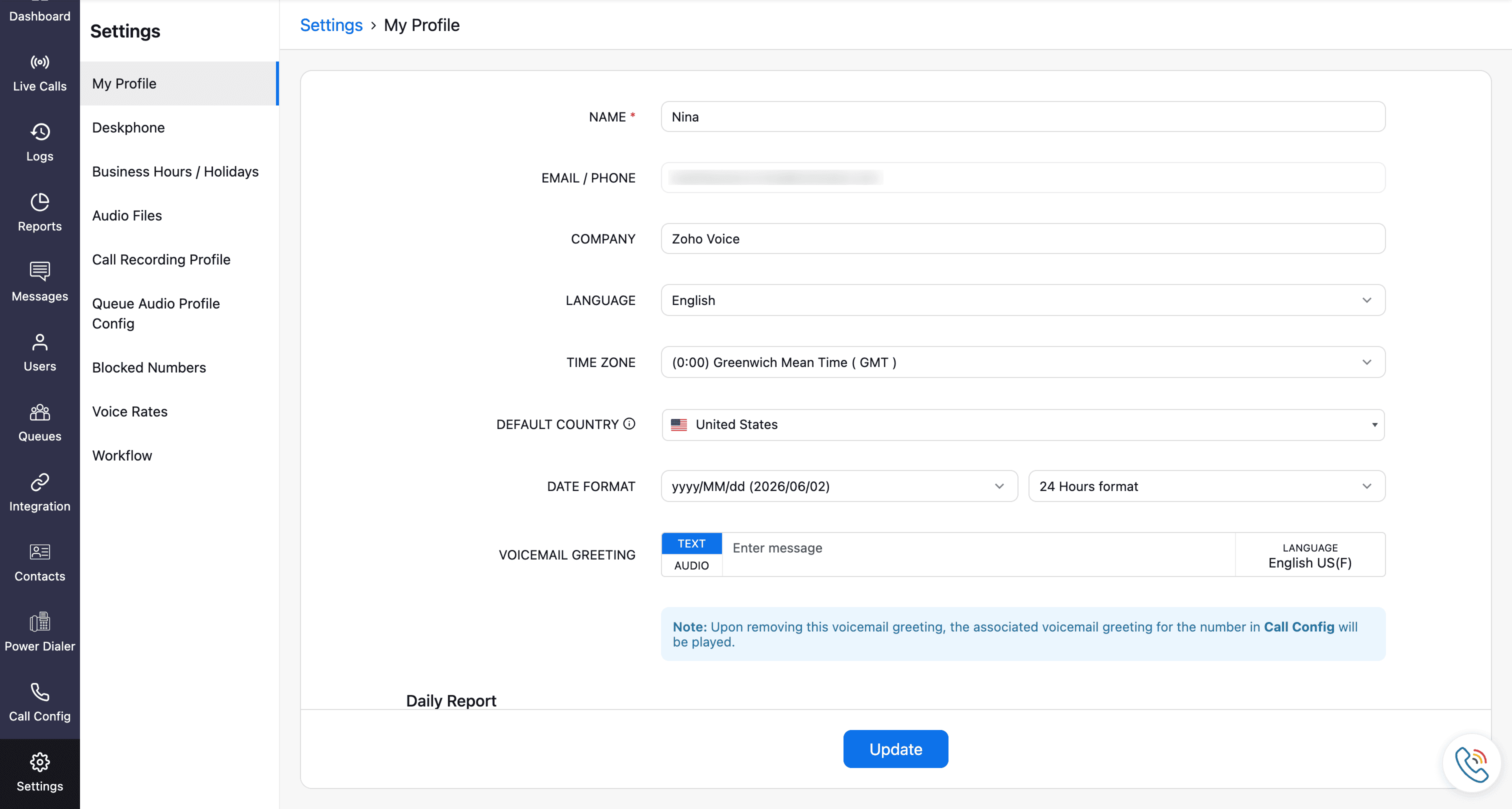
To set up your profile, go to the Settings module and click My Profile.
General settings
Mention the required fields as:
Name: Set your display name.
Email/Phone: Displays your primary email/phone details and cannot be edited.
Language: Set your console language
Time Zone: Set your console time zone
Default Country: Set your country here. This will be used to set a default outgoing country code in your dial-pad.
Date Format: Set your preferred date format.
Voicemail Greeting: Personalize your voicemail greeting for your callers during the business hours. Learn more about voicemail greetings.
Daily Report: Enable to receive call statistics for the last 24 hours until the reporting time.
Reporting Time: Reporting time follows the time zone you have selected.
Email Notification: Choose your preferred notification setting for the specified email address. You can opt to receive notifications for all missed calls, only for missed calls with voicemail, or disable notifications entirely.
Super admin & admin configuration
These settings apply to the entire organization.
Company: Your organization name. This can be edited only by the super admin.
Mandate Technician Supervising: Enable this if you want to allow adding technicians only if a supervisor is assigned to them.
Notify Incoming SMS: Enable to notify the incoming sms for the entire organization.
Auto-Delete Recordings: To delete voicemail and call recordings automatically, enable the Limit Retention Period option and set the maximum number of days you want to keep them. Once that period is over, the recordings will be permanently deleted.
Note
This field can be configured only by super admin.
Low Credit Notifications:
Credit Balance: You will receive notifications for three levels of low credit alerts. Reminders can be configured only for credit balances of 1000 or below. All three values are mandatory and must be entered from highest to lowest.
Auto Credit Renewal: Enable this to automatically add credits to your account when the balance falls below a specified limit.
- Credit Renewal Amount: Enter the desired value. A maximum of 500 credits can be configured.
Once you’ve configured all the required settings, click Update.

Note
- When configuring for the first time, ensure that the Available Credits is greater than the lowest Credit Balance threshold.
- Auto Credit can be triggered a maximum of three times within 30 days.
- For yearly plans, the minimum credit renewal amount should be 100.
- If there are any pending payments, auto credit will remain inactive until all dues are cleared.

