Deluge Integration: About Functions
Functions are the building blocks of Deluge scripts that define the specific actions and behaviors of your Zoho Voice connections. They allow you to customize how your connected services interact with Zoho Voice. You can create your own functions or use pre-defined gallery functions designed to post the event logs to the connected services.
Click here to learn more about the functions offered by Zoho Deluge.
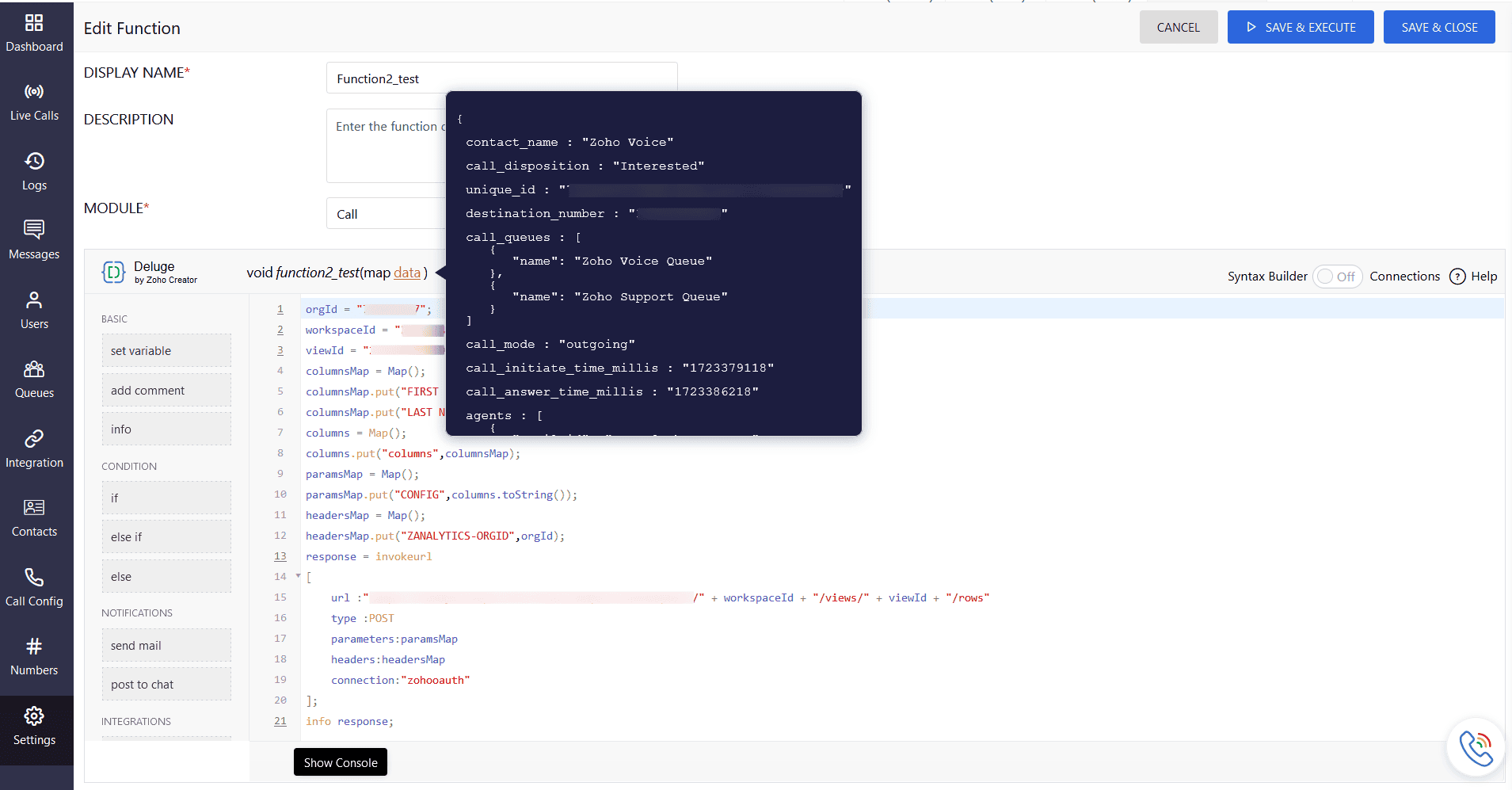
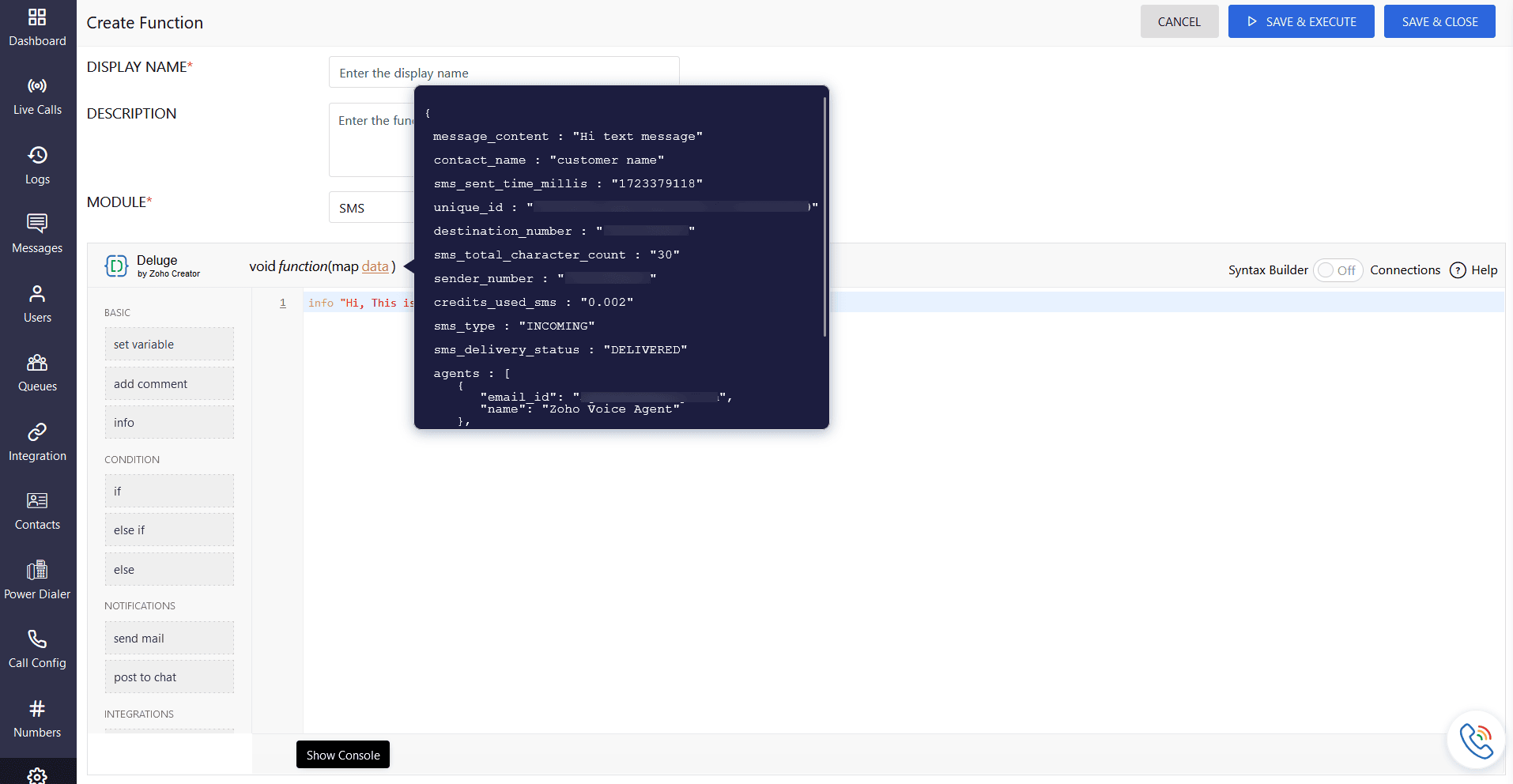
The following are parameters involved in function arguments, organized by module type:
Call Module Arguments
Arguments (as in the console) | Description |
caller_number | Number of the call maker |
destination_number | Number of the call receiver/attendee |
contact_name | Name of the contact as in the account |
call_rating | Rating for the call |
call_duration_secs | Duration of the call (in seconds) |
formatted_call_duration | Duration of the call in hh:mm:ss format |
call_mode | Type of the call. Eg Outgoing call/Incoming call/Missed call |
departments | Name of the department involved in the call |
agents | Agent(s) involved in the call. |
call_queues | Call queues involved |
call_initiate_time_millis | Time when the call is originally started. The call initiate time and the call answer time might vary, as the answer time to the ringing time differs. (in milliseconds) |
call_disconnect_time_millis | Time when the call is disconnected (in milliseconds) |
call_answer_time_millis | Time when the call is answered (in milliseconds) |
call_hangup_cause | Status of the call disconnection
|
power_dialer_name | Name of the Power Dialer campaign |
credits_used_call | Credits used during the call |
unique_id | Unique ID generated for every call |
call_recording_url | URL of the call recording |
voicemail_url | URL of the voicemail |
SMS Module Arguments
Arguments (as in the console) | Description |
sender_number | Number of the SMS sender |
destination_number | Number of the SMS receiver |
contact_name | Name of the contact as in the account |
agents | Agents involved in the SMS conversation |
sms_type | Type of the SMS Eg. Incoming/Outgoing |
sms_delivery_status | Status of the SMS delivery Eg. Successful |
sms_sent_time_millis | Time when the SMS is sent (in milliseconds) |
message_content | Content of the SMS |
unique_id | Unique ID generated for every SMS |
sms_total_character_count | Total character count used in the SMS |
credits_used_sms | Credits used during the SMS |
Key functions in Zoho Voice integrations
Call-related Functions:
Initiate calls: Make outbound calls to specific numbers or phone lists.
Answer calls: Automatically answer incoming calls based on defined criteria.
Hang up calls: End active calls.
Transfer calls: Send calls to other agents or departments.
Hold calls: Place calls on hold until they're transferred to the relevant agent or department.
SMS-related Functions:
Send SMS messages: Send text messages to specific phone numbers.
Receive SMS messages: Handle incoming SMS messages and trigger actions based on their content.
Integration Functions:
Connect to external services: Integrate with other applications or APIs (e.g., CRMs or messaging platforms).
Retrieve data: Fetch data from external systems.
Send data: Push data to external systems.
Utility Functions:
Logging: Record information for debugging or analysis.
Error handling: Manage exceptions and errors that may occur during script execution.
Time and date manipulation: Work with time and date values.
String manipulation: Perform operations on text strings.
Creating and using Functions
Custom functions: You can create your own functions using Deluge's scripting language.
Built-in functions: Deluge provides a library of pre-defined functions that can be used directly in your scripts.
Function parameters: Functions can take input parameters to customize their behavior.
Function return values: Functions return values that can be used in other parts of your script.