Documents
In Zoho Voice, you can upload and manage all required documents in one centralized module. This makes it easy to access them whenever needed, especially during number purchases, where submitting valid documents is mandatory. Uploading documents in advance simplifies the process and ensures you're prepared when purchasing new numbers.
Note
Only Super Admin and Admins have permission to upload and manage documents.
To upload a document:
Go to Settings and select the Documents module in the left sidebar menu.
Click the Upload Doc button in the top-right corner.
Enter the name of the document, select the country, and choose the document.
Note
All fields are mandatory.
Click Upload.
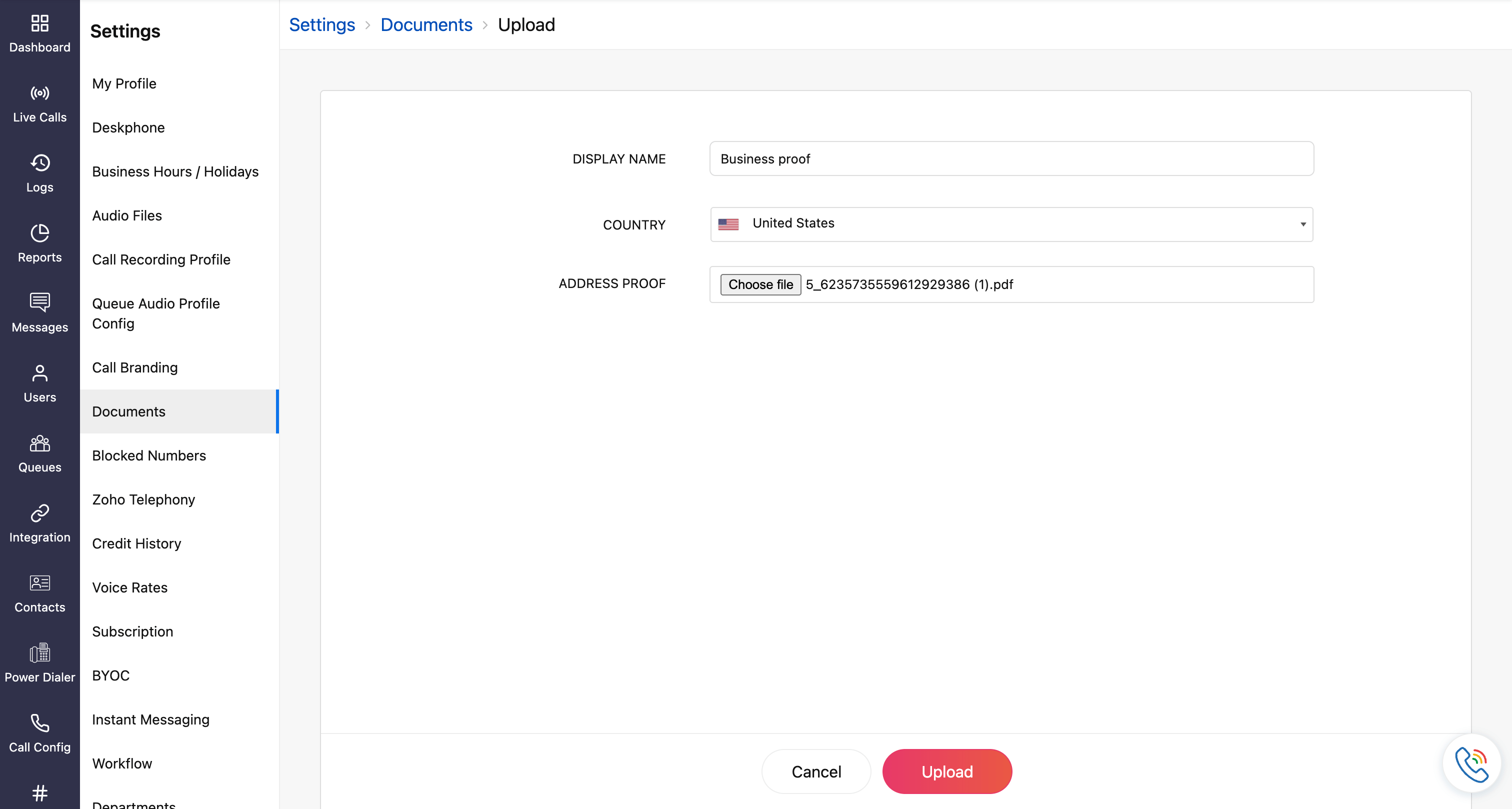
The uploaded documents will be listed on the documents homepage. You can use these documents when purchasing numbers through the Numbers module. For more details, refer to the Numbers guide.
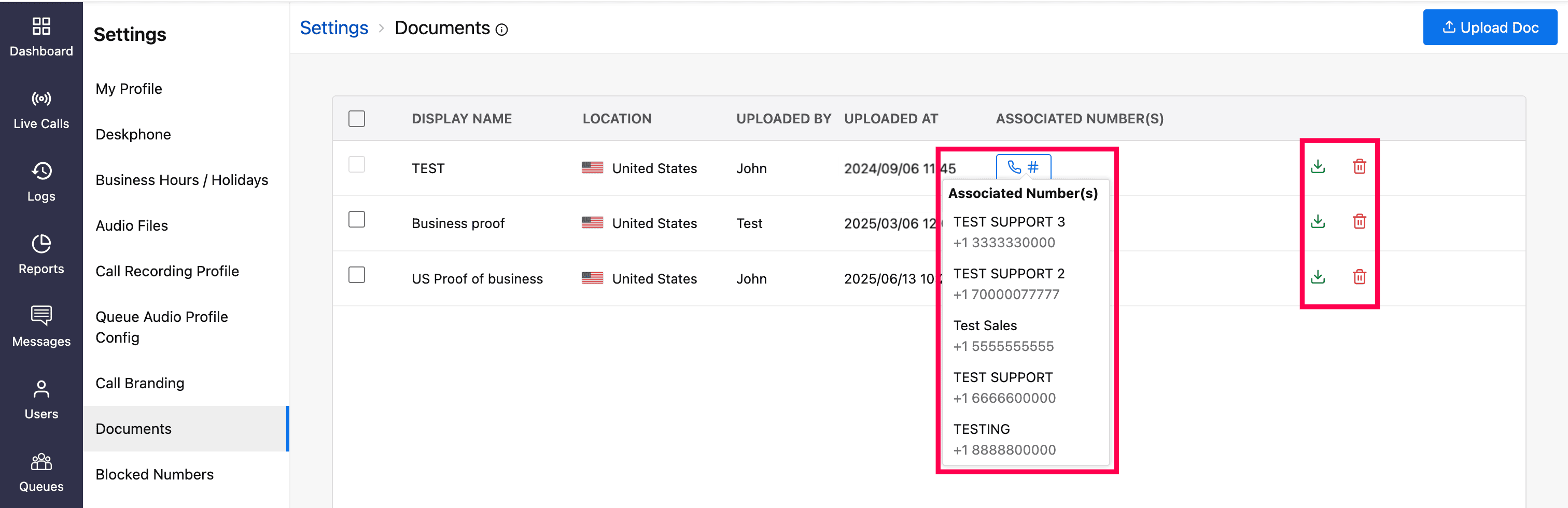
To view the numbers associated with a document, click the hash icon.
You can download and delete the document by clicking the respective icons on the homepage.
Note
A document that has been used to purchase a number cannot be deleted until all associated numbers are removed.
