- HOME
- Online Presence
- Physical address, service-area, or hybrid? Choosing the right Google Business Profile setup
Physical address, service-area, or hybrid? Choosing the right Google Business Profile setup
- Last Updated : January 22, 2026
- 1.2K Views
- 4 Min Read

Having an online presence on Google Maps is a sure-fire way to attract customers. People who search locally aren’t browsing or researching; they want something now.
That urgency is exactly why your Google Business Profile matters so much. It puts you right in front of people at the moment intent turns into action.
But here’s where some businesses get it wrong.
When setting up a Google Business Profile, what do you do about the address?
Do you show a physical location?
Do you hide it and list service areas instead?
Do you try to do both and hope Google doesn’t notice?
If you’re confused, you’re not alone. There’s no one-size-fits-all answer. Let’s break it down properly.
Short answer
It depends entirely on your business model.
Long answer
Google Business Profiles are built around one simple idea: real-world, face-to-face businesses.
Google Maps exists to show physical reality. Even as things go digital, that core idea hasn’t disappeared. This matters a lot when you choose between:
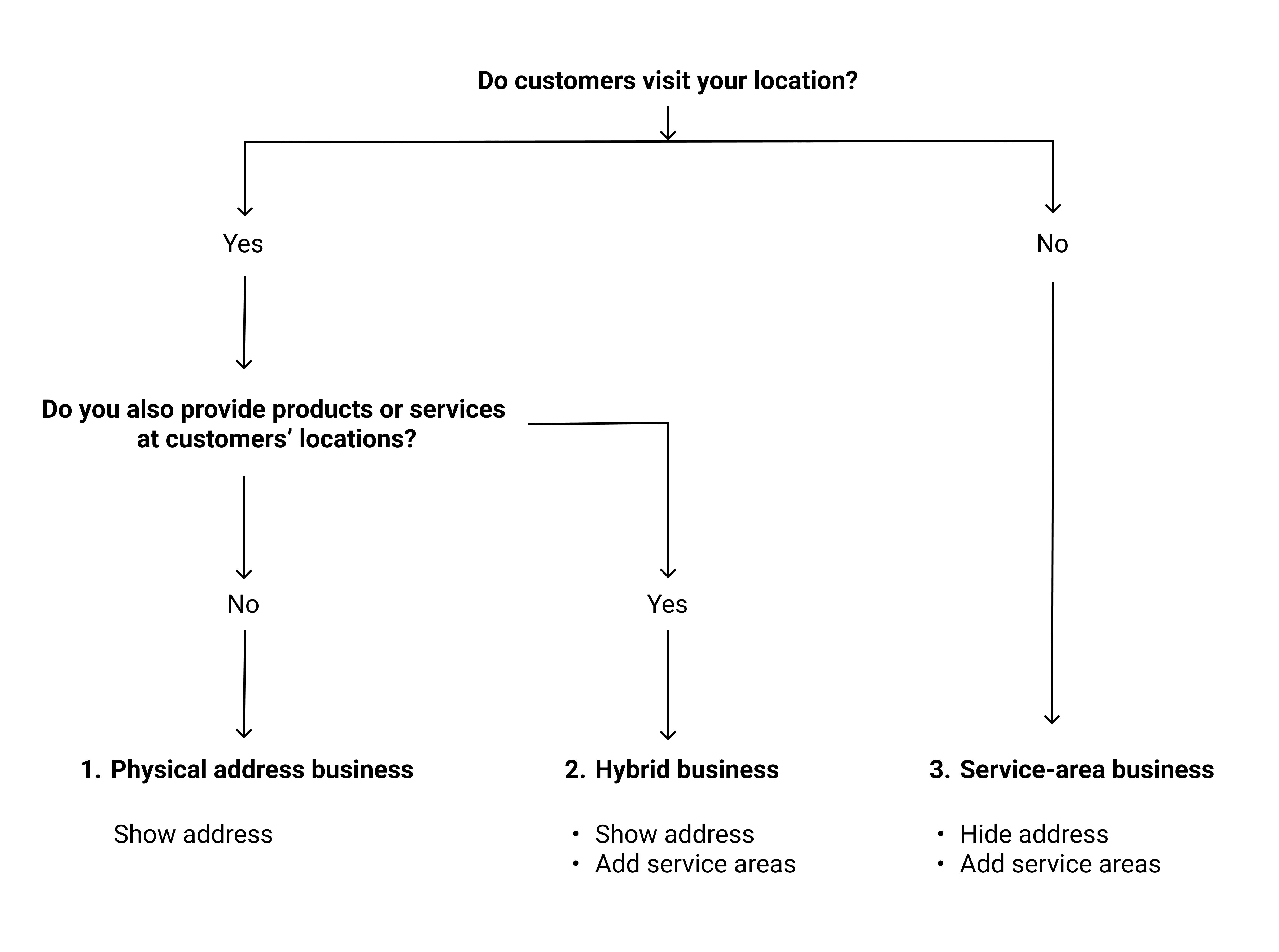
Physical address business
Service-area business
Hybrid business
Pick the wrong one, and the best case is that you confuse customers. Worst case, Google may suspend your listing.
Let’s look at each option and when it actually makes sense.
1. Physical address (storefront businesses)
This is the simplest case. If customers come to you, you show your address.
Examples:
Restaurants
Retail stores
Clinics and hospitals
Gyms
Banks
Offices where walk-ins are allowed
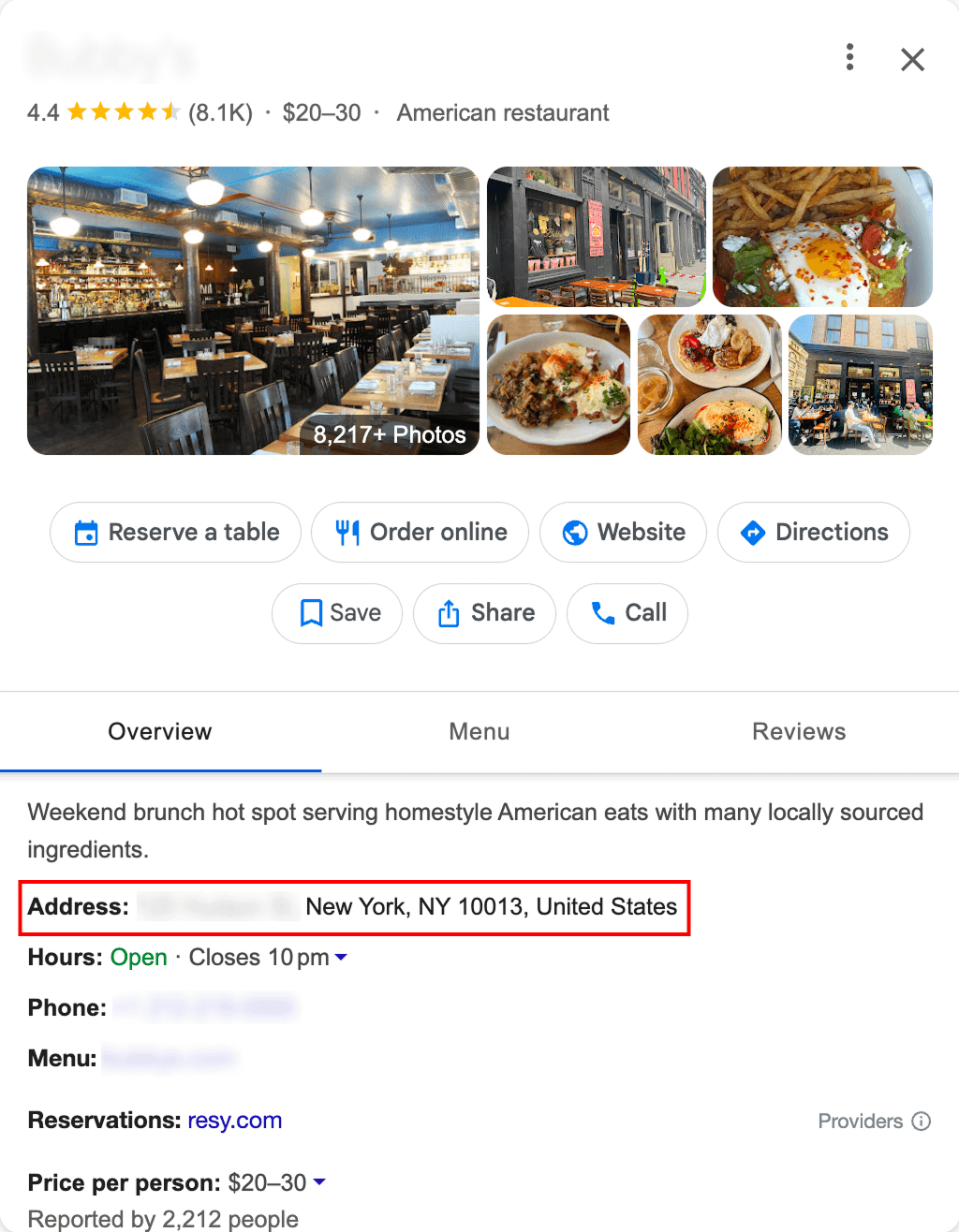
Your address is visible on Google Maps. You have opening hours. You have a pin. Customers visit you.
Why this works
Google’s local ranking system heavily relies on proximity. If someone searches “dentist near me,” Google wants to show dentists that are physically near the searcher.
A visible address makes Google Business Profile management far more effective.
A real-life tip
If customers don’t actually visit your office, don’t list it. Listing a back office or shared workspace just to look legit is one of the fastest ways to get suspended.
Google’s guidelines are very clear here: If you don’t serve customers at that location during stated hours, don’t show the address.
Google help guides to read
Business eligibility and ownership guidelines
2. Service-area business
Service-area businesses are where things get tricky. These are businesses that go to the customer, not the other way around.
Examples:
Plumbers
Electricians
Pest control
House cleaners
Roofing contractors
Mobile car services
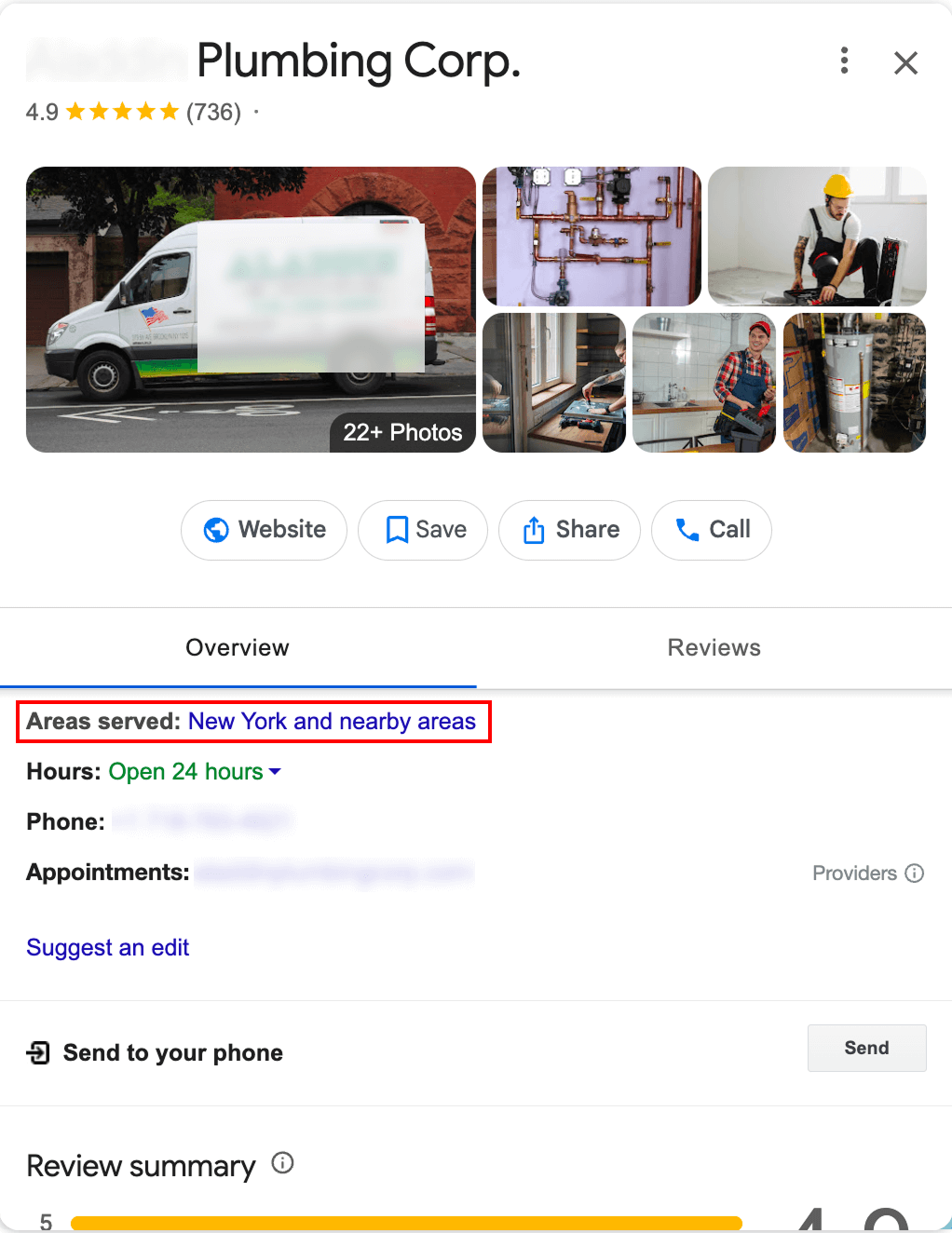
In this case, Google allows you to hide your physical address and instead define the areas you serve.
You enter cities, postal codes, or districts, and Google marks the areas you serve on its map. You can add up to 20 service areas. Google also recommends keeping this within roughly two hours of driving time from your base location to avoid unrealistically large coverage.
Important reality check
Even though your address isn’t visible, Google still requires one. There is always a real address tied to your listing in the background. Google uses it for:
Verification
Proximity calculations
Trust signals
So service-area businesses are not address-free; they’re just address-hidden.
A real-life tip
Smaller, tighter service areas often perform better than massive ones. Being highly relevant in one city beats being vaguely present across an entire state.
Google help guides to read
Set up a service area on Google Business Profile
Guidelines for representing your business on Google
3. Hybrid business (address + service area)
Hybrid businesses do both. They have a physical location customers can visit and they serve customers at their houses or any other places.
Examples:
Restaurants offering dine-in and delivery
Veterinary clinics with in-home visits
Tow service companies providing roadside services
Appliance stores with installation services
Salons that also do home appointments
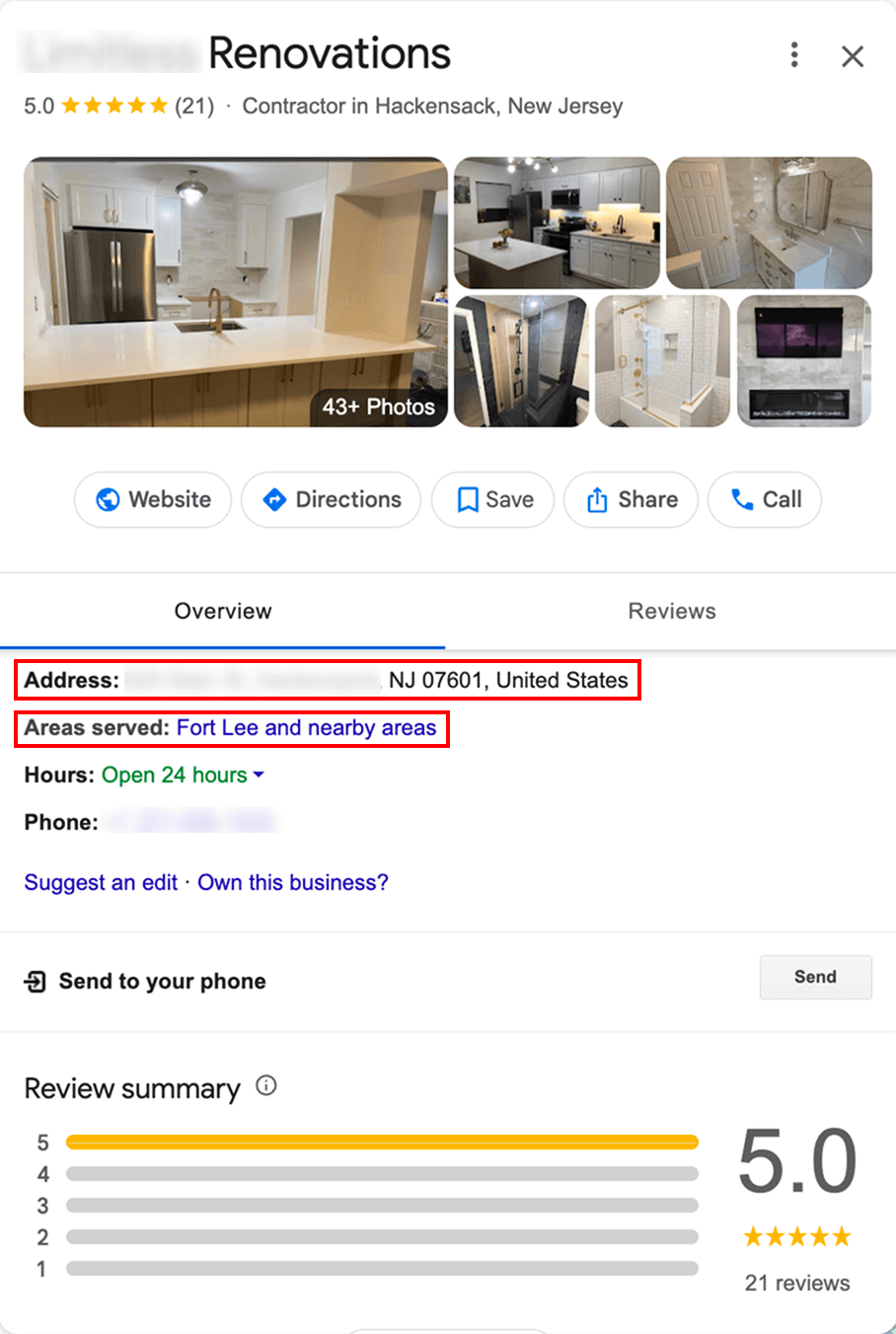
In this case, Google allows you to:
Show a storefront address
Set service areas
Have different expectations tied to both
This is perfectly legitimate when done honestly.
Where businesses often make mistakes
Businesses often mark themselves as hybrid just to increase reach. That’s a bad idea. If you list a storefront, customers should be able to visit it during stated hours. If not, you’re breaking the rules and risking suspension.
A real-life tip
If home service is a small add-on, focus optimization around your physical location. If home service is your primary revenue, optimize content and categories accordingly.
Google help guide to read
Business Profile for service businesses overview
Proximity still matters more than people think
Here’s the truth: Even with service areas and clever optimization, local search is still rooted in physical geography. Google hasn’t abandoned the idea that businesses exist in the real world.
Service-area businesses may not show a map pin, but they’re still ranked based on how close they are to the searcher. That’s why fake addresses fail, virtual offices get flagged, and “we serve everywhere” setups quietly stop working. Local search works because it’s local.
Final word
So what should you choose? Ask yourself one simple question: where does face-to-face interaction happen? If customers come to you, show your address. If you go to customers, hide the address and set realistic service areas. If both happen, choose a hybrid setup and do it honestly. That’s it. No hacks, no tricks, and no stuffing your city name into every field. Just align your Google Business Profile with how your business actually operates.