
Confused about where to start?
Every nonprofit is unique, but your tools don’t have to be complicated to make a big impact.
Whether you’re just starting out or managing multi-country programs, Zoho helps you organize your donors, streamline your operations, measure your impact, and much more.
Tell us about your organization, and we’ll tell you what's right for you!
Question 1/3
How many full-time employees or staff membersdoes your organization have?
Question 2/3
How would you describe your organization’s current scale of operations?
Question 3/3
Which range best describes your organization’s annual budget size?


Thank you for Applying!
We've received your application and will begin reviewing your nonprofit details shortly.
Check your inbox for a confirmation email within the next 10 minutes. (If you don't see it, be sure to check your spam or junk folder too.)
If you have any questions, feel free to reach out to us at support@zohononprofits.com
Enabling the enablers
At Zoho, we believe technology should empower and not burden those driving social change. That's why we're offering nonprofit organizations a one-time $5,000 credit to use across Zoho products. With every purchase, Zoho covers half the cost, helping you a little bit more on your mission.
How it works
01
Before you apply02
Documents & Credentials upload03
Apply for wallet credits04
Redeeming credits
- Create a Zoho account, if you don’t have one already. Apply for nonprofits wallet credits using this account.
- A few Zoho apps are not covered under Zoho for Nonprofits program. Check out the details here.
- Review the Zoho for Nonprofits Terms of Service carefully before submitting your application.

- Ensure the email address you use in the form matches the one linked to your Zoho account - credits are tied to this email and cannot be transferred later.
- If you’re applying via TechSoup, have your Validation Token ready. You can retrieve or apply for it here.
- If you’re applying directly, keep your nonprofit or charity registration documents ready to upload.

- Fill out the forms with all the details requested. We use this to verify your credentials and issue credits.
- Allow us 7–10 business days to verify and issue your credits. You will receive an email confirmation.
- After approval, we will send another email, and you can view and apply your Zoho Wallet credits at checkout.

- You can use the credits for new purchases, upgrades, adding more users, and for renewals
- On the subscription page, enable 'Use my existing wallet credit' before checkout to redeem from your credits.
How it works
Before you apply
- Create a Zoho account, if you don’t have one already. Apply for nonprofits wallet credits using this account.
- A few Zoho apps are not covered under Zoho for Nonprofits program. Check out the details here.
- Review the Zoho for Nonprofits Terms of Service carefully before submitting your application.
Documents & Credentials upload
- Ensure the email address you use in the form matches the one linked to your Zoho account - credits are tied to this email and cannot be transferred later.
- If you’re applying via TechSoup, have your Validation Token ready. You can retrieve or apply for it here.
- If you’re applying directly, keep your nonprofit or charity registration documents ready to upload.
Apply for wallet credits
- Fill out the forms with all the details requested. We use this to verify your credentials and issue credits.
- Allow us 7–10 business days to verify and issue your credits. You will receive an email confirmation.
- After approval, we will send another email, and you can view and apply your Zoho Wallet credits at checkout.
Redeeming credits
- You can use the credits for new purchases, upgrades, adding more users, and for renewals
- On the subscription page, enable 'Use my existing wallet credit before checkout to redeem from your credits.
| Transaction value | Amount paid by you | Credits deducted from the wallet | Balance credit in the wallet |
|---|---|---|---|
| If $500 | $250 | $250 | $4,750 |
| If $2,000 | $1,000 | $1,000 | $4,000 |
| If $10,000 | $5,000 | $5,000 | Nil |
| If $15,000 | $10,000 | $5,000 | Nil |
Subsequent recurring charges will follow the same 50/50 split. For instance, if your original transaction value was $500 , a $500 renewal deducts $250 from the wallet credit, reducing the remaining balance to $4,500. This continues until the entire $5,000 is used.
Simplify all your core operations
Donor Management
- Store organized donor information in one secure hub
- Generate donor insights and reports in one click
- Customize communication for each donor
- Connect seamlessly with payment gateways for smooth donation processing
- Build an exclusive donor community to strengthen relationships
Fundraising Tools
- Organize multiple fundraising campaigns with ease
- Track donations and progress in real time
- Host in-person or virtual fundraising events successfully
- Create branded, mobile-friendly donation pages
- Access detailed fundraising reports and dashboards
Volunteer Engagement
- Get volunteers to sign up online quickly
- Maintain profiles to match volunteers with opportunities
- Create volunteer events, assign roles, and track attendance with ease
- Let volunteers access schedules and updates via mobile apps
- Generate volunteer impact reports
Accounting and Transparency
- Get a real-time overview of your finances
- Categorize income and expenses by events, projects or funds
- Manage local and international donations seamlessly
- Send invoices, donation receipts, and financial reports automatically
- Generate audit ready reports needed for tax and donor transparency
Custom Solutions
- Use low code tools to build apps easily
- Build apps to manage donors, events, volunteers, finances, and more, and integrate them seamlessly
- Work with mobile apps that are automatically optimized for all devices
- Scale and expand your apps as your organization grows
- Integrate your custom apps with other Zoho and third-party apps or payment tools
Impact Measurement
- Track program outcomes
- Create visual dashboards for at-a-glance insights
- Share impact with stakeholders
- Compare planned objectives with real results
- Generate professional reports
Amplify your mission with Zia
Integrating Zia, Zoho's advanced AI Assistant, into your Zoho ecosystem allows your team to save valuable hours, make smarter decisions, and achieve overall efficiency. From tracking donations and managing volunteers to running events and analyzing impact, Zia has you covered.
For Landing Pages
For Landing Pages
Your campaign and donation pages draw prospective donors, volunteers and other partners. Zia assists in crafting SEO-optimized landing pages by generating tailored content and meta tag suggestions.
Learn MoreFor Document Management
For Document Management
From grant proposals to board reports to volunteer handbooks, managing nonprofit documents can get complicated. Zia simplifies it with smart search: find files by name, content, or even text inside images, across all your Zoho apps.
Learn MoreFor Spreadsheets
For Spreadsheets
Need to report impact by region, pull donor stats, or prep a report fast? Zia helps you analyze your data using natural language. Just ask questions like “How many volunteers signed up last month?” and Zia builds the charts for you. From custom charts to plain-English answers, Zia makes spreadsheets easier and more intuitive.
Learn MoreFor Meetings
For Meetings
After an important corporate donor meeting, you are asked for a very precise plan-of-action in the next half hour, along with key decisions made. Zia helps generate concise meeting summaries, can highlight key decisions and transform transcripts into actionable steps.
Learn MoreFor Social Media
For Social Media
Want to reach out to more but can't spend much time or effort creating social media content? Zia helps in creating relevant content for different social media channels, suggests hashtags, responds to interactions and streamlines your publishing workflow. All of this can translate to more followers without extra efforts!
Learn MoreZoho Zia Agents
Zoho Zia Agents
Zia Agents are AI powered assistants that handle all the repetitive tasks like sending donor thank you emails, updating records, or reminding volunteers. With Zia Agents, your team can focus on what really matters: building relationships, creating campaigns, and driving change.
Start freeing up your team’s time today, let Zoho Zia Agents amplify every hour you spend on your mission.
Learn MoreConnects with your favorite tools
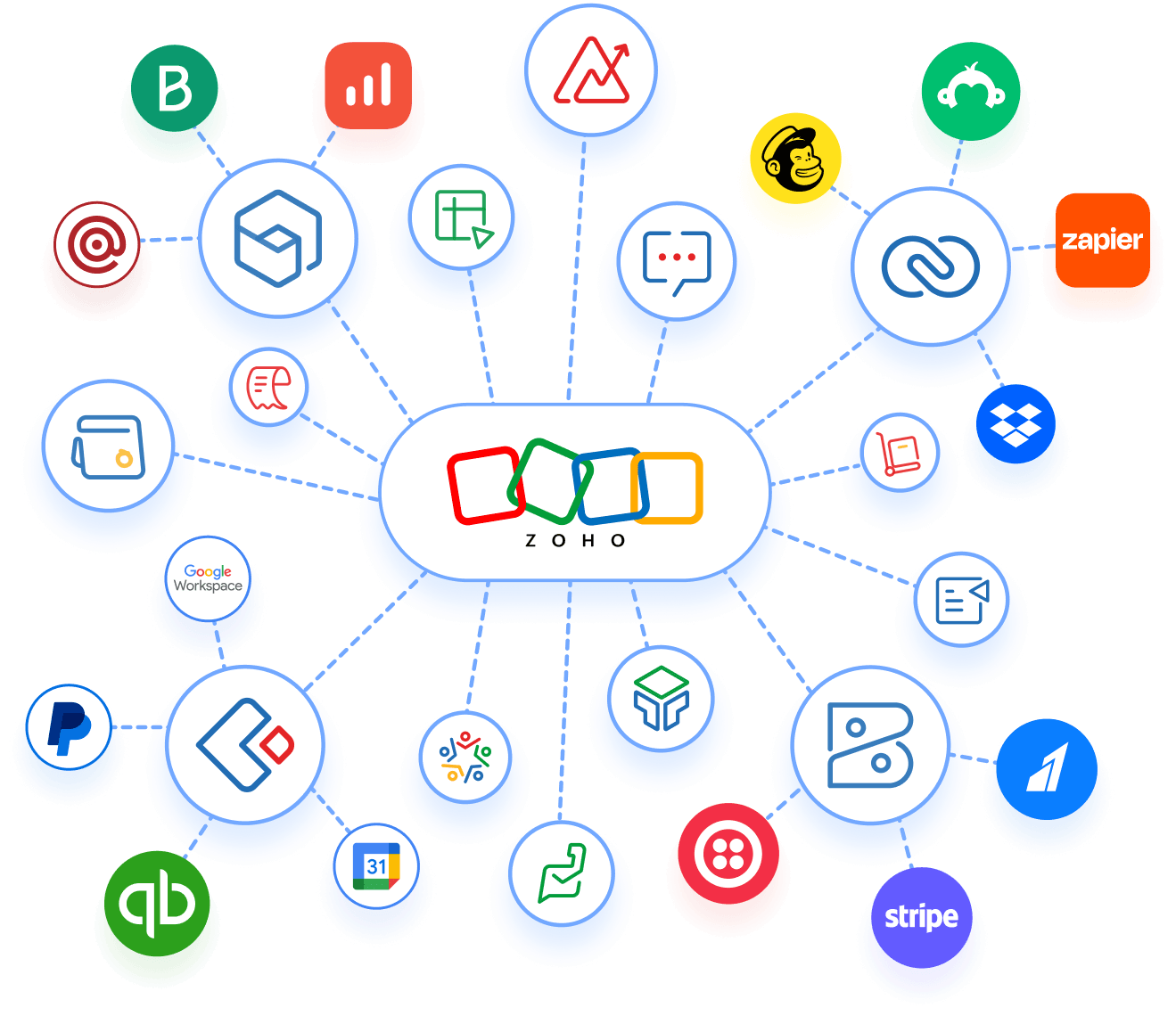
Our platform integrates seamlessly with the tools you already use.
Simple and user-friendly
Zoho’s intuitive apps make teamwork effortless for organizations of any size. Experience seamless operations with built-in integrations across Zoho apps and third-party tools. Integrate payment systems and accounting software essential for fundraising and donor management.


Affordable and power-packed
Get enterprise-grade, yet affordable features in your nonprofit CRM for grant and volunteer management and more. Manage your members and projects end-to-end with a unified dashboard. You can plan, promote, run and review events with intuitive event management tools.
Privacy-first and compliant
Rest assured, your data stays yours. We do not own or sell your data. We don't display ads or mine your information. And we back that privacy promise with the highest global standards for data security and compliance.

Ensure data compliance
Nonprofits thriving with Zoho

We're always looking for new ways to automate routine, time-consuming tasks, and with Zoho Cliq, this became possible. We've switched from internal emails with endless reply threads to Cliq, for instant collaboration and delivery.


Zoho has helped us through its seamless integration, allowing our entire operation to be digitized. This integration, which is possible between apps within the Zoho Universe is something great. They have a good user interface in mobiles also. This helps us use our mobiles itself for book-keeping.


Switching to a low-code platform has brought tremendous changes in how we work. Previously, entering details for 100 devotees would take at least ten days of manual effort. With Zoho Creator, the same task now takes only ten minutes. This transition has saved us 99% of the time that was previously spent on repetitive, mundane tasks. Additionally, digitization has minimized human errors, making our processes more efficient.
Frequently asked questions
- Eligibility and application
- Billing and wallet credits
- What you can do
- What you cannot do
- TechSoup validation and partnership
Eligibility and application
Billing and wallet credits
How many wallet credits does Zoho provide?
Zoho provides $5,000 as wallet credit for a registered NPO. After successful verification of your application for the Zoho for NPOs program (within 10 working days), wallet credits are added to your Zoho account.
How to redeem the credits?
Wallet credits can be redeemed against new subscriptions, renewals, re-activations, add-on purchases, upgrades (plan upgrades and pay period upgrades), and user additions. During every transaction, the payment is split equally: you pay 50%, and 50% is deducted from your wallet balance.
How do I check if the credits have been deposited into my account?
Log into your Zoho account using the email you used when signing up for the Zoho for NPO program (should be the same as the subscription email). Then, visit your Zoho Subscription page or visit store.zoho.com to view your credits.
For how long are my wallet credits valid?
Your wallet credits have a validity of 5 years from the date of issue.
I have applied for the program. How long will it take for me to be accepted and receive the credits?
It typically takes up to 10 working days to validate and process your application. We appreciate your patience and will contact you if we need any additional details. Feel free to reach out to support@zohononprofits.com if you have any questions in the meantime.
What you can do
If I purchase for $580 during my first transaction, how does the credit system work?
If you make a purchase for $580 in your first transaction, you will be billed for $290 and $290 will be deducted from your wallet credit, leaving $4,710 as the balance amount in your wallet. During your next and subsequent transactions, 50% of your transaction value will continue to be redeemed from the remaining wallet credits until fully utilized.
Can the credits be redeemed for subscription renewals?
Yes, the wallet credit system is applicable when you renew your subscription too.
Can the credits be redeemed for add-on purchases?
Yes, the wallet credit system is applicable for any add-ons you purchase too.
Can the credit be redeemed for purchasing additional user licenses?
Yes, the NPO wallet credits can be used for purchasing additional user licenses.
What you CANNOT Do
What products/services cannot be purchased using NPO wallet credits?
The following products cannot be purchased using wallet credits:
Zoho Voice
Zoho Start
Zoho Sign API credits plans
the pay-as-you-go edition of Zoho Campaigns
Zoho Domains
Zoho Backstage
Additionally, your credits can't be used for ManageEngine products, Qntrl, Vikra, TrainerCentral, or Zoho POS. Onboarding, training and other such services provided by Zoho can also not be purchased using NPO wallet credits.Can the credits be redeemed for Marketplace extensions?
No, the NPO wallet credits cannot be used for Marketplace extensions.
Can the credits be redeemed for annual premium/enterprise support?
Zoho's regular support will be available for all NPOs. Premium/Enterprise support cannot be availed using NPO wallet credits.
Can I transfer the credits to a different account?
No, credits cannot be transferred once they are enabled. This is why we require the Super Admin’s email address at the time of registration.
Can I split or transfer credits between admin accounts?
No, once enabled, credits can only be used from the account they were assigned to. They cannot be transferred or divided between multiple accounts.
I have accidentally purchased a Zoho product I did not want and have cancelled the subscription. Can you refund the used credits back to my account?
No, wallet credits are non-refundable and cannot be reinstated once applied, even for cancelled subscriptions. Please plan your purchases carefully. If you need guidance, contact us and we will connect you with a product specialist.
Can Zoho wallet credits be encashed?
No, you cannot encash the Zoho wallet credits under any circumstances.
I deleted my account by mistake. Can my credits be restored?
Unfortunately, once an account is deleted, all wallet credits are permanently lost and cannot be recovered or reissued (even if the same email is used to create a new account). We strongly advise against deleting accounts with active credits. If deletion is necessary, please contact us beforehand to explore possible alternatives.
Can I avail Zoho for Nonprofits credits if I have received credits through another program with Zoho?
No, you cannot avail these credits in that case.
TechSoup validation and partnership
What role does TechSoup play in the Zoho for Nonprofits program?
TechSoup acts as Zoho’s vetting partner for nonprofit applicants. TechSoup verifies that your organization is a genuine nonprofit, then issues a validation token (a unique code). In other words, once TechSoup confirms your nonprofit status, Zoho can trust the verification and grant you access to the program’s credits.
Why do I need to be validated by TechSoup?
Zoho relies on TechSoup's verification to ensure that only legitimate nonprofits benefit from the Zoho for Nonprofits program. By using TechSoup’s validation, Zoho knows that you meet nonprofit eligibility requirements in your country, which keeps the program fair and ensures credits go only to qualified organizations.
Should I apply on TechSoup or Zoho to receive Zoho for Nonprofits credits?
If you don't have a valid TechSoup Validation Token, create one here. With this token, you can submit your application on the Zoho for Nonprofits webpage. If you are from India, Australia, New Zealand, the UK, USA, or Canada, you also have an option to apply directly by sharing the required local documents.
Do I need to renew my TechSoup validation every year to keep my Zoho for Nonprofits access?
No, you do not lose access to your existing Zoho subscriptions when your TechSoup validation token expires. However, when you are applying for the first time, Zoho will require an up-to-date validation token.
Can I split or transfer credits between admin accounts?
No, once enabled, credits can only be used from the account they were assigned to. They cannot be transferred or divided between multiple accounts.
How can I apply for Zoho for Nonprofits if there's no TechSoup partner in my region?
If TechSoup (or a local TechSoup partner) does not operate in your country yet, you might not be able to use TechSoup-based validation. If you are from India, Australia, New Zealand, the UK, USA, or Canada, you have an option to apply directly by sharing the required local documents. Check the Zoho for Nonprofits page for other eligibility options or write to support@zohononprofits.com.
Does TechSoup manage my Zoho account or billing?
No, TechSoup only validates your nonprofit status. Once you are approved, you manage your Zoho products, subscriptions, and billing directly through your Zoho account.
What should I do if my TechSoup validation or Zoho for Nonprofits application is delayed?
For TechSoup validation, log in to your TechSoup account and check your qualification status. New TechSoup validations typically complete quickly (on average within two days per support.techsoup.org). Make sure you responded to any document requests from TechSoup. If your validation is taking longer than expected, contact TechSoup Customer Support.
For the Zoho application, Zoho generally processes nonprofit applications within about 10 working days. If it’s past that and you haven’t received approval or credits, email support@zohononprofits.com for help. In both cases, having both your TechSoup validation and Zoho application details on hand will speed up any troubleshooting by support teams.Where can I find more information about TechSoup Validation Tokens?
If you have additional questions about TechSoup Validation Tokens, please visit TechSoup’s Validation Token's FAQ page, for detailed information on how they work, how to request a token, and how to use it with programs like Zoho for Nonprofits.