Assist remotely to save time and money

Work instructions over text chat or telephone generally don’t enable customers to solve complex issues on their own, and organizations aren’t keen on in-person visits because of logistical challenges and long commutes.

The integration of Zoho Lens with Zoho Desk leaves customer representatives and help desk technicians with no such worries! You can see the issues the customer is facing through a smartphone or smart glass camera on their end. Just start a remote assistance session right from the Zoho Desk ticket. Apart from being able to view the camera stream from the remote end, Zoho Lens also allows you to use AR annotation, voice chat, and text chat to provide work instructions to solve the issue faster.

+

Faster ticket resolution

Fewer field visits

High-quality customer support

Higher customer satisfaction

Starting sessions right from your ticket to help your customers

Starting sessions right from your ticket to help your customers.

Shuffling between different tools isn’t practical for customer-facing teams, considering how crucial ticket resolution time is. With this integration, you can start a session right from your Desk ticket by simply inviting your customer through email or SMS.

Learn more

Build a repository to solve similar issues faster

The nature of customers’ issues is similar in most cases. A common repository of solutions for customer representatives and help desk technicians in an organization can help get tickets closed faster. Zoho Lens allows you to record all your remote assistance sessions started by your technicians. Recorded sessions can serve as reference material for technicians and as a record of activity for auditing purposes.

Keep your colleagues in the loop.

Handling some issues might require multiple sessions, and if each session has a different representative working on it, that’s bound to cause problems. With Zoho Lens, you can update ticket status at the end of each session, and add a note summing up the remote support session to keep other technicians in the loop.

How to use Zoho Lens from a Zoho Desk ticket 

Open your Desk ticket to find the Remote Assist option and choose Augmented reality remote assistance

Start a session

Open your Desk ticket to find the Remote Assist option and choose Augmented reality remote assistance. You can start or schedule a Lens session directly from here.

Provide live assistance using AR tools

Once the customer joins the session, you can view their camera stream and use AR tools to highlight issues, point out the next step, and guide them toward a solution.

Provide live assistance using AR tools
Update ticket status and end the session

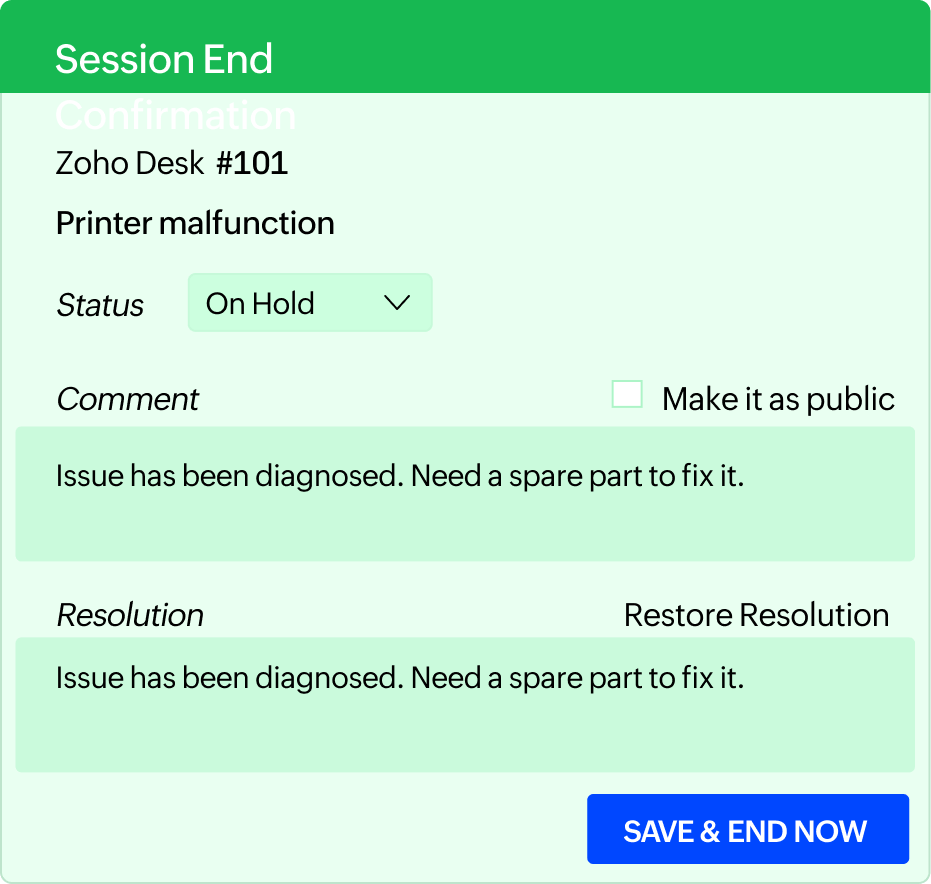
Update ticket status and end the session

Before ending the session, you’ll get the option to update your ticket status, edit the ticket resolution, and add session notes. These details will be added to the comment section of the respective ticket once the session ends.

Solve issues in real time at the click of a button

Integrate Now
Desk logo

Purchase Zoho Lens add-on from Zoho Desk and get an additional 20% discount.

Learn more