Search for an article
Search Topics
3 min read
Summary
This content is generated by
Composite items can be created by associating items from the Items module in Zoho POS. The composite items, once created, will have a unique stock on hand.
For example, a retail store has the following items:
| Item | Stock on hand |
|---|---|
| Fruit Juice - Guava Delight | 250 |
| Fruit Juice - Apple Delight | 250 |
| Fruit Juice - Litchi Delight | 250 |
When a composite item is created with the above-mentioned items, the combination will have an unique stock on hand.
| Composite Item | Stock on hand |
|---|---|
| Value Pack (Guava Delight + Apple Delight + Litchi Delight) | 150 |
The composite item will also be considered an independent item and will be denoted by in the Items module.
To create a composite item:
- Go to Items > Composite Items.
- Click + New.
- Enter the Name and SKU code and select the measurement unit of the composite item from the drop-down list.
- Click the Browse Images option to add images of the item.
You can click the + Add icon to upload more images and select the Mark as Primary option to display the item's image in all transactions related to the item. - Select the Returnable Item checkbox if the item can be returned by the customer.
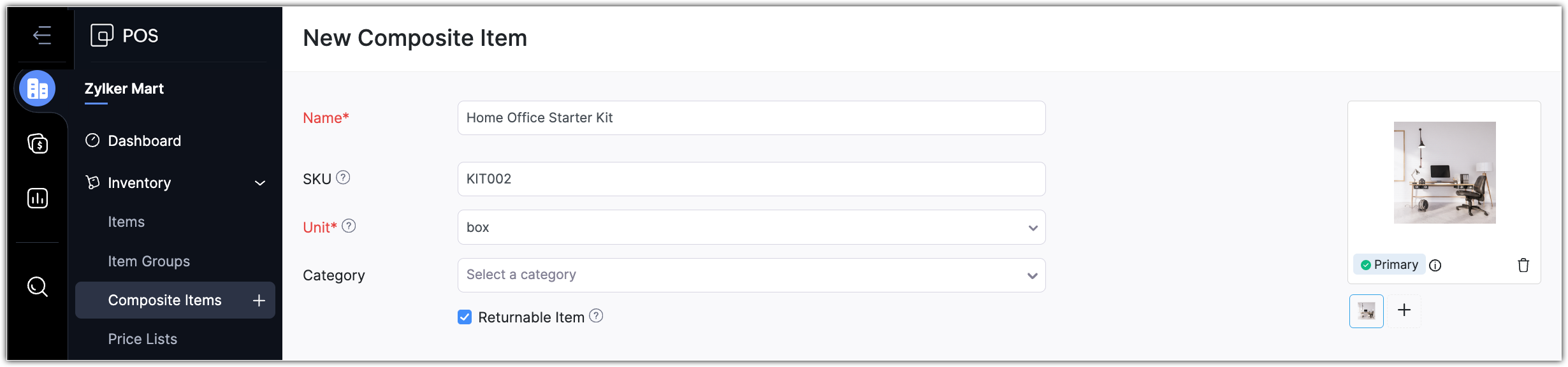
- Choose the Tax Preference.
- In the Associate Items section, do the following:
- Click the Item details column and select an Item.
You can also click + New Item to create a new item.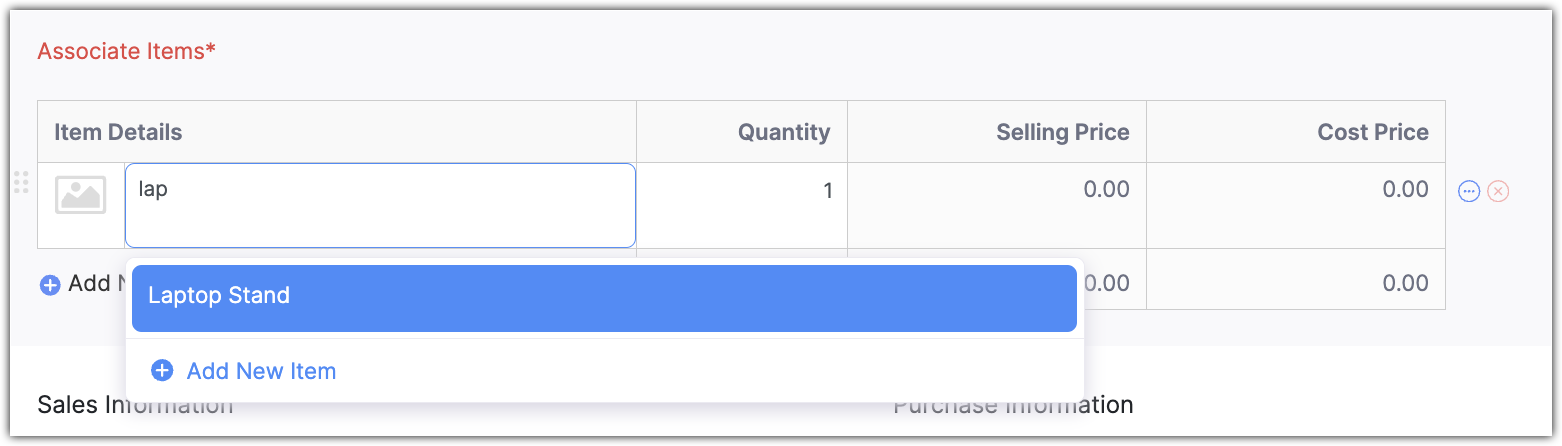
- Specify the Quantity.
You can also click the top-left corner of the item row to reorder - Click + Add New Row to add another item to the list. You can also click + Add Service to include a service.
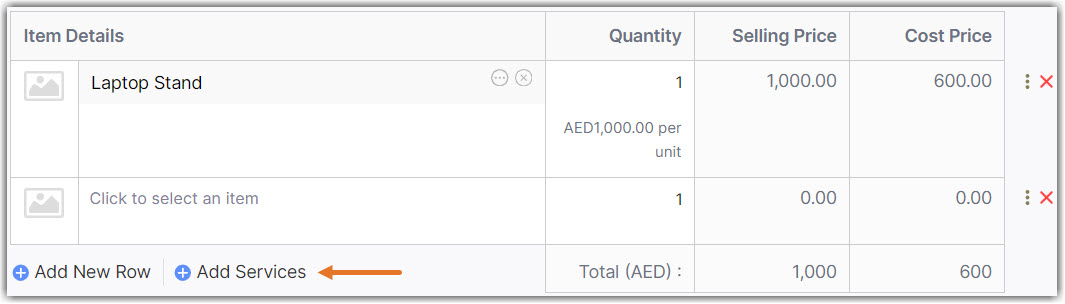
- Click the Item details column and select an Item.
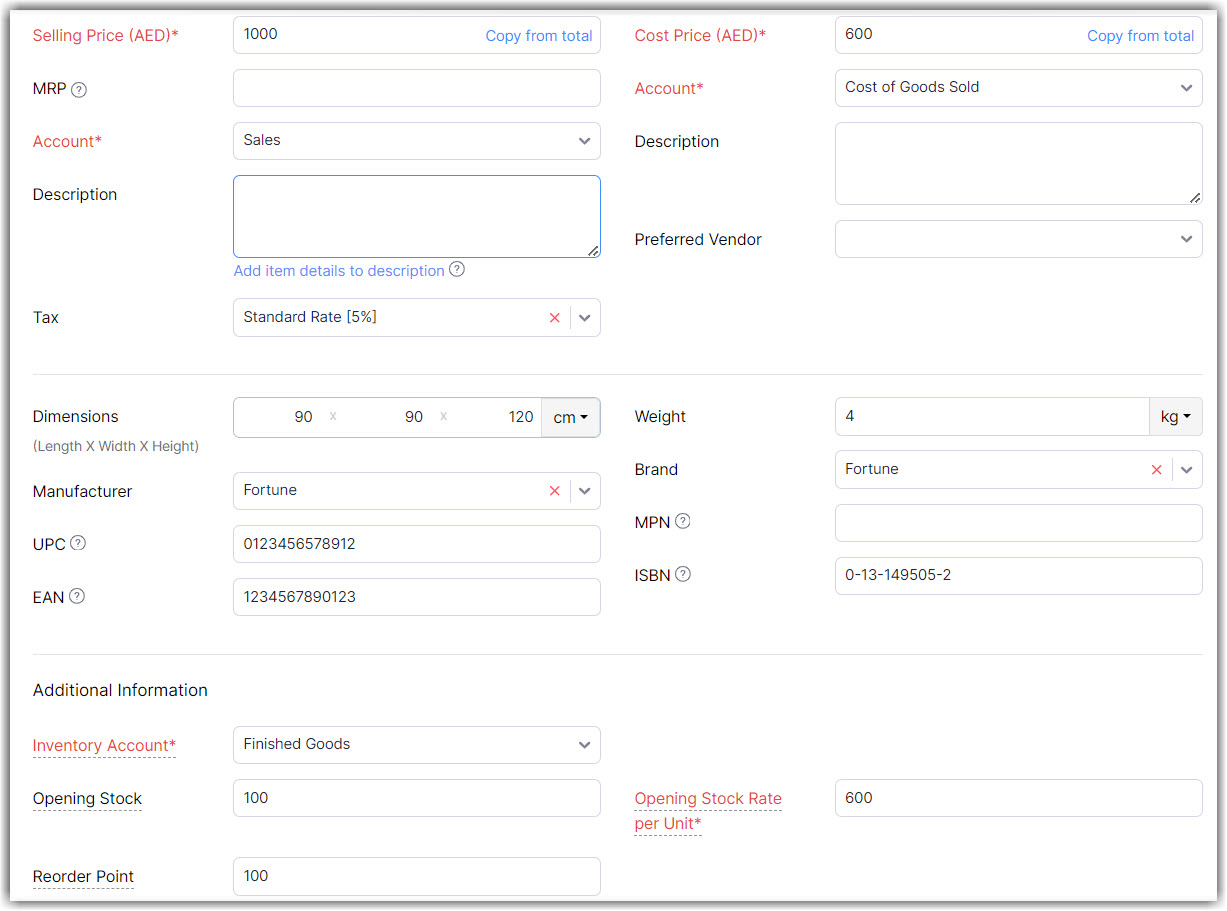
- Enter the Selling Price and Cost Price and select the Account from the drop-down list.
- Enter the Dimensions, Weight, UPC, EAN, MPN, and ISBN code.
- Select the Inventory Account from the drop-down list.
- Enter the Opening Stock, Opening Stock Rate per Unit, and the Reorder Point.
- Click Save.
Importing Composite Items
If you have all the composite items in a spreadsheet, it can be imported into the Composite Items module. Read More: Importing Data
Last modified
On this Page
Did you find this article helpful?
Not able to find what you are looking for? Let us Know
× ![Zoomed Image]()