Delivering structured patient support with Zoho Desk in the healthcare sector
The company
Healthcare organizations operating in digital health and telemedicine must manage high volumes of sensitive patient interactions across multiple channels. They have to be quick with responses, while also ensuring privacy and compliance.
This use case focuses on a firm that operates in the digital healthcare and telemedicine sector, providing technology-driven healthcare services for individuals and other organizations. Through its platform, patients can connect with licensed medical professionals via virtual consultations to receive medical advice, prescriptions, and health guidance remotely.
The company also offers preventive healthcare programs designed to make healthcare more accessible and efficient. Because it works closely with patients, clinicians, and corporate wellness partners, maintaining reliable communication, data accuracy, and operational efficiency is essential to its day-to-day operations.
The challenge
When operating in the digital healthcare and telemedicine space, timely responses and strict data privacy standards are non-negotiable, in addition to structured documentation.
Because patient queries frequently involve sensitive medical information, the team required a solution that could support structured data capture, enforce controlled access to sensitive information, and equip agents with only the information necessary to resolve each request. Unlike B2B communication, patients reach out through multiple channels, including chat, messaging platforms, voice calls, and email. This makes it essential to have a centralized system that can manage these interactions efficiently.
The organization also required a system that could support real-time engagement through messaging. They wanted to automate repetitive tasks to improve productivity and enable collaboration across the internal teams responsible for patient support and operational workflows. With growing interaction volumes and increasingly complex workflows, they needed a scalable platform that could centralize support operations, reduce manual effort, and improve overall service experience.
The solution
The firm went ahead and implemented Zoho Desk to strengthen its support operations. Zoho Desk’s intuitive user interface made it easy for their team members who were accustomed to traditional systems make a smooth transition. It was also easier for their new hires to learn and get up to speed quickly.
Centralized patient support with Zoho Desk
Zoho Desk functions as the central operations platform for the organization’s support and communication processes. Rather than serving as just a ticketing system, it helps manage patient requests across email, chat, voice, and messaging channels, track service activities, and enable internal collaboration.
Zoho Desk helps maintain the complete record of each patient interaction. It ensures that agents have the necessary context to continue conversations seamlessly, reducing the need for patients to repeat information they’ve already shared. The company leveraged automation, workflows, APIs, and approval mechanisms in Zoho Desk to break down silos between teams further and improve operational visibility.
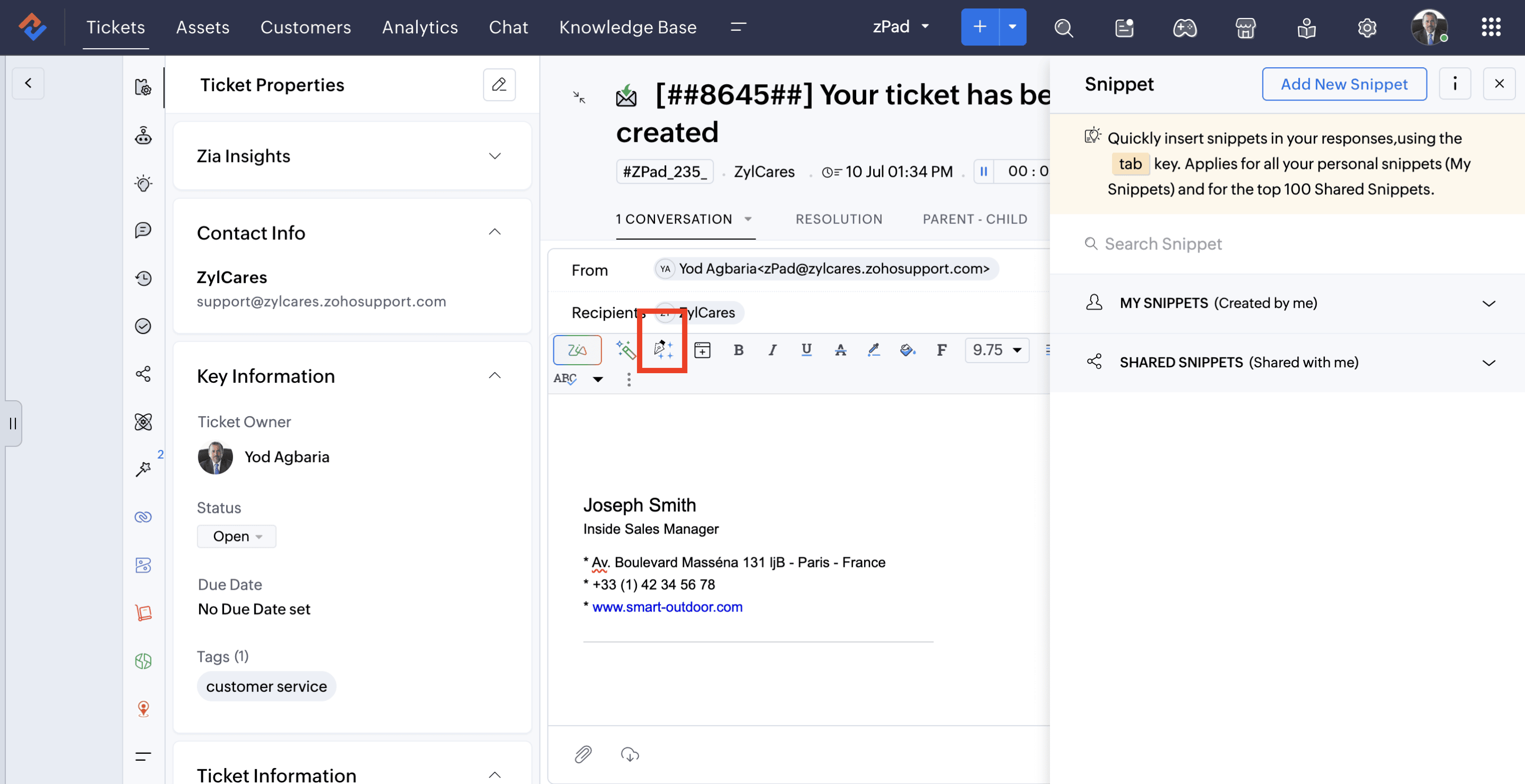
Email templates and snippets for swift responses
The digital healthcare company uses standardized ticket templates and email templates to maintain consistent communication with patients. These templates ensure that responses remain professional, accurate, and compliant with healthcare communication standards. Using templates also reduces manual effort and enables agents to respond quickly to common queries such as appointment clarifications, treatment-related questions, or follow-up requests.
Agents use Snippets in Zoho Desk to insert commonly used responses into conversations. These Snippets contain pre-approved messages that follow the organization’s communication guidelines. In healthcare, clear and consistent communication is essential. Snippets help agents answer common questions without having to draft responses from scratch. They also ensure that patients receive accurate and standardized information, regardless of which agent handles the request.
Read more about Snippets here.
Round robin ticket assignment to balance workload
The healthcare industry can be particularly demanding, especially for agents handling patient queries and supervisors managing support operations. To ensure a balanced workload and reduce the risk of manual assignment errors, the company relies on Zoho Desk’s round-robin ticket assignment.
This feature automatically distributes incoming tickets evenly among available agents, helping maintain balanced workloads across the team. As a result, response times improve, no single agent is overburdened, and patient requests are addressed promptly.
Learn how to create a round-robin assignment rule.
Real-time patient engagement with Business Messaging
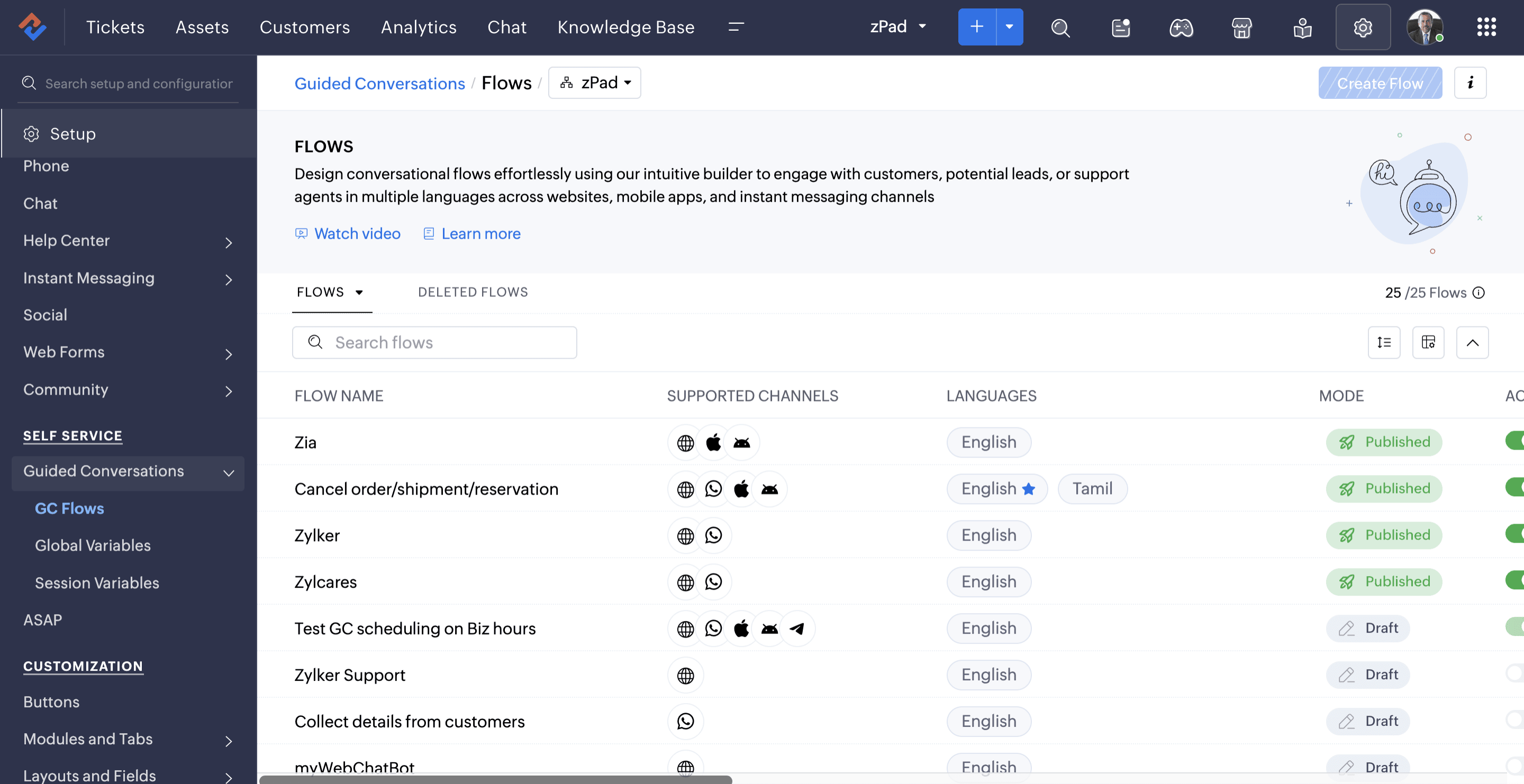
The organization implemented Business Messaging within Zoho Desk to manage real-time patient interactions. Guided Conversations are configured to capture structured information from patients during chats. This allows the system to collect key details before an agent joins the conversation, helping support teams understand the issue quickly and provide faster resolutions.
The company has built its Guided Conversations using more than 100 blocks. Based on the most common questions patients ask, it’s designed predefined conversation flows that guide patients to the right information and resolve routine queries. When a patient’s request requires further assistance or falls outside these flows, the conversation is seamlessly handed off to a human agent along with the context collected during the interaction.
Here’s everything you need to know about Guided Conversations.
Blueprints for a structured operational flow
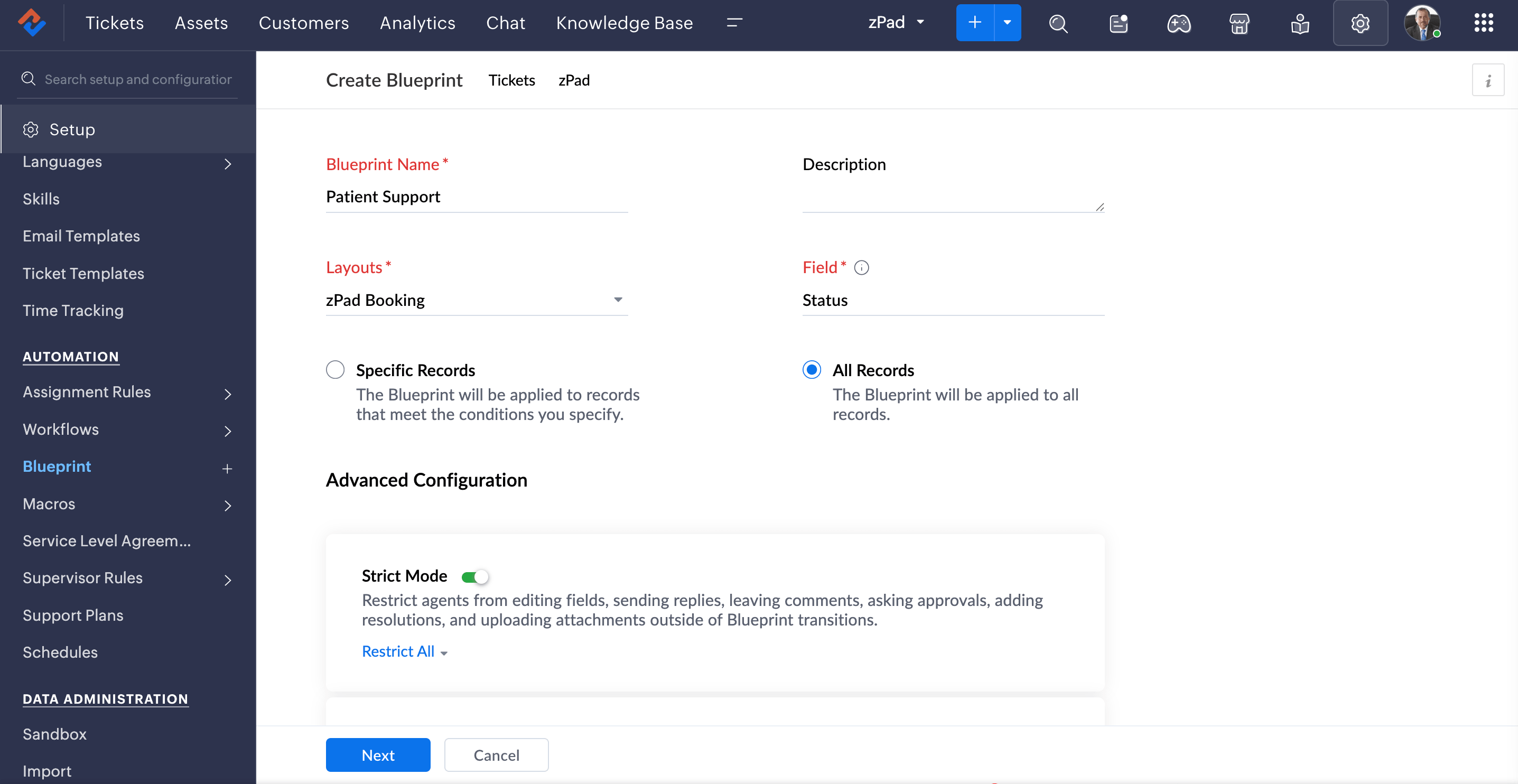
The company used Blueprints to design structured workflows that guide agents through predefined steps while resolving tickets. It ensures that agents follow the correct sequence of actions, approvals, and status updates during ticket handling. For patient requests, the team has designed a workflow that includes the following stages: initial patient verification → issue classification → clinical team review → resolution → documentation. By guiding agents through each step, Blueprints help ensure that no request is overlooked while maintaining consistency and compliance in patient interactions.
The visual Blueprint designer also makes it easier to standardize these processes and automate actions at different stages of the workflow.
Here’s how to create Blueprints in Zoho Desk.
Voice support through Zoho Voice integration
To support voice-based interactions, the organization uses Zoho Voice integrated with Zoho Desk. Phone calls are one of its primary support channels because many patients prefer to contact the team over the phone.
The integration allows agents to handle inbound and outbound calls directly from Zoho Desk. It also associates call records with the relevant tickets, giving agents a complete view of each patient’s interaction history. This eliminates the need to record call details after every conversation manually, and helps the team manage support more efficiently across channels.
Learn how to integrate Zoho Desk and Zoho Voice.
Custom data synchronization for accurate records
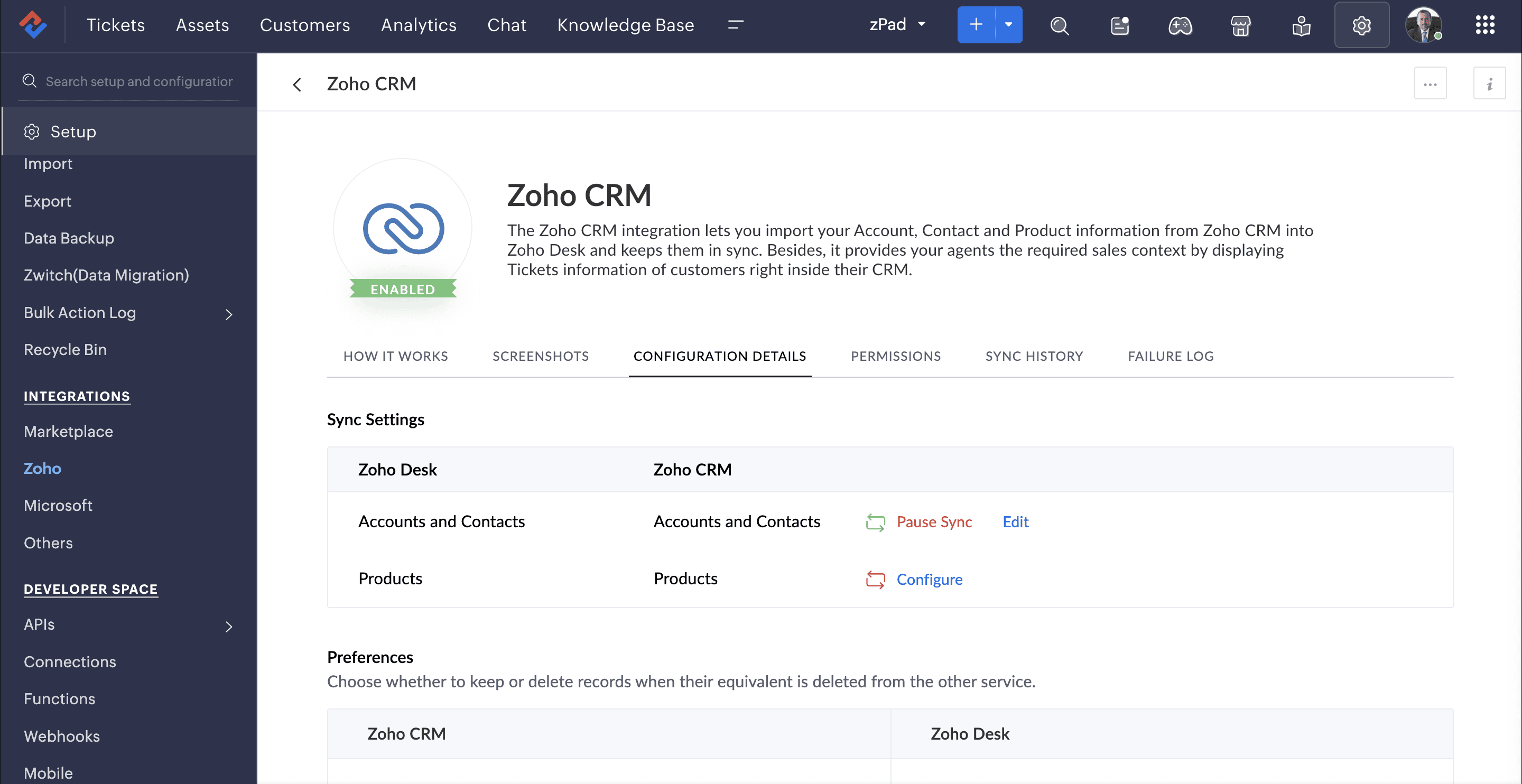
The organization has integrated Zoho Desk with Zoho CRM to keep patient and account information in sync. Whenever customer details are updated in Zoho CRM, the latest information is reflected in Zoho Desk, giving agents access to up-to-date patient and account context while handling requests. This integration reduces the need for manual data updates, improves data accuracy, and enables agents to deliver more informed and personalized support.
Learn how to integrate Zoho Desk and Zoho CRM.
Advanced workflow and operational management
Beyond managing patient support, the organization uses Zoho Desk to streamline several internal healthcare operations. The platform supports coordination between patient support, clinical, and administrative teams, helping ensure that every request is tracked and handled efficiently.
The organization leverages several advanced capabilities, including:
Custom modules to track patient-related workflows and internal operational activities.
Time entries to monitor the time spent on patient requests and support activities.
Approval workflows to manage processes that require supervisory or clinical approval.
APIs and automation to streamline routine tasks, reduce manual effort, and keep information synchronized across systems.
AI-assisted support with Zia Agents
The company deployed Zia Agents into Zoho Desk to achieve more team productivity and optimized patient support operations. Because patient requests often follow standardized processes, Zia Agents assist the support team by automating routine tasks and providing relevant information during ticket handling.
The organization leverages Zia Agents to:
- Provide agents with contextual information while handling patient requests.
- Generate response suggestions for common queries.
- Recommend the next steps based on the stage of the support process.
Zia Agents have become an integral part of the agents’ day-to-day work, helping them handle patient requests more efficiently while reducing repetitive manual tasks. Read the FAQ to understand Zia agents better.
AI-assisted patient support with Zia Generative AI
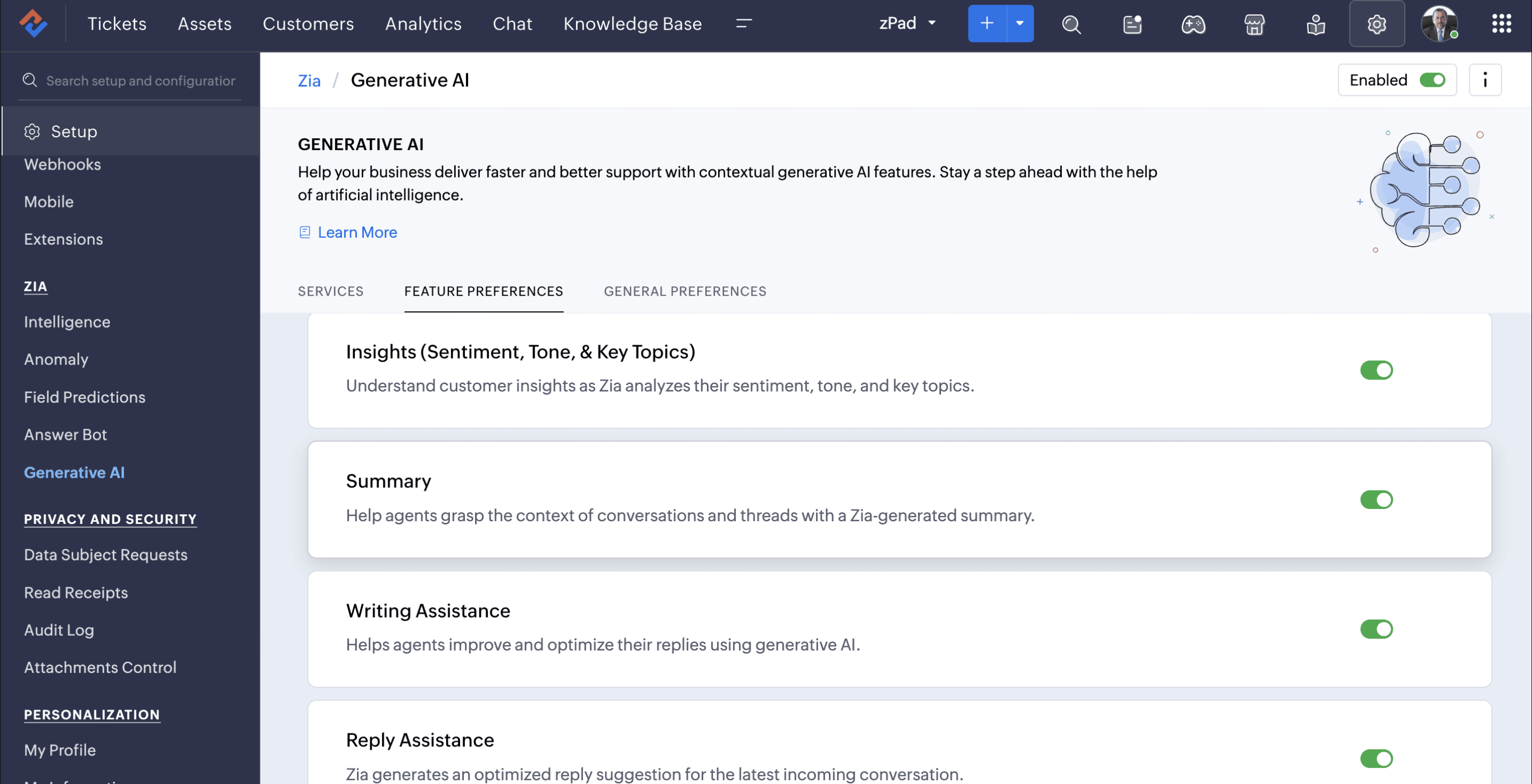
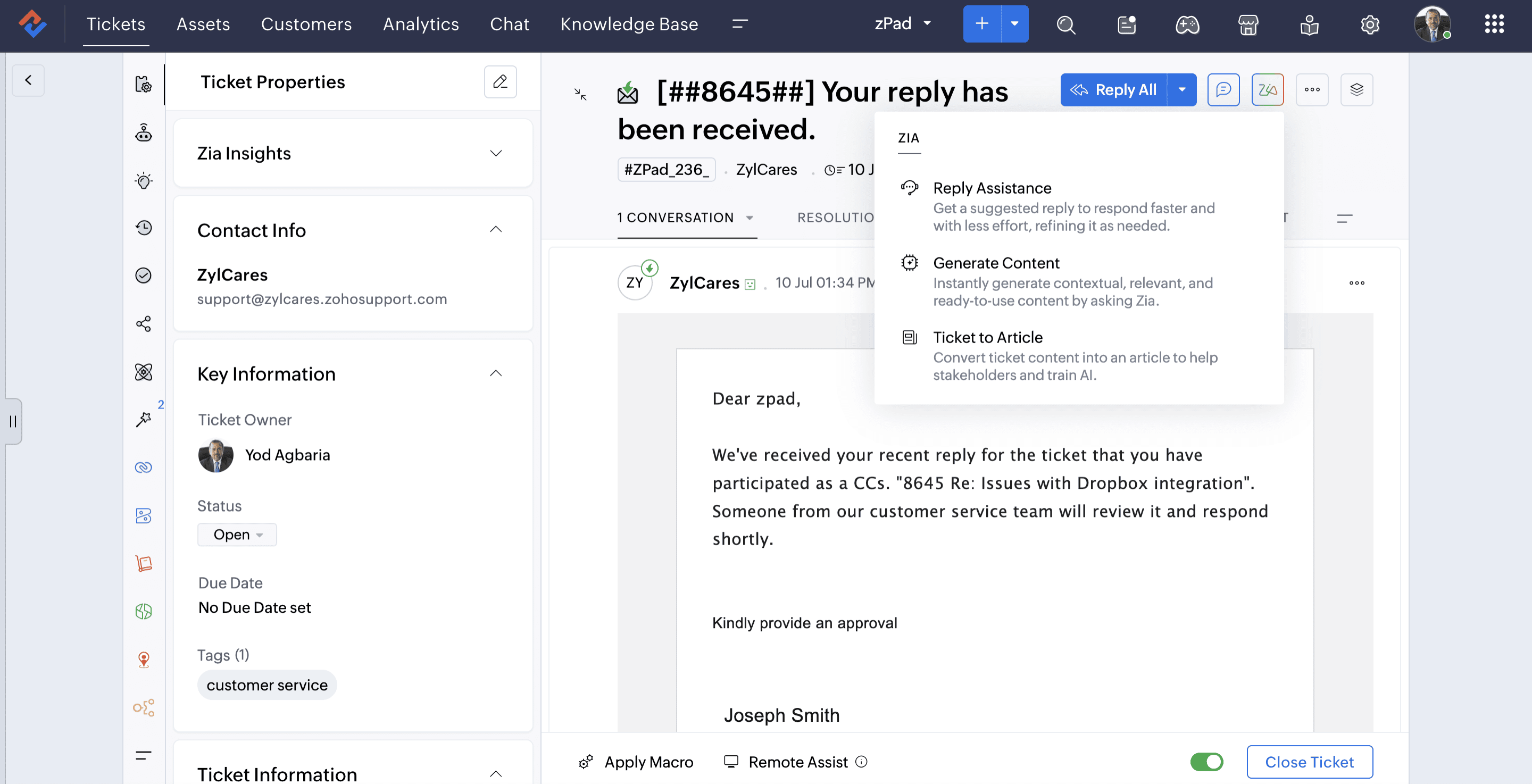
Zia, Zoho’s built-in AI assistant, supports agents in managing patient inquiries by providing intelligent insights during ticket handling. In healthcare environments where conversations often involve detailed patient information and follow-ups, Zia helps agents quickly understand and respond to requests.
Zia can generate ticket summaries that condense long patient conversations into brief overviews, enabling agents to grasp the context of a case quickly. It also offers reply assistance, helping agents draft responses based on relevant knowledge base content while maintaining consistent and professional communication.
Additionally, sentiment and tone analysis helps agents identify patient emotions, enabling more empathetic and appropriate responses. Zia also provides topic tagging and contextual insights, helping categorize patient issues and making it easier for agents to understand the nature of the request.
With generative AI capabilities, Zia can assist agents in drafting or refining responses during ticket resolution, supporting clear and accurate communication with patients.
Read more about Zia’s capabilities.
Business results
Centralized communication
Zoho Desk enables the organization to manage all patient communication channels in a single platform, eliminating fragmented systems and improving coordination across teams.
Faster response times
Automation, templates, and snippets allow agents to handle recurring queries quickly, reducing response times and improving patient satisfaction.
Structured documentation and compliance
Every patient interaction is documented within Zoho Desk, ensuring accurate records for compliance and operational reference.
Improved team collaboration
Departments can collaborate more effectively through shared ticket visibility, approval workflows, and centralized communication.
Scalable support infrastructure
The platform enables the organization to handle large volumes of interactions while maintaining service consistency and operational efficiency.
By leveraging Zoho Desk’s automation, omni-channel capabilities, custom integrations, and AI-driven possibilities, the organization has built a structured and scalable patient support framework tailored to healthcare operations.
The platform enables them to manage high-touch patient interactions efficiently while maintaining compliance, operational visibility, and service quality. As the organization continues to expand its digital healthcare services, Zoho Desk remains a critical component of its support infrastructure.
- Key FeaturesEmail templates, Snippets, Round robin ticket assignment, Guided conversations, Blueprints, Zoho Voice integration, Zoho CRM integration, Workflows, Zia Generative AI, Zia agents