
Forte
To set up Forte, click on the Gear icon on the top right hand side corner of the screen and select Online Payments and click the Setup Now button adjacent to Forte logo. Enter the following information and click Save..
Insight: Forte only supports the USD currency.
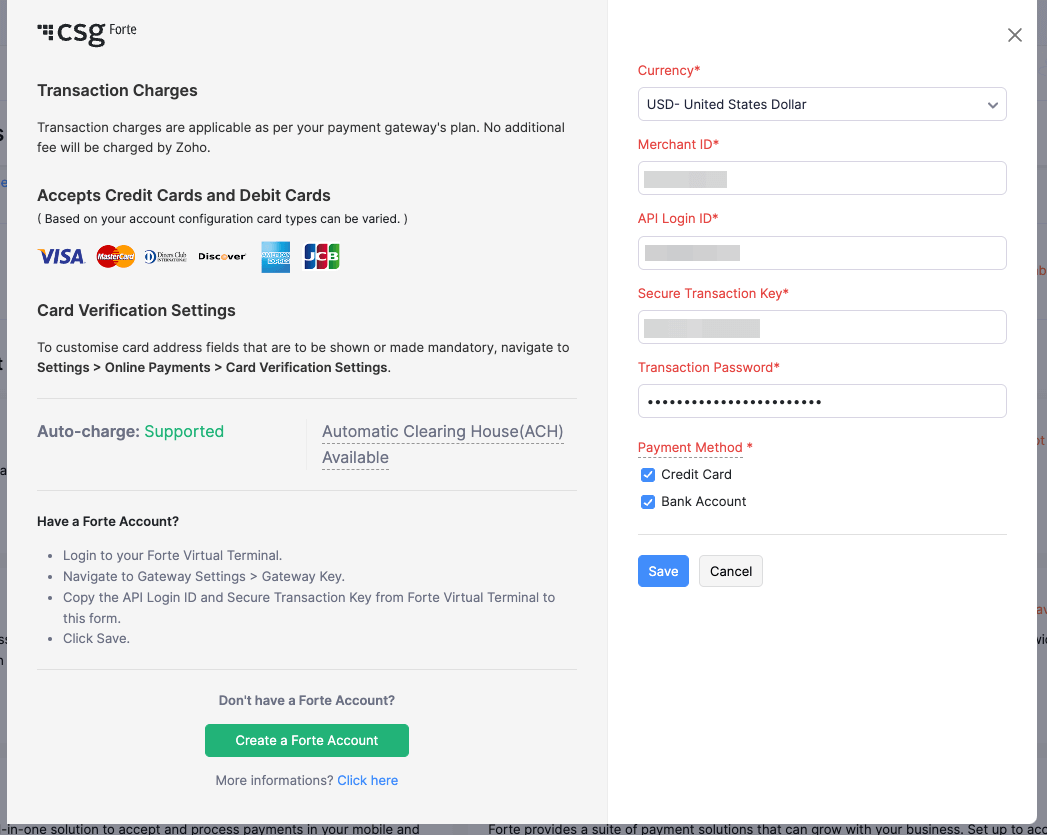
- Merchant ID: Enter your Forte Merchant ID.
- API Login ID and Secure Transaction Key should be the same as in the Forte Virtual Terminal. You can find your API Login ID and Secure Transaction Key by logging into your Forte Virtual Terminal and selecting Gateway Settings > Gateway Key.
- Transaction Password: Enter the transaction password provided to you by Forte.
- Click Save.
Yes
No
Let us know where we can improve
 Thank you for your feedback!