
- Every booking is assigned instantly without any manual effort.
- Appointments don't pile up for a single staff member.
- The setup matches how your team operates.
A level playing field for your whole team
When appointment distribution isn't handled well, meetings pile up on few staff members while others miss out. Sometimes, it takes manual effort just to get everyone covered. Zoho Bookings fixes this with round-robin setup. It automatically routes every booking based on real-time availability and smart distribution logic, so every appointment is assigned based on your setup.
Choose the logic that fits how your team actually works
1. Default distribution
Not every team needs complex assignment rules. Default distribution handles everything for you without the setup. Appointments are assigned evenly across your team and event types, automatically.
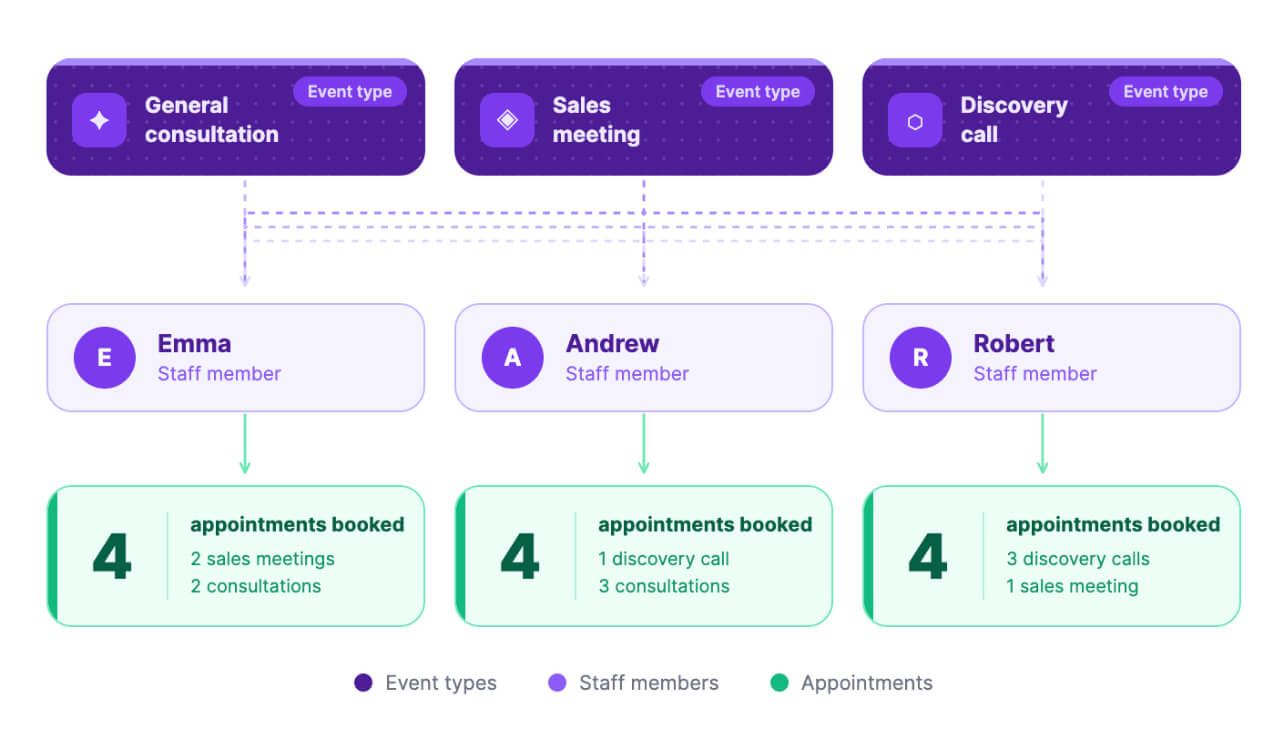
2. Equal distribution
Choose this option when you want strict balance. Appointments move from one team member to the next in a steady flow. No one gets skipped, no one gets overloaded. It's fair, predictable, and hands-off once you enable it.
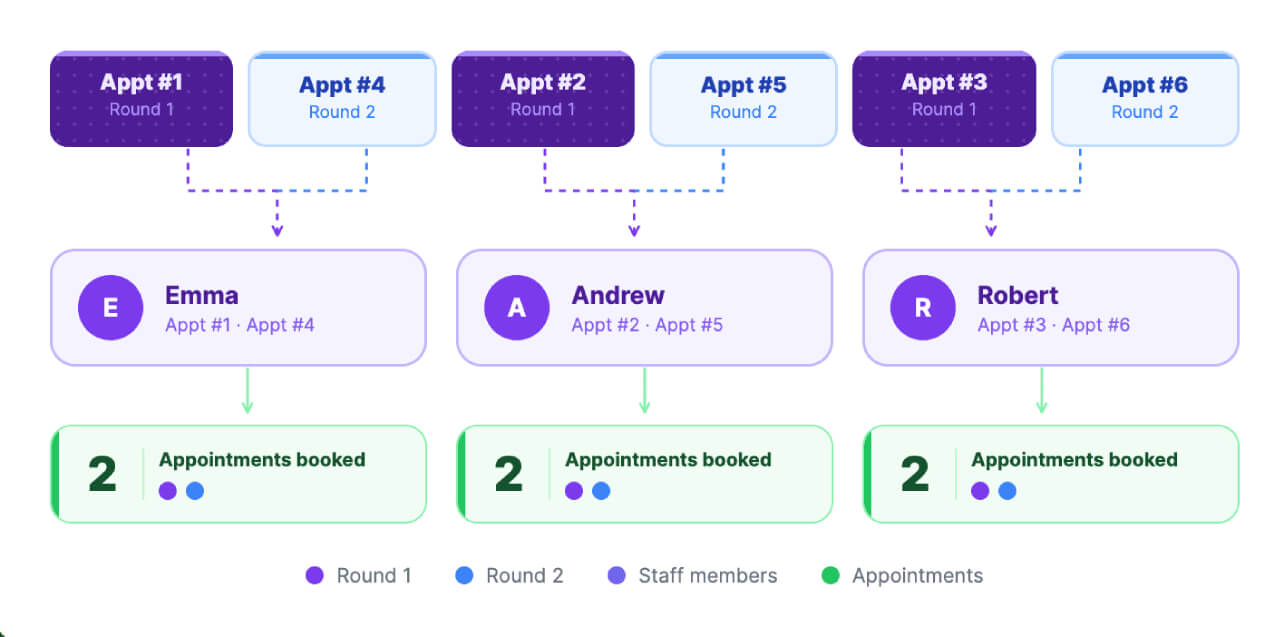
3. Load-based distribution
Everyone works at a different pace. Load-based distribution lets you decide how appointments should be shared by assigning a weight to each team member. If one person can take on more, they get more appointments. If someone has limited capacity, they get fewer.
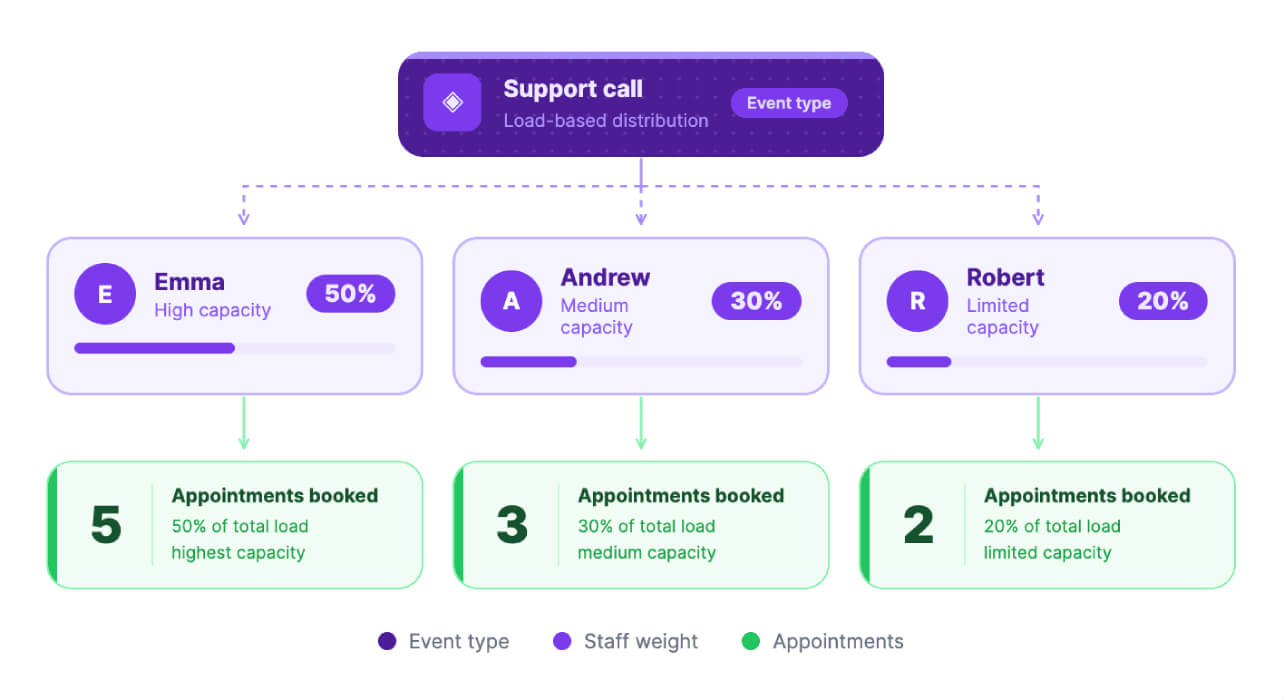
4. Priority-based distribution
When experience matters, pick this option. You can assign priority levels to your team, and bookings follow that order. Your top performers or specialists naturally get more appointments.
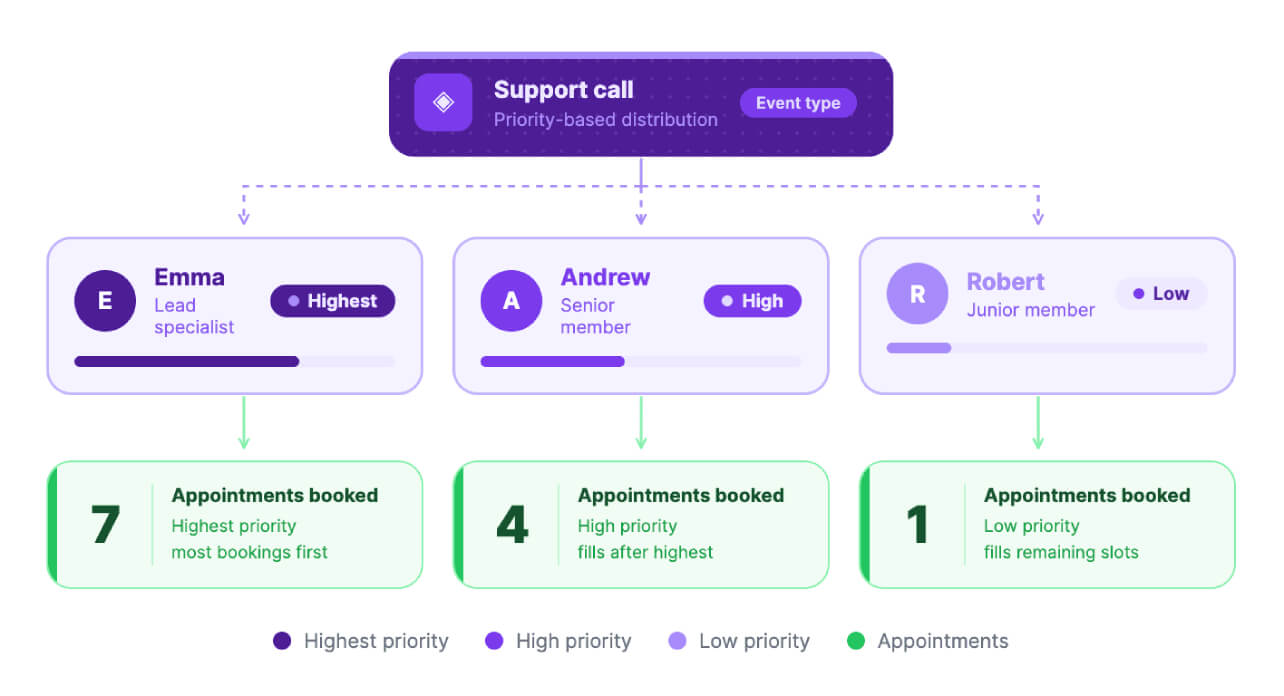
Compare appointment distribution types
| How it works | Best for | Key benefit | |
|---|---|---|---|
| Default distribution | Automatically spreads appointments evenly across the team when no rules are set | Teams that want a quick, no-setup distribution | Simple and default |
| Equal distribution | Rotates appointments in a fixed order so each team member gets a fair share | Teams that value fairness and predictability | Balanced workload for everyone |
| Load-based distribution | Distributes appointments based on assigned weights (capacity of each member) | Teams with varying availability or capacity | Flexible workload based on ability |
| Priority-based distribution | Assigns appointments based on priority levels (higher priority gets more) | Teams with specialists or top performers | Key team members handle more bookings |
Explore relevant features
Trusted by leading businesses worldwide
22+ appointments scheduled around the world
With a new appointment scheduled every 4 seconds

Scheduling stories from businesses like yours

Lokesh Mittal, Director, Mintskill HR Solutions LLP
"Zoho Bookings helps to do online interviews on time and every time. Today, we can handle the scheduling of hundreds of interviews with a single click."

Morgan DiGiorgio, Senior VP Sales & Marketing, Directmail 2.0
"Zoho Bookings is a fantastic platform for scheduling and managing appointments. I've been using it for my business and it has completely transformed the way I handle my appointments."
Sign up for a free trial and stop guessing who handles the next appointment
SIGN UP NOWFrequently Asked Questions
1. Do I need a paid plan to use round-robin appointment distribution?
No paid plan required. Round-robin distribution is available to all Zoho Bookings users.
2. Who can configure appointment distribution?
Super admins and admins can configure it across all workspaces. Workspace admins can manage it within their assigned workspaces. Managers can only view the configured method.
3. Does changing the distribution method affect existing appointments?
No. Changes to distribution settings only apply to future bookings and existing appointments are not affected.
4. Can I set different distribution methods for different event types?
Yes. Each event type can have its own independently configured distribution method.