- Save time on scheduling meetings individually.
- Streamline payment collection upfront.
- Reduce no-shows with automated notifications.
What are recurring appointments?
Recurring appointments in Zoho Bookings help you to create meeting types that repeat on your preferred schedule. When clients book with you, they're automatically signed up for all future sessions.
Recurring appointments come in handy for business in health and wellness, education, personal care, fitness, and professional services. They help you easily manage repeated sessions, streamline staff schedules, coordinate availability, and offer a standout experience to clients.
Recurring appointment scheduling software to automate your schedule
One-on-one recurring appointments
When setting up a one-on-one meeting, you can have it recur daily, weekly, or monthly, and choose the total number of future occurrences. When clients schedule a meeting, you can choose to auto-assign staff members or let them select their preference.

Group recurring appointments
Create and set up a group booking to repeat either daily, weekly, or monthly. Choose a specific end date or set the number of times the meeting should occur.
Group bookings offer two different recurrence options:
Drop-in booking: The group booking repeats at your chosen interval, but clients only book the slots they want, not all sessions. This is ideal for workshops, classes, or events where clients can pick and choose.
Series booking: The group booking repeats at your chosen interval, and clients are automatically booked for all future sessions. This is ideal for workshops or classes where attendance at all sessions is mandatory.
Send automated calendar invites
When clients book a recurring appointment, individual calendar invites are automatically sent for each session from your connected calendar.
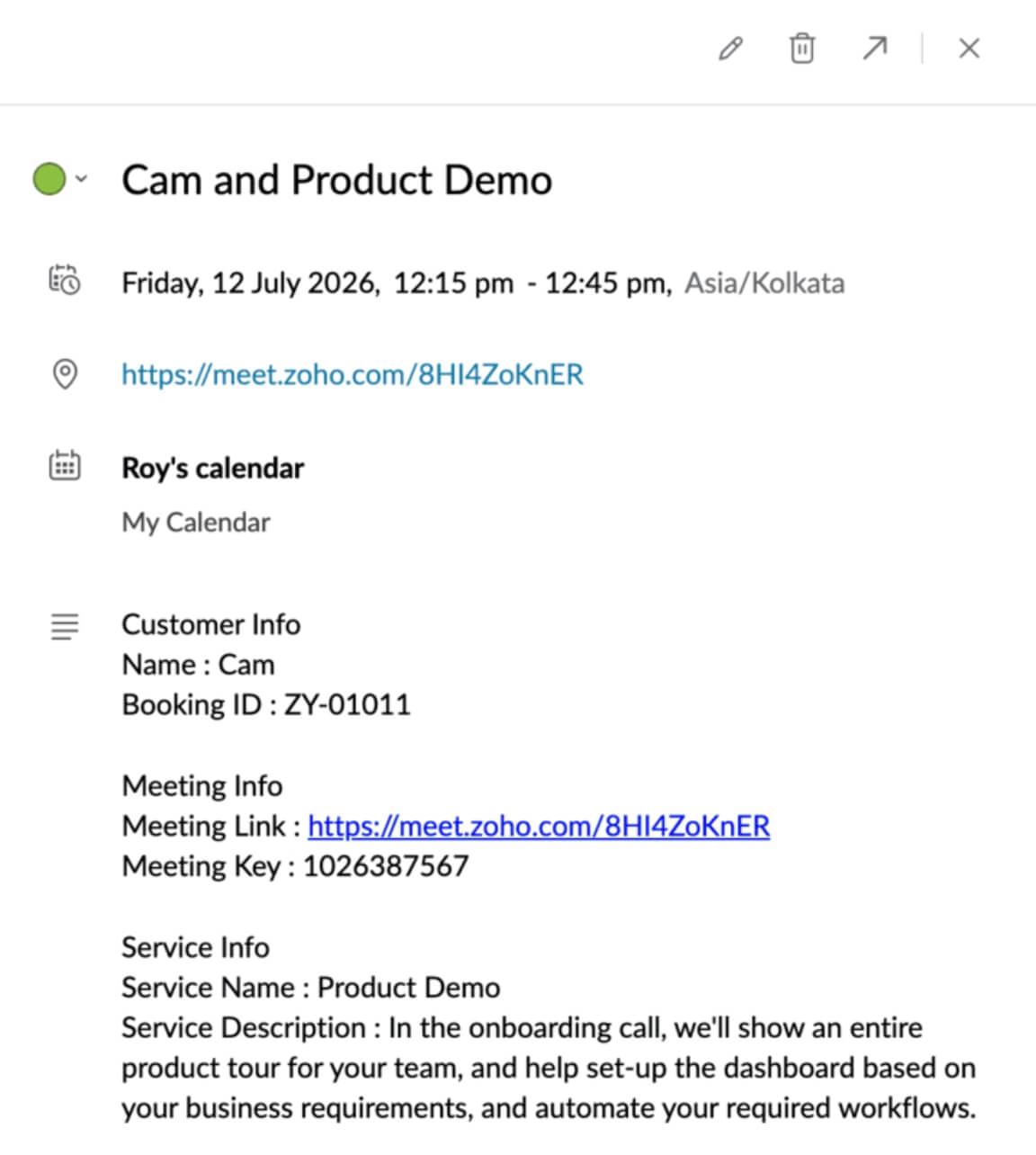
Manage appointments from your dashboard
Easily view and manage your recurring appointments from your calendar dashboard. Update appointment statuses, instantly join virtual meetings, and view client or payment-related information at a glance.
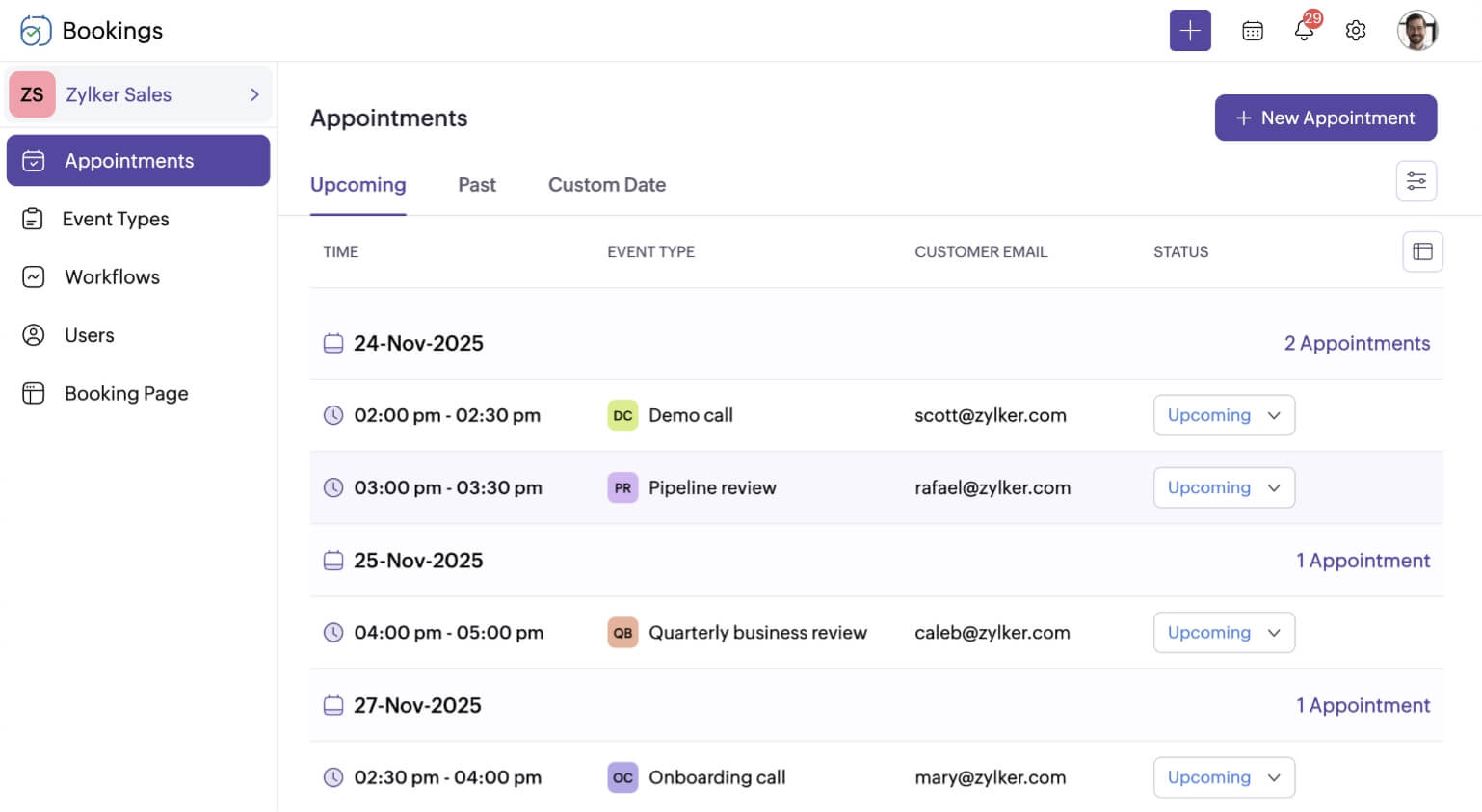
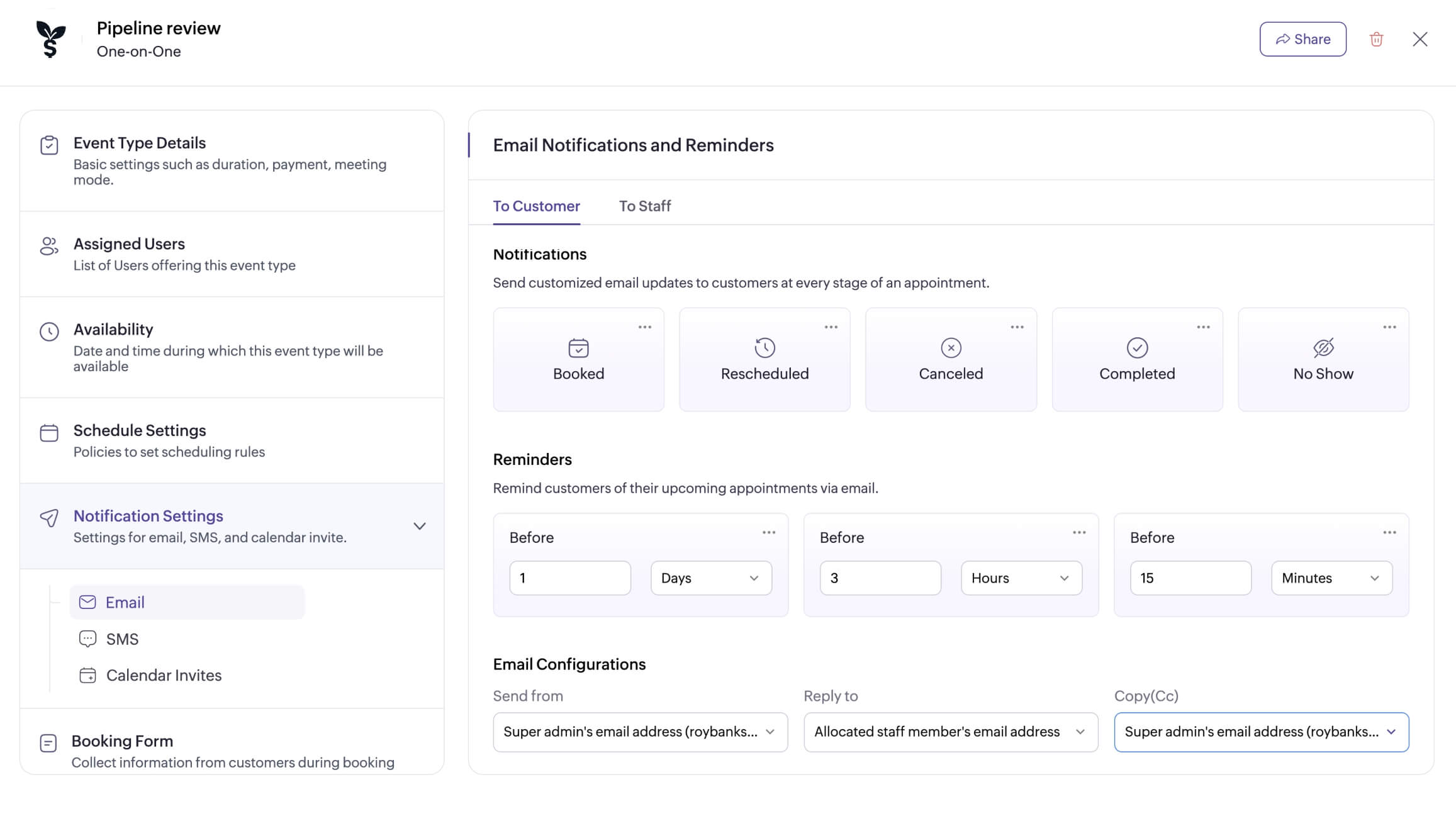
Send automated notifications
Keep clients in the loop by sending appointment notifications and reminders. Easily configure and send customized email, SMS, or WhatsApp notifications for each appointment trigger.
Configure appointment limits
Set up appointment limits to keep your schedule practical and predictable. Choose how many appointments you'd like to receive on a particular day for a recurring appointment type, or set the number of appointments a client can book with you.

Explore relevant features
Trusted by leading businesses worldwide
16M+ appointments scheduled around the world
With a new appointment scheduled every 4 seconds

Scheduling stories from businesses like yours

Lokesh Mittal, Director, Mintskill HR Solutions LLP
“Zoho Bookings helps to do online interviews on time and every time. Today, we can handle the scheduling of hundreds of interviews with a single click.”

Morgan DiGiorgio, Senior VP Sales & Marketing, Directmail 2.0
“Zoho Bookings is a fantastic platform for scheduling and managing appointments. I've been using it for my business and it has completely transformed the way I handle my appointments.”
Simplify recurring appointment scheduling for your business today!
Try Zoho Bookings todayFrequently Asked Questions
1. What’s the difference between recurring and regular appointments?
A regular appointment is usually booked once, while a recurring appointment is a series of appointments booked together at one time.
2. Can staff members be auto-assigned for recurring meetings?
Yes, for one-on-one recurring meetings, you can auto-assign available staff to each recurring session, or allow clients to pick on their own.
3. Can clients reschedule or cancel recurring appointments?
Yes, based on the cancellation or rescheduling window you’ve set, clients can either reschedule or cancel their recurring sessions accordingly.