5 best student planner apps to boost productivity in 2026
- Todoist
- Trello
- Zoho Bookings
- Notion
- Google Calendar + Google Tasks
- What's your pick?
Last updated on: 11/05/2026
As a student, you're constantly pulled in multiple directions. Assignments, presentations, reports, quizzes, practicals—there's too much to do and too little time.
You've tried notepads and spreadsheets, but nothing seems to work. You go to find a school planner app market only to be further overwhelmed by thousands of choices.
Picking a student planner app is easy if you know what you need—because each app caters to a specific requirement.
So in this guide, we've shortlisted five student planner apps, each excelling in their own regard. In no particular order, here are the five best student planner apps:
- Todoist
- Trello
- Zoho Bookings
- Notion
- Google Calendar + Google Tasks
Key takeaways:
- Finding a student planner app becomes simple once you've nailed down your requirements.
- It's vital to pick an app that suits your tracking style rather than the "best" app on the market.
- If you're looking for a checklist-based planner, Todoist is a great pick, followed by Google Tasks.
- For students whose work depends on scheduling—say as teacher assistants or club leaders—Zoho Bookings is your best bet.
- If you take lots of notes and need a better way to organize them, Notion can be a great fit.
- If you want a simple tracking system that's more sophisticated than a checklist, Trello is the one for you.
Todoist
Available platforms: Windows, macOS, Linux, Android, iOS, Apple Watch, WearOS, web app, browser extension, and email add-ons
Ideal for: Students who rely on a checklist to stay organized
Pricing: Free plan available | $4/user/month (when billed annually)
Unique features:
1. Todoist uses natural language processing (NLP) to recognize and schedule due dates from your input. For example, the input "Submit essay on Friday" is created as the to-do "Submit essay" and scheduled for Friday.
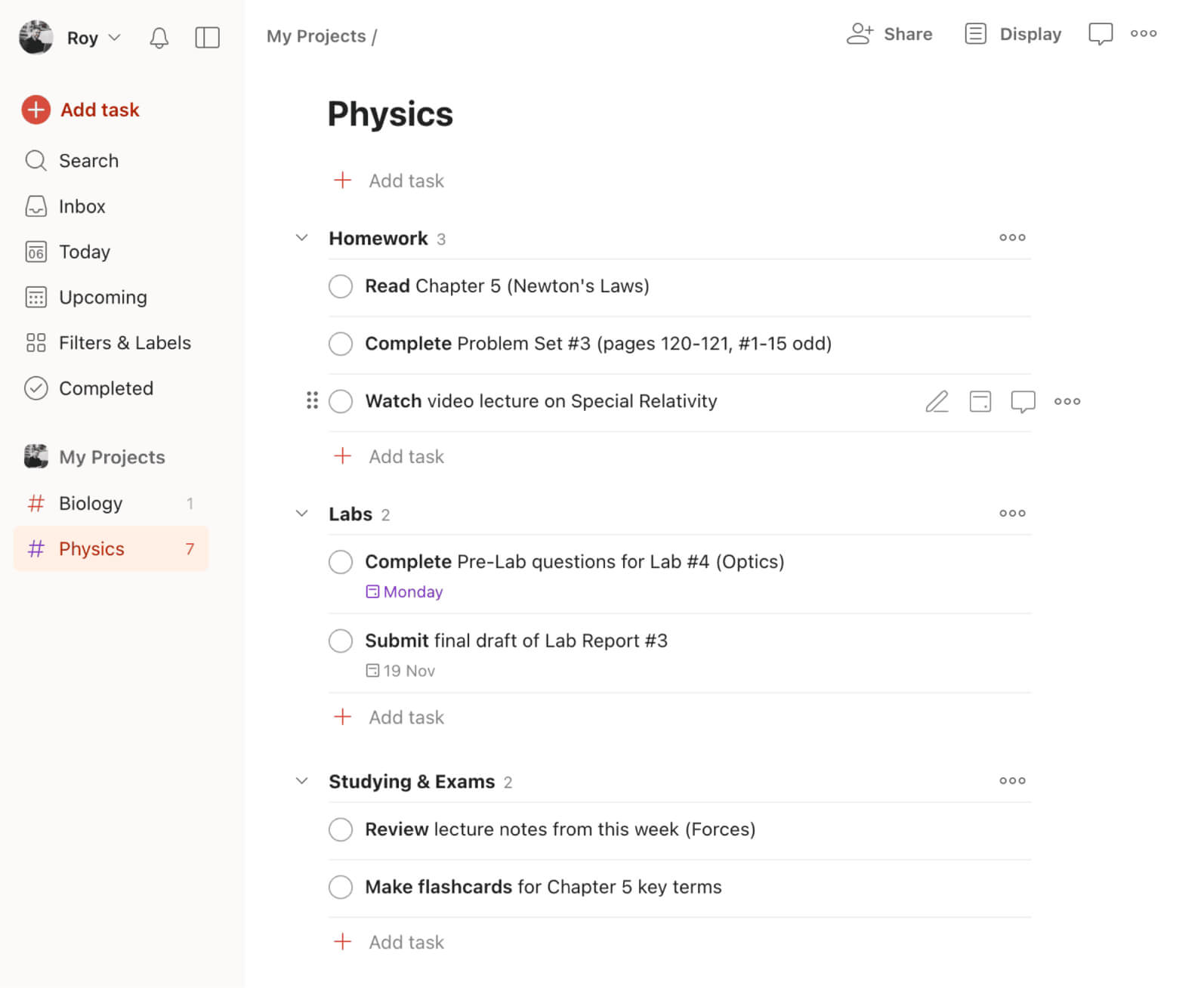
2. Instead of viewing a never-ending list of tasks, use Todoist's sections to split work into digestible chunks. For example, under Physics, you can have three subsections: Homework, Lab Work, and Exam Prep.
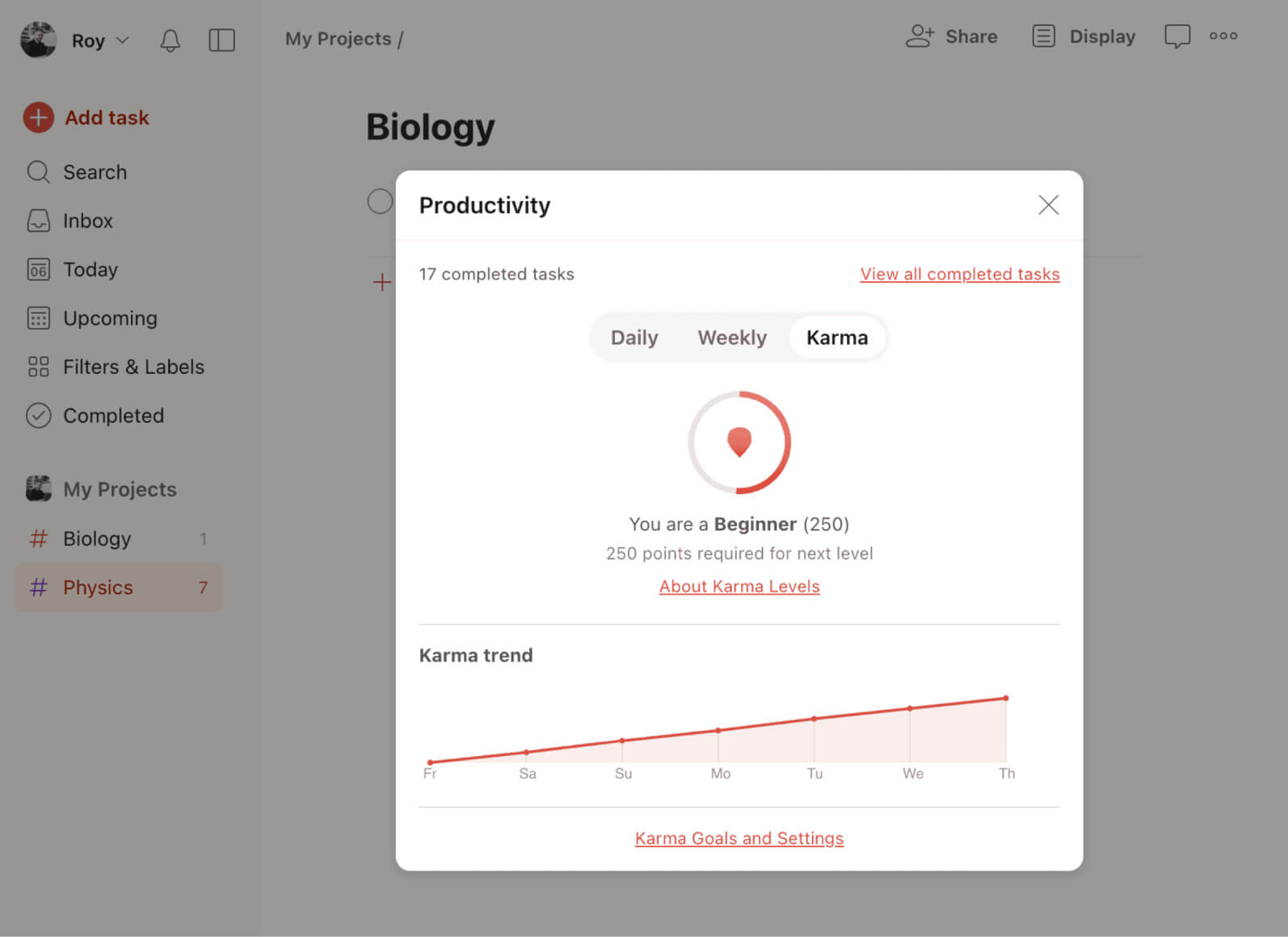
3. Todoist motivates you by granting or deducting karma points based on your actions. For example, completing tasks on time increases your score, whereas having a task overdue for four or more days reduces it. The higher the score, the harder it is to gain points—this encourages consistency and long-term habits.
A quick summary:
Todoist is an excellent student planner app for those who thrive on checklists. It offers multiple views, filters, priority flags, and more. It shines in the thoughtfulness behind its UI, from its NLP features to its project sections. With the mobile app widget, add tasks on the fly, or even dictate them.
Trello
Available platforms: Windows, macOS, Android, iOS, and web app
Ideal for: Students tracking and collaborating on long-term projects who prefer a visual workflow
Pricing: Free plan available | $5 to $10/user/month (when billed annually)
Unique features:
1. Trello uses a visual, board-based approach to task management and collaboration. Its workspaces contain multiple boards, which are organized into lists filled with individual cards. This makes it easier to break down complex projects into smaller, actionable steps.
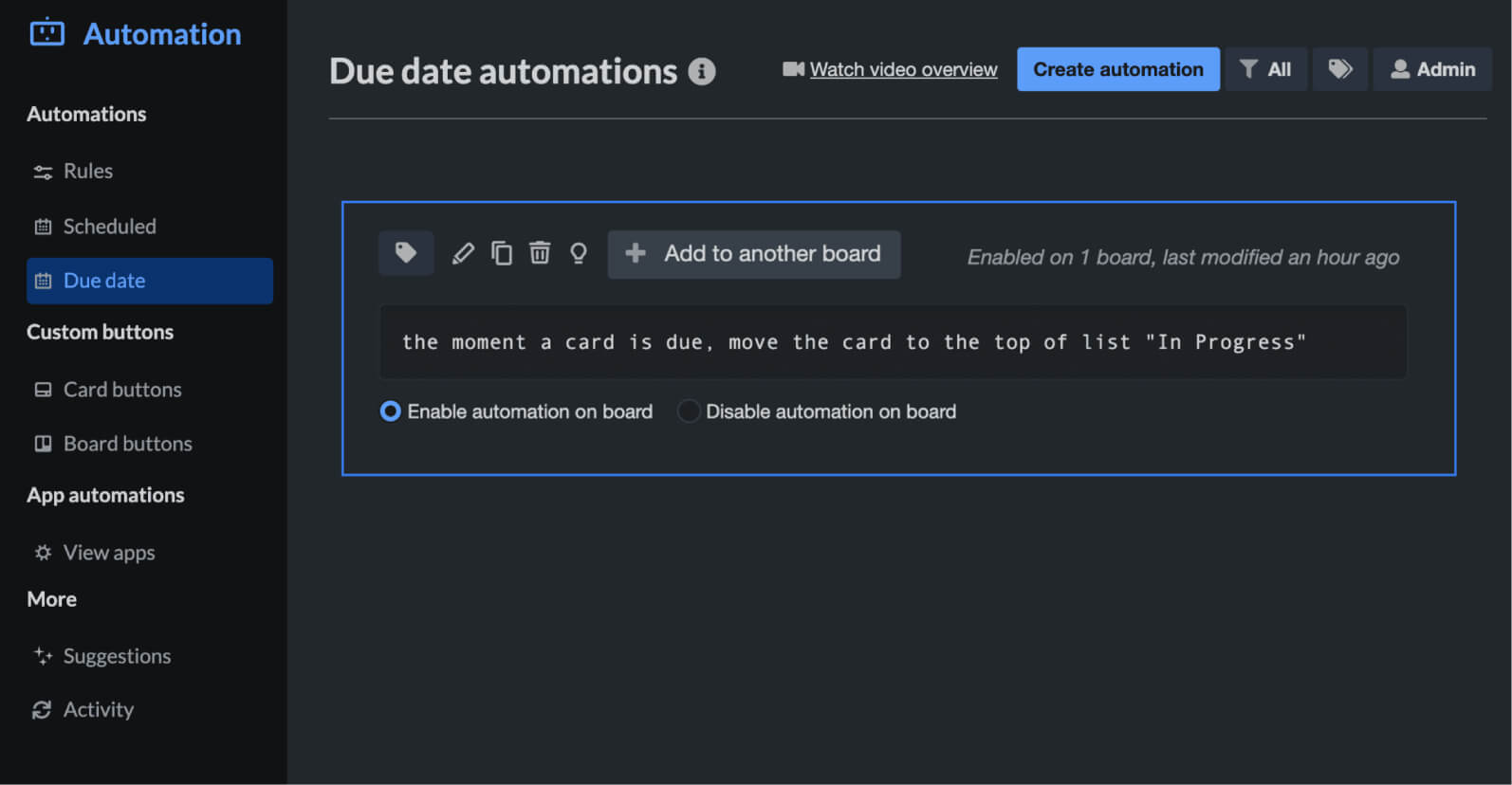
2. Simplify your life with automations. For example, once a card reaches its due date you can set up an automation to push it to the top of the board. This ensures that you hand in your assignments on time.
3. Trello offers an email-to-card feature that uses AI to summarize emails into cards. For instance, if you send an email to your peers about an upcoming project, simply add your board's email as CC or BCC. Trello reads your email to create a card with the right due date and subtasks.
A quick summary:
Trello provides user-friendly Kanban boards to manage your work. It offers extensive customizations, multiple views, and a seamless way to collaborate with your peers. You can create individual boards for each of your subjects or use templates to work faster. Trello even offers power-ups, which are integrations that add extra functionality to your boards.
Zoho Bookings
Available platforms: Web app, Android, iOS, and browser extension
Ideal for: Those who rely on meetings and scheduling to get work done. For instance:
- Students on various teams or group projects
- Students who work part time, mentor others, assist teachers, lead a club, or coordinate campus activities
Pricing: Free plan available | $6 to $9/user/month (when billed annually)
Unique features:
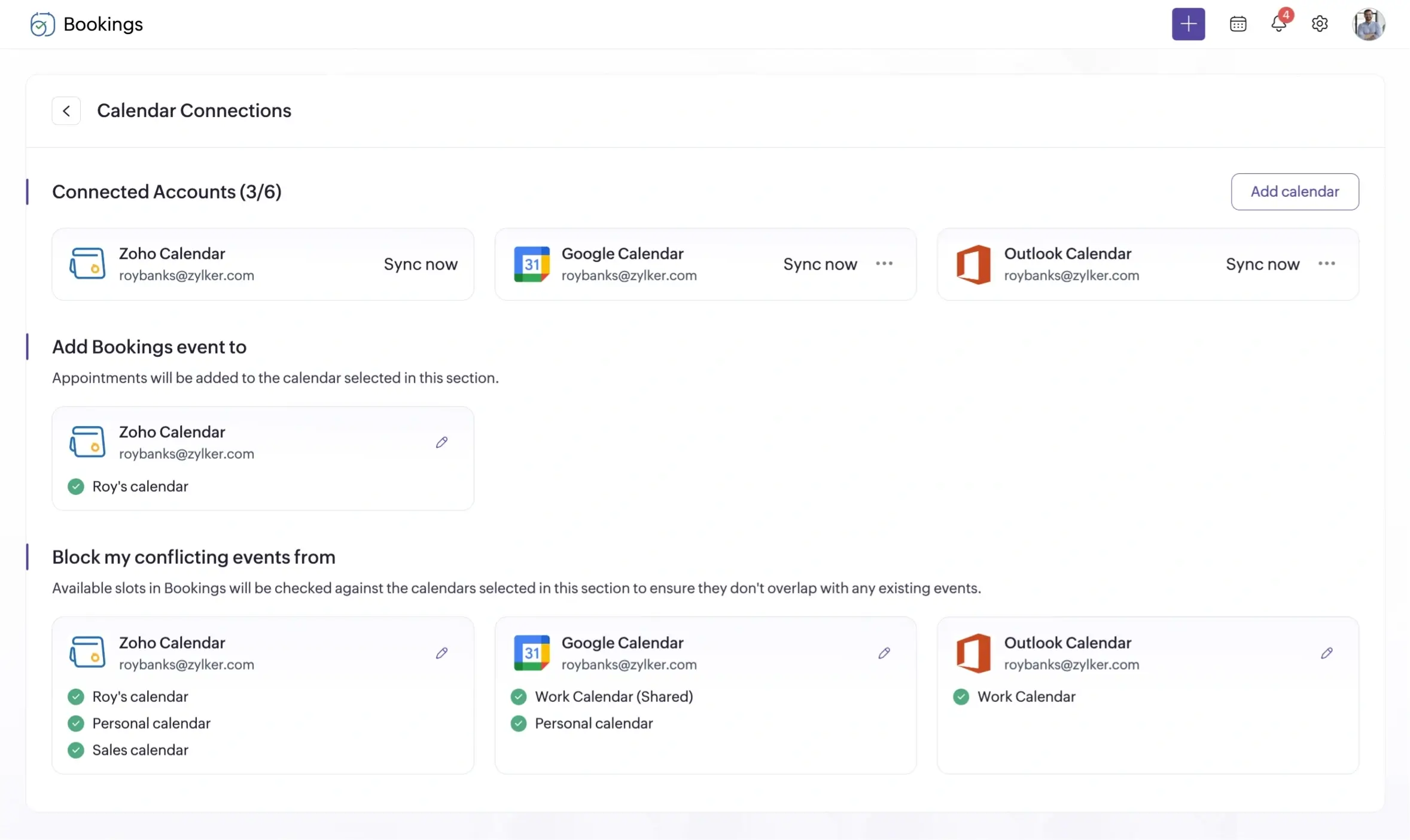
1. Eliminate double-bookings by integrating with external calendars. For example, as a teaching assistant, sync your external events into Bookings and prevent students from scheduling sessions when you're unavailable.
2. Keep your peers and mentees in the loop with automated communications via email, text, or WhatsApp. You can even include the session's agenda or key concepts within your emails. This ensures your mentees are automatically notified of the upcoming session, reducing the possibility of no-shows.
3. Zoho Bookings lets attendees schedule meetings around the clock. For example, students and mentees can book a slot even when you're in the middle of another session.
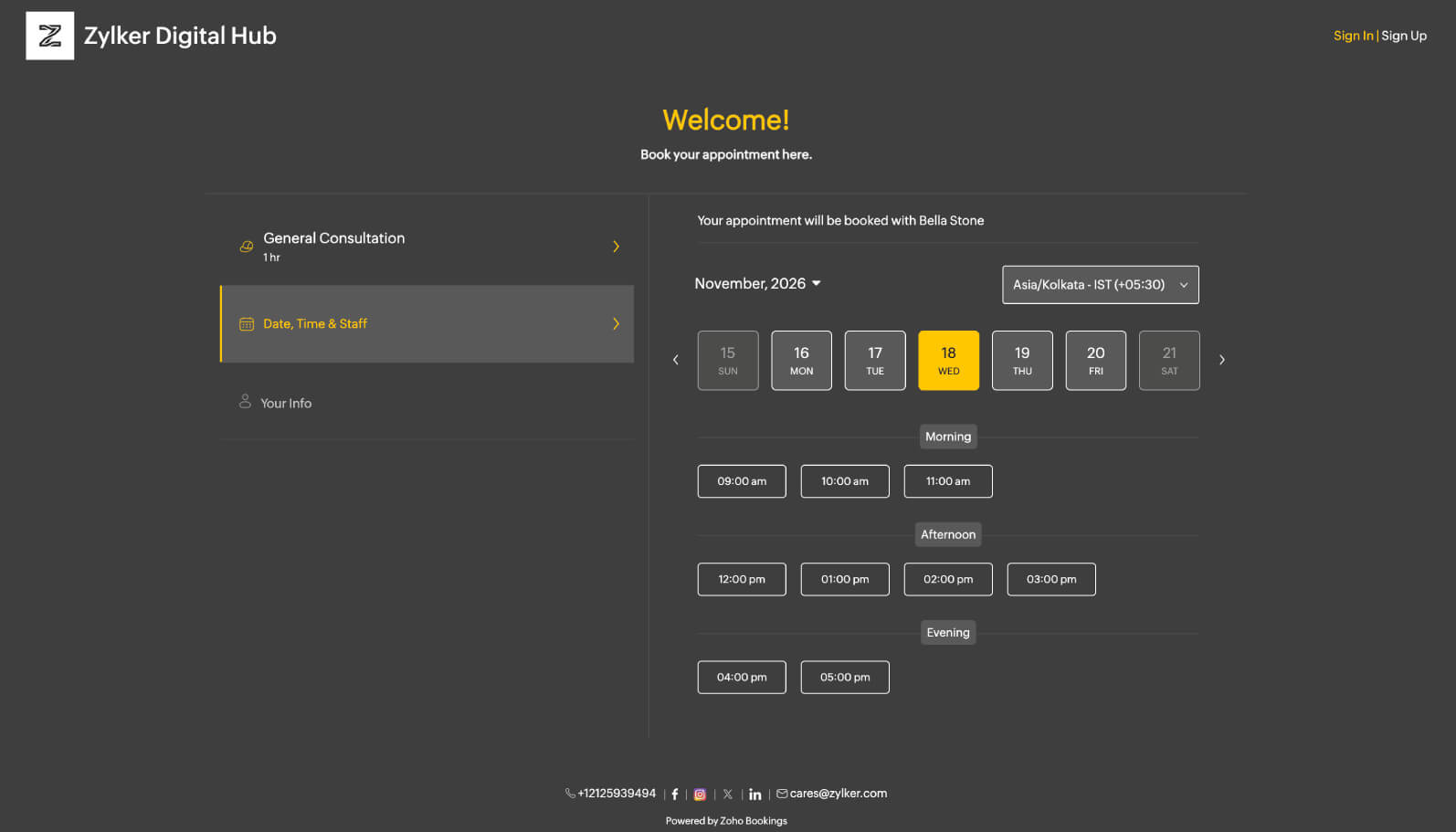
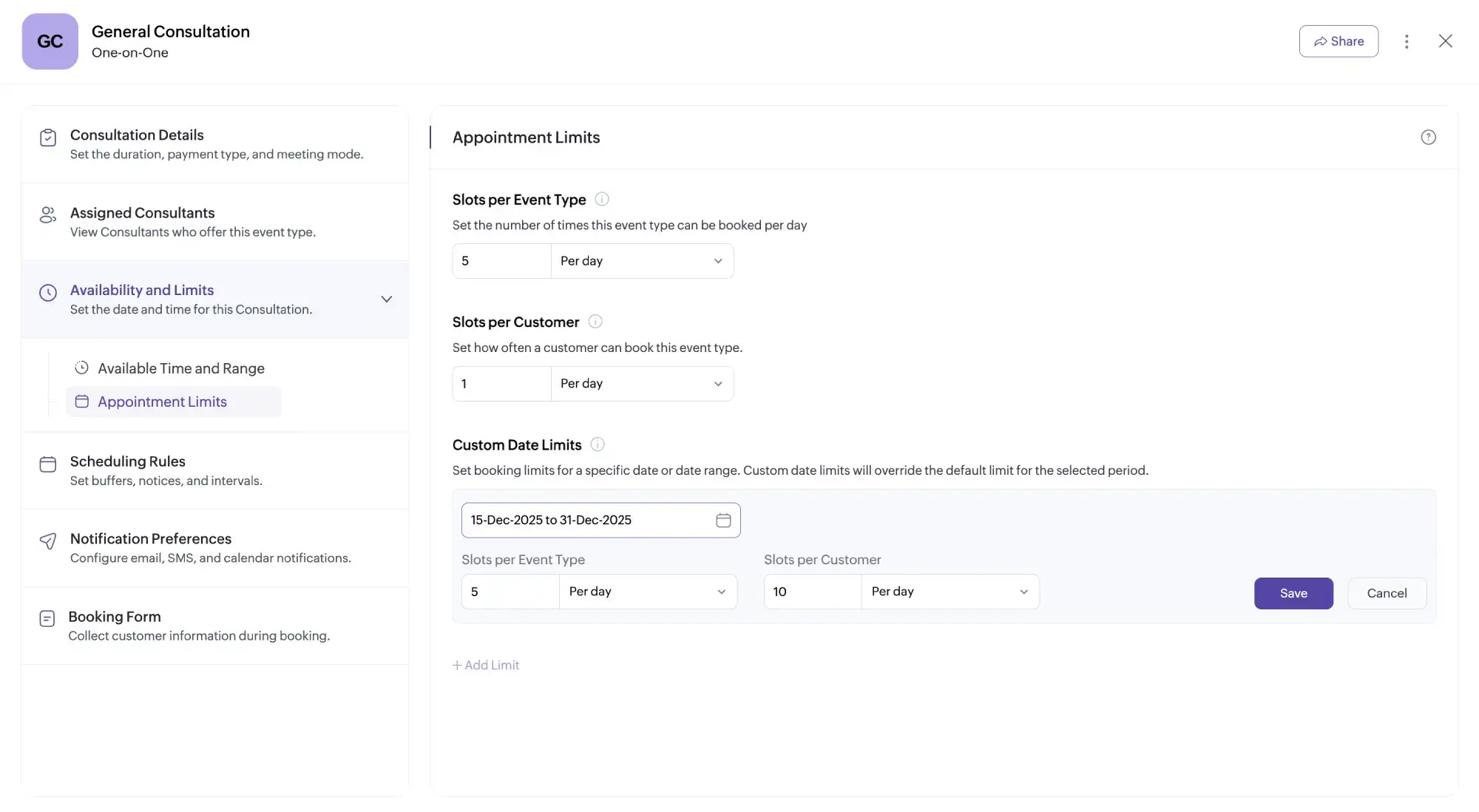
4.Limit appointments based on custom criteria. For instance, limit students to one seat for your workshops and eliminate unauthorized bookings.
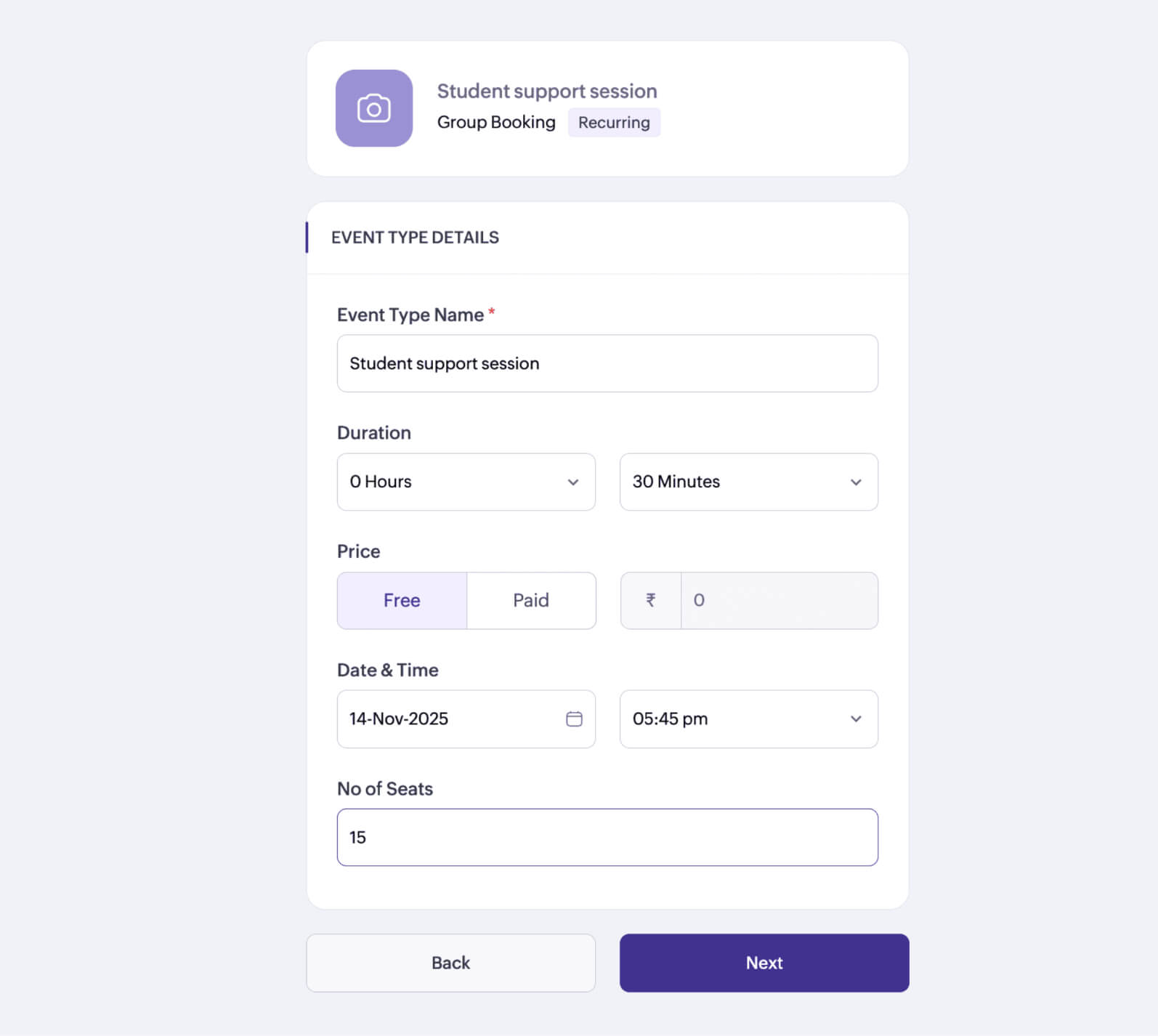
5.Recurring group bookings eliminate the hassle of recreating sessions over and over. For example, set up a weekly support session to establish a regular routine for both you and your students.
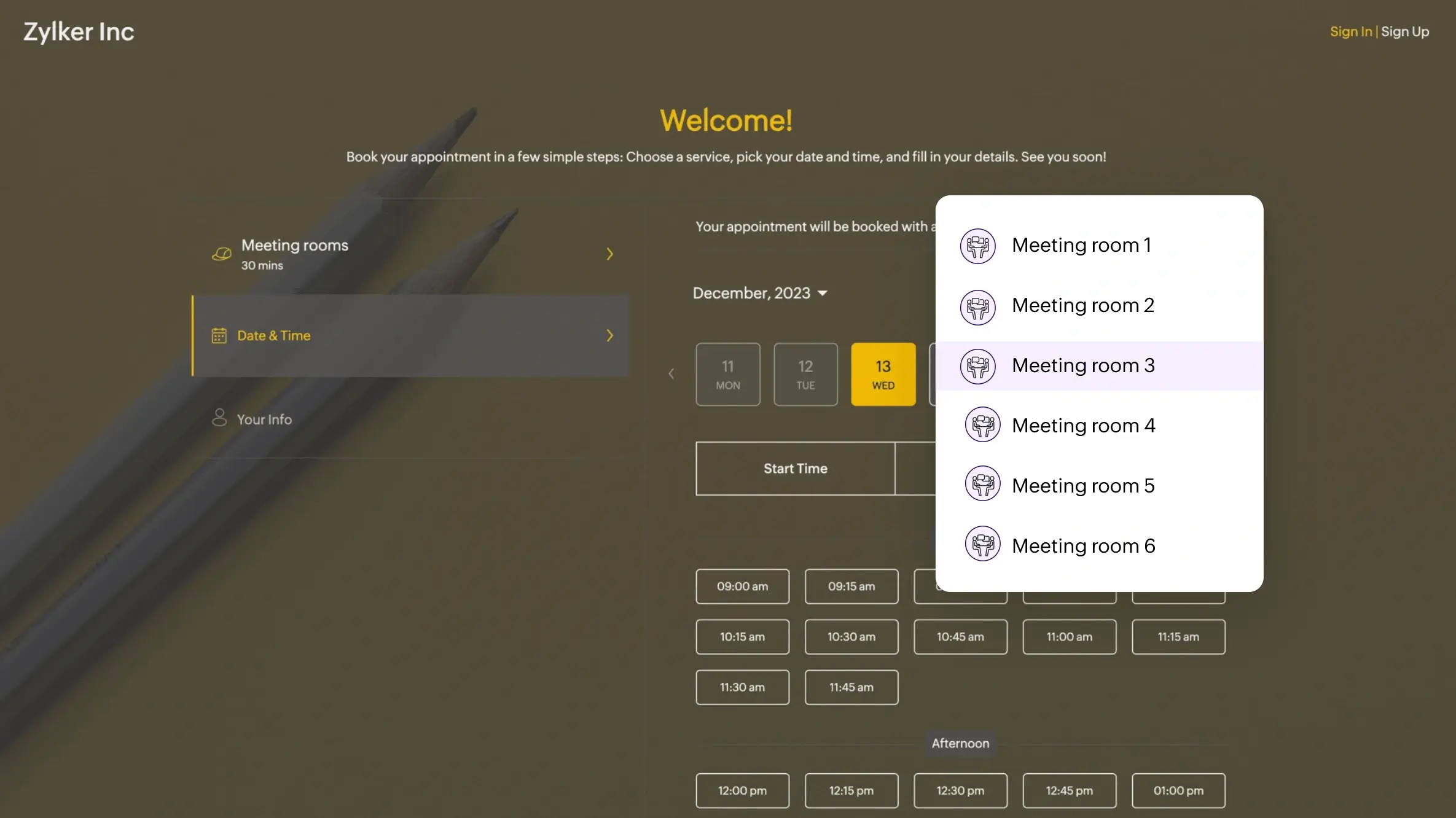
6.Resource bookings help you book equipment in advance. For example, reserve labs or projectors before a session to help tutors start sessions on time.
A quick summary:
Throughout your semester, you'll likely have to set up sessions with multiple people: tutors, peers, mentees, and more. Instead of going through a never-ending loop of back-and-forth conversations, meet people effortlessly with Zoho Bookings.
Once you add your availability and share your booking page with others, Zoho Bookings automates the entire scheduling process—from showcasing your availability on the booking page to following up with them after a session with workflows.
Student club organizers can use Zoho Bookings to simplify sessions and create more time focus on work that really matters. For example, with group bookings, you can have multiple students book your workshop. Alternatively, you can conduct one-on-ones with your mentees.
You can even store notes corresponding to every appointment.
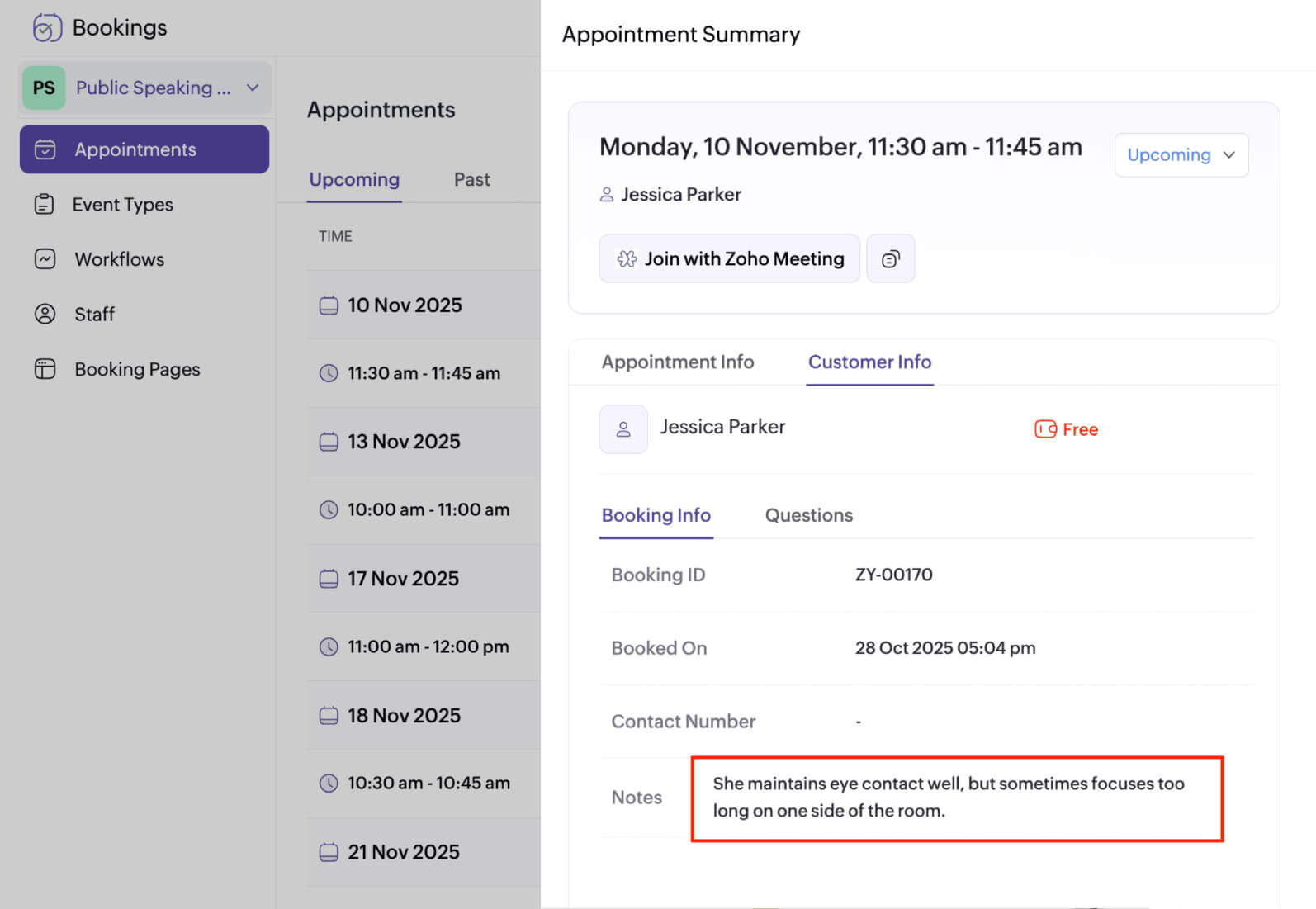
Zoho Bookings also offers a variety of event types and extensive customization support. Plus, auto-generate meeting links and attach them to outgoing emails, manage schedules on the go, and more!
Ready to simplify your student scheduling?
Try Zoho BookingsNotion
Available platforms: Web app, Windows, MacOS, Android, iOS, and browser extension
Ideal for: Students who want a robust tool to structure tasks for many different courses, projects, and deadlines
Pricing: Free plan available | $10/user/month (when billed annually)
Unique features:
1. Notion offers robust databases, which are hubs that keep your information sorted. It offers extensive customization features, from field types and multiple views to the flexibility to link databases across pages.
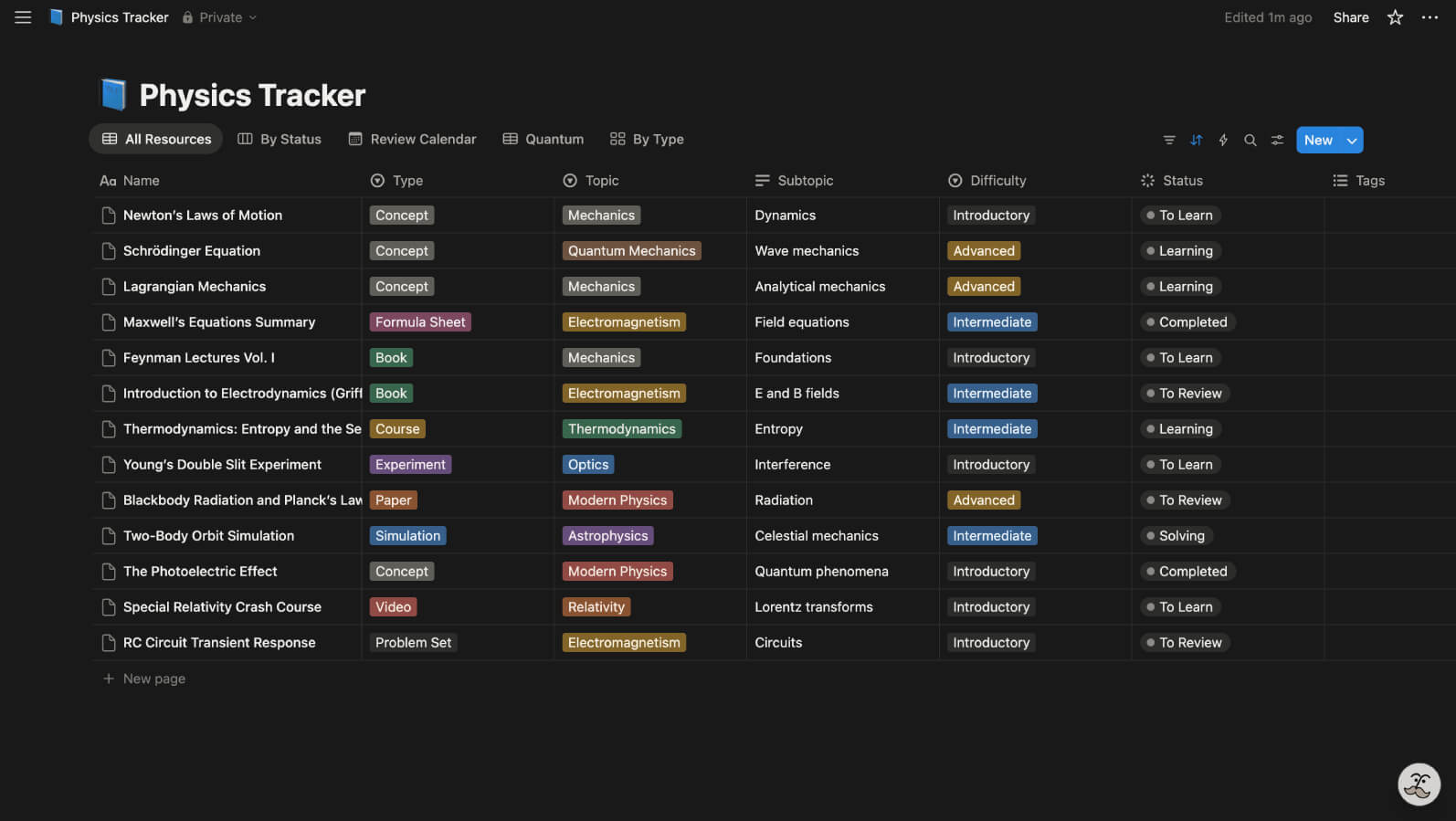
2. Notion's AI does the heavy lifting for you. In the GIF below, you can see how a simple command builds an entire database to track your work for Biology.
3. Notion pages can even double as a website. For example, instead of sharing your essay as a document, share it as a live link so that you can collaborate with your mentor effortlessly.
A quick summary:
Notion is a meticulously designed student planner app that brings all your information under one roof. It's a flexible app that can be customized to the way you work. A checklist? A kanban board? A calendar? You name it, Notion has it. Its sidebar gives you quick access to all your pages. Overall, it's a great pick for users who wish to track and interlink a ton of information in one platform.
Google Calendar + Google Tasks
Available platforms: Web app, Android, iOS
Ideal for: Students who want a familiar interface that sports a calendar + checklist combo
Pricing: Free
Unique features:
1. Achieve seamless synchronization between your calendar and to-do list. Creating a task and assigning a due date automatically adds it to your Google calendar. When you move the task, the due date automatically changes everywhere.
2. Turn emails into tasks effortlessly. For example, if you're instructed to write an essay over email, simply drag it into your to-do to convert it into a task.
3. Constant tab switching kills your rhythm and distracts you. Instead, switch between your calendar and tasks without switching tabs.
A quick summary:
If you're familiar with Google's products and looking for a simple way to manage your tasks, then the Google Calendar + Tasks combo is for you. Shape your study routine via Google Calendar with tasks baked right into your schedule. Create multiple lists in Google Tasks, each dedicated to a subject, to effectively organize and categorize your work.
What's your pick?
We've shortlisted five apps, but the best match will depend on your individual requirements. If more than one app seems to match, sign up for each and put them to the test. Create schedules, add your tasks, and see what works for you.
If you're looking to meet your peers effortlessly and manage your schedule, check out Zoho Bookings.
Author's bio:

Siva Product Marketer, Zoho Bookings
Siva is a product marketer at Zoho Bookings. Working with Bookings for over three years, he has developed a strong understanding of scheduling workflows and helps businesses resolve related challenges through webinars and other one-on-one sessions. His interest in books and digital worlds shape his curiosity for storytelling and user-focused content. Find him on LinkedIn.