Zia Insights For Dashboard
Insights are often scattered across multiple reports, making it difficult to understand the overall performance of the business quickly.Manually reviewing each report to identify important insights can be time-consuming and may prevent users from seeing the bigger picture.
Zia Insights in dashboards analyzes and correlates related metrics and dimensions across all reports within a dashboard to generate unified insights. These insights are presented in a business-ready format, explaining key changes, trends, and potential drivers in clear language. This makes it easier to quickly understand what is happening across the business and take timely action.
This is especially useful for C-level executives and decision makers, who need a quick, high-level view of what is happening across the business without navigating through multiple reports.
On this Page
- Access to Zia Insights
- Invoking Zia Insights for Dashboard
- Customizing Zia Insights
- Dashboard Tab
- Explain by Report
- Insights Categories
- Key Driver Analysis - Diagnostic Insights
Access to Zia Insights
Users with administrative privileges (Account Admin, Org Admin, Workspace Admin), Shared Users and Custom Role users can access Zia insights based on the access permission defined for their role.
Invoking Zia Insights in Dashboard
- Access the Dashboard in View mode.
- Click Zia Insights button on the top right.
- The Zia insights panel will appear, displaying insights generated for the dashboard.
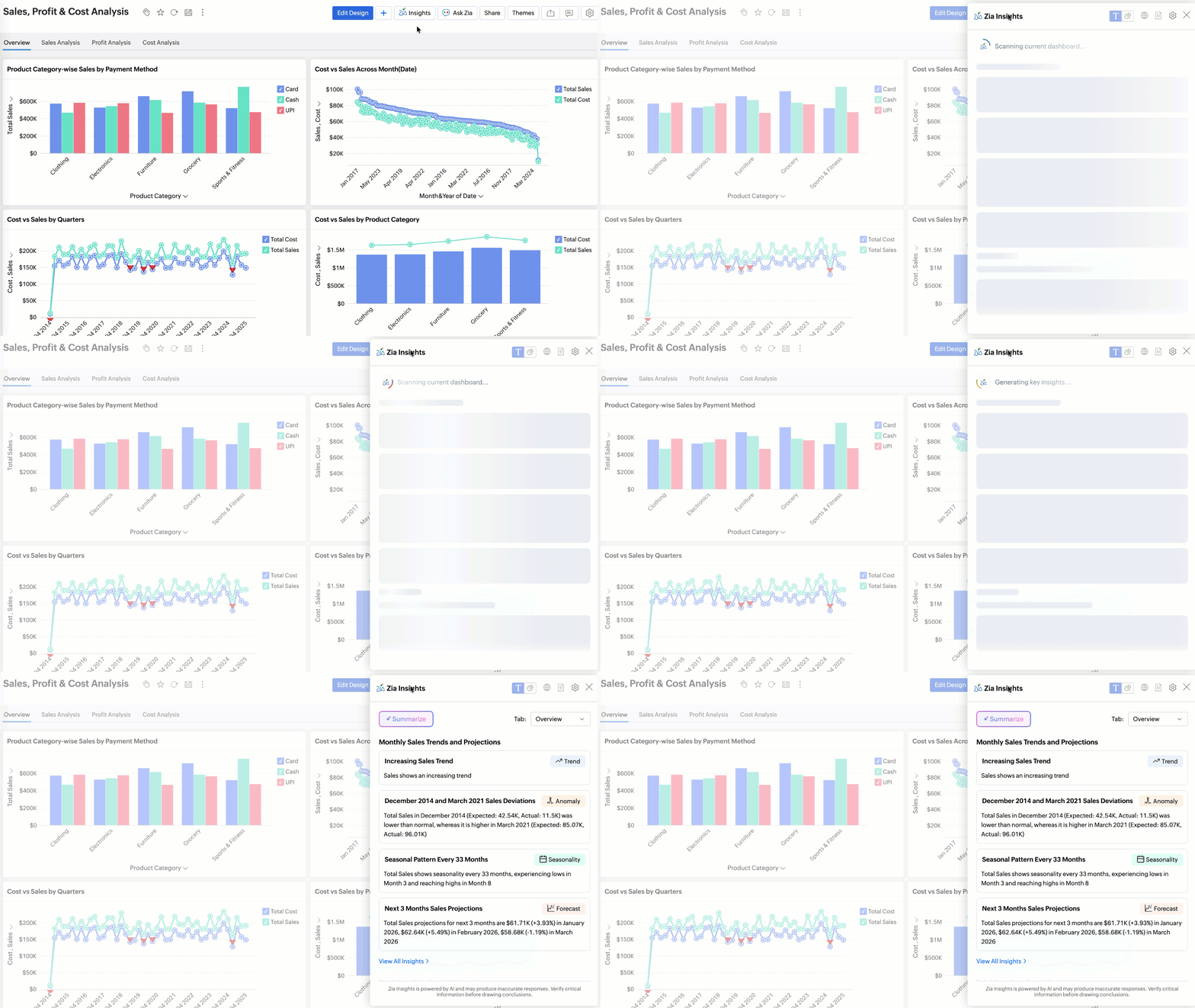
- Switch between the tabs to view insights specific to each tab in the dashboard.
Dashboard Summary
The Summarize option in Zia Insights provides a high-level overview of the key patterns in your data. It combines descriptive insights to explain what has happened, diagnostic insights to identify what drove the changes, and predictive insights to indicate what is likely to happen next. This helps users quickly understand the overall story behind the data without manually analyzing multiple reports.

How Insights are identified and Organized?
Zia automatically scans the reports in the dashboard to identify top contributing measures and generate insights. These insights are first created at the metric level and then further analyzed across relevant dimensions to provide deeper context.
The insights primarily highlight patterns such as seasonal trends, anomalies, and notable changes over time (forecast), especially for date-based metrics in relation to other key measures and dimensions. Each insight is displayed as a card along with a tag denoting the type of insight.

The View All Insights option displays the complete list of insights generated for a selected metric. To make exploration easier, the insights are organized and categorized by insight type, allowing users to quickly focus on the most relevant findings.Refer to the Insight Categories section to learn more.

Customizing Zia Insights
Zia automatically selects relevant reports in a dashboard to generate insights. However, Zoho Analytics also allows you to customize how these insights are generated. You can choose the reports to be included in the analysis, configure the insight categories, and adjust other settings to align the insights with your analytical needs better.
To customize Zia Insights settings, Click the Settings icon.
Dashboard Tab
This option allows you to customize Zia Insights settings for each tab in the dashboard. It is available only when the dashboard contains multiple tabs, enabling you to configure insights independently for each tab.

Explain by Reports
This Explain by Report option allows you to choose the reports to be included generating Insights. By default, all reports within the current tab are selected, but you can modify the selection based on the reports you want Zia to analyze.

Insights Categories
This option allows you to choose the types of insights Zia should generate for the selected reports. Zia can detect various insight categories such as trends, anomalies, comparisons, and other analytical patterns. Refer to the Insight Categories section to learn more.
Key Driver Analysis (Diagnostic Insights)
Key Driver Analysis identifies the factors that significantly influence changes in a metric. Zia uses ML models to analyze relationships between measures and dimensions to determine which entities contributed the most to the increase or decrease in a metric. For more details about the supported methods and models used, refer to the Key Driver Analysis documentation.

Configuring Key Driver Analysis
For key driver analysis, Both measure and categorical fields can be used as influencing factors. A maximum of five dimensions and three measures can be used as factors to analyze how they have influenced the target metric. Refer to configuring key driver analysis article to learn more.