- HOME
- AI email agent vs. AI assistant vs. Email automation: What's the difference, and which one do you need?
AI email agent vs. AI assistant vs. Email automation: What's the difference, and which one do you need?
- Last Updated : June 2, 2026
- 212 Views
- 11 Min Read

If you've been evaluating tools to make email work easier for you, you've probably encountered three terms used almost interchangeably: email automation, AI assistant, and AI email agent. They all promise to make email faster and easier. But they solve fundamentally different problems, and choosing the wrong one can mean paying for a solution that still leaves your team buried in their inbox.
Let's break down exactly what each approach does, where each one falls short, and what kind of operation actually benefits from each tool.
Why email management needs superior tools
Email was supposed to get easier but it hasn't always happened. The reason isn't just that people receive more email. It's that email has quietly absorbed responsibilities it was never intended to handle. What started as a faster alternative to memos has become the default coordination layer for nearly everything: customer inquiries, vendor negotiations, internal approvals, support escalations, scheduling, follow-ups, and anything else that doesn't have a more specific home.
The result is an inbox with dozens of different workflows colliding in one place, each with different urgency levels, different required actions, different people who need to be involved, and different systems that need to be updated as a result.
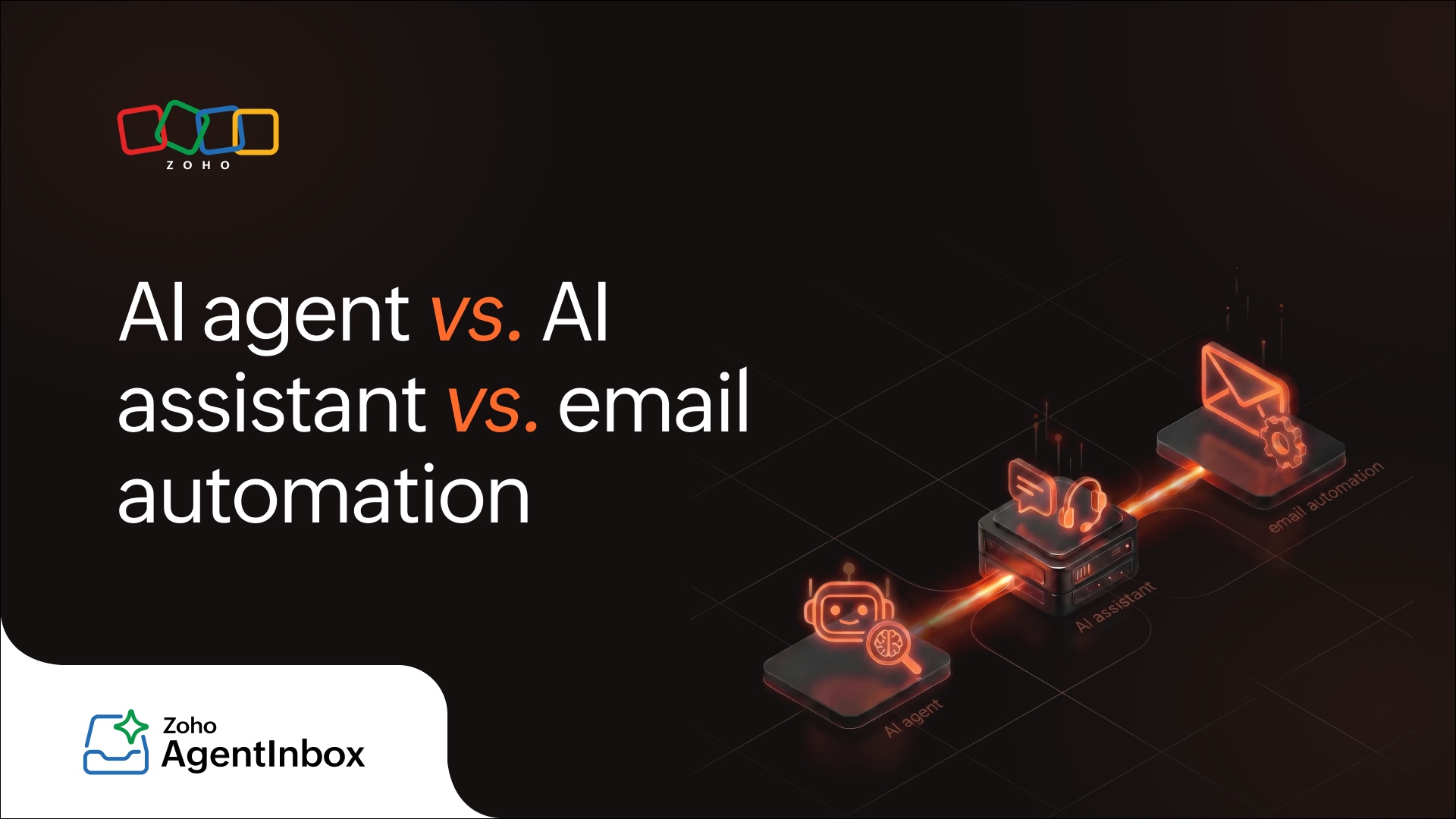
For individuals, this creates cognitive overload and for teams, it creates coordination failure. The volume compounds these problems. Three generations of tools have tried to solve this, each with a different theory of the problem:
Email automation: Rules-based routing and templating.
AI assistants: Makes humans faster at the tasks they stay involved in.
AI email agents: Handles email end-to-end, bringing humans in only when genuinely needed.
Each represents a significant jump in capability, and a corresponding jump in what the tool can actually take off your hands.
Email automation: Rules without intelligence
Email automation is the original attempt to make email manageable at scale. It works by applying pre-defined rules to incoming or outgoing messages: if X condition is true, do Y action.
Tools in this category include email marketing platforms, CRM sequence tools, and inbox rules within email provider platforms.
Key features
Rule-based triggers: Actions fire automatically when predefined conditions are met. For example, a keyword appears, a form is submitted, a date passes, a contact enters a list segment.
Template libraries: Pre-written email content with dynamic field insertion (name, company, order number) for personalization at scale.
Sequence builders: Multi-step email sequence with defined timing, branching logic, and exit conditions.
Routing and tagging: Automatic inbox organization (labels, folders, forwarding rules) based on sender, subject, or content keywords.
Analytics and reporting: Open rates, click rates, reply rates, and sequence performance tracked at the campaign level.
CRM and workflow integration: Email actions (a click, a reply, an unsubscribe) trigger updates in connected systems automatically.
How it works
Automation operates on a simple logic loop: a trigger occurs, a condition is evaluated, an action executes. When a prospect fills out a contact form, the system adds them to a sequence and begins firing emails on a defined schedule. When an inbound email contains the word "invoice," a rule forwards it to the finance team. When a customer hasn't replied in five days, a follow-up sends automatically.
There's no language understanding happening here. The system matches patterns like keywords, sender addresses, list membership, and behavioral signals, and executes the corresponding action. Everything the system does was explicitly designed and configured by a human beforehand. If a situation arises that no rule was written for, the system either does nothing or falls back to a default action.
What it does well
Within its lane, email automation delivers consistency and scale that no manual process can match. For outbound workflows where the message, timing, and audience are well-defined in advance, it removes humans from tasks that don't benefit from human judgment.
Outbound sequencing is its strongest suit. Sales follow-ups, onboarding drips, renewal reminders, and re-engagement campaigns all run on autopilot once configured. For high-volume broadcasting, such as newsletters, product announcements, or transactional emails to thousands of contacts, automation is the clear tool of choice. And for simple inbox routing, well-built rules can meaningfully reduce the manual triage burden on a team.
Where it falls short
Automation has one fundamental limitation: It cannot reason about content it hasn't seen before.
Rules work when the world behaves predictably. The moment an email arrives that doesn't match your predefined conditions the automation either misroutes it, ignores it, or routes it to a human anyway.
This is the long tail problem of email. The emails that don't fit your rules often contain your most important messages: escalated complaints, high-value opportunities, urgent requests. Automation handles the routine well but routinely fails on the exceptions which are often the emails that matter most.
Beyond the long tail, automation requires continuous maintenance as business rules evolve, provides no understanding of tone, urgency, or sentiment, and cannot draft contextual responses. It can only insert pre-written content into pre-defined templates.
Who it's best for
High-volume outbound email campaigns, transactional email systems, and simple inbox triage where the business logic is stable and well-defined.
AI assistants: Intelligence that still requires a human
AI assistants use large language models (LLMs) to help humans write, summarize, and respond to email faster and better. The human remains in the loop for every decision and the AI's job is to make that human more effective at the work they're already doing.
Key features
Natural language understanding: AI assistants read and interpret the meaning of an entire email, not just its keywords. They identify the intent behind a message, the tone it carries, and the context it implies, which is what allows them to generate relevant, coherent responses rather than template-matched outputs.
Generative language production: At the core of every AI assistant is the ability to produce original, fluent text from a prompt or context. This is what powers drafting, rewriting, and reply suggestions. The model generates language that fits the situation rather than retrieving pre-written content.
Contextual reasoning: AI assistants can hold and reason across the content of a conversation thread, a set of instructions, or supplementary documents provided at the time of the request. This allows them to produce responses that are specific to the situation rather than generically phrased.
Summarization and compression: AI assistants can identify the most important information across a large body of text and reduce it to its essential points without losing critical meaning.
Style and tone adaptation: AI assistants can modulate their output across registers—formal or casual, concise or detailed, direct or diplomatic—based on instructions or by inferring what's appropriate from the context of the conversation.
Multilingual capability: AI assistants operate across languages with nuanced, context-aware output, going beyond word-for-word translation to produce communication that reads naturally to a native speaker.
How it works
AI assistants are reactive by design. The human initiates every interaction: They open an email, ask the assistant for a draft or a summary, review what comes back, make edits, and send. The model generates output based on the context provided like the incoming message, any instructions the human gives, and sometimes additional context from connected tools or documents.
Most AI assistants operate statelessly, meaning each interaction starts fresh. The model doesn't remember that it helped you draft a response to this customer last week, or that the same person escalated a complaint two months ago. It works with what's in front of it at the moment it's asked. The human provides continuity; the AI provides the language.
What it does well
AI assistants deliver their biggest returns on emails that are complex, high-stakes, or time-consuming to write well. Summarization is equally valuable. Long forwarded threads, lengthy customer histories, and back-and-forth chains that span weeks can be distilled instantly, letting humans make faster decisions with better context. For teams that deal with dense, information-heavy correspondence, this alone justifies the tool.
AI assistants also raise the floor on writing quality across a team. Junior employees write with more confidence, non-native speakers communicate more naturally, and rushed messages get a layer of polish before they go out—all without requiring manager review.
Where it falls short
The AI assistant model has one hard ceiling: A human must still read and approve every outgoing message.
At low volumes, this is fine. But at scale, this bottleneck becomes the problem itself. If your team receives 500 customer emails per day and each one requires a human to review an AI draft before sending, you haven't eliminated the workload, you've made each unit of work faster while leaving the fundamental constraint unchanged. The inbox is still a queue. The team is still reactive.
Beyond the throughput ceiling, AI assistants are passive by nature. They wait to be invoked rather than acting on incoming email independently. They cannot triage, prioritize, or route messages on their own. And without persistent memory, they have no awareness of a contact's history, making every interaction feel like the first one.
Who it's best for
Individual contributors and small teams who write a high volume of complex, high-stakes emails and need help with quality and speed, not teams whose primary challenge is inbox volume.
AI email agents: Autonomous action on email
An AI email agent is a fundamentally different kind of system. Rather than helping a human work faster, it acts on behalf of that human, reading incoming email, reasoning about what's needed, and taking action without requiring a human to initiate each step.
Where an AI assistant is reactive (it helps when you ask it to), an AI email agent is proactive and autonomous. It understands the context of a conversation, can access relevant data from connected systems, drafts and sends responses independently (within defined guardrails), routes messages intelligently, creates follow-up tasks, updates CRM records, and escalates to humans only when genuinely necessary.
The architecture that makes it different
AI email agents aren't just LLMs bolted onto an inbox. They typically combine several key features:
Inbox perception: The agent reads and understands incoming messages, including attachments, reply chains, and metadata. It identifies sender intent, urgency level, topic category, and relevant entities (names, dates, order numbers).
Memory and context: Unlike a stateless AI assistant, an AI agent maintains context across a conversation thread and, in more sophisticated implementations, across a customer's history with your organization. It knows that the person asking a question today is the same person who complained last month.
Reasoning and planning: Given an email, the agent reasons about what the best response or action would be, not by matching keywords to templates, but by understanding the situation and applying judgment about what should happen next.
Tool use and integrations: A real AI email agent can reach into connected systems like a CRM, a help desk, a calendar, an order management system, or a knowledge base to retrieve information relevant to its response. It can also write back to those systems (log a contact, update a record, create a task).
Action and communication: The agent drafts and sends responses, routes emails to the right person or queue, creates follow-up reminders, tags and archives messages, and manages threads to resolution.
Human escalation logic: Critically, a well-built AI email agent knows what it doesn't know. It recognizes when a situation exceeds its confidence threshold or defined scope and routes to a human with context already loaded and suggested response.
What it does well
True volume handling: An AI email agent can handle hundreds or thousands of emails per day without adding headcount. A team managing 1,000 customer inquiries per week doesn't need to hire three more support staff if a well-configured agent can handle 80% of those inquiries end-to-end.
Consistent quality at scale: Humans have bad days. They skim emails when they're tired, write terse responses when they're stressed, and make inconsistent decisions about routing and prioritization. An AI agent applies the same standard to every message, every time.
24/7 coverage: Customers don't email only during business hours. An AI email agent responds to inquiries at 2:00 am the same way it does at 2:00 pm, without overtime costs or staffing nightmares.
Cross-system action: Because AI agents can integrate with your tools, a single incoming email can trigger a sequence of actions: logging the contact in your CRM, creating a support ticket, pulling the customer's order history, drafting a personalized response with accurate details, and scheduling a follow-up—all without human involvement.
Learning and improvement: More sophisticated AI email agents improve over time. As they observe which responses lead to resolved threads and which lead to escalations, they can refine their approach, and human-reviewed decisions help train the model toward better judgment.
Where it falls short (or at least requires care)
AI email agents are powerful, but they're not magic. Being clear about where they require careful implementation sets realistic expectations:
Setup and configuration: Unlike picking up an AI assistant and immediately using it, deploying an AI email agent requires work upfront: defining scope, configuring integrations, establishing guardrails, and calibrating escalation logic. The payoff is enormous, but the time to value is longer than point-and-click tools.
Edge cases still need humans: A well-designed AI email agent should catch its own edge cases and escalate gracefully. But any email agent that claims to need no human oversight should raise a red flag. Legal matters, sensitive customer situations, complex negotiations, and novel scenarios require human judgment. The agent's job is to handle the routine and prepare humans to handle the exceptional, not to eliminate human involvement entirely.
Trust and brand risk: Autonomous outbound communication carries real risk. A poorly calibrated agent that sends the wrong message to the wrong customer, or mishandles a sensitive complaint, creates problems that are hard to undo.
Data and integration quality: An AI email agent is only as good as the context it can access. If your CRM is incomplete, your knowledge base is outdated, or your integrations are unreliable, the agent's responses will reflect those gaps. Garbage in, garbage out applies here more visibly than in most systems.
Who it's best for
Teams with high-volume inboxes where a meaningful percentage of messages are repetitive or semi-repetitive, such as customer support, sales development, recruiting coordination, vendor management, and operations. It's also valuable for any team where email response time is a competitive differentiator or a customer satisfaction driver.
Comparison
Capability | Email automation | AI assistant | AI email agent |
|---|---|---|---|
Handles high volume | Yes (rule-based) | No (human-bottlenecked) | Yes (autonomous) |
Understands email content | No | Yes | Yes |
Drafts contextual responses | No (templates only) | Yes (with human review) | Yes (autonomously) |
Sends without human approval | Yes (templates only) | No | Yes (with guardrails) |
Integrates with your tools | Partial | Rarely | Yes |
Maintains conversation context | No | Partial | Yes |
Handles novel/unusual emails | No | Yes (human does it) | Yes (or escalates) |
Improves over time | No | No | Yes |
Setup complexity | Low | Very low | Medium-high |
Scales without headcount | Partially | No | Yes |
24/7 coverage | Yes (limited) | No | Yes |
A decision framework: which one do you actually need?
Start with email automation if:
You have a well-defined outbound email workflow (drip campaigns, follow-up sequences) with predictable structure.
Your inbox routing needs are simple and rules-based.
You're not yet at a volume where individual responses are a bottleneck.
You need a quick win with minimal implementation cost.
Use an AI assistant if:
You write complex, high-stakes emails that require care and craft.
Your team is skilled but slow where quality isn't the problem, speed is.
The emails you receive are genuinely unique and benefit from thoughtful human response.
You want to augment individual contributors without changing your process fundamentally.
Invest in an AI email agent if:
Your team is handling more than a few hundred emails per week in a repetitive category.
Response time is a meaningful driver of customer satisfaction, sales conversion, or operational efficiency.
You have (or could have) integrations with the systems that contain relevant context like CRM, help desk, or order management.
You're currently solving an email volume problem by hiring more people.
You want email to become a competitive advantage rather than a cost center.
Wrapping up
Email automation, AI assistants, and AI email agents exist on a spectrum from rule-following to genuine autonomous reasoning. Each has a role to play but they're not interchangeable.
In practice, the highest-performing teams use all three in combination: automation for outbound sequences and simple routing, AI assistants for high-judgment individual communication, and an AI email agent as the core system handling inbox volume at scale.
Zoho AgentInbox provides email, contacts, and calendar APIs that give AI agents a dedicated mailbox, persistent identity, and the ability to send and receive emails, manage contacts, and schedule events autonomously across sessions.